1. Product Overview
The Tjyuze VG-SOCC05 One Connect Cable is designed to provide a seamless connection between your compatible Samsung OLED 4K TV and its One Connect Box. This cable is an upgraded version of BN39-02903A and offers a length of 5 meters (16.4 feet) for flexible placement of your One Connect Box.

Figure 1: The VG-SOCC05 One Connect Cable, coiled for storage.
1.1. Key Features
- Length: 5 meters (16.4 feet) for extended reach.
- Compatibility: Specifically designed for Samsung OLED 4K TVs, S95D series.
- Upgrade: Improved version of BN39-02903A, ensuring reliable performance.
- Durability: Features a high-quality plug, reinforced interface, and thickened wire for enhanced longevity.

Figure 2: Detailed view of the cable's high-quality plug, reinforced interface, and thickened wire for durability.
2. Setup and Installation
2.1. Checking TV Model Compatibility
Before installing the cable, ensure your TV model is compatible. This cable is designed for Samsung OLED 4K TVs in the S95D series, including models like QN55S95DAF, QN65S95DAF, and QN77S95DAF. Not all Samsung TV models can use this cable; it is only compatible with the models listed.
- To find your TV model, look for the sticker on the back of your television.
- Alternatively, navigate to the "About TV" option in your TV's settings menu.
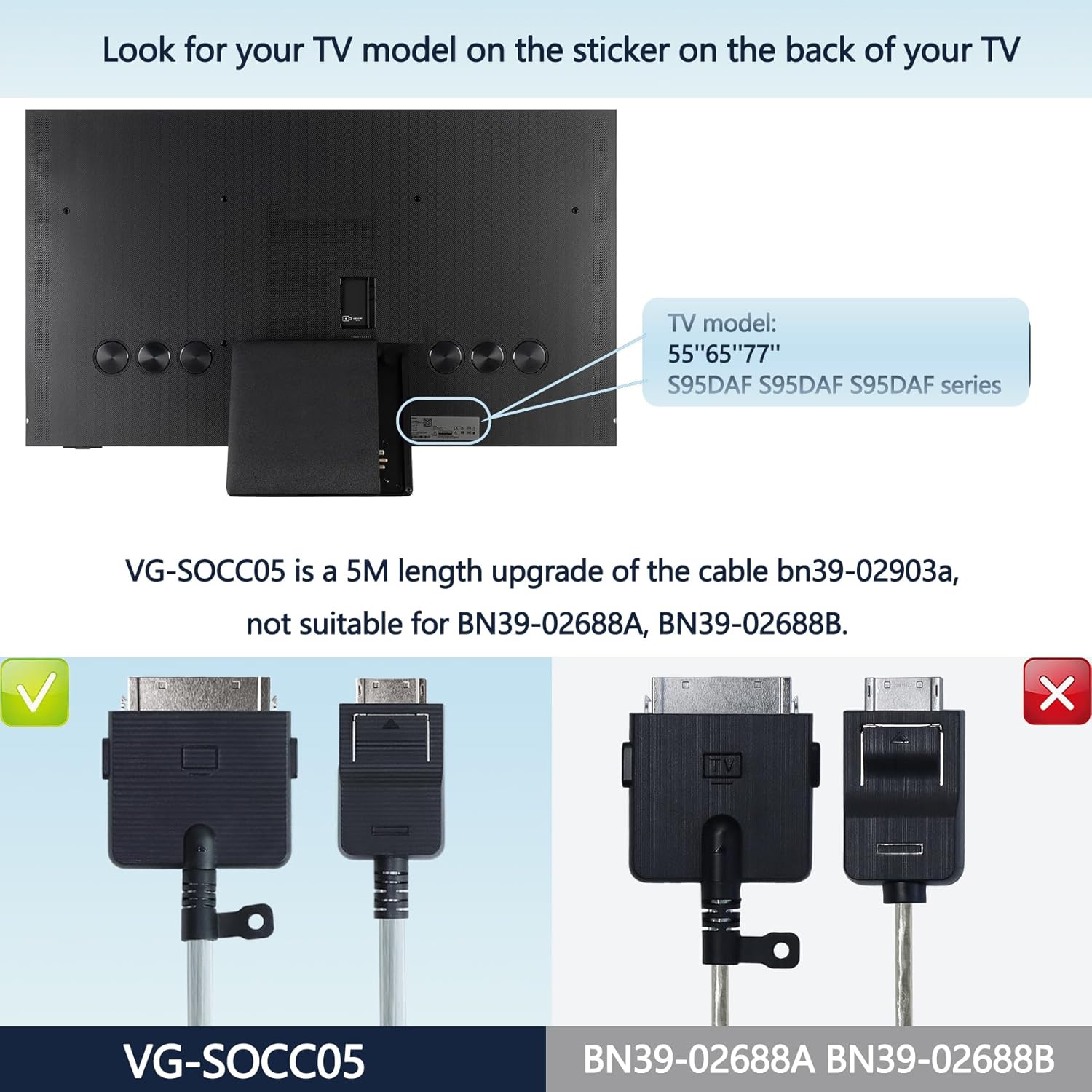
Figure 3: Locate your TV model on the sticker at the back of the television.
2.2. Connection Instructions
The VG-SOCC05 cable connects your Samsung OLED 4K TV to its One Connect Box. Ensure that the shapes of the plugs match the interfaces on your One Connect Box and TV. Refer to the product images for correct interface shapes.
- Identify the One Connect port on your Samsung OLED 4K TV.
- Identify the corresponding port on your One Connect Box.
- Carefully insert one end of the VG-SOCC05 cable into the TV's One Connect port.
- Insert the other end of the cable into the One Connect Box. Ensure both connections are firm and secure.

Figure 4: Proper connection of the VG-SOCC05 cable to the TV and One Connect Box. Note that this cable is only compatible with the specific One Connect Box shown.
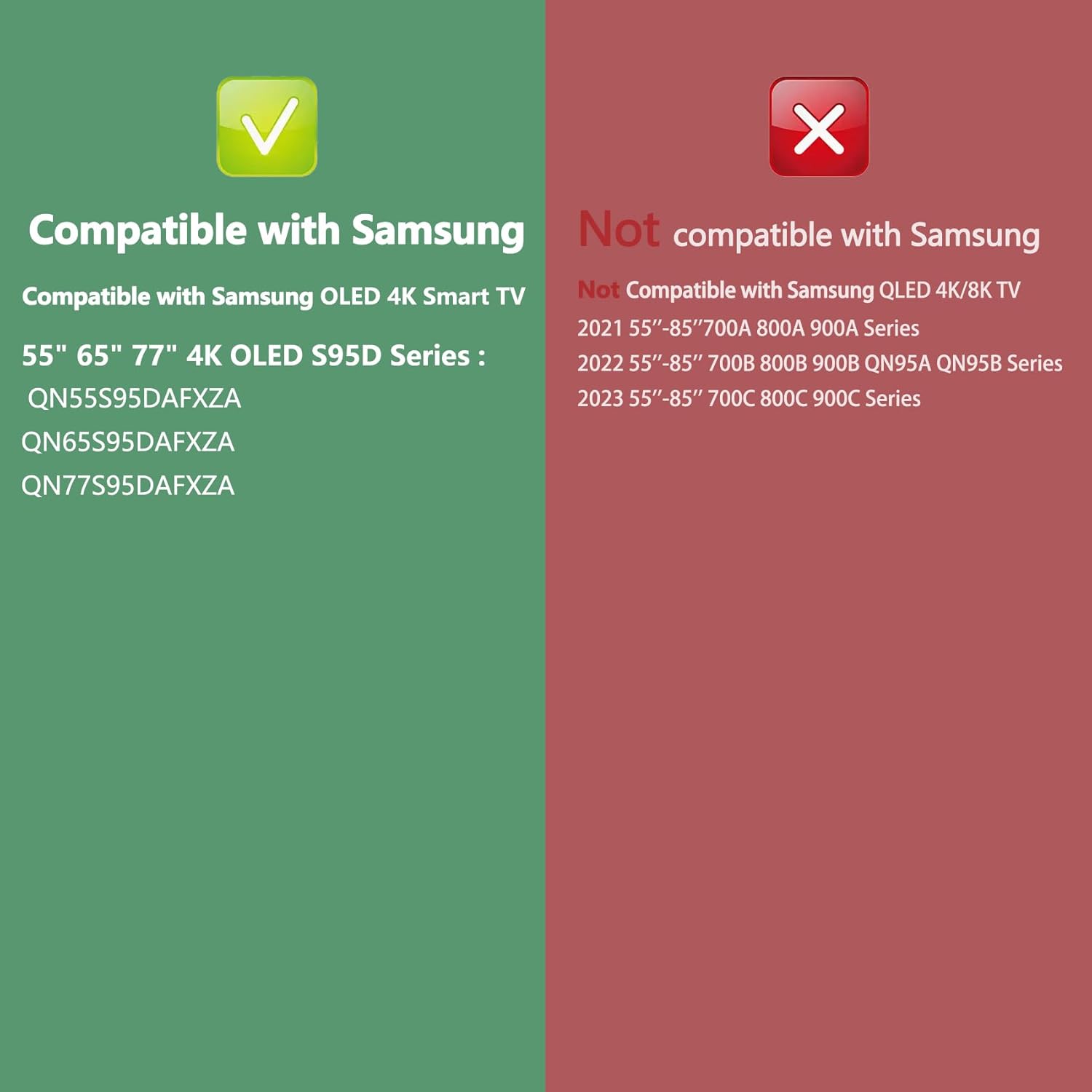
Figure 5: Compatibility details for the VG-SOCC05 cable, highlighting compatible Samsung OLED 4K S95D series TVs.

Figure 6: Visual comparison of the VG-SOCC05 cable connector with incompatible cable types (BN39-02688A, BN39-02688B). Ensure your cable matches the VG-SOCC05 type.
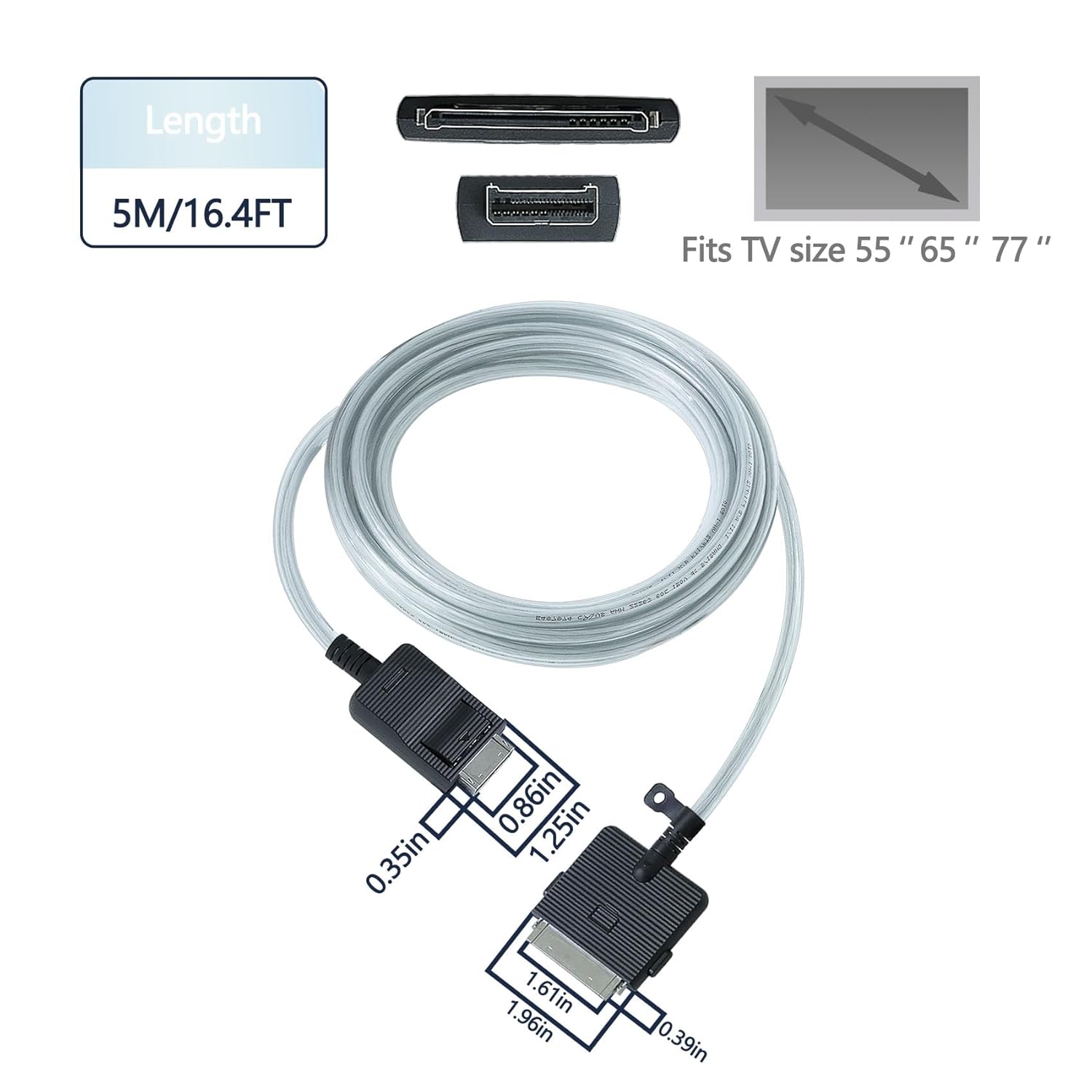
Figure 7: The 5-meter (16.4 feet) length of the cable provides ample reach for connecting your TV to the One Connect Box.
3. Operating the Cable
Once properly connected, the VG-SOCC05 cable facilitates the transmission of audio and video signals, along with power, between your Samsung OLED 4K TV and its One Connect Box. No further user operation is required for the cable itself, as its function is passive signal transfer.
Ensure the One Connect Box is powered on and correctly configured according to your TV's user manual for optimal performance.
4. Maintenance
To ensure the longevity and optimal performance of your VG-SOCC05 One Connect Cable, follow these maintenance guidelines:
- Avoid Bending: Do not excessively bend or kink the cable, especially near the connectors, as this can damage internal wires.
- Proper Storage: When not in use, coil the cable loosely and store it in a dry, cool place away from direct sunlight and extreme temperatures.
- Clean Connectors: Periodically inspect the connectors for dust or debris. If necessary, gently clean them with a dry, lint-free cloth. Avoid using liquids or abrasive cleaners.
- Handle with Care: Always grasp the plug when connecting or disconnecting the cable, rather than pulling on the cable itself.
5. Troubleshooting
If you experience issues with your TV's display or connection after installing the VG-SOCC05 cable, consider the following troubleshooting steps:
- Verify Connection: Ensure both ends of the cable are securely and correctly plugged into the TV and the One Connect Box.
- Check Compatibility: Double-check that your TV model is listed as compatible with the VG-SOCC05 cable. Incompatible cables or One Connect Boxes will not function correctly.
- Inspect Cable: Look for any visible damage to the cable, such as cuts, kinks, or bent pins on the connectors.
- Power Cycle: Turn off both the TV and the One Connect Box, unplug them from the power outlet, wait a few minutes, then plug them back in and power them on.
- Professional Assistance: If you are unsure whether the TV malfunction is due to the cable or another component, it is recommended to contact a TV repair professional for diagnosis.
6. Specifications
| Feature | Detail |
|---|---|
| Brand | Tjyuze |
| Model Number | VG-SOCC05 |
| Cable Type | HDMI (One Connect Cable) |
| Connector Type | Male to Female |
| Compatible Devices | Samsung OLED 4K TVs (S95D series: QN55S95DAF, QN65S95DAF, QN77S95DAF) |
| Special Feature | VG-SOCC05 One Connect Cable |
| Color | Black |
| Shape | Round |
| Product Dimensions | 30.81 x 28.6 x 7.19 cm; 939 grams |
| First Available Date | August 17, 2024 |
7. Warranty and Support
For information regarding warranty coverage for your Tjyuze VG-SOCC05 One Connect Cable, please refer to the purchase documentation or contact your retailer. Warranty terms may vary based on region and point of purchase.
If you require technical support or have questions not covered in this manual, please reach out to the manufacturer or your product supplier. Keep your purchase receipt handy for any warranty claims or support inquiries.


