1. Introduction
This manual provides detailed instructions for the setup, operation, and maintenance of your AJAZZ AK820 Pro Gasket Mechanical Keyboard. Please read this manual thoroughly before using the product to ensure proper functionality and to maximize your user experience.
2. Package Contents
Verify that all items are present in the package:
- AJAZZ AK820 Pro Gasket Mechanical Keyboard
- USB Type-C Cable
- User Manual (this document)
3. Product Overview
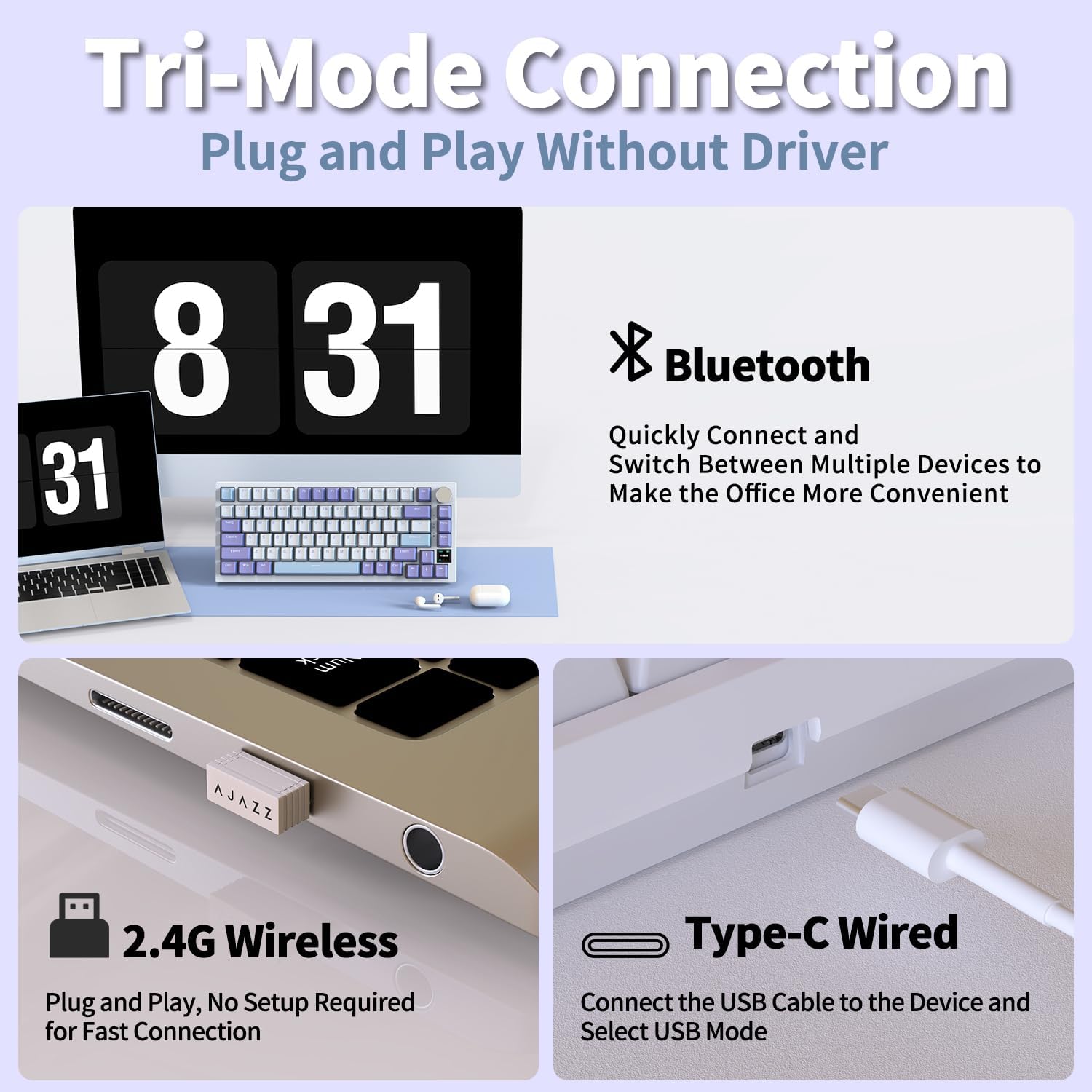
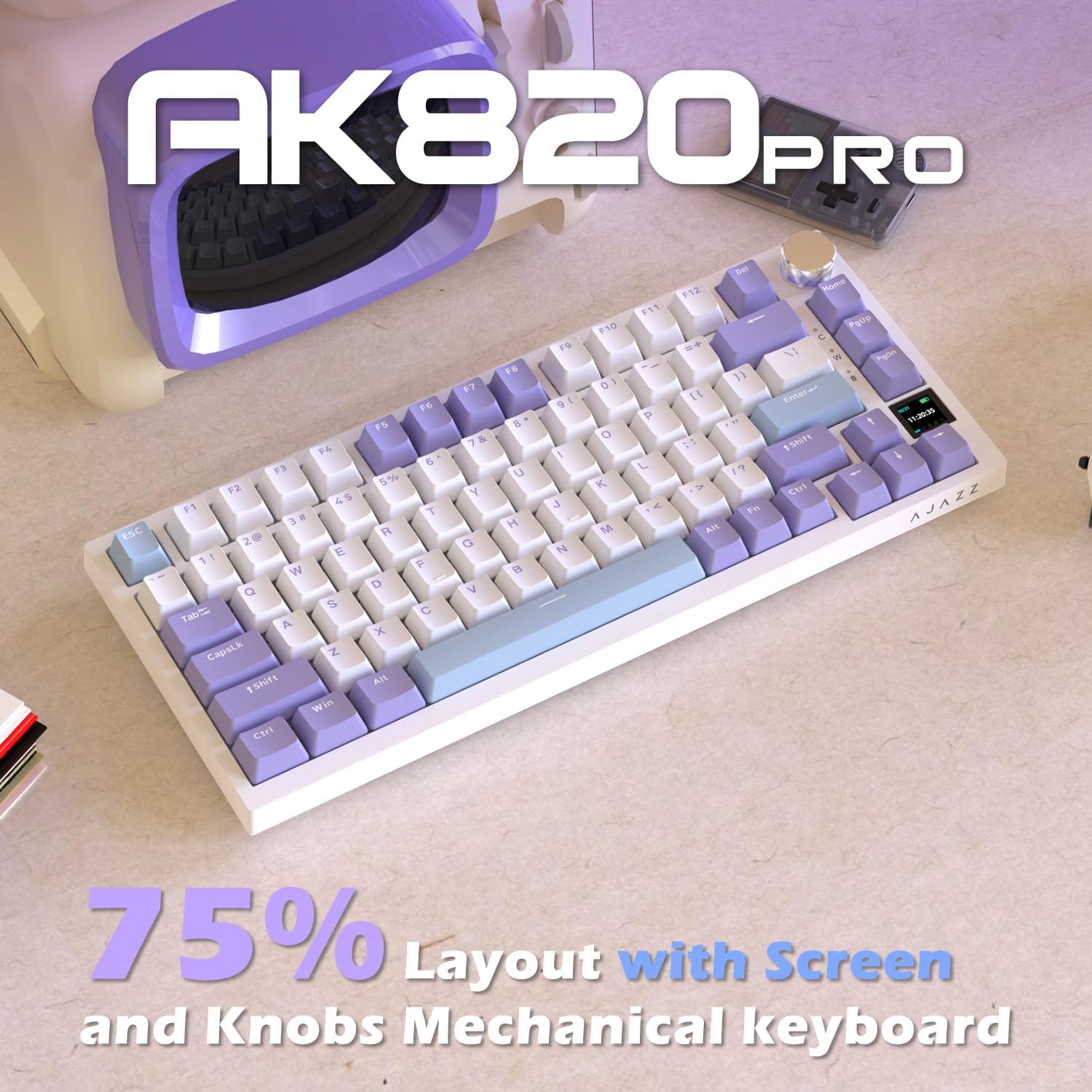
The AJAZZ AK820 Pro is a 75% layout mechanical keyboard featuring a gasket-mounted design, hot-swappable switches, a multi-function TFT color screen, and a volume control knob. It supports triple-mode connectivity (Bluetooth, 2.4G Wireless, and Type-C Wired).


4. Setup
4.1. Connectivity Modes
The keyboard supports three connection modes: Bluetooth, 2.4G Wireless, and Type-C Wired. Use the switch located on the back or side of the keyboard to select your desired mode.
4.1.1. Type-C Wired Connection
- Connect the provided USB Type-C cable to the keyboard's port.
- Connect the other end of the cable to an available USB port on your computer.
- Ensure the mode switch on the keyboard is set to 'USB' or 'Wired' mode. The keyboard will be recognized automatically by your system.
4.1.2. 2.4G Wireless Connection
- Locate the 2.4G USB receiver (dongle) usually stored in a compartment on the keyboard.
- Plug the 2.4G USB receiver into an available USB port on your computer.
- Set the mode switch on the keyboard to '2.4G' mode. The keyboard should connect automatically.
4.1.3. Bluetooth Connection
- Set the mode switch on the keyboard to 'BT' (Bluetooth) mode.
- On your device (computer, tablet, smartphone), enable Bluetooth and search for new devices.
- Select 'AJAZZ AK820 Pro' from the list of available devices to pair.
- The keyboard may support multiple Bluetooth profiles (e.g., BT1, BT2, BT3). Refer to the keyboard's specific key combinations (e.g., Fn+1, Fn+2, Fn+3) to switch between paired devices.
4.2. Operating System Switch
The keyboard features a switch to toggle between Windows and Mac operating system layouts, ensuring correct key functionality for your system.

4.3. Adjustable Foot Braces
The keyboard is equipped with adjustable foot braces on the underside, allowing you to set the typing angle for ergonomic comfort.

5. Operating Instructions
5.1. Multi-Function TFT Color Screen
The integrated TFT color screen displays various information such as connection mode, battery level, date, time, and selected RGB mode. It can also be customized to display GIF images via the keyboard's driver software.

5.2. Volume Control Knob
The metallic knob located on the top right of the keyboard serves as a multi-function control. By default, it controls system volume. It can also be used to navigate settings on the TFT screen.

5.2.1. Knob Functions
- Rotate: Adjusts system volume (default).
- Press: Mutes/unmutes audio (default).
- Fn + Rotate: Navigates through settings on the TFT screen.
- Fn + Press: Confirms selection or enters setting page on the TFT screen.
5.3. RGB Backlight Control
The keyboard features south-facing RGB LEDs with multiple lighting modes and customization options. Use the following key combinations to control the backlight:
- Fn + |: Switches between 20 standard lighting modes.
- Fn + ↑: Increases backlight brightness.
- Fn + ↓: Decreases backlight brightness.
- Fn + ←: Decreases backlight speed.
- Fn + →: Increases backlight speed.
- Fn + X: Toggles backlight on/off.
- Fn + Spacebar: Resets the keyboard to factory default settings.
Further customization of RGB lighting effects can be achieved using the dedicated driver software.
5.4. Hot-Swappable Switches
The AK820 Pro features a 3/5-pin PCB mount design, allowing for easy replacement of mechanical switches without soldering. This enables users to customize their typing feel by swapping switches.
- Power off the keyboard or disconnect it from your device.
- Use a switch puller tool to carefully remove the keycap.
- Use a switch puller tool to gently extract the switch from the PCB.
- Align the pins of the new switch with the holes on the PCB and press firmly until it clicks into place. Ensure pins are not bent.
- Replace the keycap.
6. Maintenance
6.1. Cleaning
- Disconnect the keyboard before cleaning.
- Use a soft brush or compressed air to remove dust and debris from between the keycaps.
- For stubborn dirt, gently wipe the keycaps and keyboard surface with a slightly damp, lint-free cloth. Avoid excessive moisture.
- Do not use harsh chemicals or abrasive cleaners.
6.2. Battery Care
The keyboard is equipped with a 4000mAh lithium-ion battery.

- Charge the keyboard using the provided USB Type-C cable connected to a standard USB power source.
- Avoid fully discharging the battery frequently to prolong its lifespan.
- Store the keyboard in a cool, dry place if not used for extended periods.
7. Troubleshooting
If you encounter issues with your keyboard, refer to the following common solutions:
- Keyboard not responding:
- Ensure the keyboard is charged.
- Check the connection mode switch (Wired, 2.4G, BT) matches your connection method.
- For 2.4G, ensure the USB receiver is properly inserted.
- For Bluetooth, ensure it's paired correctly and selected on your device. Try re-pairing.
- Try connecting via a different USB port or cable.
- RGB backlight not working:
- Ensure the backlight is not turned off (Fn + X).
- Adjust brightness (Fn + ↑/↓).
- Check settings via the driver software.
- Keys not registering:
- If a specific key is not working, try reseating its switch. If the issue persists, the switch may need replacement.
- Ensure the correct operating system mode (Win/Mac) is selected.
- TFT screen not displaying correctly:
- Ensure the keyboard is powered on.
- Check for firmware updates via the driver software.
If these steps do not resolve the issue, please contact customer support.
8. Specifications
| Feature | Specification |
|---|---|
| Model | AK820 PRO |
| Layout | 75% (82-key) |
| Connectivity | Bluetooth 5.0, 2.4G Wireless, USB Type-C Wired |
| Battery Capacity | 4000mAh Lithium Ion |
| Switches | Hot-swappable (3/5-pin PCB mount) |
| Backlight | South-facing RGB |
| Screen | Multi-function TFT Color Screen |
| Knob | Volume Control / Settings Navigation |
| Keycap Material | PBT (two-color injection-molded) |
| Dimensions | 12"L x 5"W x 1.5"H (approx.) |
| Weight | 1.54 pounds (approx.) |
| Compatible OS | Windows, macOS |
9. Warranty and Support
The AJAZZ AK820 Pro keyboard comes with a 12-month product treatment period. If you encounter any issues or have questions regarding your product, please contact the seller or manufacturer's customer support for assistance.
For additional information or support, you may visit the official DAIDAI Store.


