Important Safety Information
WARNING: Failure to follow these safety instructions may result in injury to your dog or damage to the product.
- Do not give this training kit to children or anybody without expertise in teaching dogs.
- Do not attach a dog leash to this training collar.
- Do not use the device on dogs that are less than three months old, weigh less than eight pounds, are old, or pregnant. Not suitable for aggressive dogs.
- Do not leave the collar on your dog for more than 8 hours per day to prevent skin irritation.
- Daily check the skin health of your dog's neck and clean the dog's neck region and collar with a damp towel. Discontinue usage and consult a veterinarian if any anomalies occur.
- Training should always start with the lowest level of stimulation.
- Do not charge with a charger above 5 volts.
- Shock mode is always the last choice for training.
- Reward your dog with food or toys when training to reinforce positive behavior.
Package Contents
Your SLOPEHILL D17T Dog Training Collar package includes the following items:
- Remote Control
- Receiver Collar (IP68 Waterproof)
- Adjustable Nylon Collar Strap
- USB Charging Cable (Dual Type-C for simultaneous charging)
- Test Light Tool
- Long and Short Silicone Contact Caps
- Lanyard for Remote Control
- User Manual

Image: Remote control and receiver collar with purple accents.
Product Overview
Familiarize yourself with the components of your SLOPEHILL D17T Dog Training Collar.
Remote Control Features:
- LCD Display: Shows battery level, mode, intensity level, and channel (1 or 2 dogs).
- Mode Gear Adjustment Knob: Press to cycle through modes (Beep, Vibration, Shock, Flash Light, No Shock) and rotate to adjust intensity levels.
- Beep Button: Activates an audible tone.
- Vibration Button: Activates vibration.
- Shock Button: Activates static shock (use with caution and at lowest levels).
- ON/OFF/Shock Locked Switch: Powers the remote on/off and provides a safety lock for the shock function.
- Flash Light Button: Activates the flashlight on the receiver collar.
- Channel Button: Switches between training channels for up to two dogs.
- Lanyard and Belt Clip: For convenient carrying.
Receiver Collar Features:
- IP68 Waterproof: Designed to withstand water exposure during outdoor activities.
- Contact Points: Deliver vibration and static stimulation. Comes with long and short silicone caps for comfort and skin protection.
- Flash Light: Integrated LED light for visibility in low-light conditions.
- Adjustable Strap: Fits dogs from 8 to 140 lbs with a collar length from 8 to 26 inches.

Image: Detailed diagram of the remote control and receiver collar features.
Setup Guide
1. Charging the Device
The remote control and receiver collar are rechargeable. Use the provided dual Type-C USB charging cable to charge both units simultaneously.
- Connect the dual Type-C cable to the charging ports on both the remote and the receiver.
- Plug the USB end into a compatible USB charger (e.g., laptop, phone charger, power bank). Ensure the charger is not above 5 volts.
- The devices will fully charge in approximately 2 hours. The remote battery lasts up to 45 days, and the collar battery lasts 15-20 days on a full charge.

Image: Remote and receiver collar connected to the dual charging cable.
Video: A simple guide for new users, demonstrating basic setup and functions.
2. Fitting the Collar
Proper fit is crucial for the effectiveness and safety of the training collar.
- Ensure the collar is turned off before attaching it to your dog.
- Place the receiver around the neck of the dog, ensuring the contact points are positioned directly on the skin.
- The collar should be snug, but not too tight. You should be able to insert one finger or your thumb between the collar strap and your dog's neck.
- If your dog has thick fur, use a comb to separate the fur around the electrodes to allow them to reach the skin.
- The silicone caps may help to dull the static sensation. Determine whether or not to wear them based on your dog's comfort.
- Allow your dog to become accustomed to the collar by allowing him to wear it for a few minutes before beginning training.
- Recheck the collar for proper fit periodically.
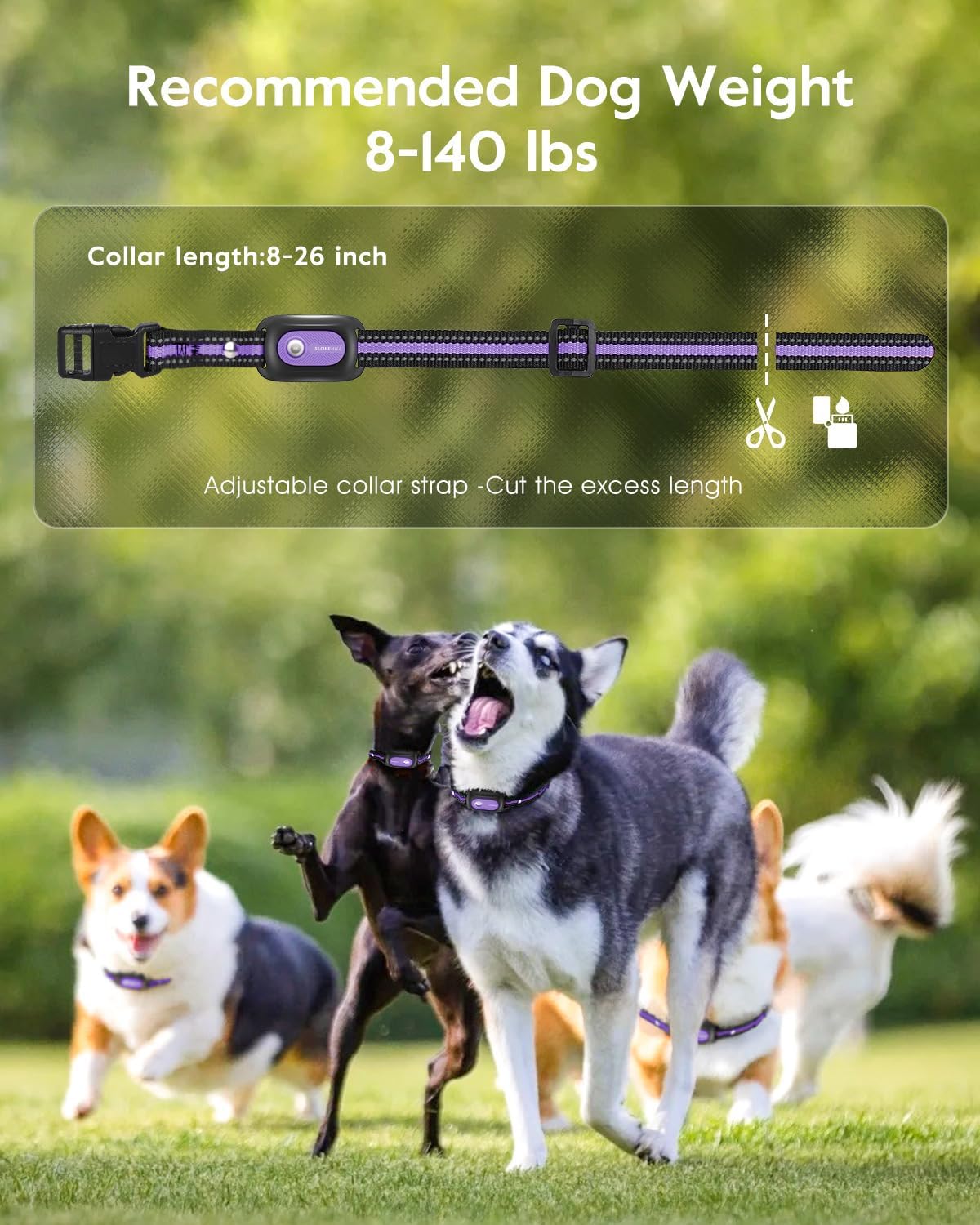
Image: Recommended dog weight and adjustable collar strap.
3. Pairing the Remote and Receiver
Follow these steps to pair your remote control with the receiver collar:
- Long press the receiver power button until it beeps.
- After the beep, the green light on the receiver will flash continuously.
- Within 10 seconds, press any function button on the remote control.
- The receiver will emit a beep when pairing is successful.

Image: Step-by-step guide for pairing the remote and receiver.
Operating Modes
The SLOPEHILL D17T Dog Training Collar offers five humane training modes to address various behavioral issues and teach basic commands.
1. Beep Mode (1-8 levels)
Provides an audible tone to get your dog's attention. Useful for recall or as a warning before other stimulations.
2. Vibration Mode (1-8 levels)
Delivers a gentle vibration. Effective for dogs sensitive to sound or as a mild correction.
3. Shock Mode (0-99 levels)
Provides a static stimulation. This mode should be used as a last resort and always start at the lowest intensity level. The remote features a "No Shock Mode" to prevent accidental static corrections.
4. Flash Light Mode (2 modes)
The receiver collar has a built-in LED flashlight with two modes: solid white light and flashing light. This is useful for locating your dog in the dark or for night visibility.
5. No Shock Mode
This mode disables the static shock function, allowing you to use only beep and vibration modes. This is a safety feature to prevent unintended static corrections.

Image: Visual representation of the five effective training modes.
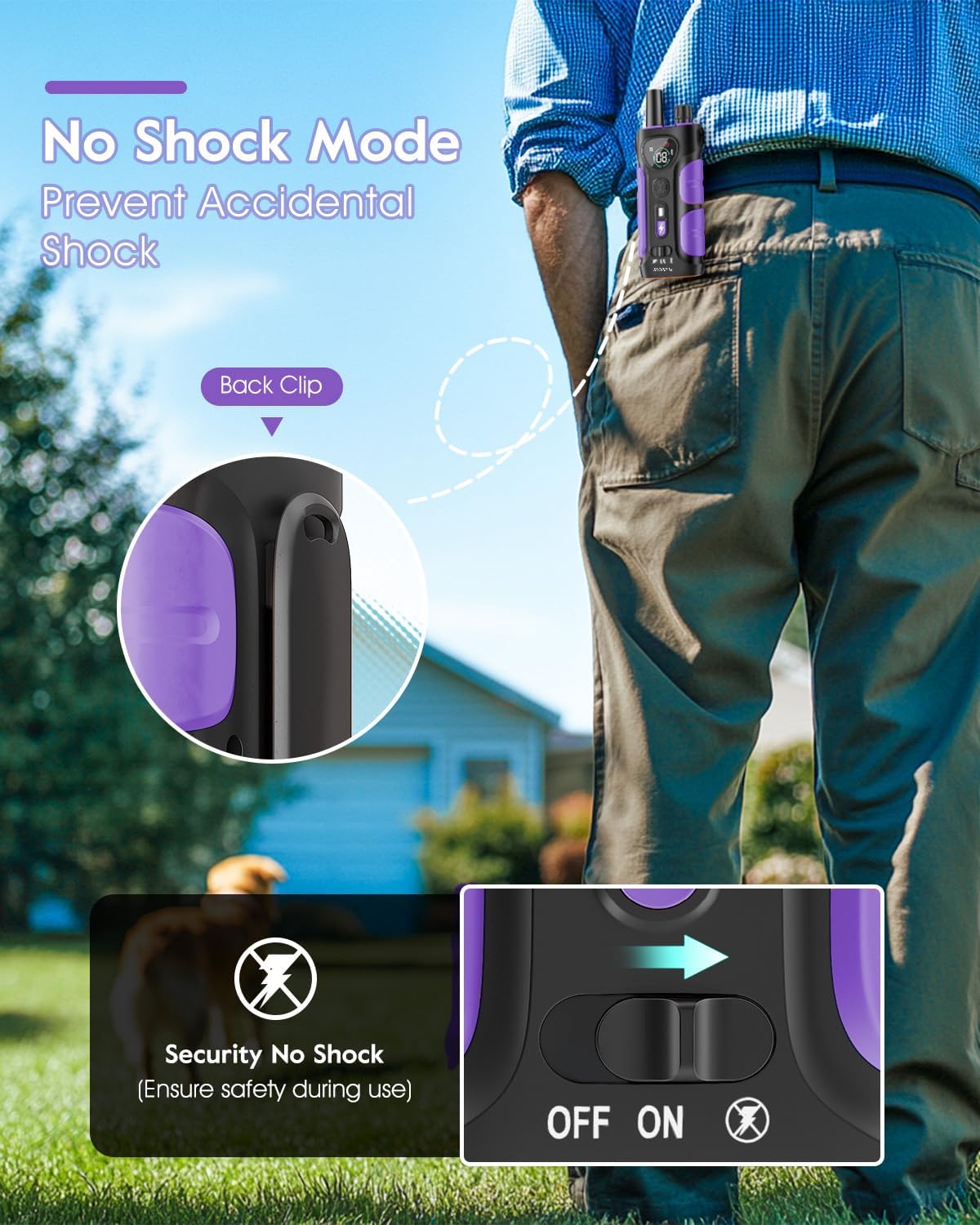
Image: The 'No Shock Mode' feature on the remote control.

Image: Two safety anti-lost light modes for night use.
Video: A simple guide for new users, demonstrating basic setup and functions, including mode selection.
Video: Demonstration of testing the electric shock function using the test light tool.
Adjusting Levels
To quickly choose and adjust the intensity levels for Beep, Vibration, or Shock modes:
- Press the top button on the remote control to check the current mode (Beep, Vibration, or Shock).
- Rotate the button to adjust the mode levels quickly.

Image: Instructions for adjusting training levels using the remote's knob.
Maintenance
Proper maintenance ensures the longevity and effectiveness of your training collar.
- Cleaning: Regularly clean the receiver collar and your dog's neck area with a damp cloth to prevent skin irritation.
- Electrode Replacement: If the electric shock columns need to be replaced or adjusted for length, follow the steps below.
Replacing Electrode Columns:
- Remove the two conductive silicone caps from the existing electrode columns.
- Use the hexagonal holes on the electric shock test lamp to unscrew the two electrode columns.
- Replace the electric shock column with another length (if desired) and tighten it.
- Finally, install the conductive silicone cap onto the new electrode column.
Video: Instructions on how to replace the electrode columns on the receiver collar.
Troubleshooting
If you encounter issues with your SLOPEHILL D17T Dog Training Collar, refer to the following common solutions:
- Device Not Responding: Ensure both the remote and receiver are fully charged and powered on. Re-attempt the pairing process if necessary.
- No Static Shock: Check if the "No Shock Mode" is activated on the remote. Ensure the intensity level is set above 0. Use the test light tool to verify the shock function.
- Ineffective Stimulation: Ensure the collar is properly fitted and the contact points are making good contact with your dog's skin. If your dog has thick fur, part the fur to allow better contact.
- Skin Irritation: Remove the collar immediately and consult a veterinarian. Ensure the collar is not worn for more than 8 hours per day and is cleaned regularly.
- Remote Range Issues: Ensure there are no significant obstructions between the remote and the receiver. The collar has a remote range of up to 4200ft.
Specifications
| Feature | Detail |
|---|---|
| Brand | SLOPEHILL |
| Model Name | D17T |
| Training Modes | Beep, Vibration, Safe Shock, Flash Light, No Shock Mode |
| Remote Range | Up to 4200ft |
| Waterproof Rating | IP68 (Receiver Collar) |
| Adjustable Collar Length | 8 to 26 inches |
| Recommended Dog Weight | 8 to 140 lbs |
| Battery Life (Remote) | Up to 45 days |
| Battery Life (Receiver) | 15-20 days |
| Charging Time | 2 hours |
| Material | Nylon |
| Item Weight | 10.8 ounces |
| Item Dimensions (LxWxH) | 5.5 x 1.77 x 0.1 inches |
Warranty and Support
The SLOPEHILL D17T Dog Training Collar comes with a 1-year manufacturer's warranty.
For any questions, technical support, or warranty claims, please contact SLOPEHILL customer service:
- Email: support@islopehill.com
- Phone: +1-732-762-2943
Please have your model number (D17T) and purchase information ready when contacting support.


