
1. Introduction
This manual provides essential information for the proper setup, operation, and maintenance of your Arducam B0495C USB 3.0 Global Shutter Camera. This camera module features a 2.3MP AR0234 sensor, offering high-speed imaging at up to 960x600@80fps with a global shutter, ensuring crisp images of fast-moving objects without rolling artifacts. It is designed for seamless integration with Windows and Linux systems, providing a reliable solution for various applications requiring precise and high-quality image capture.

Image 1.1: Arducam B0495C Camera Module with USB 3.0 Type-C Cable.
2. Package Contents
Please verify that all items listed below are included in your package. If any components are missing or damaged, please contact Arducam support.
- 1 x AR0234 USB3 Camera with Back Cover and Tripod Adapter
- 1 x 1m USB A to Type-C Cable
Image 2.1: The Arducam B0495C camera and its included 1-meter USB A to Type-C cable.
3. Setup Guide
Follow these steps to set up your Arducam B0495C camera:
- Connect the USB Cable: Insert the USB Type-C end of the provided 1m cable into the camera's USB port.
- Connect to Computer: Plug the USB Type-A end of the cable into an available USB 3.0 port on your computer (Windows or Linux). For optimal performance, use a USB 3.0 port.
- Driver Installation: The camera is UVC (USB Video Class) compliant, meaning it is plug-and-play and typically does not require additional driver installation on most Windows and Linux operating systems. The system should automatically detect and install the necessary drivers.
- Mounting (Optional): The camera includes a tripod adapter. You can attach it to a standard tripod or other mounting solutions for stable positioning.
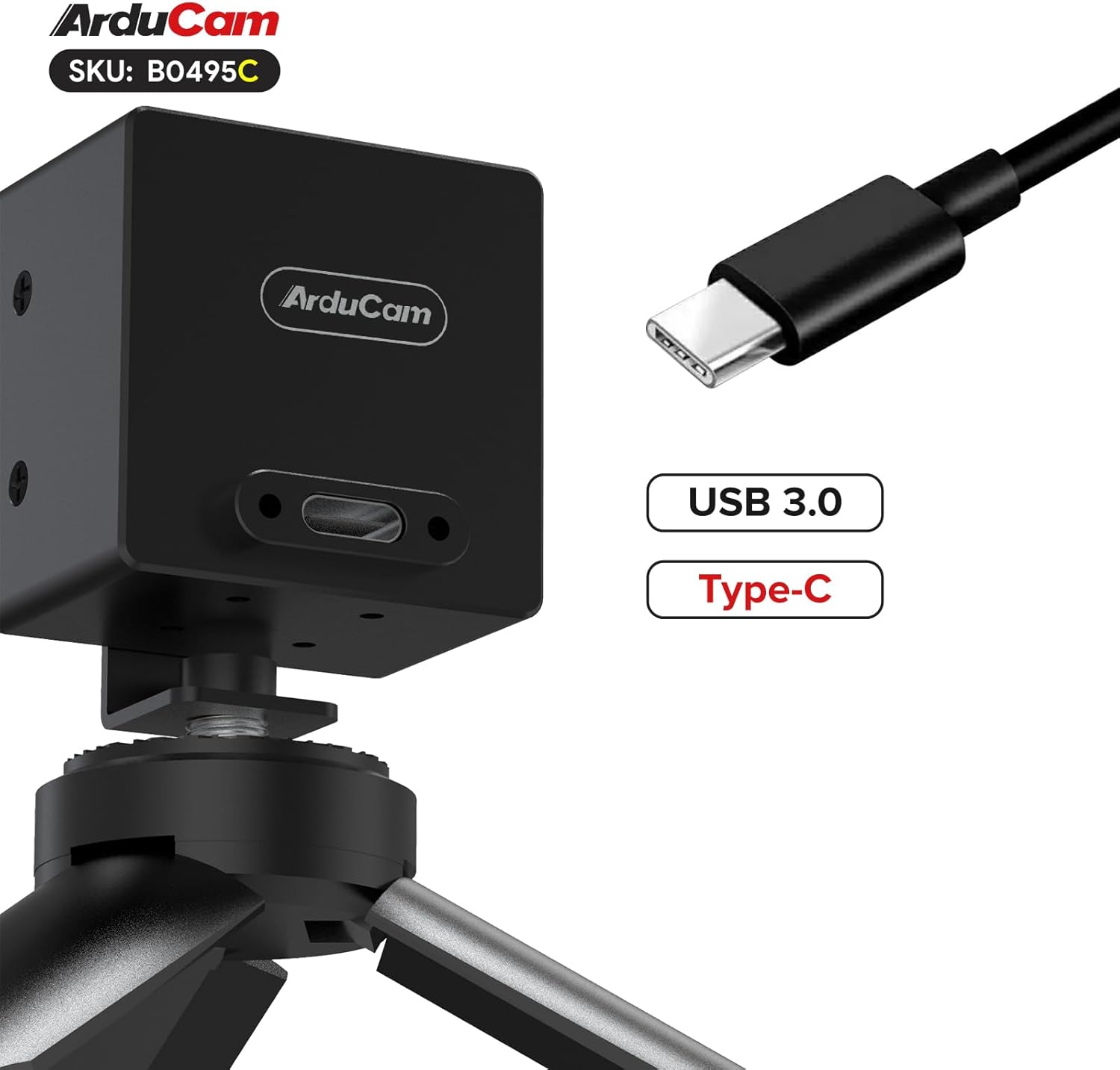
Image 3.1: The Arducam B0495C camera connected via its USB Type-C port, shown mounted on a tripod.
4. Operating Instructions
Once connected, your Arducam B0495C camera can be used with various applications that support UVC cameras.
4.1. Software Compatibility
The camera is compatible with standard webcam software on Windows (e.g., Camera app, OBS Studio) and Linux (e.g., Cheese, VLC, OBS Studio, or custom applications using V4L2). Ensure your chosen software recognizes the camera as a video input device.
4.2. Manual Focus Adjustment
The B0495C features a manual focus M12 lens. To adjust focus:
- Open your camera application and view the live feed.
- Gently rotate the lens barrel clockwise or counter-clockwise until the image appears sharp and clear at your desired distance.
4.3. Global Shutter Advantage
The global shutter technology captures all pixels simultaneously, eliminating the 'rolling shutter' effect often seen with CMOS sensors when recording fast-moving objects. This results in distortion-free images, crucial for applications like machine vision, industrial inspection, and capturing high-speed events.

Image 4.1: A spinning fan captured by a global shutter camera, showing no motion distortion on the blades.
5. Maintenance
Proper care will extend the life and performance of your camera.
- Cleaning the Lens: Use a soft, lint-free microfiber cloth specifically designed for optics. For stubborn smudges, a small amount of lens cleaning solution can be applied to the cloth (not directly to the lens). Avoid abrasive materials or harsh chemicals.
- Cleaning the Body: Wipe the camera body with a dry, soft cloth. Do not use liquid cleaners directly on the camera.
- Storage: When not in use, store the camera in a clean, dry environment, away from extreme temperatures, humidity, and direct sunlight. Protect the lens from dust and scratches.
- Avoid Impact: Handle the camera with care to prevent drops or impacts that could damage internal components or the lens.
6. Troubleshooting
If you encounter issues with your Arducam B0495C camera, refer to the following common problems and solutions:
- Camera Not Detected:
- Ensure the USB cable is securely connected to both the camera and a USB 3.0 port on your computer.
- Try a different USB port or a different USB 3.0 cable.
- Restart your computer.
- Check your operating system's device manager (Windows) or `lsusb` command (Linux) to see if the device is recognized.
- No Image or Black Screen:
- Verify that the correct camera is selected as the input device in your software application.
- Ensure there is adequate lighting in the environment.
- Check if the lens cap (if any) has been removed.
- Blurry Image:
- Adjust the manual focus of the M12 lens as described in Section 4.2.
- Ensure the lens is clean (refer to Section 5).
- Low Frame Rate or Performance Issues:
- Confirm you are connected to a USB 3.0 port, not a USB 2.0 port. USB 2.0 ports will limit bandwidth and frame rate.
- Close other applications that might be consuming significant system resources.
- Ensure your computer meets the minimum system requirements for high-speed video processing.
- Firmware Update: In rare cases, a firmware update might be necessary to resolve specific issues or improve performance. Please visit the official Arducam website for the latest firmware and instructions.
7. Specifications
Detailed technical specifications for the Arducam B0495C USB 3.0 Global Shutter Camera:
| Feature | Specification |
|---|---|
| Brand | Arducam |
| Model Name | B0495C |
| Sensor | AR0234 (2.3MP) |
| Sensor Technology | CMOS, Global Shutter |
| Maximum Still Resolution | 1920x1200 |
| Video Capture Resolution | Up to 1080p (interpolated), 960x600@80fps |
| Frame Rate | Programmable up to 960x600@80fps |
| Lens Type | M12 Lens, Manual Focus |
| Field of View (D) | 95° |
| Connectivity Technology | USB 3.0 (Type-C) |
| Video Capture Format | YUYV |
| Operating System Compatibility | Windows, Linux (UVC compliant) |
| Item Weight | 4.8 ounces |
| Package Dimensions | 3.23 x 2.95 x 2.89 inches |
8. Warranty Information
Arducam products are covered by a manufacturer's warranty against defects in materials and workmanship. The specific terms and duration of the warranty may vary by region and product. Please retain your proof of purchase for warranty claims. For detailed warranty information, please refer to the official Arducam website or contact customer support.
9. Support
For further assistance, technical support, or to access additional resources such as drivers, software, and FAQs, please visit the official Arducam website:
You may also contact Arducam customer service directly through the contact information provided on their website.


