
Product Overview
The DOSS SoundBox H100 is a portable Bluetooth speaker designed to deliver high-quality audio. It features 50W of immersive sound, up to 24 hours of playtime, wireless stereo pairing, and adjustable treble and bass controls. Its flexible handle enhances portability, making it suitable for various environments from home to outdoor gatherings.
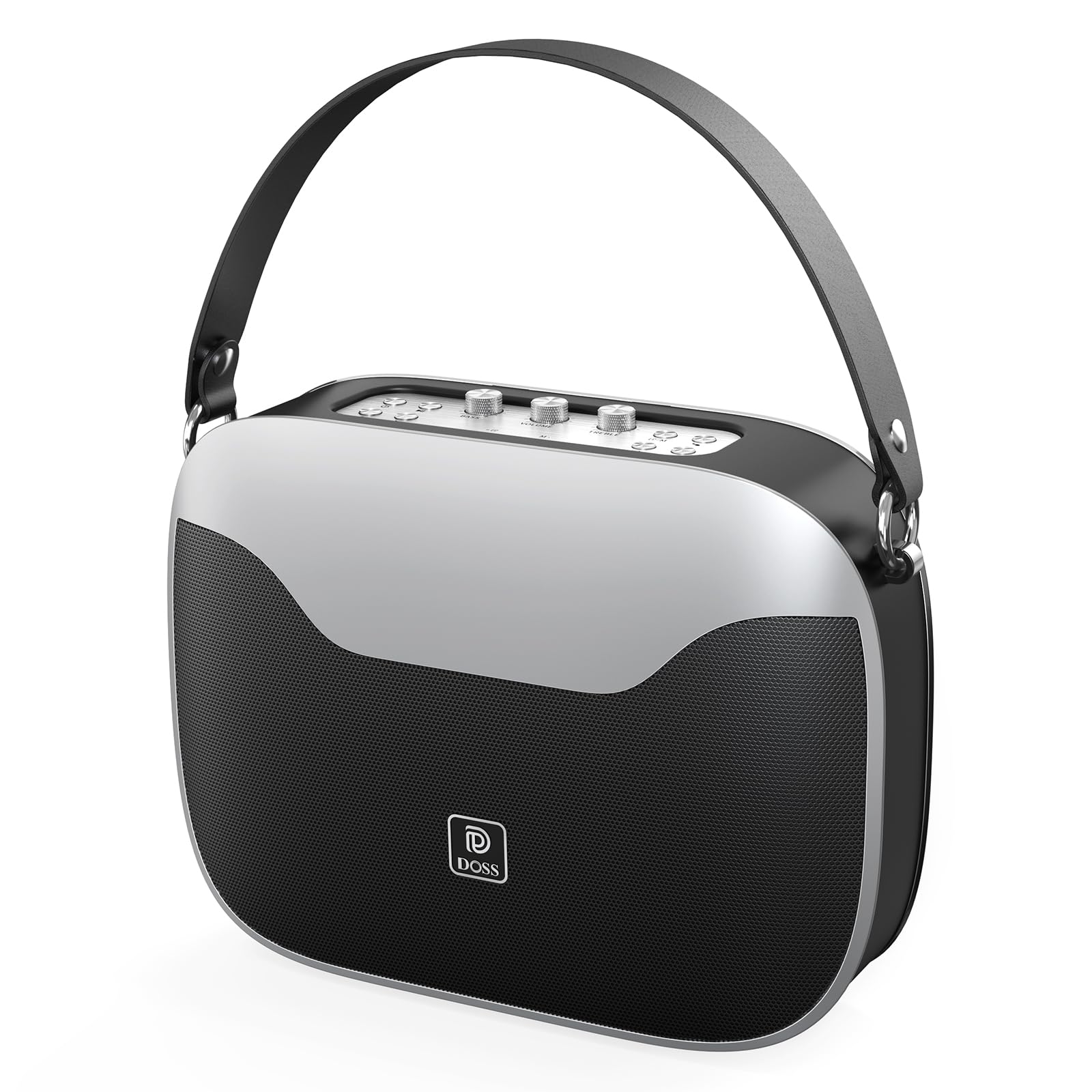
Image: DOSS SoundBox H100 Bluetooth Speaker, showcasing its sleek design.

Image: DOSS SoundBox H100 with its flexible handle attached, highlighting its portability.
What's in the Box
- 1*DOSS SoundBox H100 Bluetooth Speaker
- 1*Power Cable (Wall charger not included)
- 1*Strap
- 1*User Manual
Setup
Charging the Speaker
Connect the provided power cable to the USB-C charging port on the speaker. A wall charger is not included. A full charge takes approximately 8 hours.
Attaching the Flexible Handle
The DOSS SoundBox H100 comes with a detachable flexible handle. Attach the metal rings of the handle to the designated attachment points on the sides of the speaker.
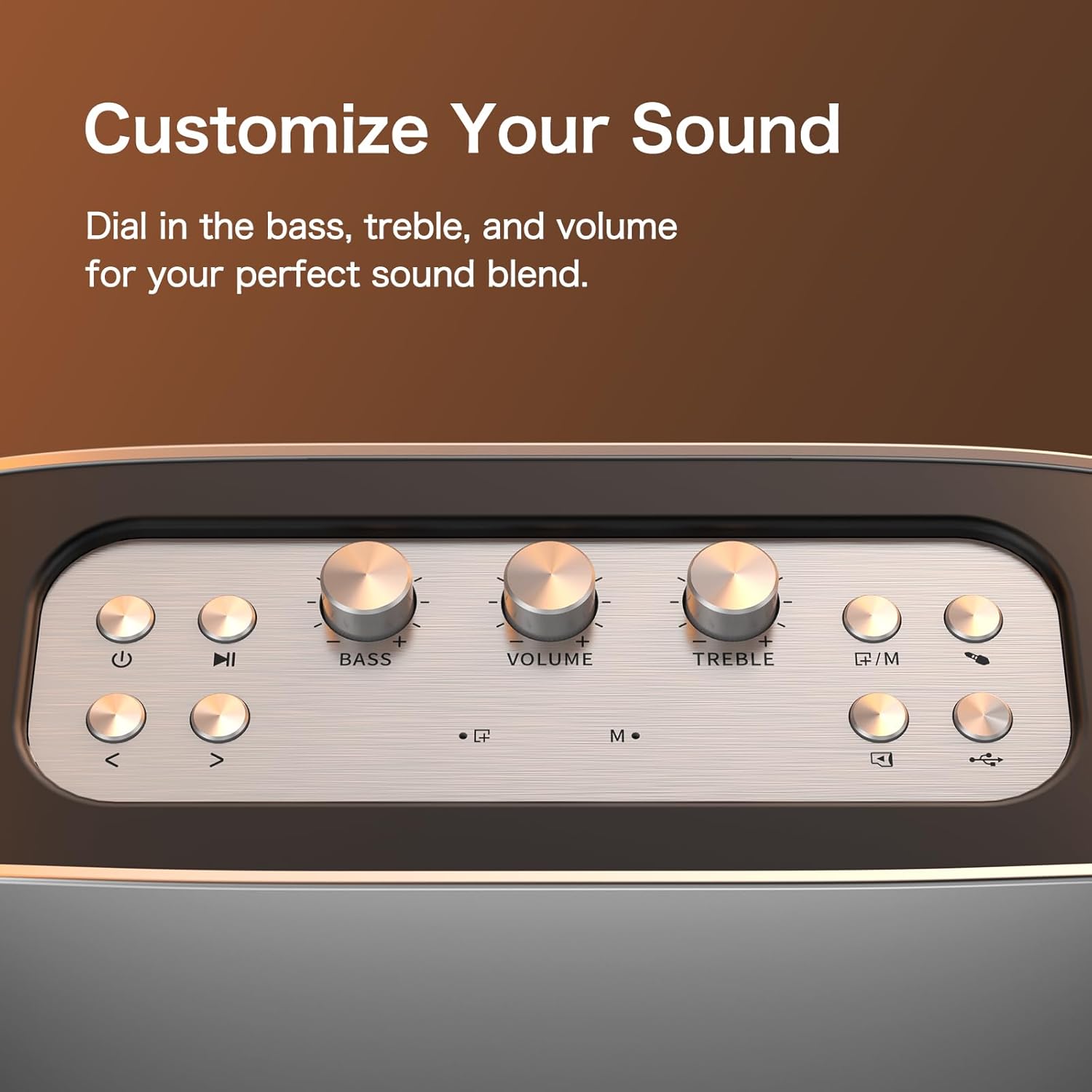
Image: Side view of the DOSS SoundBox H100, illustrating the charging and media input ports.
Video: This video demonstrates the initial setup and operation of the DOSS SoundBox H100 Bluetooth Speaker, including charging and connecting the handle.
Operating Instructions
Power On/Off
Press and hold the power button (usually marked with a power symbol) on the top panel to turn the speaker on or off.
Bluetooth Pairing
Ensure the speaker is powered on and in Bluetooth pairing mode (indicated by a rapidly flashing blue light). On your device, enable Bluetooth and select "SoundBox H100" from the list of available devices to pair.
Wireless Stereo Pairing (TWS)
To pair two SoundBox H100 speakers for True Wireless Stereo (TWS) sound:
- Ensure both speakers are powered on and not connected to any Bluetooth device.
- On one speaker, press and hold the 'M' (Mode) button until the indicator flashes blue rapidly. This speaker will become the primary speaker.
- On the second speaker, press and hold the 'M' button until its indicator flashes blue slowly.
- The speakers will automatically connect to each other. The primary speaker's indicator will turn solid blue, and the secondary speaker's indicator will flash blue slowly.
- Connect your Bluetooth device to the primary speaker.
Video: This video demonstrates the True Wireless Stereo (TWS) pairing process for two DOSS SoundBox H100 Bluetooth Speakers.
Adjusting Sound (Bass, Treble, Volume)
Use the dedicated analog control knobs on the top panel to adjust Bass, Volume, and Treble to your preference.

Image: The top panel of the DOSS SoundBox H100 features dedicated knobs for precise control over bass, volume, and treble settings.
Multiple Connectivity Options
In addition to Bluetooth, the SoundBox H100 supports audio playback via Aux-in, TF card, and USB flash drive. Insert the respective media into the corresponding ports located on the side panel.
Battery Sharing (Power Bank Function)
The USB port can also be used to charge external devices, functioning as a power bank. Connect your device to the USB port using an appropriate cable.
Maintenance
To ensure the longevity and optimal performance of your DOSS SoundBox H100, follow these maintenance guidelines:
- Keep the speaker clean by wiping it with a soft, dry cloth. Avoid using abrasive cleaners or solvents.
- Store the speaker in a cool, dry place away from direct sunlight and extreme temperatures.
- Avoid exposing the speaker to water or excessive moisture, as it is not waterproof.
- Do not attempt to disassemble or repair the speaker yourself. Contact customer support for assistance.
Troubleshooting
No Power
Ensure the speaker is fully charged. Connect it to a power source using the provided cable and allow it to charge for at least 30 minutes before attempting to power it on again.
Cannot Pair via Bluetooth
Make sure the speaker is in pairing mode (flashing blue indicator). Ensure your device's Bluetooth is enabled and within range. If issues persist, try resetting the speaker to factory settings (refer to the