1. Introduction
This manual provides detailed instructions for the installation, operation, and maintenance of your Hodozzy Android Car Radio. Please read this manual thoroughly before using the device to ensure proper functionality and safety.
Compatibility: This car radio is designed for specific vehicle models, including:
- Mitsubishi ASX 1 (2010-2016)
- Peugeot 4008 (2012)
- Citroen C4 (2007.8-2013.10)
Ensure your vehicle's dashboard matches the product's design for a seamless fit.

Figure 1: Hodozzy Car Radio with included accessories (rear camera, microphone, phone with Carplay/Android Auto/Mirror Link icons).
2. Specifications
| Feature | Description |
|---|---|
| System | Android |
| CPU | RK3326S, 4-core |
| Screen Size | 10.1 inches |
| Memory | 4GB RAM + 64GB ROM |
| Screen Resolution | 1280 x 720 |
| Radio Chip | UMW2652 |
| Output Power | 4 x 45W |
| Bluetooth Version | 5.0 |
| Operating Temperature | -20°C to 75°C |
| Steering Wheel Control | Supported |
| Power Amplifier Chip | YD7388 |
| Radio Range | FM/RDS (87.5 MHz - 107.5 MHz) |
| Reverse Input | AHD/CVBS |
| External Microphone | Supported |
| Split Screen | Supported |
| Maps | Offline maps supported (requires internet for initial download) |
| Wi-Fi | Supported |
| Carplay/Android Auto | Wireless connection only |
| Mirror Link | Wireless connection only |
| USB Interface | Dual USB |
| Audio Formats | APE/FLAC/WAV/MP3/WMA etc. |
| Video Formats | MKV/RMVB/AVI/MP4/MDV etc. |
| Image Formats | PNG/JPEG/JPG/GIF/WBMP/BNP etc. |
| Factory Default Keyword | 8317 |
| Supported Languages | Chinese, English, French, Italian, Korean, Japanese, Arabic, Spanish, Portuguese, Russian, Turkish, Vietnamese, Hebrew, Polish, German |
3. Setup and Installation
Professional installation is recommended for this car radio. Ensure the vehicle's power is disconnected before beginning installation.
3.1. Package Contents
Before installation, verify that all components are present in the package:

Figure 2: Packing List Diagram. Includes main unit, power cable, GPS antenna, rear camera, RCA cable, USB cable, and installation tools.
3.2. Installation Comparison
The images below illustrate the visual difference before and after the installation of the Hodozzy Car Radio in a compatible vehicle.
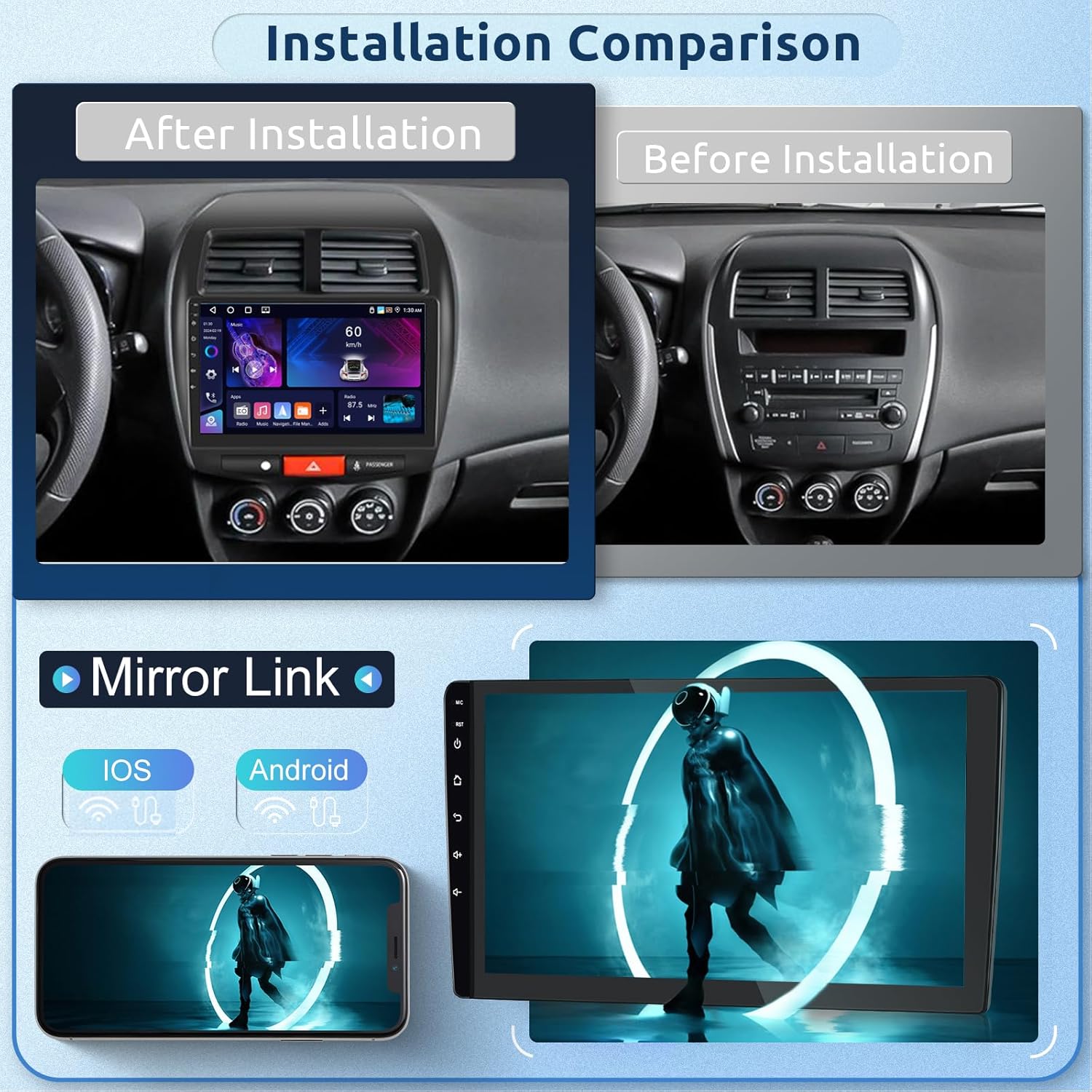
Figure 3: Installation Comparison - Before and After.
3.3. General Installation Steps (Consult a professional)
- Disconnect Battery: Always disconnect the negative terminal of your car battery before starting any electrical work.
- Remove Old Unit: Carefully remove the existing car radio or dashboard panel according to your vehicle's specific instructions.
- Connect Wiring: Connect the provided power cable, RCA cables, USB cables, GPS antenna, and rear camera cable to the corresponding ports on the new unit and your vehicle's harness. Ensure all connections are secure.
- Mount Unit: Securely mount the Hodozzy Car Radio into the dashboard opening.
- Reconnect Battery: Reconnect the car battery and test the unit's functionality.
- Final Assembly: Reassemble any removed dashboard panels.
4. Operating Instructions
4.1. Wireless Carplay & Android Auto
This unit supports wireless Carplay for Apple devices and Android Auto for Android devices. Connect your smartphone via Bluetooth for seamless integration. This allows access to navigation, phone contacts, email notifications, music, and other compatible applications directly on the car radio screen.
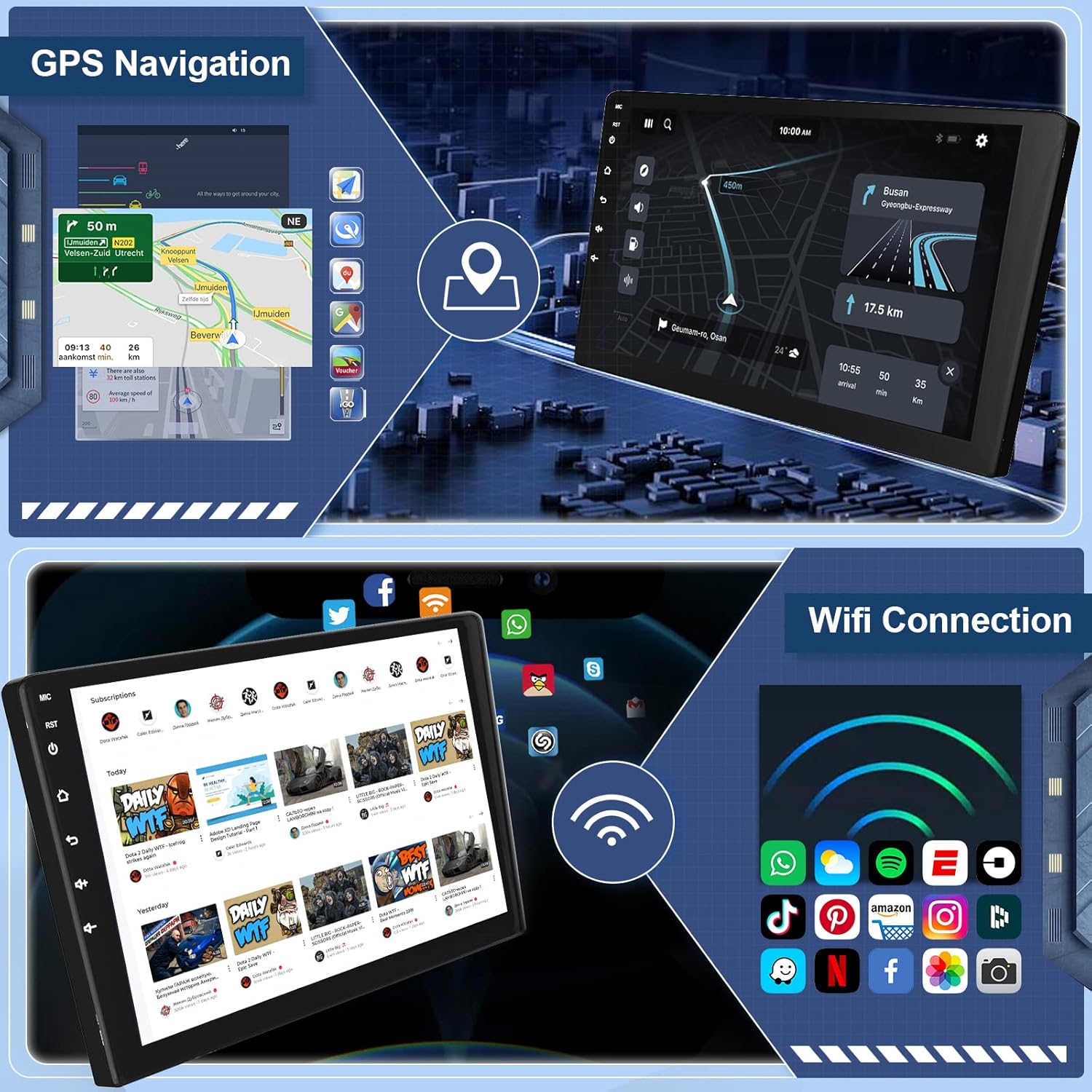
Figure 4: Wireless Carplay and Android Auto Interface.
4.2. GPS Navigation & Wi-Fi Connectivity
The car radio features a built-in GPS receiver. You can download free offline maps from the "Here We Go" navigation app or use other online map applications via Wi-Fi. The integrated Wi-Fi module allows you to connect to a hotspot and download additional applications to enhance your driving experience.
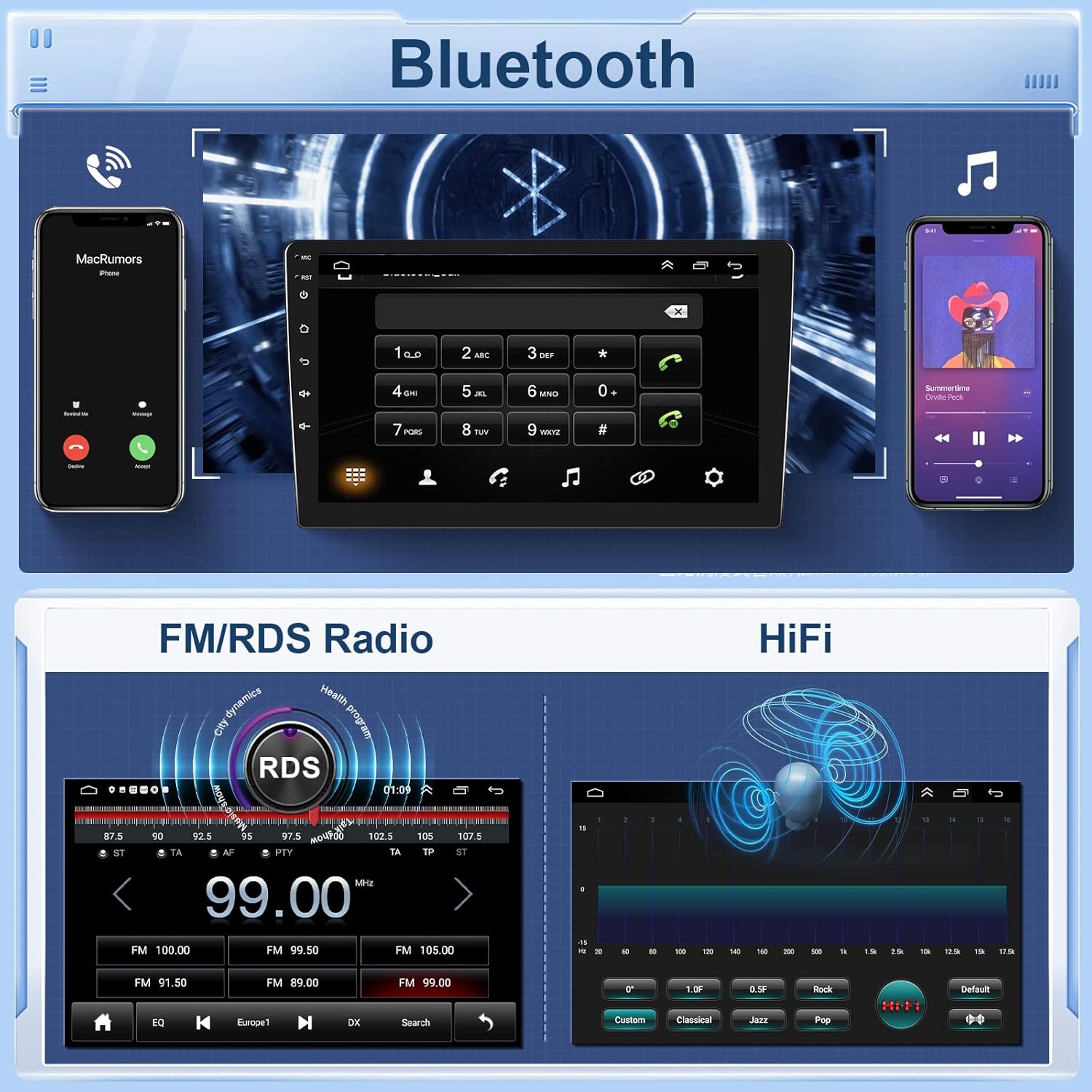
Figure 5: GPS Navigation and Wi-Fi Connection.
4.3. Bluetooth & Audio Features
Enjoy hands-free calling and Bluetooth music streaming with the integrated microphone. The FM/RDS radio allows for automatic station search or preset tuning (87.5 MHz - 107.5 MHz). The 32-band equalizer provides extensive audio customization, allowing you to fine-tune the sound to your preference, from powerful bass to clear treble and transparent stereo sound.

Figure 6: Bluetooth and FM/RDS Radio Interface with Equalizer.
4.4. Split Screen & Mirror Link
The split-screen function allows you to run two applications simultaneously, such as navigation and music playback. The Mirror Link feature enables you to mirror your smartphone's screen onto the car radio display. For Android phones, this supports two-way control, while for iOS phones, it supports one-way control.
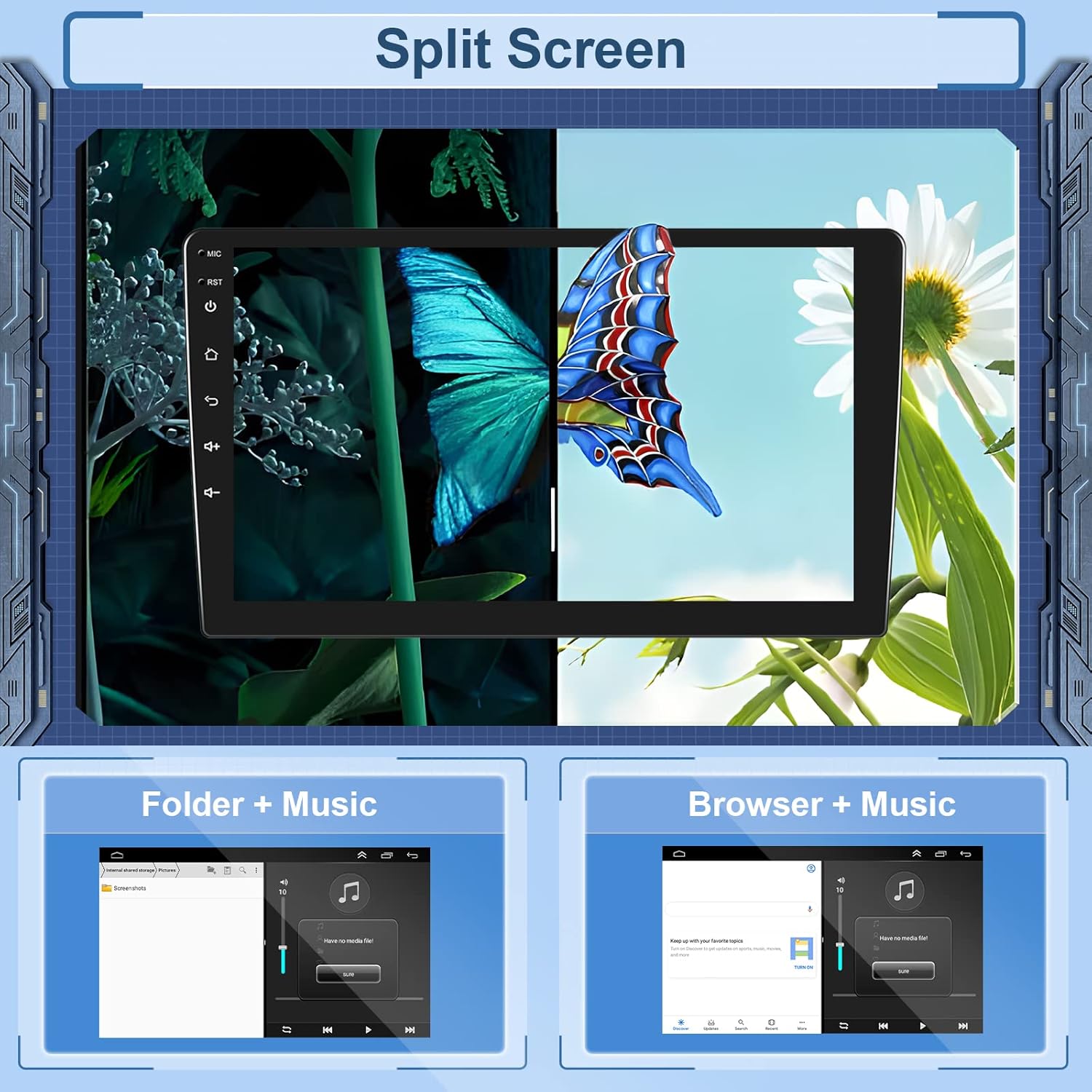
Figure 7: Split Screen Functionality.
4.5. Steering Wheel Control
The unit supports steering wheel control functions, allowing you to manage the car radio's features directly from your steering wheel buttons. This provides a more convenient and safer driving experience.
4.6. Rear Camera
The car radio is equipped with a rear camera input and includes a 12-LED rear view camera. When reversing, the display automatically switches to the rear view, providing clear visibility, especially at night. This feature enhances parking safety.

Figure 8: Rear Camera View.
5. Maintenance
To ensure the longevity and optimal performance of your Hodozzy Car Radio, follow these general maintenance guidelines:
- Screen Cleaning: Use a soft, lint-free cloth to gently wipe the touchscreen. For stubborn smudges, slightly dampen the cloth with water or a screen-safe cleaner. Avoid abrasive materials or harsh chemicals.
- Temperature Control: Avoid exposing the unit to extreme temperatures, both hot and cold, for extended periods.
- Ventilation: Ensure that the ventilation openings on the unit (if any) are not blocked to prevent overheating.
- Software Updates: Periodically check for available software updates to ensure the system runs efficiently and has the latest features.
6. Troubleshooting
If you encounter issues with your Hodozzy Car Radio, refer to the following common problems and solutions:
- Airbag Indicator Light: If your vehicle's airbag indicator light illuminates after installation, please contact the seller or a qualified technician for assistance. This may indicate a wiring issue that needs professional attention.
- No Audio/Incompatibility with Rockford System: This unit is not compatible with the Rockford Fosgate audio system. If your vehicle has this system, audio output may not function correctly.
- System Freezing/Unresponsive: If the system freezes or becomes unresponsive, try restarting the unit by turning off the car ignition and removing the car key for a few minutes, then restarting. If the issue persists, ensure all connections are secure.
- Steering Wheel Controls Delayed: Some users may experience a slight delay in steering wheel control response. This is generally a minor operational characteristic and does not indicate a fault.
- Software Update Password: For certain software updates, a password may be required. This password is typically provided by customer support to prevent incorrect updates. Contact the seller for assistance with software updates.
For issues not covered here, or if troubleshooting steps do not resolve the problem, please contact Hodozzy customer support.
7. Warranty and Support
Specific warranty details for this product are not provided in the available information. For warranty claims, technical support, or any product-related inquiries, please contact the seller directly through your purchase platform. Ensure you have your order details and product model number (B0DBV6VBJQ) ready for faster assistance.