Product Overview
The LIVIKEY Smart Watch is designed for convenience and comprehensive health monitoring without requiring a constant smartphone connection for core features. It boasts a durable metal body, a vibrant AMOLED display, and an impressive battery life.
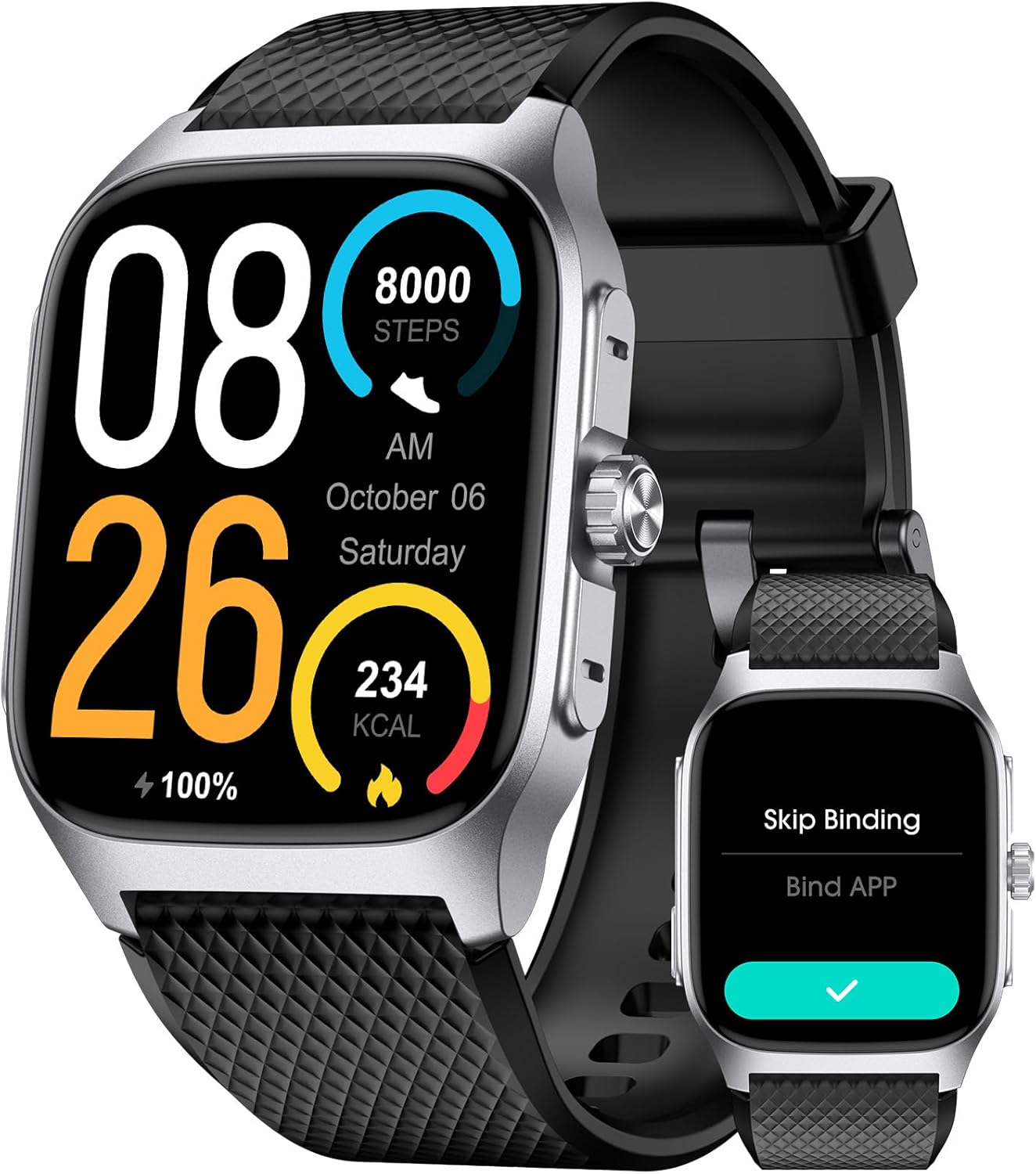
Figure 1: LIVIKEY Smart Watch (Black Silver)
Key Features:
- No Phone or App Required: Operates independently for health monitoring (heart rate, blood oxygen, sleep, stress).
- 10-Meter Waterproof: Designed to handle water with ease, suitable for swimming, gym, and rain.
- 14 Days Battery Life: Advanced chips and technology enable low power consumption for extended usage.
- Durable Metal Body: Crafted with a corrosion-resistant and scratch-proof metal casing.
- Vivid AMOLED Display: 1.85'' screen, bright, clear, and highly responsive, readable under direct sunlight.
- Call Functionality: Answer and make calls directly from the wrist (Note: Requires app binding for this feature).
- Timeless Design: Seamlessly blends traditional timepiece aesthetics with modern smart technology.
What's in the Box
- LIVIKEY Smart Watch
- Charging Cable
- User Manual (this document)
Setup
1. Initial Charge
Before first use, fully charge your LIVIKEY Smart Watch. Connect the magnetic charging cable to the charging points on the back of the watch and plug the USB end into a power adapter (not included) or a computer's USB port.

Figure 2: Charging the Smart Watch. A full charge can provide up to 14 days of battery life depending on usage.
2. Power On/Off
To power on, press and hold the side button until the screen lights up. To power off, navigate to the settings menu on the watch, select "Power Off," and confirm.
3. Basic Operation (No App Required)
The LIVIKEY Smart Watch can function independently without a smartphone application for core health and activity tracking features.

Figure 3: Standalone operation. The watch can be used without binding to an app.
4. Optional App Binding (for Call Functionality and More)
To enable Bluetooth calling, message notifications, weather display, and detailed data records, you will need to bind the watch to your smartphone via the dedicated application. Refer to the watch screen for QR code or app name to download.

Figure 4: Bluetooth Calling feature. Requires app binding for full functionality.
Operating Instructions
Navigation
- Touchscreen: Swipe left, right, up, or down to navigate through menus and features. Tap to select.
- Side Button: Press to return to the watch face or wake the screen. Long press for power options.
Video 1: Demonstration of watch face selection and basic navigation. This video shows how to interact with the touchscreen and side button.
Health Monitoring
- Heart Rate: Access the Heart Rate monitor from the main menu. The watch will automatically begin measuring your heart rate.
- Blood Oxygen (SpO2): Select the Blood Oxygen feature to initiate a measurement.
- Sleep Tracking: Wear the watch during sleep for automatic sleep pattern analysis.
- Stress Monitoring: The watch can track stress levels throughout the day.

Figure 5: Health Management features available on the watch.
Activity Tracking
- Step Counter (Pedometer): Automatically tracks your daily steps.
- Calorie Tracker: Estimates calories burned based on activity.
- Distance Tracker: Records distance covered.
- Multi-sport Modes: Select from various sports modes for specific activity tracking.

Figure 6: Activity Tracking features.
Additional Features
- Alarm Clock: Set alarms directly on the watch.
- Stopwatch & Timer: Utilize for timing activities.
- Music Control: Control music playback on your connected smartphone.
- Camera Control: Remotely trigger your smartphone's camera.
- Sedentary Reminder: Get alerts to move after periods of inactivity.
- Weather Forecast: View current weather (requires app binding).

Figure 7: Various utility functions of the Smart Watch.
Maintenance
Cleaning Your Watch
Regularly clean your watch and strap to prevent skin irritation and maintain device functionality. Use a soft, lint-free cloth. If necessary, slightly dampen the cloth with water. Do not use harsh chemicals or abrasive materials.
Water Resistance
The watch is 10-meter waterproof. It is suitable for swimming and daily water exposure like handwashing or rain. Avoid prolonged submersion in hot water, saunas, or steam rooms, as this can compromise the water seal.

Figure 8: The watch is suitable for swimming and other water activities up to 10 meters depth.
Battery Care
To maximize battery lifespan, avoid fully discharging the watch frequently. Charge it when the battery level is low. Store the watch in a cool, dry place when not in use for extended periods.
Troubleshooting
| Problem | Possible Cause | Solution |
|---|---|---|
| Watch not turning on | Low battery; device frozen. | Charge the watch for at least 30 minutes. Perform a forced restart by holding the side button for 10-15 seconds. |
| Cannot make/receive calls | Not paired with app; Bluetooth disconnected. | Ensure the watch is correctly paired with the smartphone app. Check Bluetooth connection on both devices. |
| Inaccurate health data | Watch fit too loose/tight; sensor obstruction. | Ensure the watch is worn snugly but comfortably on the wrist. Clean the sensor on the back of the watch. |
| Short battery life | Frequent use of power-intensive features; constant screen-on. | Reduce screen brightness, disable unnecessary notifications, limit continuous heart rate monitoring. |
Specifications
- Model: 6975575939335
- Display: 1.85 Inches AMOLED Touchscreen (Resolution: 390 x 450)
- Battery: 1 Lithium Polymer battery (300 Milliamp Hours)
- Battery Life: Up to 14 Days (depending on usage)
- Water Resistance: 10 Meters
- Connectivity: Bluetooth
- Compatibility: Android and iOS Smartphones
- Item Weight: 3.52 ounces
- Special Features: 14-Day Battery Life, 10 Meters Waterproof, Bluetooth Calls, Message Notifications, Calorie Tracker, Alarm Clock, Stopwatch, Timer, Camera Control, Music Control, Sedentary Reminder, Weather, Fitness Tracker, Pedometer, Step Tracker, Step Counter, Heart Rate Monitor, Blood Oxygen Monitor, Sleep Monitor.
Warranty and Support
For warranty information and technical support, please refer to the contact details provided on the product packaging or visit the official LIVIKEY website. Keep your purchase receipt for warranty claims.
Manufacturer: LIVIKEY
Date First Available: August 1, 2024

