
Introduction
This manual provides detailed instructions for the blonbar Sunrise Alarm Clock with Wireless Charging, Model AJ310. This device combines a sunrise alarm clock, a dimmable table lamp, and a wireless charging pad, designed to enhance your daily routine and bedside experience. Please read this manual thoroughly before use to ensure proper operation and to maximize the product's features.
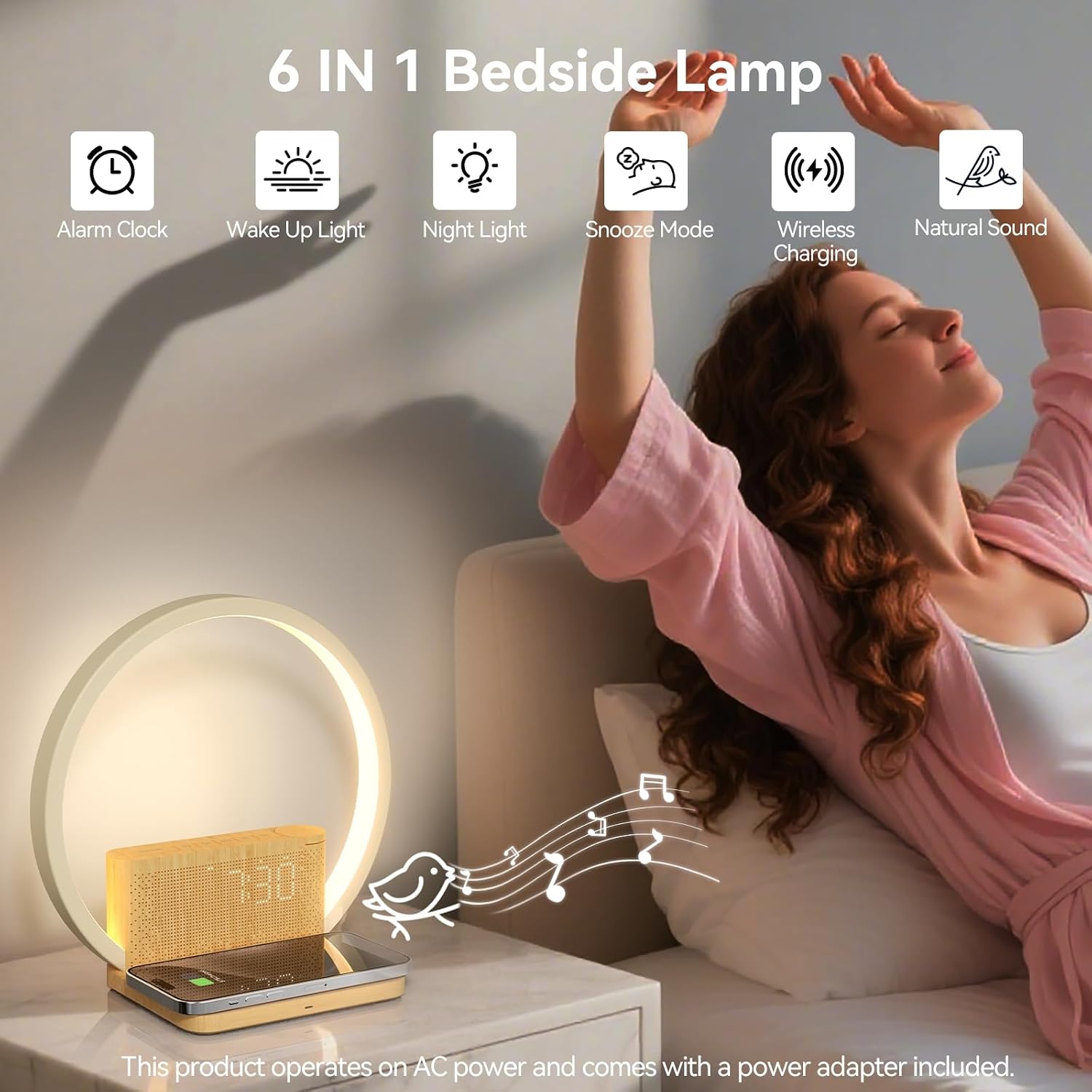
Figure 1: Overview of the blonbar Sunrise Alarm Clock's 6-in-1 functionality.
Setup
- Unpacking: Carefully remove all components from the packaging. Ensure the alarm clock unit and power adapter are present.
- Power Connection: Connect the provided power adapter to the alarm clock and plug it into a standard electrical outlet. This device does not have a built-in battery and requires continuous power for operation.
- Placement: Place the alarm clock on a stable, flat surface, such as a bedside table, ensuring adequate ventilation.
- Initial Power On: The display should illuminate upon connecting to power.
Operating Instructions
Time Setting
Refer to the device's physical buttons or touch controls for time adjustment. Typically, a "Time Set" button or a long press on a specific button will initiate time setting mode. Use '+' and '-' buttons to adjust hours and minutes.
Alarm Clock Function
The device supports dual alarm settings, allowing for two separate wake-up times. To set an alarm:
- Press the "Alarm Key" once to display Alarm 1 time. Press again to display Alarm 2 time.
- While the alarm time is displayed, use the adjustment buttons (e.g., '+' or '-') to set the desired wake-up time.
- A third press of the "Alarm Key" will toggle the alarm on or off. An indicator light will confirm the alarm is active.
Sunrise Simulation: For the Sunrise Alarm Clock function, the wake-up light will gradually brighten, starting 10 minutes before the set alarm time, simulating a natural sunrise.

Figure 2: Sunrise simulation feature, with light gradually increasing 10 minutes before the alarm.
Snooze Function and Display Brightness
When an alarm sounds, press the "Snooze" button to temporarily silence the alarm. The alarm will sound again after 10 minutes. This function can typically be used multiple times.
When the alarm is not active, a short press of the "Snooze" button can be used to adjust the brightness of the digital time display (High, Medium, Low, Off).
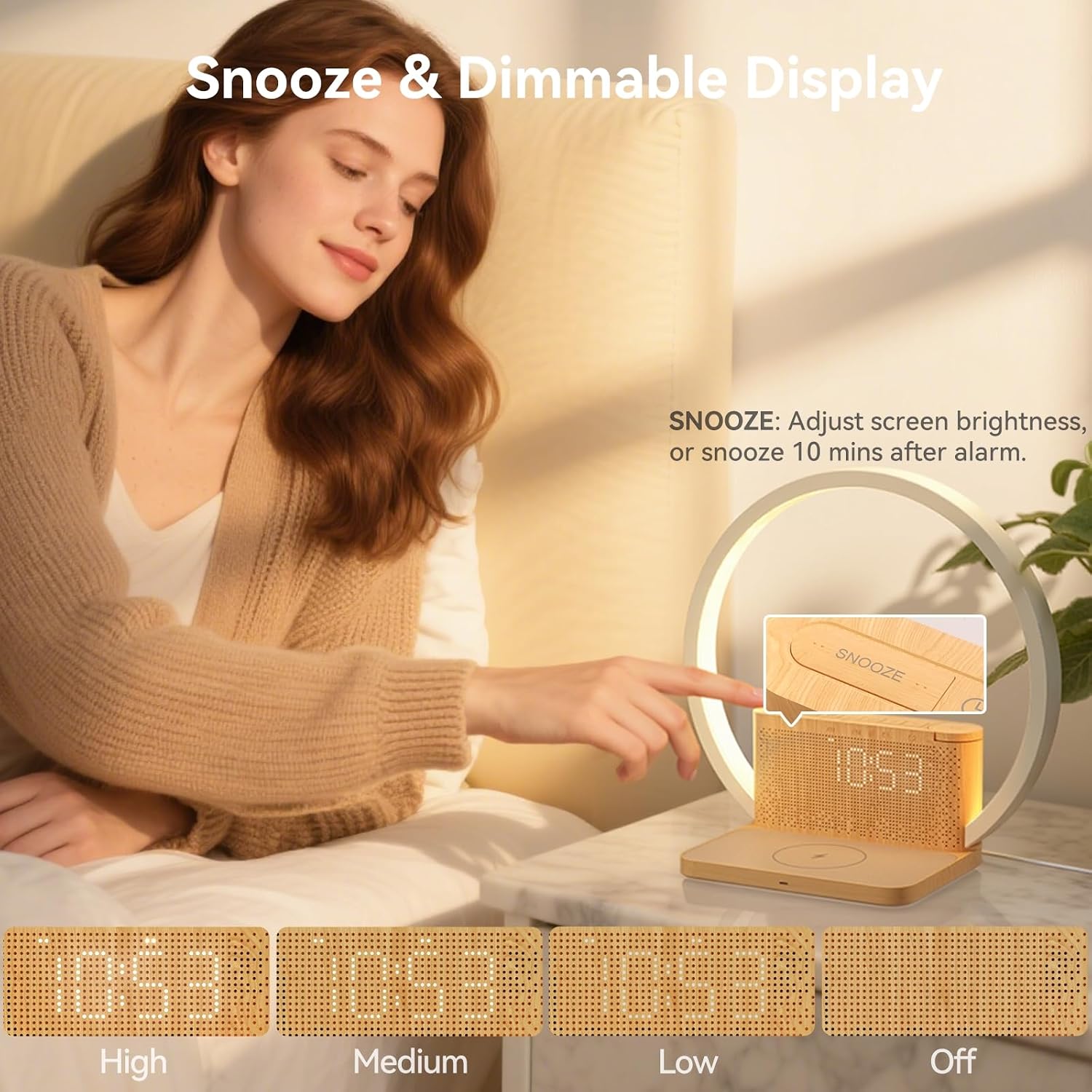
Figure 3: Snooze function and adjustable display brightness.
Table Lamp Operation
The integrated table lamp offers 3 levels of dimmable brightness. To operate the lamp:
- Turn On/Off: Touch the designated light control area (often indicated by a light icon) to turn the lamp on or off. A long touch (2 seconds) may also turn off the light.
- Adjust Brightness: Repeatedly touch the light control area to cycle through the 3 brightness levels.

Figure 4: Touch control for adjusting lamp brightness.
Natural Sounds and Sleep Countdown
The alarm clock features 10 natural sounds to aid in relaxation and sleep. You can also set a countdown timer for these sounds.
- Select Sound: Use the dedicated sound selection button to cycle through the available natural sounds (e.g., birdsong, ocean wave, flowing water, bonfire, summer night, thunder, fan, rain, music box, clock ticking).
- Adjust Volume: Use the volume control buttons to set the desired sound level (1-12 levels).
- Sleep Countdown: Choose from 30, 60, or 90 minutes for the natural sound to play before automatically turning off, assisting with sleep.

Figure 5: Selection of 10 natural sounds and sleep countdown feature.
Wireless Charging
The device includes a wireless charging pad for compatible smartphones and headphones.
- Placement: Place your Qi-compatible device directly onto the charging pad. Ensure the device is centered on the pad for optimal charging.
- Charging Indicator: A charging indicator light (if present) will illuminate to confirm that charging has begun.
Important Note: If wireless charging does not work, ensure the body of the lamp is properly aligned with the wireless charging pad and that your device supports wireless charging.

Figure 6: Wireless charging functionality for compatible devices.
Maintenance
- Cleaning: Disconnect the power adapter before cleaning. Use a soft, dry cloth to wipe the surface of the device. Do not use abrasive cleaners or solvents.
- Storage: If storing the device for an extended period, disconnect it from power and store it in a cool, dry place.
- Avoid Water: Keep the device away from water and high humidity to prevent damage.
Troubleshooting
| Problem | Possible Cause | Solution |
|---|---|---|
| Device does not power on. | Power adapter not connected or faulty. | Ensure the power adapter is securely connected to both the device and a working power outlet. |
| Wireless charging is not working. | Device not aligned, not Qi-compatible, or foreign object interference. | Ensure your phone is centered on the charging pad. Verify your device supports Qi wireless charging. Remove any metal objects or thick cases. |
| Alarm does not sound. | Alarm not activated or volume too low. | Check if the alarm indicator is on. Increase the alarm volume. |
| Lamp light is not adjusting. | Incorrect touch input. | Ensure you are touching the correct sensor area. Try a longer press for on/off or repeated short presses for brightness levels. |
Specifications
- Model Number: AJ310
- Brand: blonbar
- Product Dimensions: 22.4D x 11.1W x 22.5H centimetres
- Item Weight: 0.5 kg
- Power Source: Corded Electric
- Voltage: 5 volts
- Wattage: 10 watts (Wireless Charging)
- Light Source Type: LED
- Lamp Type: Table Lamp
- Material: Plastic
- Included Components: Adapter
- Country of Origin: China
For detailed energy efficiency information, please refer to the EU Energy Label (QR Code Link).
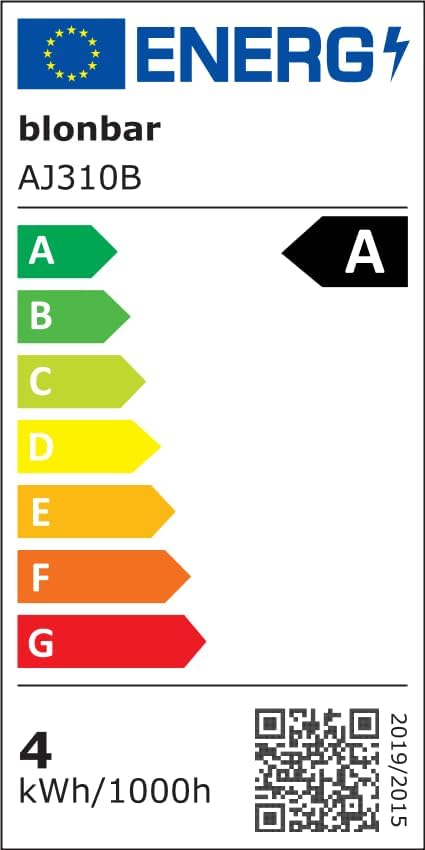
Figure 7: EU Energy Label for Model AJ310B.
Warranty and Support
Warranty: This blonbar product is covered by a 1-Year Manufacturer's Warranty from the date of purchase.
Support: For technical assistance, troubleshooting, or warranty claims, please contact blonbar customer support. Refer to your purchase documentation or the blonbar official website for contact details.
