

1. Introduction
This manual provides essential information for the safe and effective use of your BESTEK US to UK Plug Adapter Voltage Converter, Model MRJ2001CU. This device is designed to convert foreign 220-240V electricity to 110-120V for US appliances and provide direct power for dual-voltage devices, making it suitable for travel in countries using Type G outlets, such as the UK, Ireland, and Hong Kong.

Image: The BESTEK voltage converter neatly packed inside a suitcase, demonstrating its portability for travel.
2. Important Safety Instructions
Read all instructions before use and retain for future reference.
- Indoor Use Only: Do not expose the converter to rain or moisture.
- Ventilation: Ensure adequate ventilation around the converter. Do not cover it with clothes, blankets, or other materials.
- Power Rating: Do not exceed the maximum power rating of 2000W for the converter outlet or 200W for the adapter outlet. Overloading can cause damage or fire.
- Appliance Compatibility: This converter is designed for mechanical button/knob equipment. It is NOT suitable for appliances with digital controls, touch screens, or temperature control functions.
- DC Motors: Do not use with appliances that have DC motors, such as Dyson hair dryers, some coffee machines, steam irons, or juicers. Using such devices may cause damage to the appliance or the converter.
- Grounding: This device is not grounded. Do not use it with appliances that require grounding.
- Children: Keep out of reach of children.
- Disassembly: Do not attempt to disassemble or modify the converter. Refer all servicing to qualified personnel.
- Unplug When Not in Use: Disconnect the converter from the wall outlet when not in use.
3. Package Contents
- BESTEK US to UK Plug Adapter Voltage Converter (Model MRJ2001CU)
- User Manual
4. Product Overview
Familiarize yourself with the components of your BESTEK voltage converter.

Image: Top-down view of the BESTEK voltage converter, highlighting its two AC outlets (200W and 2000W) and two USB charging ports.
- 200W Dual Adapter Socket (Outlet 1): For dual-voltage devices (100-240V input). Output voltage matches input voltage. Max 200W.
- 2000W Auto Switch Voltage Converter Socket (Outlet 2): Converts 100-240V AC to 110-120V AC. For US 110V appliances. Max 2000W.
- USB Charging Ports: Two 5V/2.4A (max) USB ports for charging mobile devices. Total 4.2A.
- Type G Plug: Integrated plug for UK, Ireland, Hong Kong, and other Type G countries.
- Power Indicator Light: Illuminates when the converter is powered on.

Image: Front view of the BESTEK voltage converter, showing the US-style outlets and USB ports.
5. Setup
- Plug into Wall: Insert the integrated Type G plug of the converter firmly into a wall outlet in the destination country.
- Verify Power: The power indicator light on the converter will illuminate, indicating it is receiving power.
- Connect Devices: Plug your US appliances or USB devices into the appropriate outlets on the converter.
6. Operating Instructions
This converter offers versatile charging options for various devices.
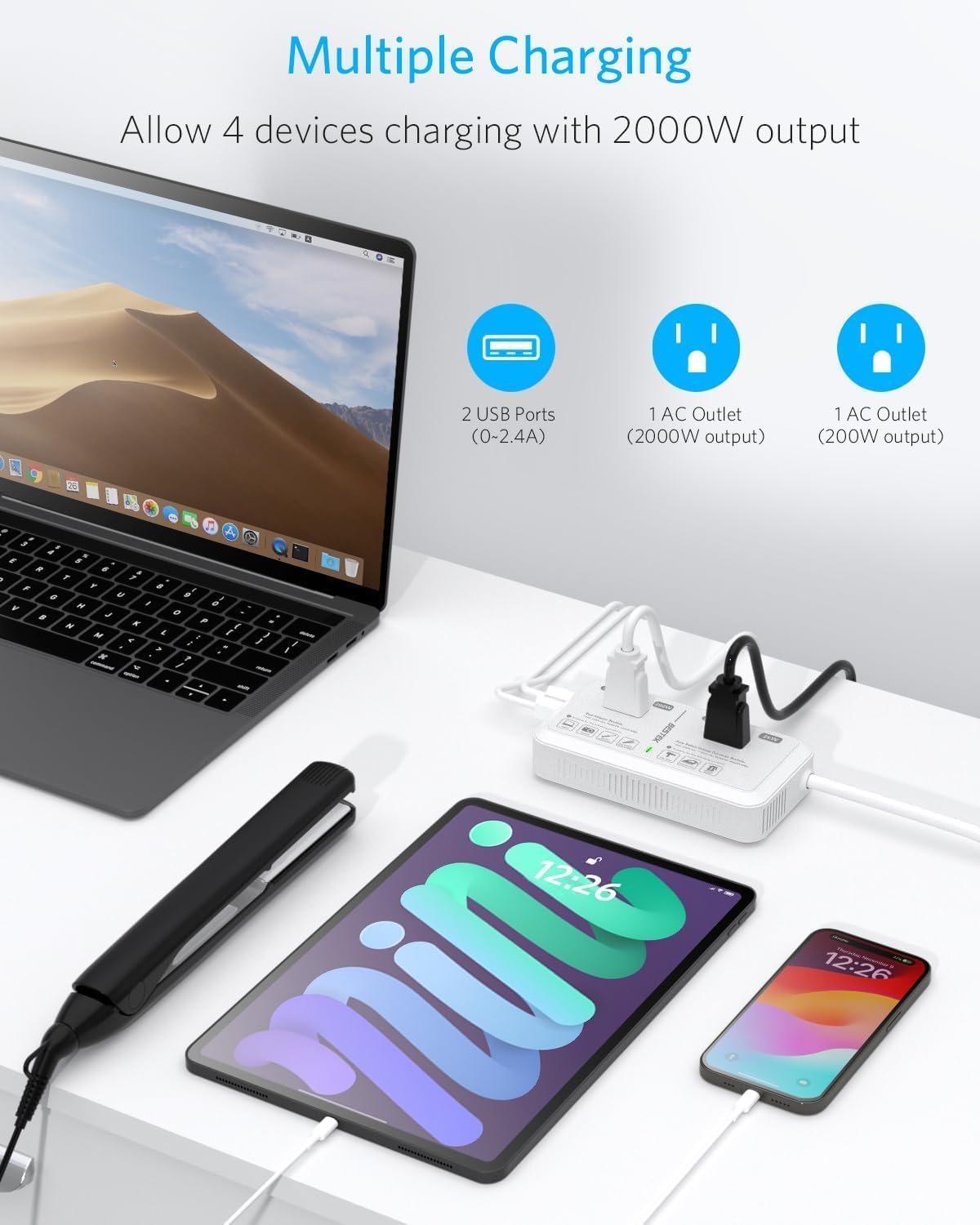
Image: A laptop, tablet, smartphone, and hair straightener all connected and charging simultaneously using the BESTEK converter.
6.1 Using the 2000W Converter Outlet (Outlet 2)
- This outlet converts 220-240V AC to 110-120V AC.
- Use this for US appliances that operate solely on 110-120V, such as hair dryers (mechanical type), electric kettles, and irons.
- Ensure the total wattage of connected devices does not exceed 2000W.
6.2 Using the 200W Adapter Outlet (Outlet 1)
- This outlet passes through the input voltage (e.g., 220-240V). It does NOT convert voltage.
- Use this for dual-voltage devices (100-240V input) such as laptops, smartphones, tablets, cameras, and dual-voltage curling irons/straighteners.
- Ensure the total wattage of connected devices does not exceed 200W.
6.3 Using the USB Charging Ports
- The two USB ports provide 5V DC power, up to 2.4A per port, with a total output of 4.2A.
- These ports are suitable for charging most USB-powered devices like smartphones, tablets, and power banks.
6.4 Device Compatibility
It is crucial to understand which devices are compatible with each outlet.

Image: A visual guide showing that the 2000W outlet is suitable for mechanical button/knob equipment (e.g., hair dryers, kettles, irons) and not for digital/touch screen equipment (e.g., Dyson, coffee makers with digital displays).

Image: An illustration showing various devices like iPhones, tablets, cameras, laptops, hair dryers, flat irons, curling irons, and kettles, indicating their suitability for use with the converter's different outlets.

Image: A diagram showing which devices are suitable for the 200W outlet (laptops, cameras, phones) and which for the 2000W outlet (hair dryers, irons, kettles).
- Compatible Countries (Type G): UK, Ireland, Malta, Hong Kong, Macao, Cambodia, Myanmar, Malaysia, Singapore, Brunei, Indonesia, Bhutan, Bengal, Sri Lanka, Maldives, Iraq, Kuwait, Bahrain, Oman, Yemen, United Arab Emirates, Nigeria, etc.

Image: A visual representation of the Type G plug and a list of countries where it is applicable, including England, Ireland, Hong Kong, and Dubai.
7. Maintenance and Care
- Cleaning: Disconnect the converter from the power outlet before cleaning. Wipe the exterior with a soft, dry cloth. Do not use liquid cleaners or abrasive materials.
- Storage: Store the converter in a cool, dry place away from direct sunlight and moisture when not in use.
- Inspection: Periodically inspect the converter for any signs of damage to the casing or plug. Do not use if damaged.
8. Troubleshooting
| Problem | Possible Cause | Solution |
|---|---|---|
| Converter has no power (indicator light off) | Not properly plugged into wall outlet. | Ensure the converter is firmly plugged into a live wall outlet. |
| Wall outlet is not active. | Test the wall outlet with another device or try a different outlet. | |
| Appliance not working/charging | Appliance is incompatible (e.g., DC motor, digital control). | Refer to Section 2 (Safety Instructions) and 6.4 (Device Compatibility). Do not use incompatible devices. |
| Appliance exceeds outlet's wattage limit. | Ensure the appliance's wattage is within the limits of the connected outlet (2000W or 200W). | |
| Appliance is not properly plugged into the converter. | Ensure the appliance's plug is fully inserted into the converter's outlet. |
9. Specifications
| Feature | Specification |
|---|---|
| Model | MRJ2001CU |
| Input Voltage | 100-240V AC, 50/60Hz |
| Converter Outlet (2000W) Output | 110-120V AC, 50/60Hz, 2000W Max |
| Adapter Outlet (200W) Output | 100-240V AC, 50/60Hz, 200W Max (Output voltage same as input) |
| USB Output | 5V DC, 2.4A Max per port, 4.2A Total |
| Plug Type | Type G (UK Standard) |
| Safety Protections | Over-current, Over-load, Over-heat, Short-circuit protection |
| Cooling | Silent cooling fan |

Image: An exploded view of the BESTEK converter showing its internal components and highlighting safety features like over-heat, short-circuit, over-voltage, and over-current protection.
10. Warranty and Customer Support
BESTEK products are designed for reliability and performance. For warranty information or technical support, please refer to the contact details provided with your purchase or visit the official BESTEK website. Please have your model number (MRJ2001CU) ready when contacting support.