
1. Introduction
This manual provides essential information for the safe and efficient use of your Redodo 24V 100Ah LiFePO4 Lithium Battery. Please read it thoroughly before installation and operation. The Redodo 24V 100Ah LiFePO4 battery offers a 2560W power output with a 100A Battery Management System (BMS), designed for deep cycle applications. It is suitable for solar off-grid systems, marine use, trolling motors, and backup power solutions, providing up to 15,000 deep cycles.
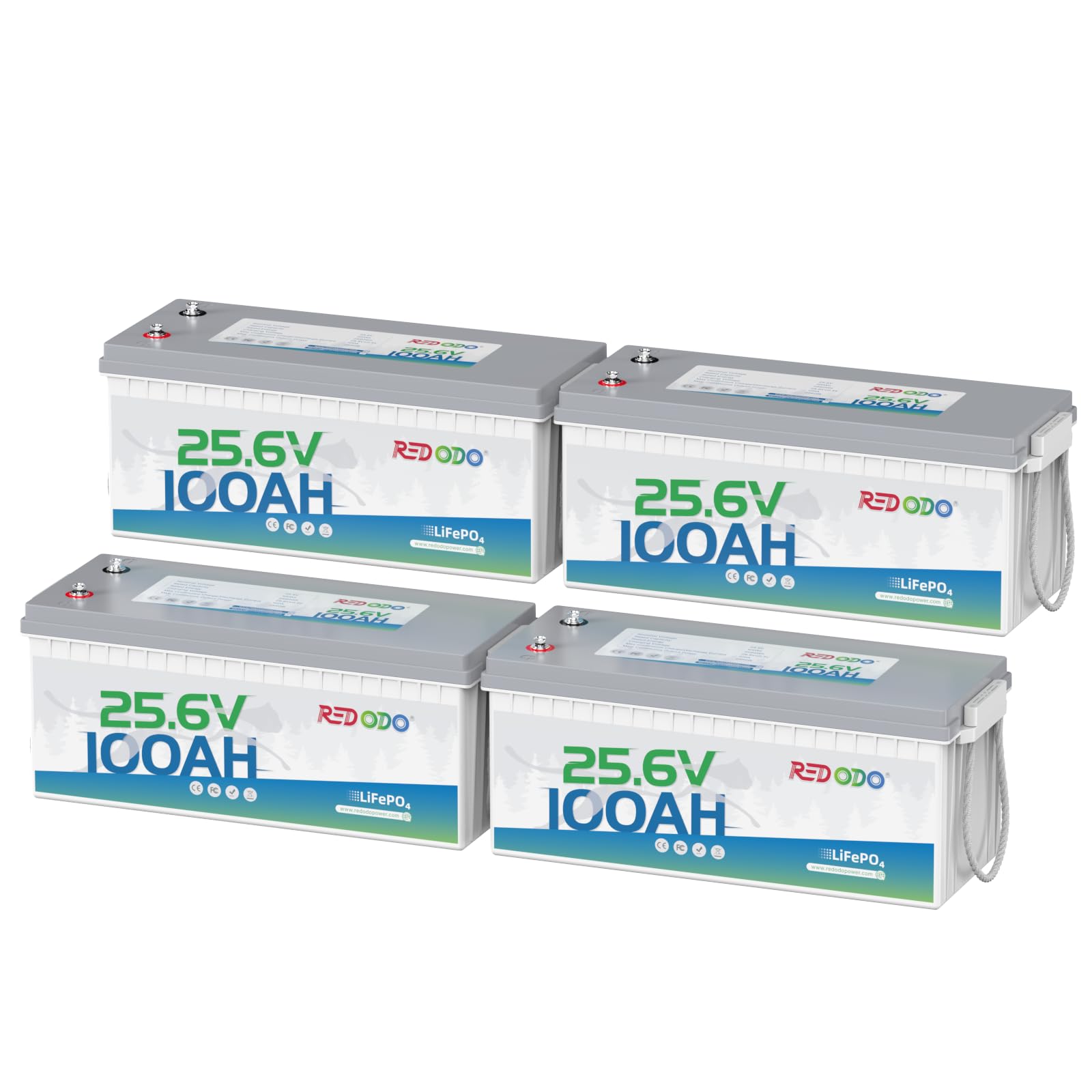
Image: Redodo 24V 100Ah LiFePO4 Lithium Battery, highlighting its 2560Wh energy capacity.
2. What's in the Box
Upon opening the package, verify that all components are present and undamaged:
- 4 x 25.6V 100Ah LiFePO4 Battery (Shipped Separately)
- M8-5/8" Terminal Bolts
- Insulating Caps for Bolts

Image: The Redodo battery package contents, showing the battery, user manual, and M6 terminal bolts.
Video: An unboxing demonstration of a 12.8V 100Ah Mini LiFePO4 Battery, showing the included components and product manual.
3. Specifications
| Feature | Detail |
|---|---|
| Brand | Redodo |
| Model | 24V100Ah-4Pack |
| Battery Capacity | 100 Amp Hours |
| Amperage | 100 Amps |
| Resistance | 40 Milliohms |
| Terminal Type | M8 |
| Product Dimensions | 8.15 x 20.95 x 8.5 inches |
| Vehicle Service Type | Boat, Marine, RV, Solar panel system, Trolling motor |

Image: Detailed view of the battery's dimensions and M8 terminal specifications.
4. Setup (Installation & Connection)
4.1 Safety Precautions
- Always wear appropriate personal protective equipment (PPE) such as gloves and eye protection during installation.
- Ensure all connections are secure and properly insulated to prevent short circuits.
- Use only recommended lithium chargers for this battery. Do not use for golf carts or car starters.
4.2 Connecting the Battery
The Redodo 24V 100Ah LiFePO4 battery is designed for straightforward integration into various systems. It features M8 terminals for secure connections.
- Ensure all power sources are disconnected before making any connections.
- Connect the positive (+) terminal of the battery to the positive input of your system (e.g., inverter, charge controller).
- Connect the negative (-) terminal of the battery to the negative input of your system.
- Tighten all terminal bolts securely to ensure good electrical contact and prevent arcing.
- For multi-battery systems, ensure proper series or parallel connections as required for your desired voltage and capacity. This battery supports easy 48V expansion by connecting two 24V units in series.

Image: Compatible charging options for the Redodo LiFePO4 battery.
Video: A guide demonstrating the installation and solar system connection for a LiFePO4 battery, including wiring and multimeter readings.
5. Operating Instructions
5.1 Initial Charge
It is recommended to fully charge the battery before its first use to ensure optimal performance and lifespan. Use a compatible LiFePO4 charger with the correct voltage and current settings.
5.2 General Use
The 24V 100Ah battery provides twice the energy of a 12V 100Ah lithium battery, simplifying wiring and voltage balancing. It offers stable performance, extended cycle life, and higher efficiency for various applications.

Image: Examples of appliances powered by the battery and their estimated runtimes.
5.3 System Expansion
This battery allows for easy expansion. You can build a 48V battery system by connecting just two 24V batteries in series. For even greater capacity, up to 8 units can be expanded to achieve a 48V 400Ah (20.48kWh) system, ideal for electric outboard motors, RVs, solar systems, and farm equipment.

Image: Visual representation of expanding battery power up to 20.48kWh.
6. Maintenance
6.1 Battery Management System (BMS)
The Redodo LiFePO4 battery is equipped with a 100A BMS, which provides comprehensive protection to ensure enhanced safety and longevity. The BMS protects against:
- Over-current
- Over-charge
- Over-discharge
- Short-circuits
- High-temperature
This robust protection contributes to the battery's impressive lifespan of 4000+ cycles and over 10 years of use.
6.2 General Care
- Keep the battery terminals clean and free from corrosion.
- Store the battery in a cool, dry place when not in use for extended periods.
- Avoid exposing the battery to extreme temperatures.
- Regularly inspect the battery and connections for any signs of damage or wear.
7. Troubleshooting
If you encounter issues with your Redodo LiFePO4 battery, consider the following common troubleshooting steps:
- No Power Output: Check all cable connections to ensure they are secure and properly tightened. Verify that the battery is adequately charged. The BMS may have activated a protection mode (e.g., over-discharge) if the voltage is too low.
- Charging Issues: Ensure your charger is specifically designed for LiFePO4 batteries and matches the battery's voltage requirements. Check the charger's connections and power supply. If the battery is very cold, it may not accept a charge; allow it to warm up to an appropriate temperature.
- System Overload: If the battery suddenly stops providing power during use, the BMS may have activated over-current protection. Reduce the load on the battery and attempt to reconnect.
- Unusual Heat: If the battery feels excessively hot, immediately disconnect it from all loads and charging sources. This could indicate an internal issue or an external short circuit.
For persistent issues or complex problems, refer to the detailed troubleshooting section in the full user manual or contact Redodo customer support.
8. Warranty and Support
The Redodo 24V 100Ah LiFePO4 Lithium Battery is backed by a 5-year warranty, covering defects in materials and workmanship under normal use. Additionally, Redodo provides lifetime technical support to assist you with any questions or issues you may encounter.
For warranty claims, technical assistance, or general inquiries, please refer to the contact information provided on your product packaging or visit the official Redodo website. Please have your product model number (24V100Ah-4Pack) and purchase details ready when contacting support.


