
1. Introduction and Overview
The Proscenic 850T Robot Vacuum and Mop Combo is an advanced cleaning device designed to simplify your home maintenance. This versatile 3-in-1 unit integrates sweeping, vacuuming, and mopping functionalities, offering powerful 3000 Pa suction and intelligent navigation for thorough cleaning. Its ultra-slim design allows it to easily navigate under furniture, while smart features like automatic carpet detection and self-charging ensure efficient operation. Control your device effortlessly via the dedicated app, voice commands (Siri, Google Home, Alexa), or the included remote control.
2. What's in the Box
Upon unboxing your Proscenic 850T, please ensure all components are present and in good condition. The package typically includes the following items:
- Proscenic 850T Robot Vacuum
- Charging Base
- Power Adapter
- Remote Control
- 2-in-1 Dustbin & Water Tank
- Roller Brush
- Side Brushes (x2 pairs)
- Mop Pads (x2)
- HEPA Filters (x2)
- Cleaning Brush
- Boundary Strip
- User Manual

Image: The Proscenic 850T Robot Vacuum and Mop Combo along with its complete set of accessories.
Video: An unboxing demonstration of the Proscenic 850T Robot Vacuum and Mop Combo, showing all components.
3. Setup
- Prepare the Robot: Remove all protective films and packaging materials from the robot and its accessories.
- Install Side Brushes: Snap the two side brushes onto their respective posts on the bottom of the robot until they click into place.
- Install Dustbin/Water Tank: Open the top cover of the robot and insert the 2-in-1 dustbin and water tank until it is securely seated. Ensure the mop pad is attached to the water tank if you plan to use the mopping function.
- Place Charging Base: Position the charging base against a wall in an open, uncluttered area with at least 1.5 feet (0.5 meters) of clear space on either side and 5 feet (1.5 meters) in front. Plug in the power adapter.
- Initial Charge: Place the robot onto the charging base. Ensure the charging contacts on the robot align with those on the base. The indicator light on the robot will show charging status. Fully charge the robot before first use (approximately 4-5 hours).
- Connect to App (Optional but Recommended): Download the ProscenicHome app from your smartphone's app store. Follow the in-app instructions to connect your robot to your home Wi-Fi network (2.4GHz only). This enables advanced control and scheduling features.
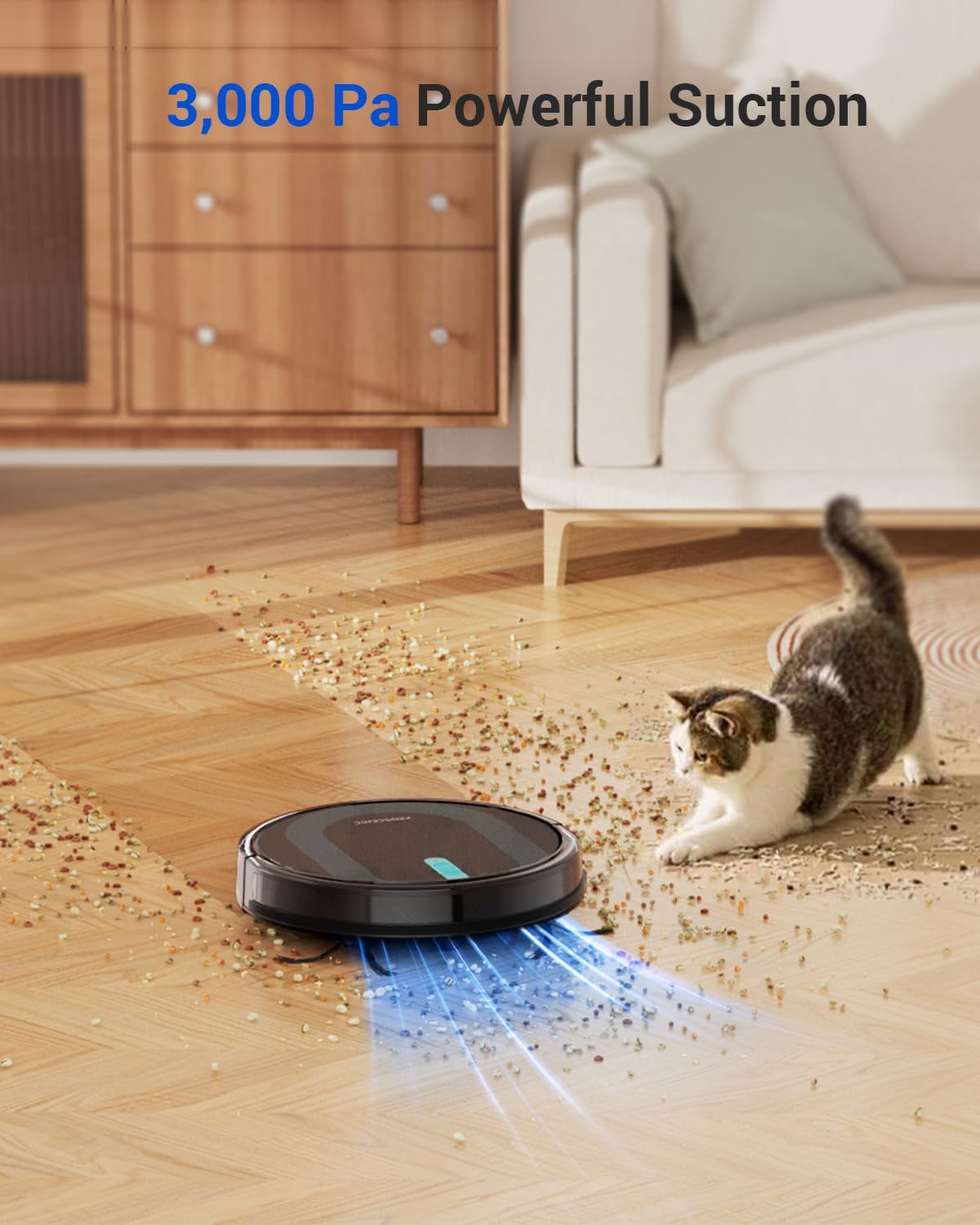
Image: The robot vacuum demonstrating its powerful suction on a hard floor.
4. Operating Instructions
The Proscenic 850T offers multiple ways to initiate and manage cleaning tasks:
- Start/Pause Cleaning: Press the power button on the robot or the 'Clean' button on the remote/app to start or pause a cleaning cycle.
- Cleaning Modes:
- Auto Clean: The robot intelligently navigates in a zigzag pattern to cover the entire area.
- Spot Clean: Focuses on a specific dirty area, cleaning in a spiral pattern.
- Edge Clean: Cleans along walls and furniture edges.
- Mop Mode: For hard floors, the robot will vacuum and mop simultaneously. Ensure the water tank is filled.
- Zigzag Clean: An efficient cleaning path for systematic coverage.
- Smart Carpet Boost: The robot automatically increases suction power when it detects carpeted surfaces for deeper cleaning.
- Self-Charging: When the battery is low, the robot will automatically return to its charging base.
- App Control: Use the ProscenicHome app to schedule cleanings, select cleaning modes, adjust suction power and water flow levels, and set No-Go zones.
- Voice Control: Compatible with Amazon Alexa, Google Home, and Siri for convenient voice commands.
- Remote Control: The included remote provides basic control over cleaning modes, direction, and returning to the charging base.

Image: The robot vacuum demonstrating its efficient zigzag navigation pattern for comprehensive cleaning.

Image: Various control methods for the robot vacuum, including app and voice commands.
Video: A detailed guide on maintaining the Proscenic 850T Robot Vacuum and Mop Combo, including cleaning procedures.
5. Maintenance
Regular maintenance is crucial for optimal performance and longevity of your Proscenic 850T. Perform these steps regularly:
- Empty Dustbin: Empty the dustbin after each cleaning cycle. Press the release button to remove the dustbin, open its lid, and discard collected debris.
- Clean Filters: Remove the HEPA filter and filter screen from the dustbin. Tap them gently to remove dust. Rinse the dustbin and filter screen with water (do not rinse the HEPA filter). Allow all parts to air dry completely before reassembling.
- Clean Roller Brush: Remove the main brush cover and lift out the roller brush. Use the cleaning tool to cut and remove any hair or debris tangled around the brush.
- Clean Side Brushes: Regularly check the side brushes for tangled hair or debris. If necessary, remove them and clean. Replace if damaged.
- Clean Sensors and Charging Contacts: Use a clean, dry cloth to wipe the anti-drop sensors, anti-collision sensors, and charging contacts on both the robot and the charging base.

Image: A user demonstrating how to empty the dustbin of the robot vacuum.

Image: A user rinsing the dustbin and filter screen under running water for thorough cleaning.
6. Troubleshooting
If you encounter issues with your Proscenic 850T, refer to the following common troubleshooting steps:
| Problem | Possible Cause | Solution |
|---|---|---|
| Robot does not turn on or charge. | Battery low; charging contacts dirty; power adapter not connected. | Ensure robot is on charging base; clean charging contacts; check power connection. |
| Robot gets stuck frequently. | Too many obstacles; dark-colored surfaces; loose cables. | Clear obstacles; use boundary strip for problem areas; secure loose cables. |
| Poor cleaning performance. | Dustbin full; filters clogged; brushes tangled/worn. | Empty dustbin; clean/replace filters; clean/replace brushes. |
| Robot does not return to charging base. | Charging base obstructed/unplugged; robot too far from base. | Ensure clear path to base; check power to base; manually place robot on base. |
| Wi-Fi connection issues. | Incorrect Wi-Fi password; 5GHz network; router too far. | Verify password; ensure 2.4GHz network; move robot closer to router. |
7. Specifications
- Brand: Proscenic
- Model Name: 850T
- Product Dimensions: 2.87"L x 2.87"W x 2.87"H
- Item Weight: 8.4 pounds
- Color: Black
- Suction Power: 3000 Pa
- Battery Life: Up to 100 minutes
- Filter Type: HEPA
- Power Source: Battery Powered
- Compatible Devices: Smartphones, iPhone, Android, Google Home, Alexa, Siri, WiFi
- Form Factor: Round-shaped robot with low profile
8. Warranty and Support
Proscenic is committed to providing high-quality products and excellent customer service. Your Proscenic 850T Robot Vacuum and Mop Combo comes with a 24-month warranty from the date of purchase, covering manufacturing defects and malfunctions under normal use.
For any technical assistance, troubleshooting, or warranty claims, please contact our 24/7 Rapid Responding Service Team. You can find contact information on the official Proscenic website or through the ProscenicHome app.
We recommend registering your product online to receive important updates and support.