1. Introduction
1.1 Welcome
Thank you for choosing the AIWA PartyBox PB-07 Bluetooth Speaker. This manual provides essential information for setting up, operating, and maintaining your device. Please read it thoroughly before use to ensure optimal performance and longevity.
1.2 Key Features
- 100W RMS Power Output
- High-Definition Sound with 6.5'' Woofer and 1.5'' Tweeter
- AIWA Brasil App Control for DJ Effects, Equalization, and Light Modes
- IPX4 Water Resistance (splash-proof)
- Up to 8 Hours Battery Life
- Dynamic RGB Color Lights
- Multiple Connectivity Options: Bluetooth 5.3, USB, AUX, Micro SD, Microphone Input
- True Wireless Sound (TWS) Function for connecting two speakers
- Compact Size with Carry Handle
2. Important Safety Information
Please observe the following safety guidelines to prevent damage to the device or personal injury:
- Do not expose the speaker to extreme temperatures, direct sunlight, or open flames.
- Avoid submerging the speaker in water, despite its IPX4 rating, which protects against splashes only.
- Do not attempt to disassemble, repair, or modify the speaker yourself. Contact qualified service personnel for assistance.
- Keep the speaker away from children and pets.
- Use only the provided charging cable.
- Ensure proper ventilation when charging and operating the speaker.
3. Package Contents
Verify that all items are present in your package:
- 1 x AIWA PartyBox PB-07 Speaker
- 1 x Charging Cable
- 1 x User Manual
4. Product Overview
4.1 Speaker Components
The AIWA PartyBox PB-07 features a robust design with intuitive controls. Below is an overview of its main components.
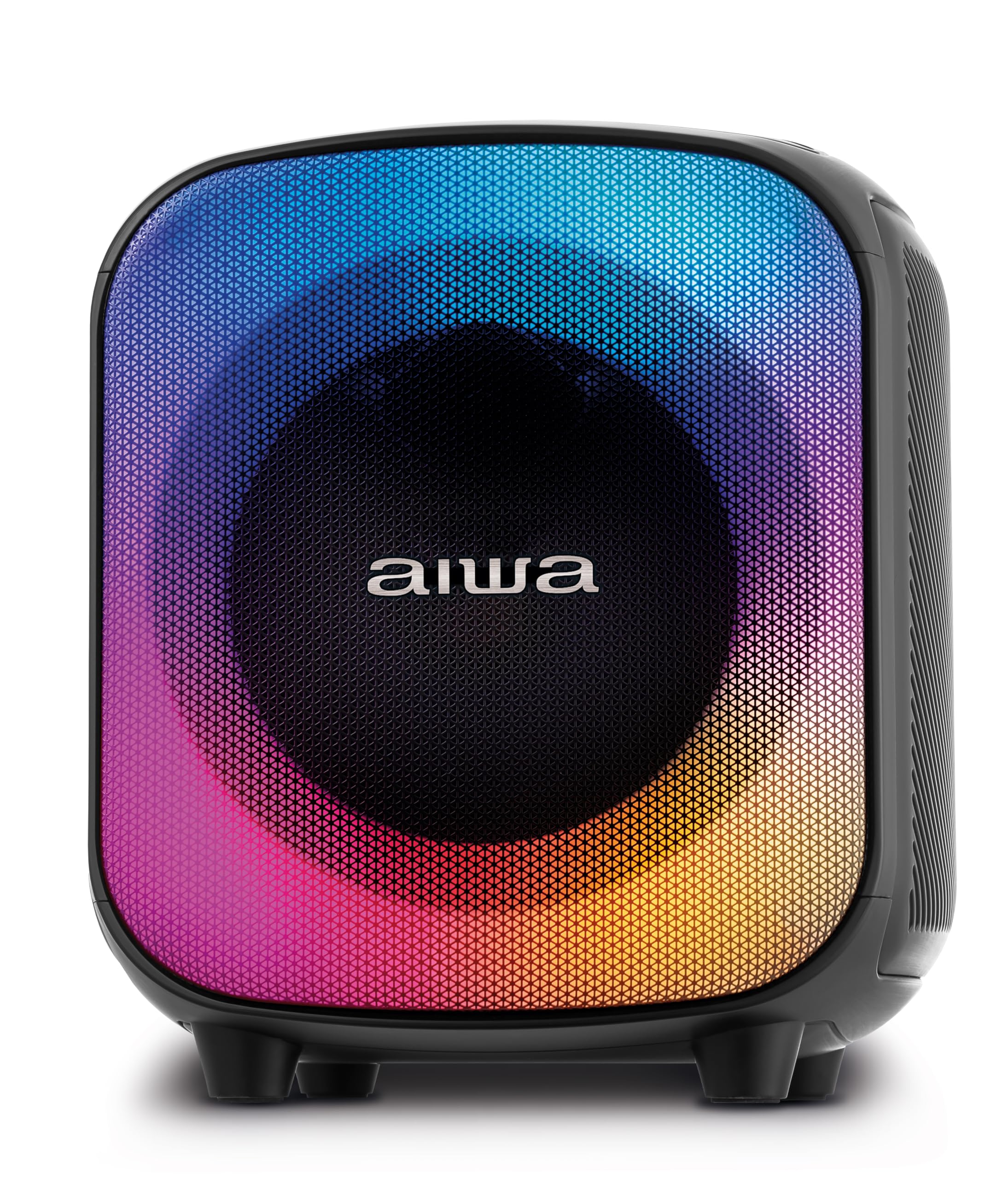
Figure 1: Front view of the AIWA PartyBox PB-07 speaker, showcasing its dynamic RGB lighting.
4.2 Control Panel
The control panel is located on the top of the speaker, providing easy access to various functions.
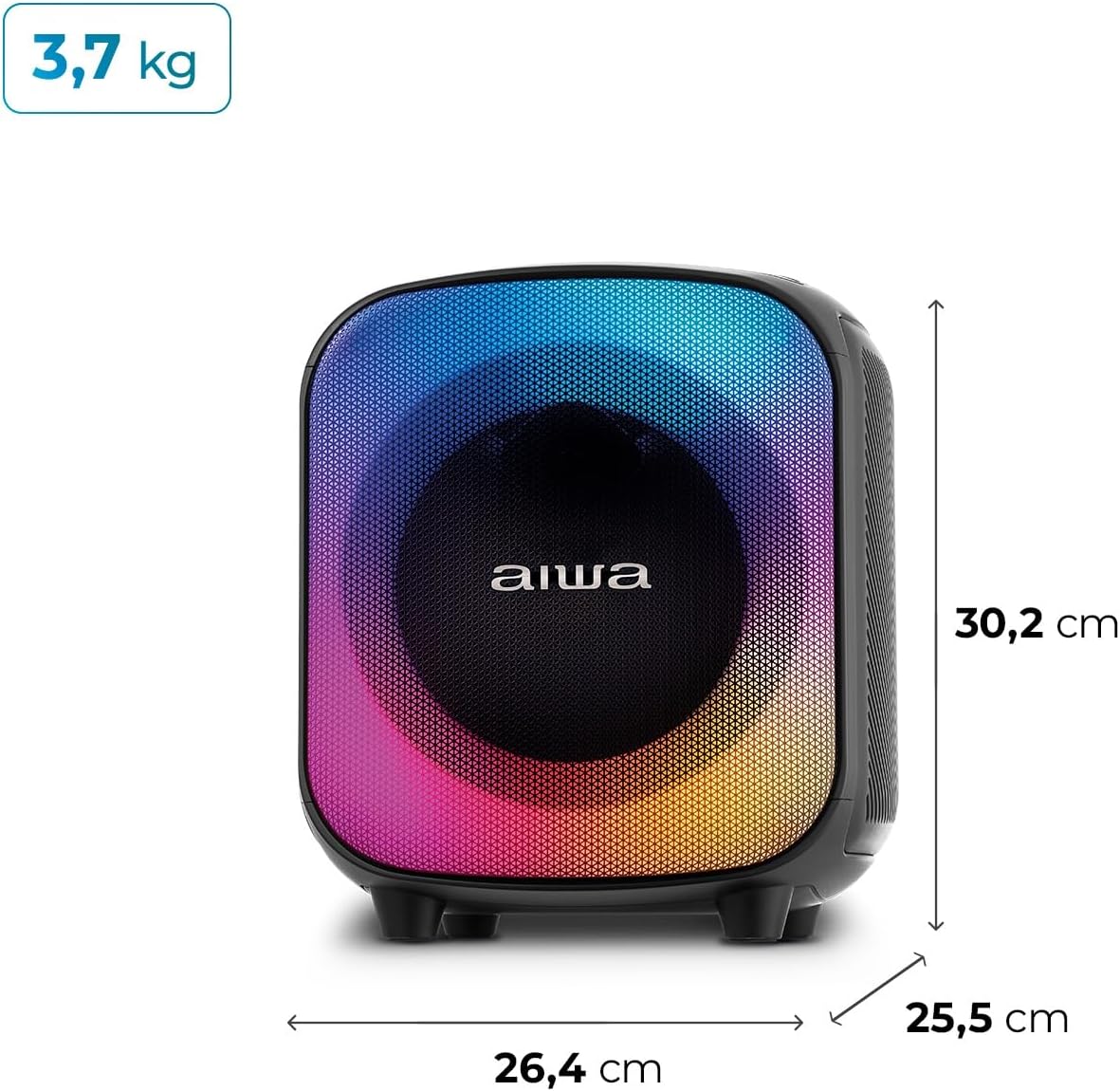
Figure 2: Top view of the AIWA PartyBox PB-07, highlighting the control buttons and input slots.
Common controls include:
- Power Button: To turn the speaker on or off.
- Volume Controls: Adjust the playback volume.
- Play/Pause Button: Control music playback.
- Mode Button: Switch between input sources (Bluetooth, USB, AUX, Micro SD).
- Light Mode Button: Change RGB lighting effects.
4.3 Input/Output Ports
The speaker offers multiple connectivity options:
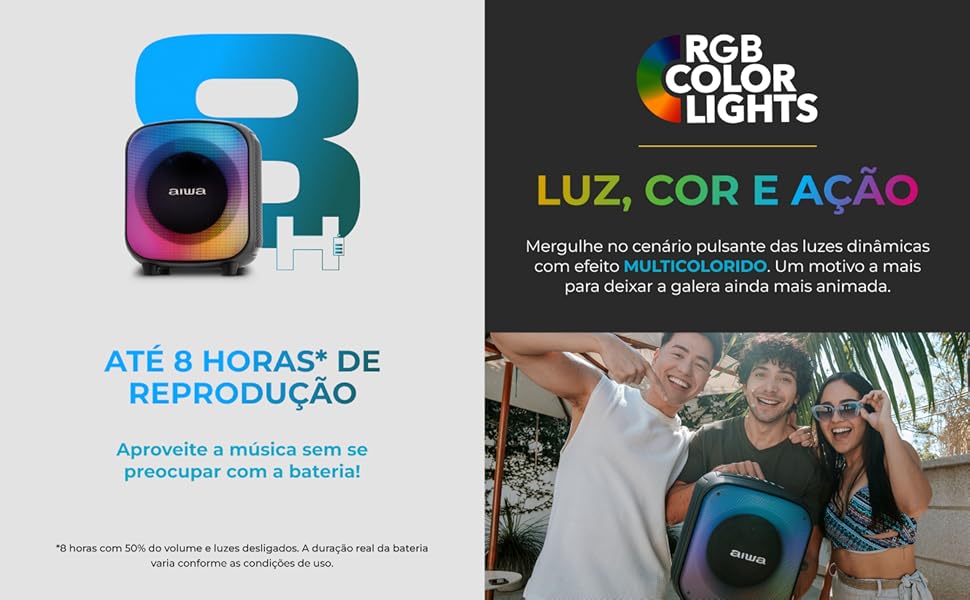
Figure 3: Diagram illustrating the various input ports available on the AIWA PartyBox PB-07 speaker.
- Microphone Input: For connecting an external microphone.
- USB Port: For USB drive playback.
- AUX Input: For connecting external audio devices via a 3.5mm audio cable.
- Micro SD Card Slot: For Micro SD card playback.
- Charging Port: For connecting the charging cable.
5. Setup Guide
5.1 Charging the Speaker
Before initial use, fully charge the speaker. Connect the provided charging cable to the speaker's charging port and a suitable power adapter. The charging indicator will show the charging status. A full charge provides up to 8 hours of playback, depending on volume and light usage.
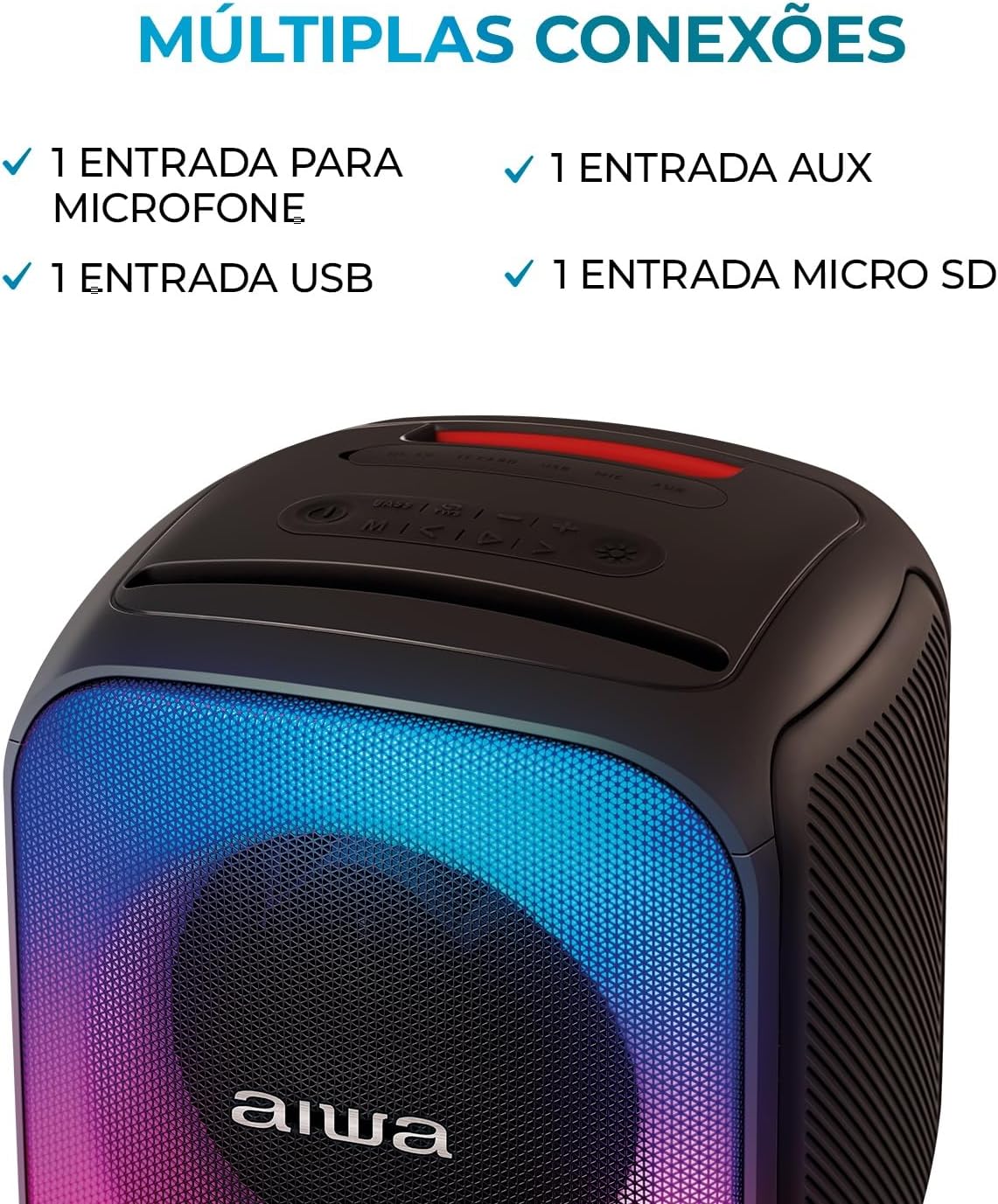
Figure 4: The AIWA PartyBox PB-07 is designed for up to 8 hours of continuous playback on a single charge.
5.2 Powering On/Off
Press and hold the Power Button on the control panel to turn the speaker on or off.
5.3 Bluetooth Pairing
- Ensure the speaker is powered on and in Bluetooth mode (indicated by a flashing Bluetooth light).
- On your mobile device (smartphone, tablet, etc.), enable Bluetooth and search for available devices.
- Select "AIWA PB-07" from the list of devices.
- Once paired, the Bluetooth indicator light will become solid, and you will hear a confirmation sound.

Figure 5: The AIWA PartyBox PB-07 features Bluetooth 5.3 for stable and efficient wireless connections.
5.4 True Wireless Sound (TWS) Pairing
The TWS function allows you to connect two AIWA PartyBox PB-07 speakers for a stereo audio experience.
- Ensure both speakers are powered on and not connected to any Bluetooth device.
- On one speaker, press and hold the TWS button (refer to control panel diagram for exact button location).
- The speakers will automatically search and pair with each other. A confirmation sound will indicate successful pairing.
- Once paired, connect your mobile device to one of the speakers via Bluetooth as described above. Both speakers will then play audio in stereo.
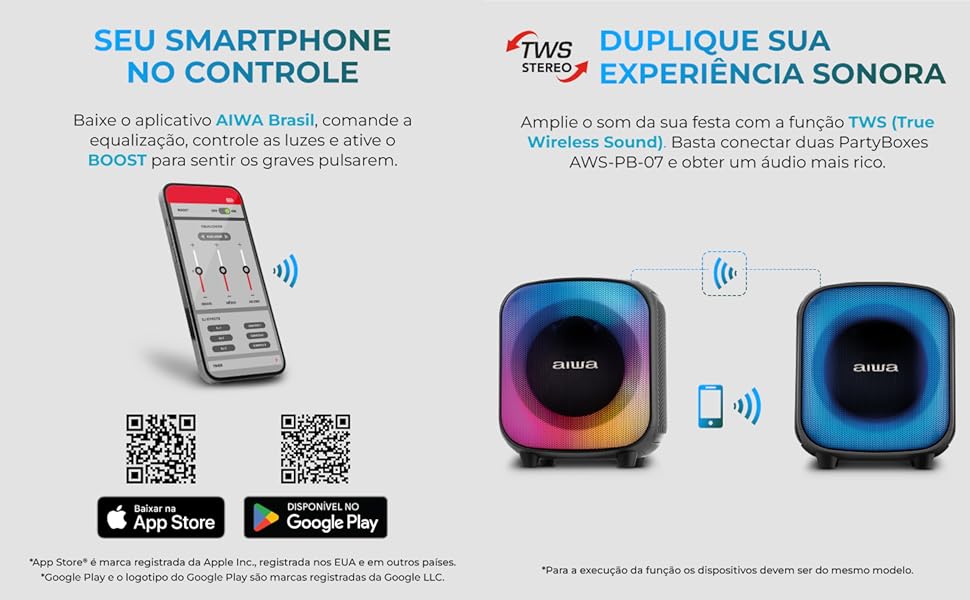
Figure 6: Visual representation of two AIWA PartyBox PB-07 speakers connected via TWS for enhanced stereo sound.
5.5 AIWA Brasil App Control
Enhance your experience by controlling the speaker's functions, including DJ Effects, equalization, and light modes, via the AIWA Brasil app.
- Download the AIWA Brasil app from your device's app store:
- Ensure your speaker is powered on and connected to your mobile device via Bluetooth.
- Open the AIWA Brasil app and follow the on-screen instructions to connect to your speaker.
- Through the app, you can adjust bass, mid, and treble levels, activate BOOST for stronger bass, and customize RGB light patterns.
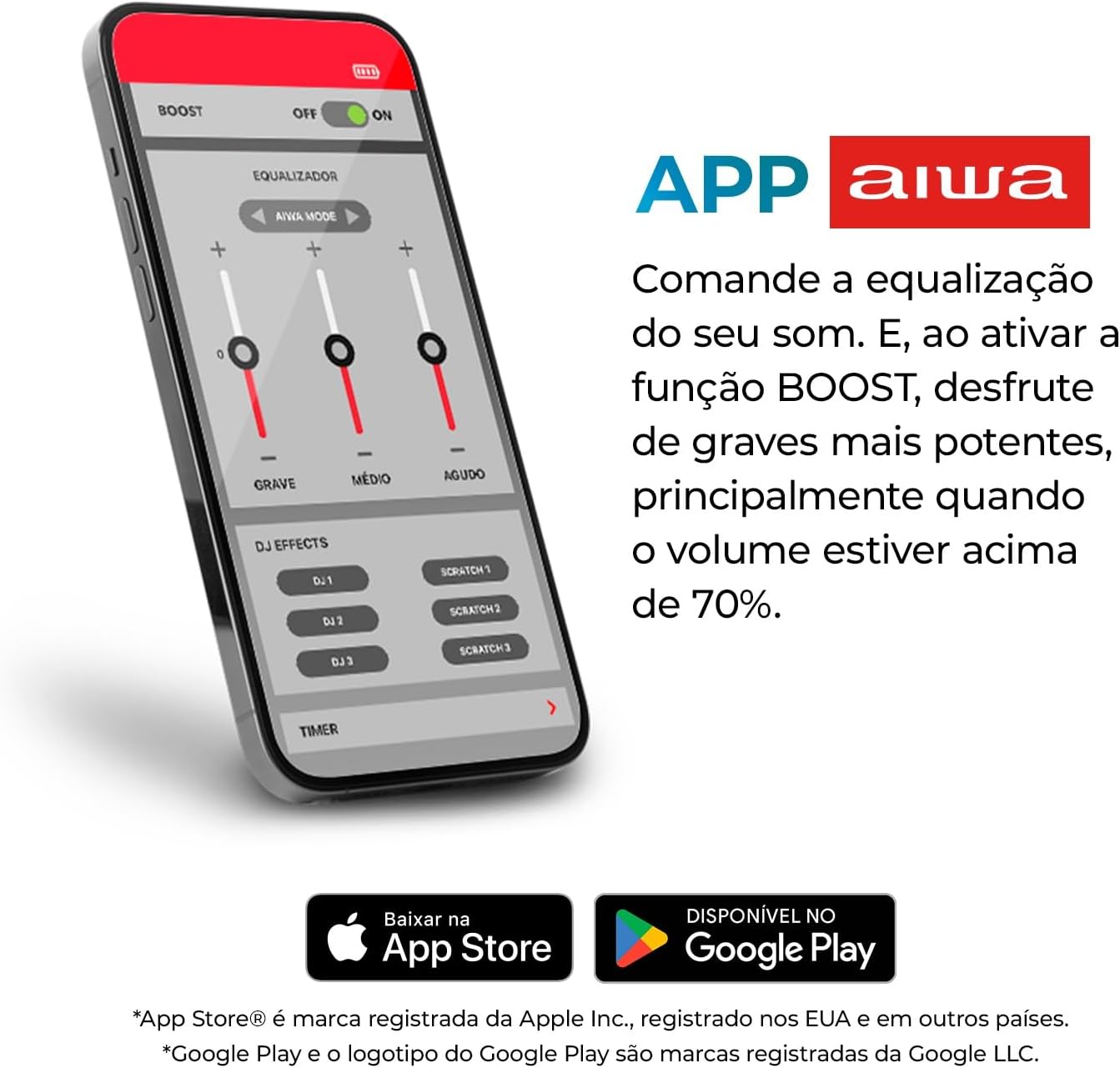
Figure 7: Screenshot of the AIWA Brasil app interface, showing equalization and DJ effects controls.
6. Operating Instructions
6.1 Audio Playback
After connecting your audio source (Bluetooth, USB, AUX, Micro SD), you can control playback using the speaker's control panel or your connected device.
- Play/Pause: Press the Play/Pause button.
- Volume Up/Down: Press the Volume + or Volume - buttons.
- Next/Previous Track: Use the dedicated track skip buttons (if available, otherwise control from source device).
6.2 Using Microphone Input
Connect a microphone to the dedicated microphone input port. Adjust the microphone volume using the corresponding knob (if available) or through the AIWA Brasil app.
6.3 RGB Lighting Effects
Press the Light Mode Button to cycle through different RGB lighting effects. You can also customize and control the lights via the AIWA Brasil app.

Figure 8: The AIWA PartyBox PB-07 displaying its vibrant RGB color lighting effects.
7. Care and Maintenance
7.1 Cleaning
Wipe the speaker with a soft, dry cloth. Do not use abrasive cleaners, alcohol, or other chemical solvents, as these may damage the surface.
7.2 Water Resistance (IPX4)
The AIWA PartyBox PB-07 is IPX4 rated, meaning it is resistant to splashes of water from any direction. This makes it suitable for outdoor use or near pools, but it is not waterproof. Do not submerge the speaker in water or expose it to heavy rain.

Figure 9: The AIWA PartyBox PB-07 positioned near a pool, demonstrating its IPX4 splash-resistant design.
8. Troubleshooting
If you encounter issues with your AIWA PartyBox PB-07, refer to the following common problems and solutions:
| Problem | Possible Cause | Solution |
|---|---|---|
| Speaker does not turn on. | Low battery; Power button not pressed correctly. | Charge the speaker fully. Press and hold the Power button for a few seconds. |
| Cannot pair via Bluetooth. | Speaker not in pairing mode; Device Bluetooth off; Too far from speaker. | Ensure speaker is in Bluetooth pairing mode. Enable Bluetooth on your device. Move device closer to speaker (within 10 meters). |
| No sound or low volume. | Volume too low on speaker or source device; Incorrect input mode. | Increase volume on both speaker and source device. Ensure correct input mode is selected (Bluetooth, USB, AUX, Micro SD). |
| TWS pairing fails. | Speakers already connected to another device; Speakers too far apart. | Disconnect both speakers from any Bluetooth devices. Ensure speakers are close to each other during TWS pairing. |
| App not connecting to speaker. | Bluetooth not connected; App permissions missing. | Ensure Bluetooth is connected. Check app permissions (e.g., location access) on your phone. Restart the app and speaker. |
9. Technical Specifications
| Feature | Specification |
|---|---|
| Model Name | AIWA PartyBox PB-07 |
| Power Output | 100W RMS |
| Speaker Type | Woofer (6.5 inches), Tweeter (1.5 inches) |
| Connectivity | Bluetooth 5.3, USB, AUX, Micro SD, Microphone Input |
| Battery Life | Up to 8 hours (at 50% volume with lights off) |
| Water Resistance | IPX4 (splash-proof) |
| Special Features | RGB Color Lights, TWS Function, AIWA Brasil App Control |
| Dimensions (W x D x H) | 26.4 cm x 25.5 cm x 30.2 cm (approximately 10.4 x 10.0 x 11.9 inches) |
| Weight | 3.79 kg (approximately 8.35 lbs) |
| Material | PP |
| Certification | ANATEL: 06884-24-16928 |

Figure 10: Detailed dimensions and weight of the AIWA PartyBox PB-07 speaker.
10. Warranty and Support
10.1 Manufacturer's Warranty
The AIWA PartyBox PB-07 comes with a 12-month manufacturer's warranty from the date of purchase. This warranty covers manufacturing defects under normal use. Please retain your proof of purchase for warranty claims.
The warranty does not cover damages caused by:
- Accidental damage or misuse.
- Unauthorized repairs or modifications.
- Normal wear and tear.
- Failure to follow instructions in this manual.
10.2 Customer Support
For technical assistance, warranty claims, or further inquiries, please contact AIWA customer support through their official channels. Refer to the AIWA Brasil website or the contact information provided with your purchase for details.
You can also visit the official AIWA store on Amazon for more information: AIWA Official Store


