
Ertuly LX410 Pro
Ertuly LX410 Pro Sleep Earbuds User Manual
Model: LX410 Pro
Brand: Ertuly
Introduction
Thank you for choosing the Ertuly LX410 Pro Sleep Earbuds. These wireless earbuds are specifically designed to provide unparalleled comfort for side sleepers, effectively blocking external noise while delivering high-quality sound. With features like a dedicated sleep mode, long battery life, and intuitive touch controls, the LX410 Pro is your ideal companion for restful sleep, focused work, or relaxed listening.

Image: The Ertuly LX410 Pro Sleep Earbuds shown with their compact charging case, highlighting their sleek black design and LED power display.
What's in the Box
Please check the package contents to ensure all items are present:
- 2x Sleep Earbuds (Left and Right)
- 3x Pairs of Eartips (S/M/L)
- 1x Type-C Charging Box
- 1x USB-C Charging Cable
- 1x Detailed User Manual (this document)
Product Features
Designed for Comfort and Sleep
The LX410 Pro earbuds are engineered with a low-profile design and soft silicone ear caps to fit comfortably in your ear, even when sleeping on your side. They provide a secure fit without causing discomfort or pressure.

Image: A person sleeping peacefully on their side, demonstrating the comfortable and low-profile design of the Ertuly LX410 Pro earbuds, which do not cause discomfort when lying down.

Image: A close-up of a person sleeping, showing the discreet and comfortable fit of the Ertuly LX410 Pro earbuds in their ears.
Dedicated Sleep Mode
Activate Sleep Mode for an uninterrupted experience. In this mode, touch controls are disabled, low battery alarms are silenced, and flashing lights are turned off, preventing any disturbances during your rest.

Image: A visual representation of the Sleep Mode features, indicating that touch controls, low battery alerts, and shutdown alarms are disabled for a peaceful sleep experience.
Effective Noise Blocking
The ergonomic design and secure fit of the LX410 Pro earbuds provide passive noise isolation, effectively blocking up to 24dB of external noise. This helps to reduce disturbances from snoring, city sounds, or noisy environments. Note: These earbuds do not feature Active Noise Cancelling (ANC).

Image: A couple sleeping, with one person wearing the earbuds, illustrating the noise-blocking capability for a more comfortable sleep.
High-Quality Sound
Equipped with advanced driver units and high-quality audio technology, the LX410 Pro delivers realistic sound effects and an enjoyable music experience. The custom dynamic drivers produce low-frequency sounds, 10dB softer than traditional magnetic drivers, enhancing white noise and sleep sounds.

Image: An exploded diagram of an earbud, illustrating its internal components, including the 6mm dynamic drivers responsible for exceptional sound quality.

Image: A detailed view of the earbud's internal structure, emphasizing the custom dynamic drivers designed to produce low-frequency, sleep-inducing sounds that are softer than traditional drivers.
Extended Battery Life
Enjoy up to 4-6 hours of playback on a single charge. The portable charging case provides an additional 30 hours of playtime, ensuring your earbuds are ready for use throughout the day or night. The charging case features an LED display to show the battery level.

Image: A circular diagram illustrating the 30-hour total battery life, with 6 hours from the earbuds and additional charges from the case, which features an LED display showing battery percentage.
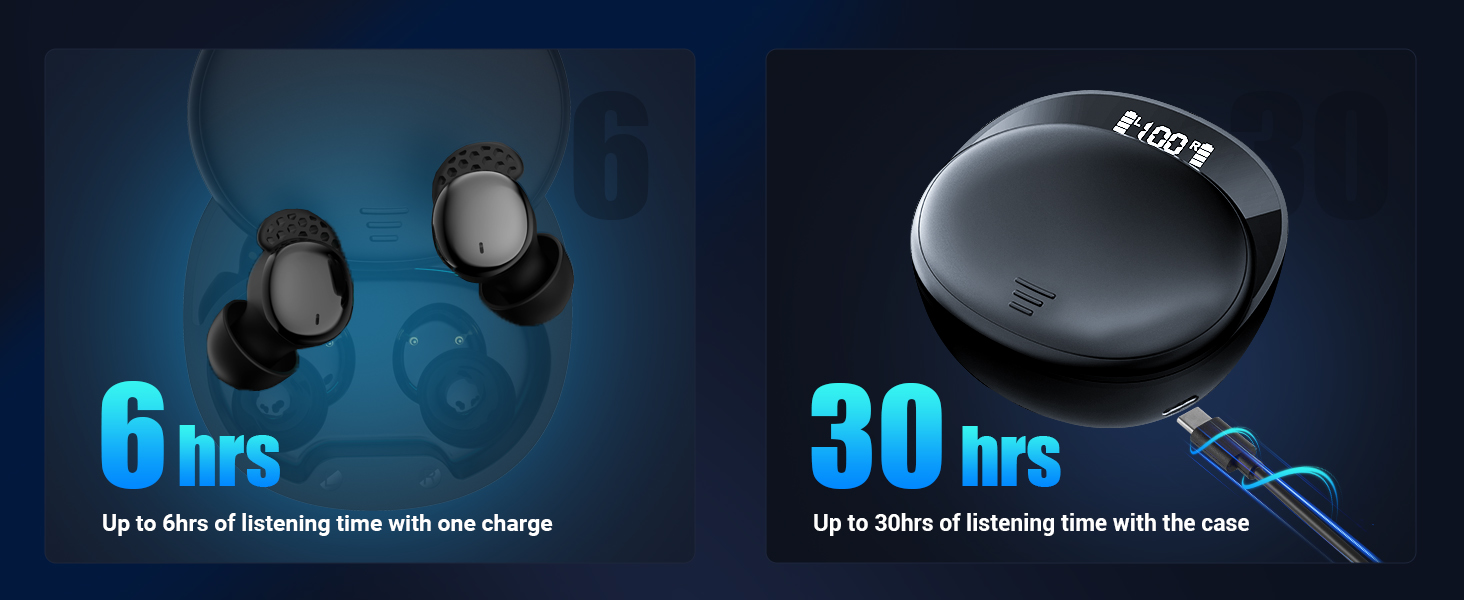
Image: A side-by-side comparison showing 6 hours of listening time per charge for the earbuds and up to 30 hours of total listening time when using the charging case.
Advanced Bluetooth 5.3 Connectivity
The LX410 Pro utilizes the latest Bluetooth 5.3 technology, offering improved connection stability, stronger signal strength, and faster pairing speed. It is compatible with most Bluetooth-enabled devices, including phones, TVs, computers, watches, laptops, and tablets.
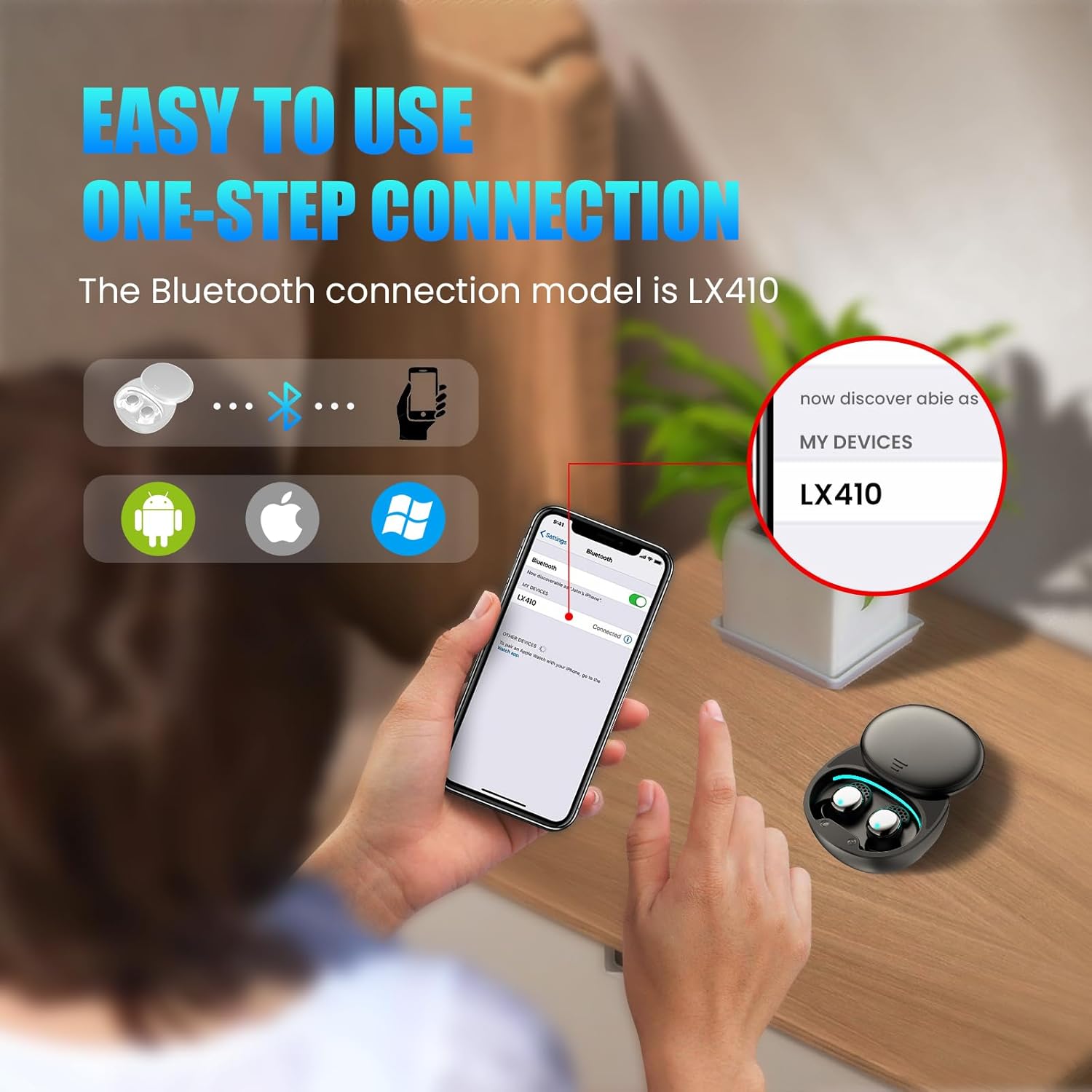
Image: A visual guide demonstrating the easy one-step Bluetooth connection process for the LX410 Pro earbuds, showing compatibility with various operating systems.
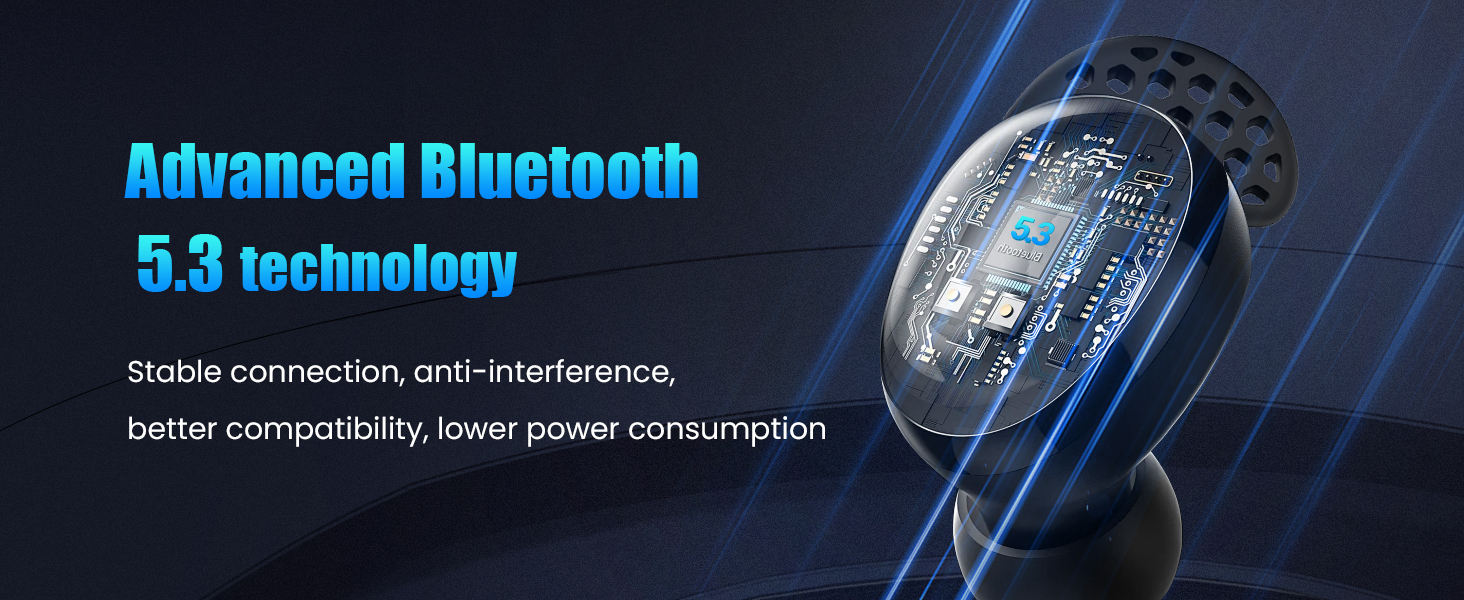
Image: A graphic emphasizing the advanced Bluetooth 5.3 technology, promising stable connection, anti-interference, better compatibility, and lower power consumption.
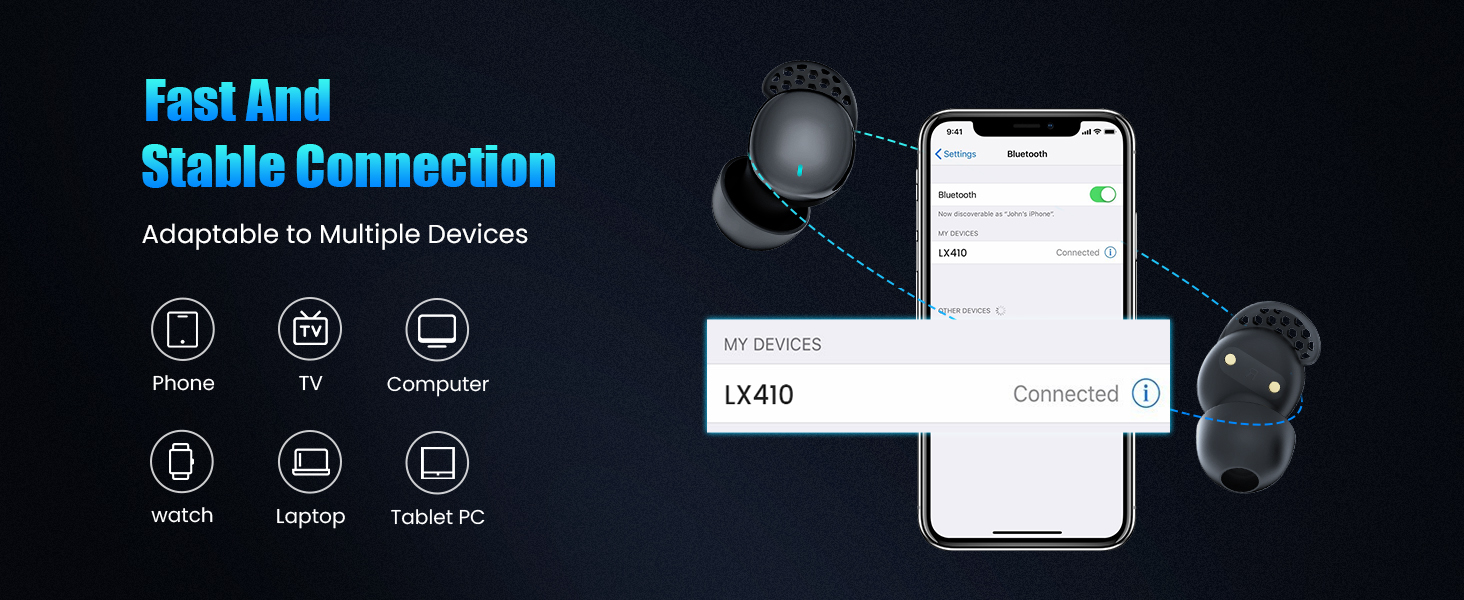
Image: A visual representation of the LX410 Pro's compatibility with various devices, including phones, TVs, computers, watches, laptops, and tablet PCs, ensuring fast and stable connections.
Setup Guide
1. Charging the Earbuds and Case
Before first use, fully charge the earbuds and the charging case. Place the earbuds into the charging case and connect the USB-C charging cable to the case and a power source. The LED display on the case will indicate the charging status and battery percentage.
2. Pairing with Your Device
- Ensure the earbuds are charged and inside the charging case.
- Open the charging case. The earbuds will automatically enter pairing mode.
- On your device (smartphone, tablet, etc.), go to Bluetooth settings and turn Bluetooth on.
- Search for available devices and select "LX410" from the list.
- Once connected, you will hear a confirmation sound, and the earbuds will be ready for use.
3. Wearing the Earbuds Properly
Proper fit is crucial for comfort and optimal sound isolation. Experiment with the three included sizes of silicone eartips (S/M/L) to find the best fit for your ears.
- Select the ear tips that fit you best and attach them securely to the LX410 earbuds.
- Point the ear tip downward and gently insert the earbud into your ear canal.
- Twist slightly to lock it in place, ensuring a snug and comfortable seal.
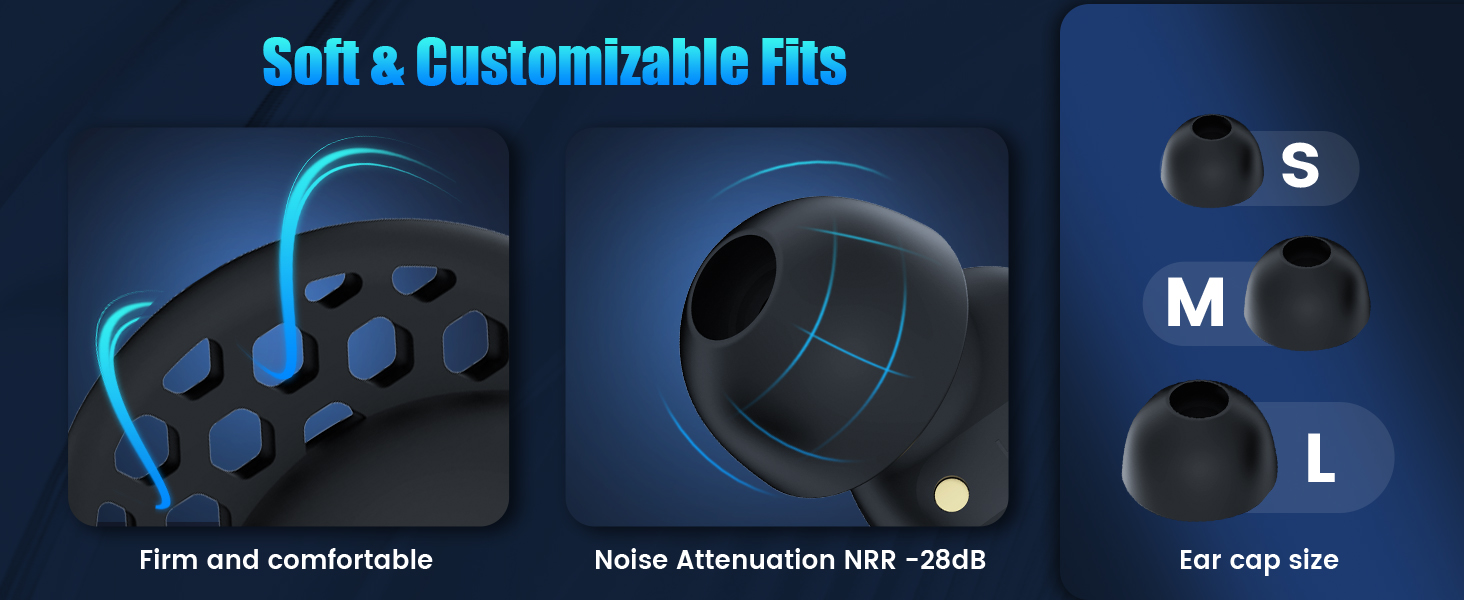
Image: A visual guide to the soft and customizable eartips, showing the different sizes (S, M, L) and how they contribute to a firm and comfortable fit with noise attenuation.
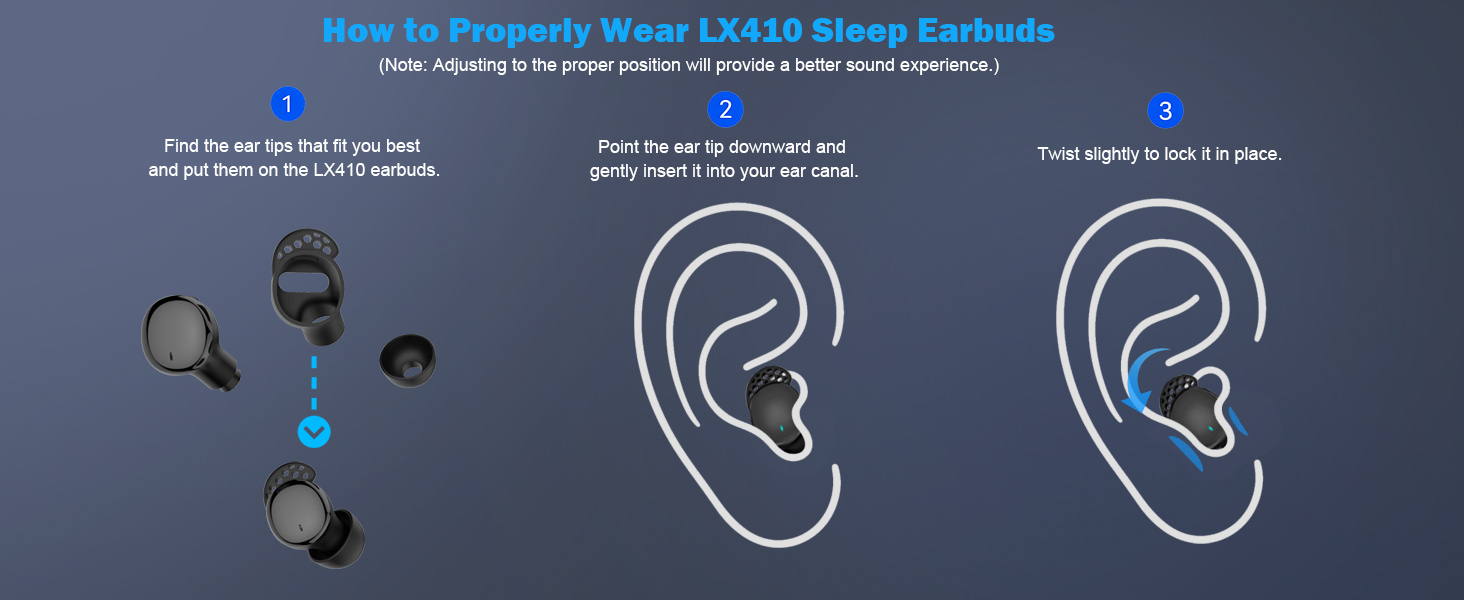
Image: A step-by-step diagram illustrating how to properly wear the LX410 Sleep Earbuds, from selecting the right eartips to inserting and twisting them into place for optimal sound experience.
Operating Instructions
Touch Controls
The LX410 Pro earbuds feature intuitive touch controls on each earbud. The functions vary slightly between Binaural Mode (both earbuds in use) and Single Mode (one earbud in use).
Binaural Mode Controls:
- Play / Pause: Double tap (L/R)
- Activate Siri: Long press for 2s (L/R)
- Answer Call: Tap once (L/R)
- End Call: Double tap (L/R)
- Reject Call: Long press for 2s (L/R)
- Next Song: Triple tap (R)
- Previous Song: Triple tap (L)
- Sleep Mode On/Off: Tap four times quickly (L/R)
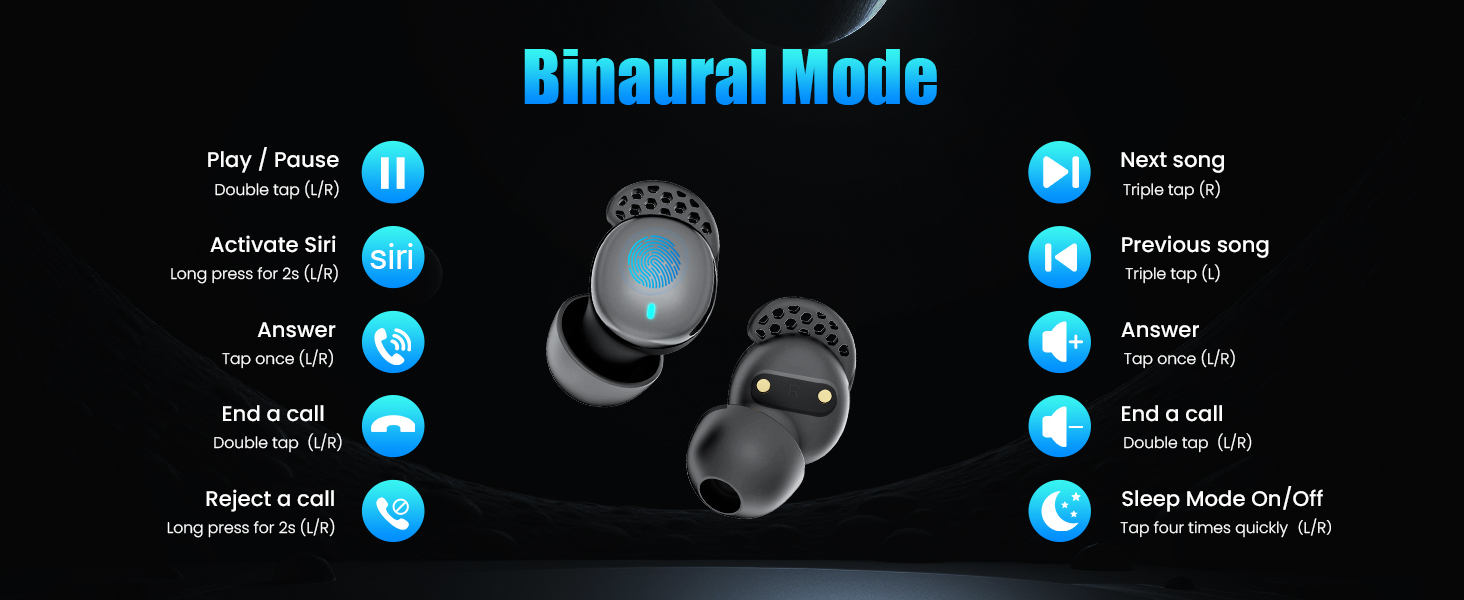
Image: A comprehensive diagram illustrating the touch control functions for both earbuds when used in Binaural Mode, including playback, call management, voice assistant, and sleep mode activation.
Single Mode Controls:
- Play / Pause: Double tap (L/R)
- Answer Call: Tap once (L/R)
- End Call: Double tap (L/R)
- Reject Call: Long press for 2s (L/R)
- Activate Siri: Long press for 2s (L/R)
- Sleep Mode On/Off: Tap four times quickly (L/R)
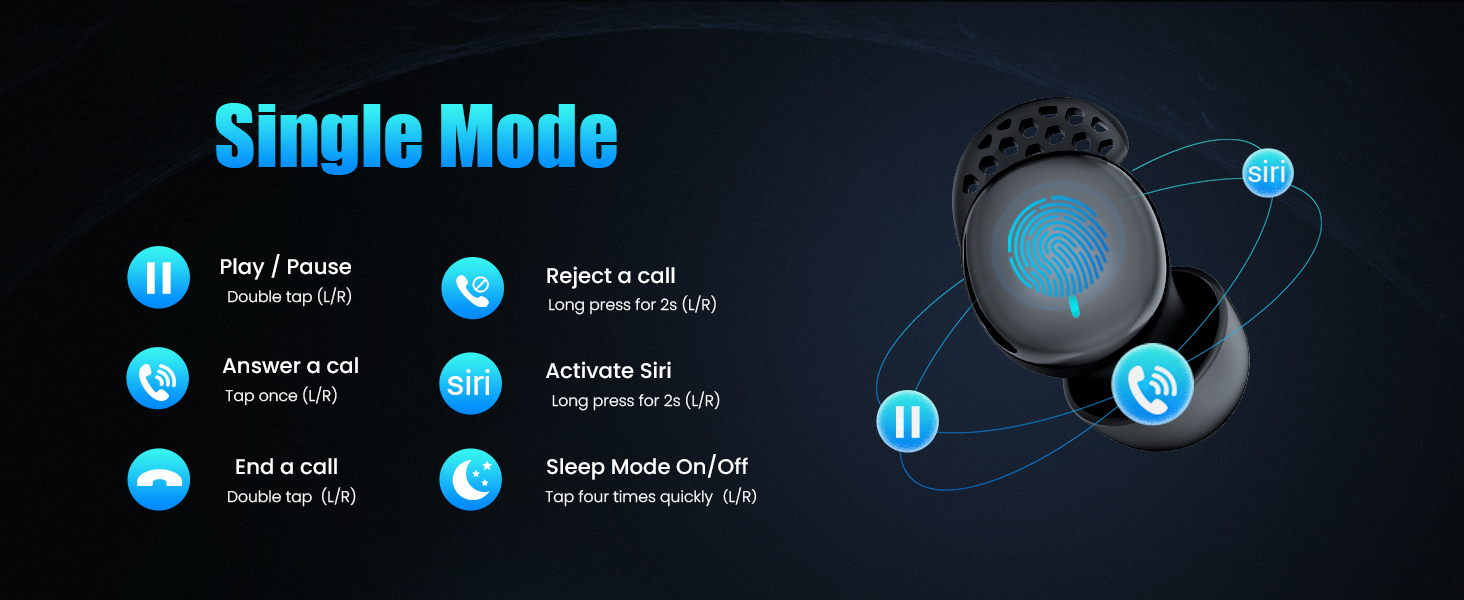
Image: A diagram detailing the touch control functions for a single earbud when used in Single Mode, covering playback, call handling, voice assistant, and sleep mode toggling.
Activating/Deactivating Sleep Mode
To enter or exit Sleep Mode, quickly tap either earbud four times. When in Sleep Mode, touch controls are disabled, low battery alerts are suppressed, and the LED indicator light will not flash, ensuring an undisturbed environment.
Maintenance
Cleaning
- Regularly clean the earbuds and charging case with a soft, dry, lint-free cloth.
- Remove the silicone eartips and clean them with mild soap and water. Ensure they are completely dry before reattaching.
- Do not use abrasive cleaners, alcohol, or chemical solvents.
- Gently clean the charging contacts on both the earbuds and the case with a dry cotton swab if necessary.
Storage
When not in use, store the earbuds in their charging case to protect them from dust, dirt, and damage. Store the case in a cool, dry place away from direct sunlight and extreme temperatures.
Troubleshooting
| Problem | Possible Cause | Solution |
|---|---|---|
| Earbuds not pairing | Low battery; Bluetooth off; Earbuds not in pairing mode; Device already connected to another Bluetooth device. | Charge earbuds and case; Ensure Bluetooth is on; Place earbuds in case, close, then open to re-enter pairing mode; Disconnect from other devices. |
| No sound or low volume | Volume too low on device; Earbuds not properly seated; Earbuds dirty; Connection issue. | Increase device volume; Adjust earbuds for a snug fit; Clean eartips and earbud mesh; Re-pair earbuds. |
| Earbuds disconnect frequently | Out of Bluetooth range; Interference; Low battery. | Stay within 10 meters of your device; Avoid strong electromagnetic interference; Charge earbuds. |
| Touch controls not responding | Sleep Mode is active; Incorrect touch gesture. | Tap four times quickly to exit Sleep Mode; Refer to the 'Operating Instructions' for correct gestures. |
| Charging case LED not lighting up | Charging cable not connected properly; Case battery depleted. | Ensure cable is securely connected; Try a different USB-C cable or power adapter; Allow case to charge for a few minutes. |
Specifications
| Feature | Detail |
|---|---|
| Model Name | LX410 Pro |
| Connectivity Technology | Wireless (Bluetooth) |
| Bluetooth Version | 5.3 |
| Bluetooth Range | Up to 10 meters (33 feet) |
| Noise Control | Sound Isolation (Passive Noise Blocking) |
| Earbud Playtime | 4-6 hours (single charge) |
| Total Playtime (with case) | Up to 30 hours |
| Charging Port | USB-C |
| Control Type | Touch Control |
| Water Resistance Level | Waterproof |
| Material | Plastic, Silicone |
| Dimensions (Earbud) | 0.69 x 0.61 x 0.98 inches |
| Item Weight | 3.2 ounces (total) |
| UPC | 762849934440 |
Warranty and Support
The Ertuly LX410 Pro Sleep Earbuds are covered by a standard manufacturer's warranty. Please refer to the product packaging or the official Ertuly website for specific warranty terms and conditions.
For technical support, troubleshooting assistance, or warranty claims, please contact Ertuly customer service through the retailer's platform where you purchased the product or visit the official Ertuly support page. Keep your purchase receipt as proof of purchase.
We are committed to providing you with the best possible experience with your Ertuly product.
Ask a question about this manual
Ask about setup, troubleshooting, compatibility, parts, safety, or missing instructions. Manuals+ will review the question and use this page’s manual context to help answer it.