
Douk Audio U5 PRO
Douk Audio U5PRO HiFi Fully Balanced Headphone Amplifier User Manual
Model: U5 PRO
1. Introduction
The Douk Audio U5 PRO is a compact and powerful HiFi fully balanced headphone amplifier designed to enhance your audio experience. It features a balanced circuit operating at ±14V, ensuring exceptional sound quality, dynamic range, and clarity. With its high output power and broad headphone compatibility, it can drive a wide range of headphones from 18Ω to 600Ω impedance. The U5 PRO incorporates a classic OP+BUF architecture with a pure DC amplification circuit and offers replaceable op-amps for sound customization.
2. Package Contents
Please check the package carefully to ensure all items are present:
- 1x U5 Headphone Amplifier
- 1x USB to DC Cable

Image showing the Douk Audio U5 PRO Headphone Amplifier and the included USB to DC cable, along with dimensions and weights.
3. Product Features
- Fully Balanced Amplifier Design: Operates at ±14V even with DC 5V input, delivering exceptional frequency response, transient dynamics, and pure, transparent sound quality.
- High Power Output & Broad Headphone Compatibility: Provides up to 1500mW output at 32Ω load, capable of driving headphones from 18Ω to 600Ω impedance.
- Classic OP+BUF Architecture: Incorporates OP42 and BUF634 in a classic OP+BUF setup with a pure DC amplification circuit, ensuring precise sound reproduction with low distortion and excellent detail resolution.
- Analog Design with Replaceable Op-Amps: Purely analog amplification and control offer natural sound reproduction. Replaceable op-amp slots support models like OP17, AD797, AD843, AD847, and OPA627 for sound customization.
- Compact & Portable: Small and portable design with high-quality craftsmanship, delivering low distortion, high power output, and pure sound.

This image illustrates the high output power of 1500mW and broad headphone impedance compatibility (18-600Ω) of the U5 PRO amplifier.
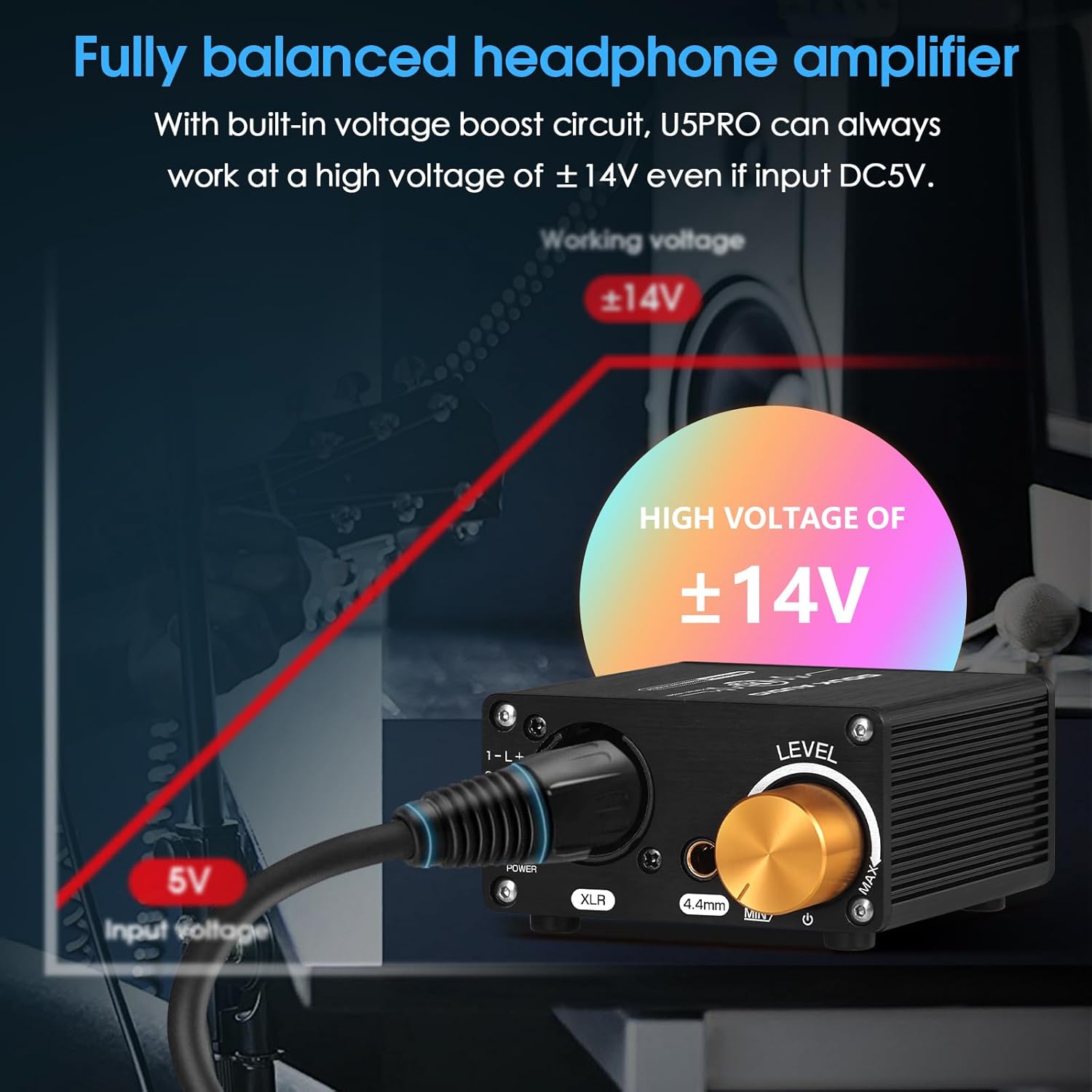
The diagram highlights the built-in voltage boost circuit, allowing the U5 PRO to operate at a high voltage of ±14V even with a DC 5V input.

This image shows the U5 PRO in use, connected to headphones and a laptop, illustrating its pure analog design for true music reproduction.

A detailed view of the U5 PRO's internal architecture, highlighting the OP42 and BUF634 chips, which are part of its classic OP+BUF design.
4. Setup
4.1 Power Connection
The U5 PRO requires a DC 5V power supply. It is recommended to use a USB phone charger of DC 5V with a current of ≥1A. Inputting over 5V will result in damage to the device. The U5 PRO will not work normally if the current is below 1A.
4.2 Audio Connections
Connect your audio source to the stereo L/R XLR (3-core, female) input ports on the rear of the amplifier. Connect your headphones to either the XLR (4-core, female) or 4.4mm output port on the front of the amplifier.

This diagram illustrates the front and rear panel connections of the U5 PRO, including the power switch/volume knob, XLR/4.4mm headphone output, and stereo L/R XLR input with DC 5V power input.

A clear front view of the Douk Audio U5 PRO, showing the XLR and 4.4mm headphone output jacks, the power indicator, and the gold-colored volume control knob.

The U5 PRO amplifier is shown on a desk, connected and ready for use with a pair of headphones, demonstrating its compact size and integration into an audio setup.
5. Operating Instructions
5.1 Power On/Off and Volume Control
The gold knob on the front panel serves as both the power switch and volume control. Rotate the knob clockwise to turn on the amplifier and increase the volume. Rotate counter-clockwise to decrease the volume and turn off the amplifier.
5.2 Headphone Connection
Insert your balanced XLR (4-core) or 4.4mm headphone cable into the corresponding output jack on the front panel. Ensure the connection is secure.
6. Maintenance
- Keep the device clean by wiping it with a soft, dry cloth.
- Avoid exposing the amplifier to direct sunlight, high temperatures, or humidity.
- Do not disassemble the unit. Refer to qualified personnel for any repairs.
- Ensure proper ventilation around the amplifier during operation.
7. Troubleshooting
- No Power:
- Ensure the DC 5V power adapter is correctly connected and provides at least 1A current.
- Verify the power outlet is functional.
- No Sound:
- Check all audio cable connections (input and output) are secure.
- Ensure the volume knob is turned up.
- Verify the audio source is playing and its volume is adequate.
- Confirm headphones are properly connected to the correct output.
- Distorted Sound:
- Reduce the volume level.
- Check if the input audio signal is too strong.
- Ensure your headphones' impedance is within the supported range (18-600Ω).
8. Specifications
| Parameter | Value |
|---|---|
| Audio Input | Stereo L/R XLR (3-core, female) |
| Audio Output | XLR (4-core, female) / 4.4mm |
| Output Power | ≥1500mW (32Ω) |
| Matched Headphone Impedance | 18-600Ω |
| Max Output Amplitude Voltage | ±14V |
| Frequency Response | 20-30KHz |
| SNR | ≥110DB |
| THD | 0.005% |
| Input Voltage | DC 5V (≥1A) |
| Dimension (W*D*H) | 70*82*38mm / 2.76*3.23*1.50in |
| Net Weight | 172g / 0.38lb |
| Package Weight | 300g / 0.66lb |
9. Product Video
Official product video showcasing the Douk Audio U5 PRO Balanced Headphone Amplifier from various angles, highlighting its design and features.
10. Warranty and Support
For warranty information and technical support, please refer to the official Douk Audio website or contact their customer service directly. Keep your purchase receipt for warranty claims.
Related documentsU5 PRO


Ask a question about this manual
Ask about setup, troubleshooting, compatibility, parts, safety, or missing instructions. Manuals+ will review the question and use this page’s manual context to help answer it.