
Introduction
Thank you for choosing the Trenzu 4K Dual Channel Dashboard Camera. This manual provides essential information for the proper installation, operation, and maintenance of your device. Please read it thoroughly before use to ensure optimal performance and safety.
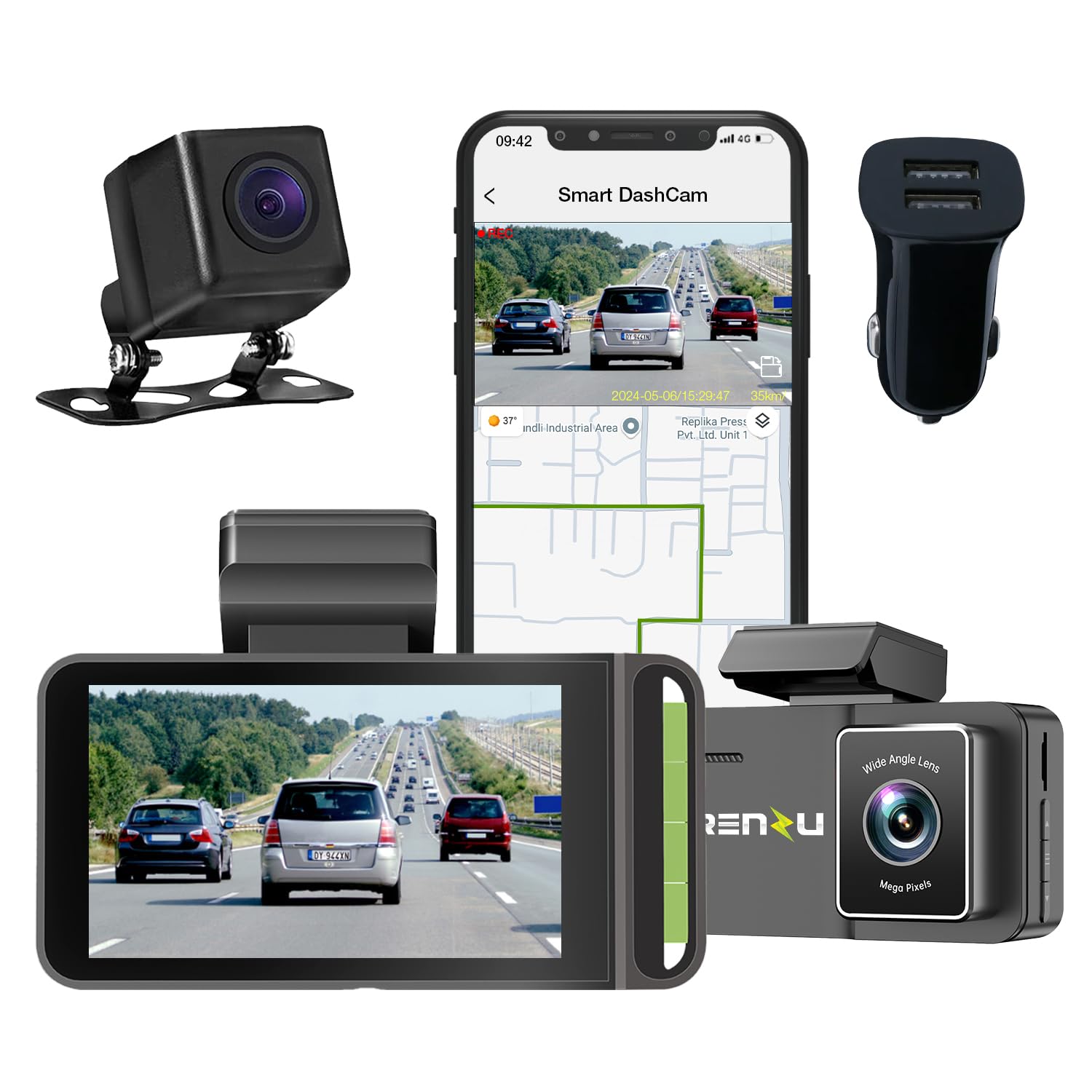
Image: The Trenzu 4K Dual Channel Dashboard Camera, showing its compact design and front lens.
Package Contents
Verify that all items are present in your package:
- Trenzu 4K Dual Channel Dashboard Camera Unit
- Rear Camera (if applicable to your model)
- Car Charger
- Installation Tool
- User Manual (this document)
- Warranty Card
- 64GB MicroSD Card (as per specifications)
Setup and Installation
1. Inserting the MicroSD Card
Before powering on the device, insert a Class 10 or higher MicroSD card (up to 64GB recommended) into the designated slot. Ensure the card is inserted correctly until it clicks into place.
2. Mounting the Dash Camera
The dash camera is designed for windshield mounting. Choose a location that does not obstruct your view of the road. Clean the windshield surface thoroughly before attaching the mount.
- Attach the suction cup mount or adhesive mount to the windshield.
- Securely attach the dash camera to the mount.
- Adjust the lens angle to capture the road ahead clearly.

Image: Dash camera installed on a car windshield, demonstrating its position and connectivity with a smartphone app.
3. Connecting Power
Connect the provided car charger to the dash camera's power input and then to your vehicle's 12V power outlet (cigarette lighter socket). The camera will typically power on automatically when the vehicle starts.
4. Rear Camera Installation (Optional)
If your package includes a rear camera, connect it to the main unit using the provided cable. Route the cable carefully along the vehicle's interior trim to the rear window. Mount the rear camera in a position that provides a clear view of the road behind.
Operating Instructions
Basic Operation
- Power On/Off: The camera powers on automatically with vehicle ignition and powers off when the ignition is turned off. You can also manually power it on/off using the power button.
- Recording: Once powered on, the camera begins recording automatically. The 3-inch LCD display shows the live view from the front and rear cameras.
- Loop Recording: The camera records video in continuous loops. When the memory card is full, the oldest unlocked files are overwritten by new recordings.
Key Features
- Ultra HD Dual Channel Recording: Records front footage in 4K (5MP) and rear footage in 2.5K QHD, providing detailed video evidence.
- 170° Wide Angle Lens: Captures a broad view of the road, minimizing blind spots.
- Night Vision: Enhanced low-light performance ensures clear recordings even in challenging lighting conditions.

Image: Comparison of night vision quality, showing the Trenzu dash camera's superior clarity in low light conditions.
- G-Sensor & Emergency Accident Lock: Detects sudden impacts or collisions and automatically locks the current video segment to prevent it from being overwritten.
- Parking Mode: Provides continuous monitoring of your vehicle when parked. The built-in G-sensor activates recording if an impact is detected. (Note: Requires continuous power supply, often through a hardwire kit, which may be sold separately.)

Image: Visual representation of key features: WiFi connectivity, 145° wide-angle view, 3.0" IPS screen, 24-hour parking monitor, and GPS tracking.
- GPS Logging & Route Recorder: Records your vehicle's speed and location data, which can be reviewed via the mobile application.
- App Playback & Share: Connect your smartphone (iOS 8.0+ or Android 4.4+) to the dash camera via Wi-Fi to view live footage, play back recordings, download files, and share them.

Image: Smartphone screen showing the dash camera app interface with GPS location and speed tracking.
Maintenance
- Cleaning: Use a soft, dry cloth to clean the camera lens and body. Avoid using abrasive cleaners or solvents.
- MicroSD Card Care:
- Format the MicroSD card regularly (e.g., once a month) through the camera's settings to ensure optimal performance and prevent data corruption.
- Replace the MicroSD card periodically, especially if you notice recording errors or reduced performance, as memory cards have a limited lifespan.
- Firmware Updates: Check the official Trenzu website or app for any available firmware updates to ensure your camera has the latest features and bug fixes.
Troubleshooting
| Problem | Possible Cause | Solution |
|---|---|---|
| Camera does not power on. | No power supply; faulty car charger; loose connection. | Check car charger connection and vehicle's 12V outlet. Try a different power source if available. |
| Recording stops or freezes. | Faulty/slow MicroSD card; card full; firmware issue. | Format the MicroSD card. Replace with a high-speed (Class 10 U3) card if issues persist. Check for firmware updates. |
| Poor video quality. | Dirty lens; protective film still on lens; incorrect resolution settings. | Clean the lens. Remove any protective film. Check video resolution settings in the menu. |
| GPS not working. | Poor satellite signal; GPS module not connected (if external). | Ensure the camera has a clear view of the sky. Verify GPS module connection. |
| Wi-Fi connection issues. | Incorrect Wi-Fi password; too far from camera; app issues. | Ensure correct Wi-Fi password. Stay within close proximity to the camera. Restart the app and camera. |
If the problem persists after trying these solutions, please contact customer support.
Specifications
| Feature | Detail |
|---|---|
| Brand | Trenzu |
| Model Name | Trenzu DashCam |
| Model Number | TDC2kwD |
| Video Resolution (Front) | 4K Ultra HD |
| Video Resolution (Rear) | 2.5K QHD |
| Field of View | 170 Degrees |
| Display Type | 3-inch LCD |
| Connectivity Technology | GPS, Wi-Fi (App Control) |
| Special Features | App Control, Audio & Loop Recording, Built-In Supercapacitor, G-Sensor, Night Vision, Motion Sensing (Parking Mode) |
| Flash Memory Type | microSD |
| Max Supported SD Card Size | 64 GB (Class 10 U3 recommended) |
| Included Memory Card Size | 64 GB |
| Mounting Type | Windshield Mount |
| Dimensions (D x W x H) | 100 x 40 x 50 Millimeters |
| Weight | 150 Grams |
| Compatible Vehicle Types | ATV, Bus, Car, Minivan, RV, Tractor, Truck, UTV |
| Country of Origin | China |
Warranty Information
The Trenzu 4K Dual Channel Dashboard Camera comes with a 1-Year Limited Warranty from the date of purchase. This warranty covers manufacturing defects and malfunctions under normal use. Please retain your proof of purchase and the warranty card for any claims.
The warranty does not cover damage caused by improper installation, misuse, accidents, unauthorized repairs, or natural disasters. For detailed terms and conditions, refer to the included Warranty Card.
Customer Support
If you encounter any issues or have questions regarding your Trenzu 4K Dual Channel Dashboard Camera, please contact our support team:
- Manufacturer: Swankiz Limited, Unit 1603, 16th Floor, The L. Plaza 367 – 375, Queen's Road, Central Sheung Wan Hong Kong 999077
- Importer/Packer (India): SEKYO INNOVATIONS PRIVATE LIMITED
- For technical assistance or warranty claims, please refer to the contact information provided on your Warranty Card or visit the official Trenzu website.