
1. Introduction
The Inkbird ITH-11-B is a smart digital thermometer and hygrometer designed for accurate monitoring of temperature and humidity. This device utilizes Bluetooth 5.0 technology for wireless connectivity to your smartphone, allowing for real-time data viewing, historical data export, and customizable alerts. Its IP65 waterproof rating makes it suitable for various indoor and outdoor environments.
Key Features
- IP65 Waterproof: Suitable for both indoor and outdoor use, offering protection against water splashes and dust.
- Bluetooth 5.0 Connectivity: Provides a stable and reliable connection up to 80 meters (260 feet) in unobstructed areas.
- High Accuracy Sensor: Equipped with a Swiss Sensirion sensor for precise measurements (±2% RH and ±0.36°F).
- Long Battery Life: Operates for up to 9 months on 2 AAA batteries.
- Data Storage & Export: Stores up to 2 years of historical data, viewable via the app and exportable to email.
- VPD & Dew Point Readings: Provides additional environmental data through the companion app.
2. Package Contents
Verify that all items are present in your package:
- Inkbird ITH-11-B Bluetooth Thermometer Hygrometer (quantity as purchased)
- AAA Batteries (2 per device)
3. Product Overview
The ITH-11-B device is compact and designed for easy placement. It features a minimalist design with the Inkbird logo on the front. The internal components include a high-precision Swiss sensor for accurate readings.
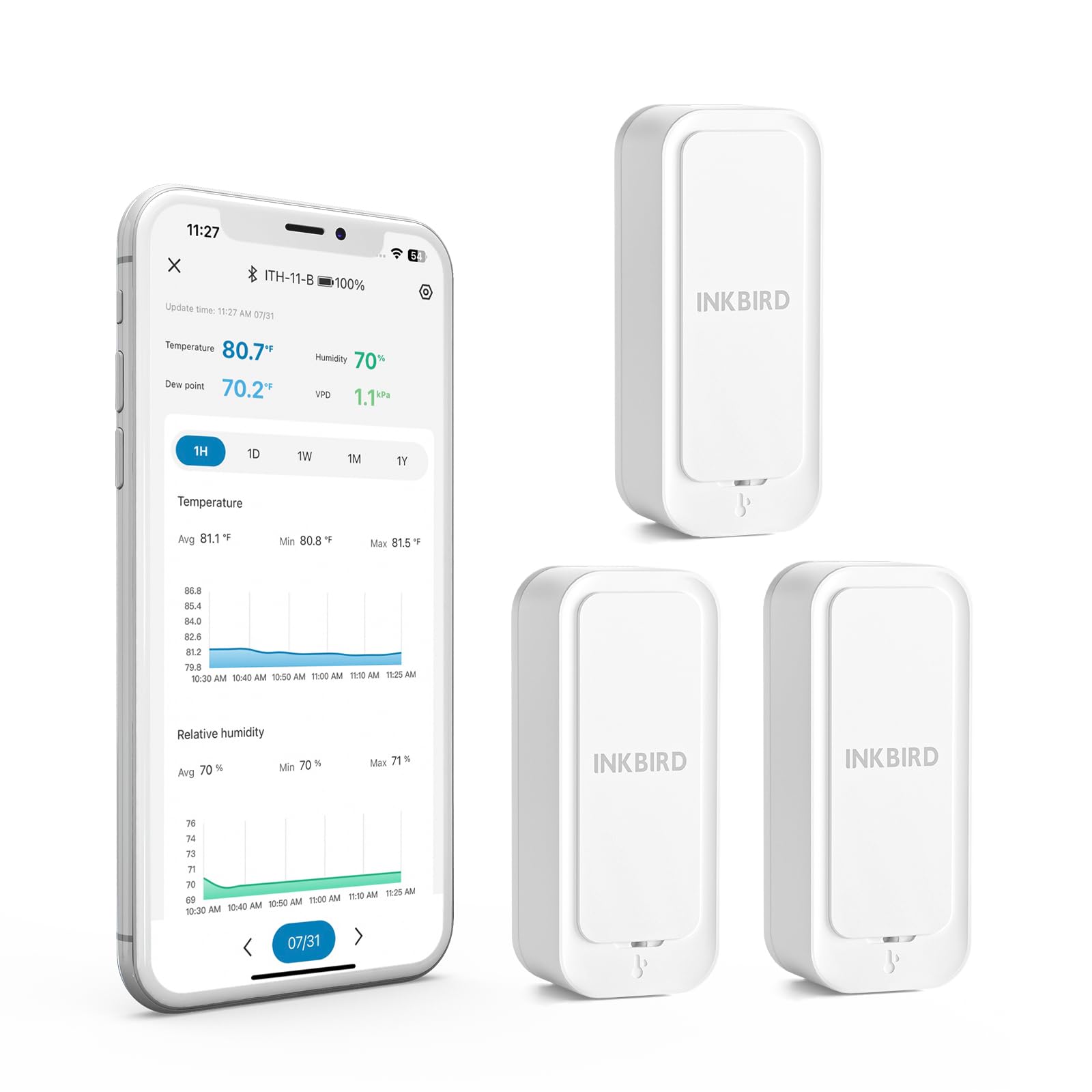
Image: The Inkbird ITH-11-B device, a compact white rectangular unit.

Image: An exploded view showing the internal Swiss high-precision sensor and battery compartment of the ITH-11-B.

Image: A hand holding the ITH-11-B, illustrating its compact size (2.56 inches long, 1.1 inches wide, 0.79 inches thick).
4. Setup
4.1 Battery Installation
The ITH-11-B requires 2 AAA batteries for operation. To install or replace batteries:
- Gently slide open the back cover of the device.
- Insert two AAA batteries, ensuring correct polarity (+/-).
- Close the back cover securely.

Image: The ITH-11-B device with its back cover removed, showing the two AAA battery slots.
4.2 App Download and Pairing
To utilize the full features of your ITH-11-B, download the Inkbird app on your smartphone.
- Search for 'Inkbird' in your smartphone's app store (iOS or Android) and download the official application.
- Open the Inkbird app and create an account or log in.
- Ensure your device's Bluetooth is enabled.
- In the app, follow the instructions to add a new device. The app will scan for nearby ITH-11-B devices.
- Select your device from the list to pair. Once paired, you will see real-time temperature and humidity data.

Image: A smartphone screen displaying the Inkbird app interface with current temperature, humidity, dew point, and VPD readings.
5. Operation
5.1 Real-time Monitoring
Once paired, the Inkbird app will display the current temperature and humidity readings from your ITH-11-B device. The data refreshes regularly when within Bluetooth range.
5.2 Data Storage and Export
The device can store up to 300 days of offline data. This data can be viewed as graphs within the app, showing trends over 1 hour, 1 day, 1 week, 1 month, or 1 year. You can also export up to 2 years of historical data to your email for further analysis.

Image: The Inkbird app displaying options for data export and historical temperature and humidity graphs over various timeframes.
5.3 Alarms and Notifications
Set custom high/low temperature and humidity alarms within the Inkbird app. When readings exceed or fall below your set thresholds, the app will send notifications to your smartphone (only when Bluetooth is connected).

Image: A screenshot of the Inkbird app showing a 'High Humidity' alarm notification, indicating the current humidity exceeds the set range.
5.4 VPD and Dew Point Readings
The Inkbird app also provides Vapor Pressure Deficit (VPD) and Dew Point readings, which are particularly useful for specific applications like greenhouse management to maintain optimal plant environments.

Image: The Inkbird app showing graphical representations of Dew Point and VPD data, useful for environmental control.
6. Placement and Usage Scenarios
The ITH-11-B's IP65 waterproof and dustproof design allows for versatile placement. Consider the following common usage scenarios:
- Home: Monitor ambient conditions in living areas, bedrooms, or basements.
- Baby Room: Ensure comfortable and safe temperature and humidity levels for infants.
- Refrigerator/Freezer: Track internal temperatures to ensure food safety.
- Reptile Terrarium/Incubator: Maintain precise environmental conditions for pets or hatching.
- Greenhouse/Wine Cellar: Optimize conditions for plant growth or wine storage.
- Outdoor Activities: Monitor conditions on patios, RVs, or during camping (under shelter due to IP65 rating).

Image: The ITH-11-B device with water droplets on its surface, highlighting its IP65 waterproof structure.

Image: The ITH-11-B device positioned on a side table in a home setting, demonstrating typical indoor use.

Image: The ITH-11-B device placed on a shelf inside a refrigerator, illustrating its use for monitoring cold storage.

Image: The ITH-11-B device hanging inside an incubator with a chick, demonstrating its use for precise environmental control.

Image: The ITH-11-B device hanging on a wall next to a baby crib, indicating its use in monitoring nursery conditions.
Image: The ITH-11-B device hanging among plants in a greenhouse, illustrating its application in horticulture.

Image: The ITH-11-B device clipped to a backpack, showing its portability for outdoor monitoring.
7. Maintenance
To ensure optimal performance and longevity of your Inkbird ITH-11-B:
- Cleaning: Wipe the device with a soft, dry cloth. Avoid using abrasive cleaners or solvents.
- Battery Replacement: Replace batteries when the low battery indicator appears in the app. Always use new AAA batteries.
- Storage: If storing the device for an extended period, remove the batteries to prevent leakage.
8. Troubleshooting
If you encounter issues with your ITH-11-B, refer to the following table:
| Problem | Possible Cause | Solution |
|---|---|---|
| Device not connecting via Bluetooth | Bluetooth is off on phone; device out of range; low battery; app issue. | Ensure phone Bluetooth is on. Move closer to the device. Replace batteries. Restart the app or phone. |
| Inaccurate readings | Sensor obstructed; device recently moved to a new environment; extreme conditions. | Ensure sensor vents are clear. Allow device to stabilize for several hours in a new environment. Avoid placing in direct sunlight or near heat/cold sources. |
| Short battery life | Using non-standard batteries; frequent data access. | Use high-quality AAA batteries. Reduce frequency of checking data if not critical. |
| Data export not working | No internet connection; incorrect email address. | Ensure your phone has an active internet connection. Verify the email address entered in the app settings. |
9. Specifications
Detailed technical specifications for the Inkbird ITH-11-B:
| Feature | Detail |
|---|---|
| Model Number | ITH-11-B |
| Brand | Inkbird |
| Connectivity Technology | Bluetooth 5.0 |
| Temperature Range | -40°C to 60°C (-40°F to 140°F) |
| Temperature Accuracy | ±0.2°C (±0.36°F) |
| Humidity Range | 0% RH - 99% RH |
| Humidity Accuracy | ±2% RH |
| Response Time | 3 seconds |
| Waterproof Rating | IP65 |
| Power Source | 2 x AAA Batteries |
| Battery Life | Up to 9 months |
| Offline Data Storage | Up to 300 days |
| Data Export | Up to 2 years of historical data |
| Display Type | Digital (via app) |
| Material | Acrylonitrile Butadiene Styrene |
| Dimensions (approx.) | 10.4 x 6.9 x 2.5 cm |
10. Warranty and Support
10.1 Warranty Information
The Inkbird ITH-11-B comes with a 1-year warranty from the date of purchase. This warranty covers manufacturing defects under normal use. Please retain your proof of purchase for warranty claims.
10.2 Customer Support
For technical assistance, troubleshooting, or warranty inquiries, please contact Inkbird customer support:
- Manufacturer: SHENZHENSHI LERWAY TECHNOLOGY CO., LTD
- Address: Floor 2nd West, Building 713, Peng Ji Industrial Zone, Luohu District, Shenzhen, Guangdong, 518000 China
- Phone: +860755-22743212
You can also visit the official Inkbird website for FAQs and additional support resources.


