
ECOVACS N30 PRO OMNI BLACK
ECOVACS DEEBOT N30 Pro Omni Robot 2-in-1 Vacuum and Mop User Manual
Model: N30 PRO OMNI BLACK | Brand: ECOVACS
Introduction
The ECOVACS DEEBOT N30 Pro Omni is an advanced 2-in-1 robot vacuum and mop designed to provide a comprehensive and hands-free cleaning experience. Featuring 10,000Pa suction, TruEdge Adaptive Edge Mopping, ZeroTangle 2.0 Technology, and an All-in-One Omni Station with hot air-drying and self-emptying capabilities, this manual will guide you through its setup, operation, and maintenance to ensure optimal performance.
1. Setup and Initial Use
1.1 Unboxing and Component Check
Carefully remove all components from the packaging. Ensure all items listed below are present:
- DEEBOT N30 Pro Omni Robot
- All-in-One Omni Station
- Side Brushes
- Main Roller Brush
- HEPA Filter
- Reusable Mopping Pads
- Dust Tank
- Water Tank
- Power Cord
- Cleaning Solution Box
- Detachable Baseplate

Figure 1.1: DEEBOT N30 Pro Omni Robot and All-in-One Omni Station.
1.2 Station Setup
Place the Omni Station on a hard, level surface against a wall, ensuring there is adequate space around it for the robot to maneuver. Connect the power cord to the station and plug it into a power outlet.
Water Tanks: The Omni Station features separate clean and dirty water tanks. Fill the clean water tank with purified water only. Do not use cleaning solutions like Lizol or Dettol, as they can damage the system. The dirty water tank collects wastewater from mop washing.

Figure 1.2: All-in-One Omni Station with auto-emptying, hot water mop washing, and hot air drying.
The station also includes a compartment for a cleaning solution box (sold separately), which automatically dispenses solution for up to 30 days.
1.3 Robot Preparation
Remove all protective films and packaging from the robot. Install the side brushes by pressing them onto their respective posts until they click into place. Ensure the main roller brush and mopping pads are correctly installed. The ZeroTangle 2.0 main brush is designed to minimize hair wrap-ups.

Figure 1.3: Bottom view of the DEEBOT N30 Pro Omni, showing the main brush and side brushes.
Place the robot on the Omni Station to begin charging. The robot will power on automatically.
1.4 App Connection
Download the ECOVACS HOME App from your device's app store. Follow the in-app instructions to connect your DEEBOT N30 Pro Omni to your home Wi-Fi network. This enables remote control, scheduling, and access to advanced features.
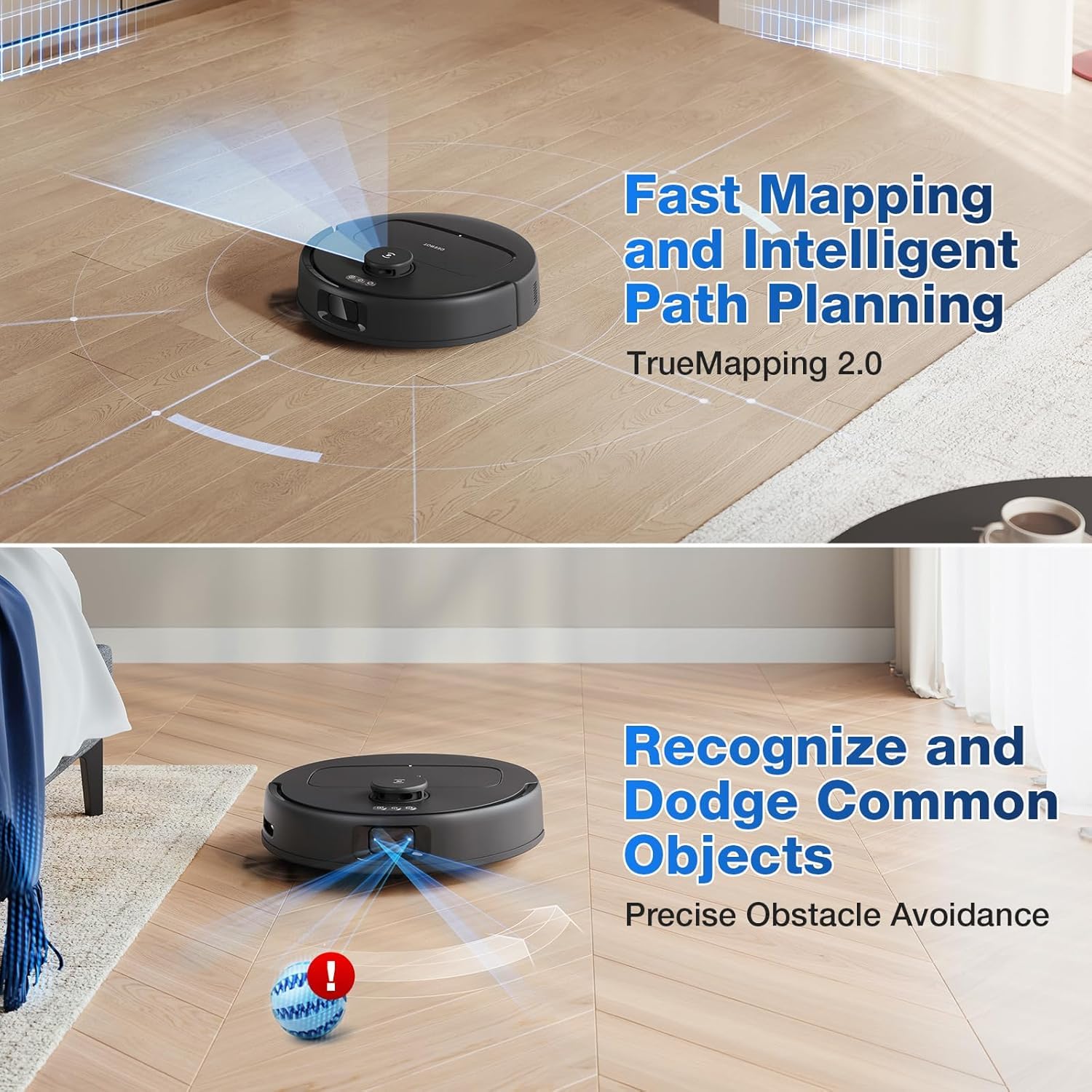
Figure 1.4: The ECOVACS HOME App provides intuitive control options.
For a visual guide on unboxing and initial setup, refer to the official unboxing video:
Video 1.1: DEEBOT N30 Pro Unboxing and Installation Video, Quick Set-up. This video demonstrates the unboxing process, component identification, and initial setup steps for the DEEBOT N30 Pro Omni.
2. Operating Instructions
2.1 Cleaning Modes
The DEEBOT N30 Pro Omni offers multiple cleaning modes to suit various needs, configurable via the ECOVACS HOME App:
- Vacuum Only: Ideal for dry debris and pet hair.
- Mop Only: For wet cleaning and stain removal.
- Vacuum and Mop: Simultaneous vacuuming and mopping for daily cleaning.
- Vacuum then Mop: Performs a full vacuum cycle before initiating mopping for deep cleaning.
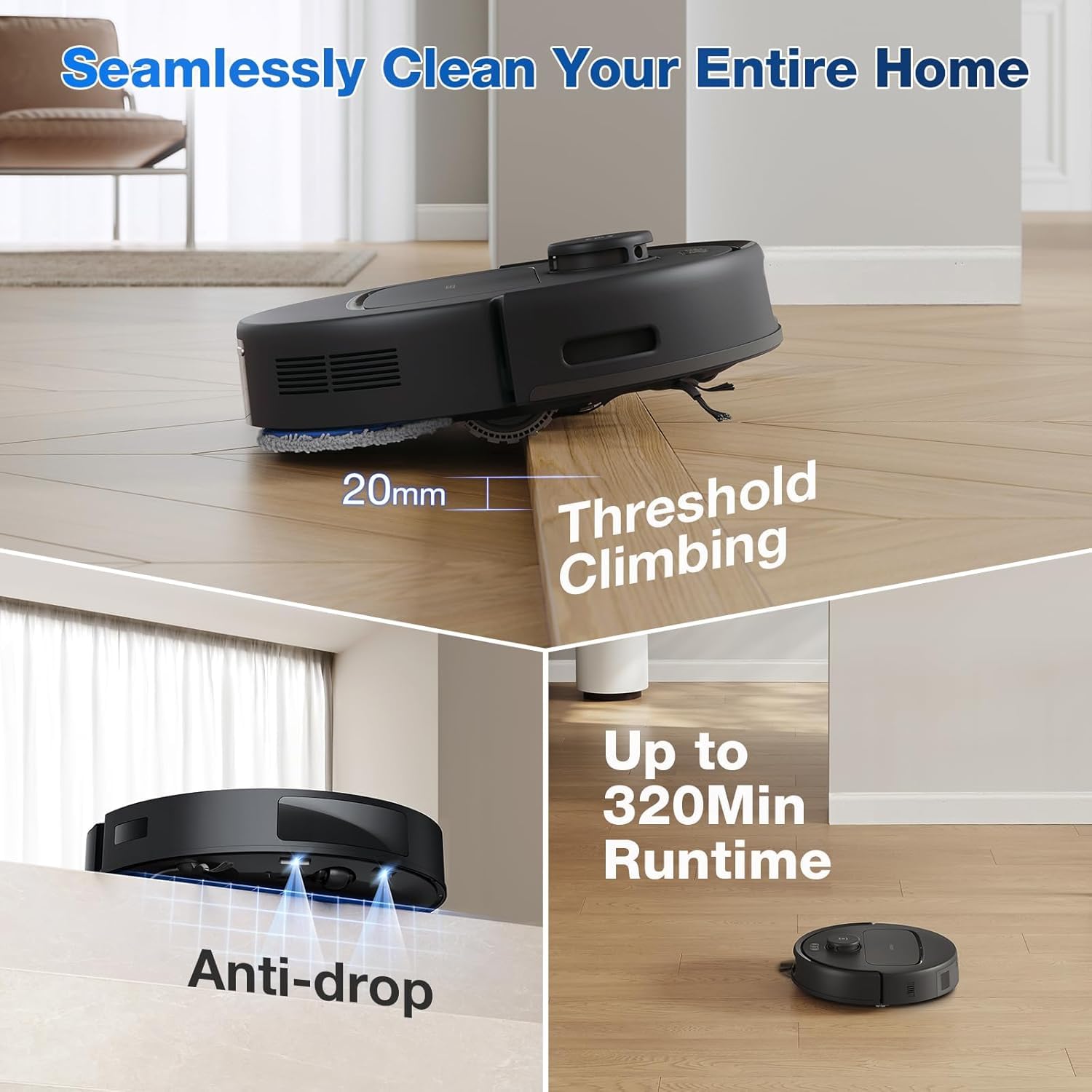
Figure 2.1: Various cleaning modes available for the DEEBOT N30 Pro Omni.
2.2 Advanced Navigation and Obstacle Avoidance
Equipped with TrueMapping 2.0 and TrueDetect 3D 3.0 technology, the DEEBOT creates detailed maps of your home and precisely avoids obstacles. This ensures efficient cleaning paths and minimizes the risk of getting stuck.

Figure 2.2: The robot's advanced navigation and obstacle avoidance capabilities.
2.3 Suction Power and Mopping System
The DEEBOT N30 Pro Omni boasts a powerful 10,000Pa suction for deep cleaning carpets and hard floors. The OZMO Turbo 2.0 mopping system applies 6N of scrubbing pressure and rotates at 200 RPM, effectively removing stubborn stains. TruEdge Technology ensures precise edge and corner cleaning with 1mm accuracy.

Figure 2.3: TruEdge Mopping ensures comprehensive coverage, reaching within 1mm of edges.

Figure 2.4: The OZMO Turbo 2.0 mopping system with 180 RPM spinning speed and 1.57 lbf downward pressure.
For effective pet hair removal, the 10,000Pa suction power combined with ZeroTangle 2.0 technology ensures no trace of pet hair is left behind.

Figure 2.5: Designed to effectively clean pet hair with 10,000Pa suction and ZeroTangle Technology.
2.4 Carpet Cleaning
The robot automatically lifts its mopping pads by 9mm when it detects carpet, preventing wetting. It also increases suction power for a deeper clean on carpets (Carpet Auto Boost).

Figure 2.6: Automatic mop lifting and suction boost for thorough carpet cleaning.
2.5 Battery Life and Charging
With a 5200mAh battery, the DEEBOT N30 Pro Omni offers up to 320 minutes of runtime, covering large areas. It automatically returns to the Omni Station to recharge and resumes cleaning tasks from where it left off.
Figure 2.7: The robot's 5200mAh battery provides extended runtime for large homes.
3. Maintenance
Regular maintenance ensures the longevity and optimal performance of your DEEBOT N30 Pro Omni.
3.1 Omni Station Maintenance
- Self-Emptying: The 2.6L dust bag in the Omni Station can hold debris for up to 75 days, eliminating frequent manual emptying.
- Hot Water Mop Washing: The station automatically washes the mop pads with 60°C hot water after each cleaning session, ensuring they are fresh for the next use.
- Hot Air Drying: After washing, the mop pads are dried with 40°C hot air to prevent odor and mildew.
- Detachable Baseplate: The baseplate can be easily detached and rinsed under a faucet for convenient cleaning.
Figure 3.1: Omni Station features for hands-free maintenance.
For a detailed guide on unboxing and setting up the station, including water tanks and dust bag, refer to the official unboxing video:
Video 3.1: DEEBOT N30 Pro Unboxing and Installation Video, Quick Set-up. This video provides visual instructions for setting up the Omni Station's water tanks and dust bag.
3.2 Robot Component Cleaning
- Dustbin and Filter: Empty the robot's internal dustbin regularly. Clean the HEPA filter by tapping it gently to remove dust.
- Main Brush: Remove the main brush and clean any tangled hair or debris. The ZeroTangle 2.0 design significantly reduces tangling.
- Side Brushes: Check and clean the side brushes for tangled hair or debris. Replace them if worn.
- Sensors: Wipe all sensors (TrueDetect 3D, anti-drop, etc.) with a clean, dry cloth to ensure accurate navigation.
For visual instructions on cleaning the robot's components, refer to the official unboxing video (sections on robot preparation and component installation also show these parts):
Video 3.2: DEEBOT N30 Pro Unboxing and Installation Video, Quick Set-up. This video demonstrates how to access and clean the dustbin, filter, and main brush.
4. Troubleshooting
| Problem | Possible Cause | Solution |
|---|---|---|
| Robot does not power on. | Low battery; power switch off. | Place robot on Omni Station to charge. Ensure power switch is ON. |
| Robot gets stuck frequently. | Obstacles in path; dirty sensors. | Clear obstacles. Clean TrueDetect 3D and anti-drop sensors. |
| Poor cleaning performance. | Full dustbin; tangled brushes; dirty filter. | Empty dustbin. Clean/replace main brush and side brushes. Clean/replace HEPA filter. |
| Mop pads not cleaning effectively. | Dirty mop pads; insufficient water. | Ensure mop pads are clean and wet. Refill clean water tank. |
| App connectivity issues. | Incorrect Wi-Fi password; robot out of range. | Verify Wi-Fi credentials. Move robot closer to router. Restart robot and app. |
5. Specifications
- Brand: ECOVACS
- Model Name: ECOVACS N30 PRO OMNI
- Special Features: Smart Mapping Technology, Wet & Dry Robot Vacuum Cleaner, Omni Station, Self Cleaning of Mop Pads, 10000Pa Suction Power, 5200 mAh Battery Capacity, 320 mins Run Time
- Color: N30 PRO OMNI BLACK
- Product Dimensions: 75L x 46W x 43H Centimeters
- Included Components: All in 1 Omni Station, Side Brush, Main Roller Brush, HEPA Filter, Reusable Mopping Pads, Dust Tank, Water Tank
- Filter Type: Cloth
- Battery Life: 320 Minutes
- Voltage: 220 Volts
- Capacity (Dust Bag): 2.6 litres (up to 75 days)
- Power Source: Battery Powered
- Control Method: App
- Form Factor: Round
- Manufacture Year: 2024
- Manufacturer: Ecovacs Co Ltd
- Country of Origin: China
- Item Weight: 15 kg 400 g
6. Warranty and Support
ECOVACS provides comprehensive customer support, including door-step service and free installation in India. For assistance with demonstrations, installations, or any service requirements, please reach out via their toll-free number.
- Warranty: Up to 1-year warranty.
- Service: Door-step service available.
- Toll-Free Number: 1800 258 8085 (Monday to Saturday, 10 am to 6 pm)

Figure 6.1: ECOVACS India customer support network.
Related Documents - N30 PRO OMNI BLACK
 |
ECOVACS DEEBOT N30 Omni Robot Vacuum and Mop Manual Comprehensive manual for the ECOVACS DEEBOT N30 Omni robot vacuum and mop, detailing its advanced features like 10,000Pa suction, TrueMapping 2.0 navigation, intelligent obstacle avoidance, and the All-in-One OMNI Station for hands-free cleaning. Includes specifications and operational guidance. |
 |
ECOVACS DEEBOT T50 OMNI: Powerful Robot Vacuum with Intelligent OMNI Station Discover the ECOVACS DEEBOT T50 OMNI, a slim and powerful robot vacuum featuring 15,000 Pa suction, intelligent OMNI station with hot water washing and drying, YIKO voice control, and advanced navigation technologies for a spotless home. |
 |
ECOVACS DEEBOT N30 Omni Robot Vacuum Cleaner Manual Comprehensive manual for the ECOVACS DEEBOT N30 Omni robot vacuum cleaner, detailing its advanced features like the All-in-One OMNI Station, 10,000Pa suction power, TrueMapping 2.0 navigation, and intelligent obstacle avoidance for efficient, hands-free home cleaning. |
 |
DEEBOT T10 OMNI Q&A: Troubleshooting and User Guide Comprehensive Q&A guide for the ECOVACS DEEBOT T10 OMNI robot vacuum and mop. Find answers to common questions about setup, charging, mapping, cleaning, maintenance, and troubleshooting. |
 |
ECOVACS DEEBOT T20 OMNI Instruction Manual | Robot Vacuum & Mop Guide Comprehensive instruction manual for the ECOVACS DEEBOT T20 OMNI robot vacuum and mop. Learn about setup, operation, maintenance, troubleshooting, and technical specifications. |
 |
ECOVACS DEEBOT X2 OMNI Instruction Manual | Smart Robot Vacuum & Mop Guide Discover the ECOVACS DEEBOT X2 OMNI with this comprehensive instruction manual. This guide details setup, operation, safety precautions, and maintenance for the advanced robot vacuum and mop, ensuring optimal performance for your smart home cleaning needs. Find support and additional resources at ECOVACS. |
Ask a question about this manual
Ask about setup, troubleshooting, compatibility, parts, safety, or missing instructions. Manuals+ will review the question and use this page’s manual context to help answer it.