
1. Product Overview
The Orayafid YY-1510-05P Solar Panel is designed to provide continuous power for various outdoor devices, including trail cameras, game cameras, and security cameras. It features a built-in 20000mAh rechargeable lithium battery and multiple output interfaces for broad compatibility. Its robust, waterproof design ensures reliable operation in diverse environmental conditions.

Image 1.1: Orayafid YY-1510-05P Solar Panel with mounting bracket.
Key Features:
- Premium Solar Cells: 15W panel with 22-24% conversion efficiency.
- High-Capacity Battery: Integrated 20000mAh lithium battery for extended power supply.
- Advanced Battery Protection: Overvoltage and overcharge protection, tested for up to 500 charging cycles.
- Versatile Output: Includes USB-C, Micro USB, and DC 3.5x1.35mm adapters for wide device compatibility.
- Durable Design: IP66 waterproof rating, suitable for outdoor use in various weather conditions (-10°C to 50°C / 14°F to 122°F).
- Adjustable Mounting: 360° adjustable bracket for optimal sunlight positioning.
2. What's in the Box
Verify that all components are present upon unboxing:
- Orayafid Solar Panel (YY-1510-05P)
- Adjustable Wall Mount Bracket
- 10-foot Power Cord
- USB-C Adapter
- Micro USB Adapter
- DC 3.5x1.35mm Adapter
- Screw Bag for Installation
- User Manual (this document)
Video 2.1: An unboxing video demonstrating the contents of the Orayafid solar panel package, including the solar panel, various charging cables, and the mounting bracket.
3. Setup and Installation
3.1 Choosing a Location
Select a location that receives maximum direct sunlight throughout the day. Avoid areas with obstructions like trees or buildings that may cast shadows on the solar panel. Optimal placement ensures efficient charging and continuous power supply.
3.2 Mounting the Solar Panel
- Attach the Bracket: Secure the adjustable mounting bracket to the back of the solar panel using the provided screws.
- Mark Drilling Points: Hold the solar panel with the attached bracket against the desired mounting surface (wall, fence, etc.). Mark the drilling points for the bracket.
- Drill Holes: Drill pilot holes at the marked locations. Insert wall anchors if mounting into drywall or masonry.
- Secure the Bracket: Fasten the bracket to the surface using the provided screws. Ensure it is firmly attached.
- Adjust Angle: Use the 360° adjustable bracket to position the solar panel for optimal sunlight exposure. The panel can be rotated and tilted to capture maximum solar energy.

Image 3.1: The solar panel features a 360° adjustable bracket for optimal positioning to maximize sunlight absorption.
3.3 Connecting to Your Device
The solar panel comes with multiple adapters to ensure compatibility with various devices.
- Select Adapter: Choose the appropriate adapter (USB-C, Micro USB, or DC 3.5x1.35mm) for your device.
- Connect to Solar Panel: Attach the selected adapter to the solar panel's output cable. Ensure a secure, waterproof connection by twisting the waterproof interface port.
- Connect to Device: Plug the adapter into your trail camera, security camera, or other compatible device.
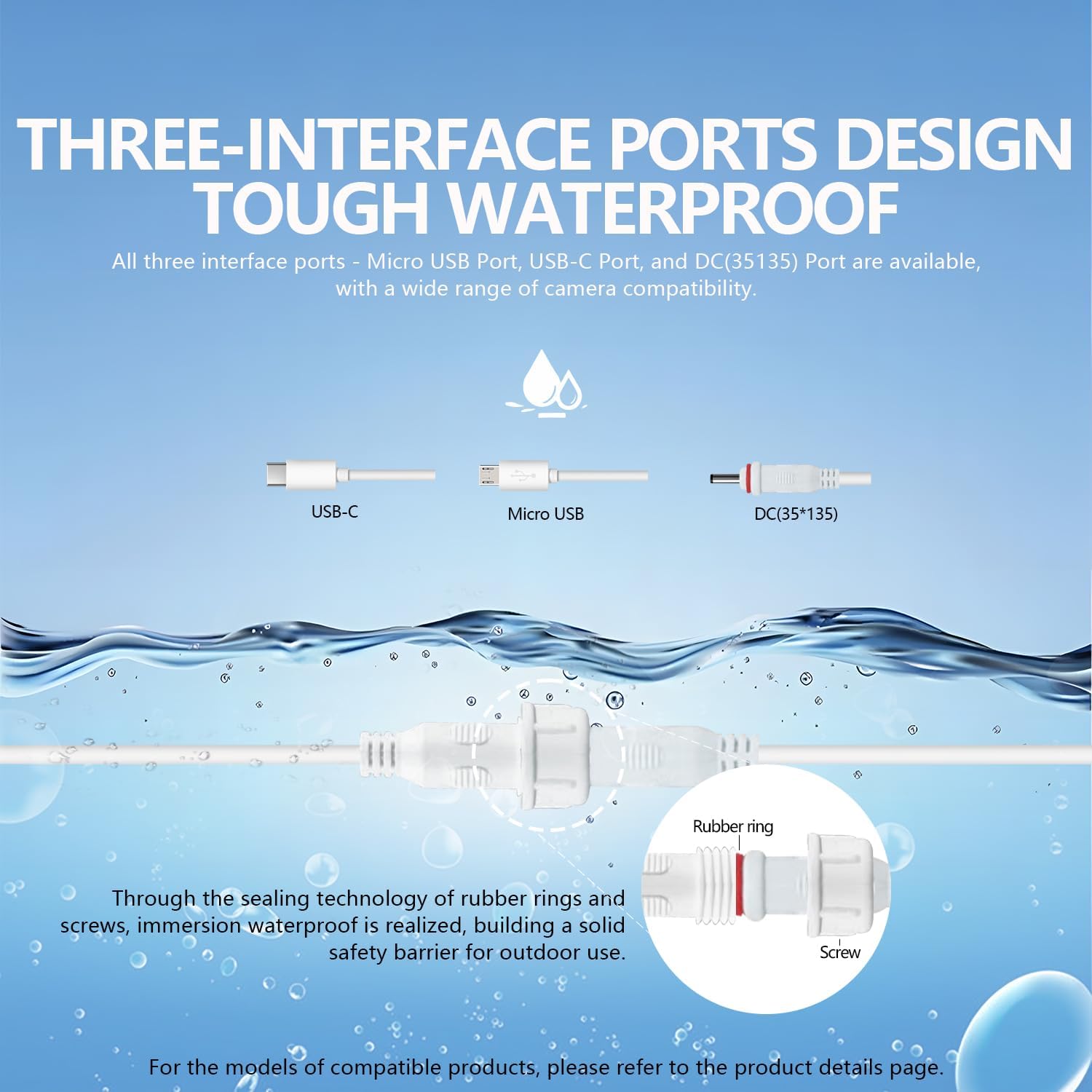
Image 3.2: The solar panel offers USB-C, Micro USB, and DC 3.5x1.35mm ports with a waterproof connection design.

Image 3.3: The solar panel is compatible with a wide range of products, including different types of cameras and mobile phones.
4. Operation
4.1 Automatic Charging
The Orayafid solar panel automatically begins charging its internal 20000mAh battery when exposed to sunlight. The built-in battery then provides a stable 5V output to your connected device.
4.2 Power Indicator
The solar panel features an LED indicator to show the battery status:
- Green Light (Steady): Battery is 100% charged.
- Green Light (Blinking): Battery is 50%-100% charged.
- Yellow Light: Battery is 20%-50% charged.
- Red Light: Battery is 0%-20% charged.

Image 4.1: The 20000mAh battery ensures 24/7 operation with multiple protection functions.
5. Maintenance
Regular maintenance ensures optimal performance and longevity of your solar panel.
- Cleaning: Periodically clean the surface of the solar panel with a soft, damp cloth to remove dust, dirt, or debris that may reduce charging efficiency. Do not use harsh chemicals or abrasive materials.
- Connection Check: Ensure all cable connections are secure and the waterproof interface port is tightly sealed to prevent water ingress.
- Obstruction Removal: Regularly check for any new obstructions (e.g., growing foliage) that might block sunlight from reaching the panel.
- Environmental Conditions: While designed for outdoor use, extreme weather conditions (e.g., severe hail) may require temporary repositioning or protection.
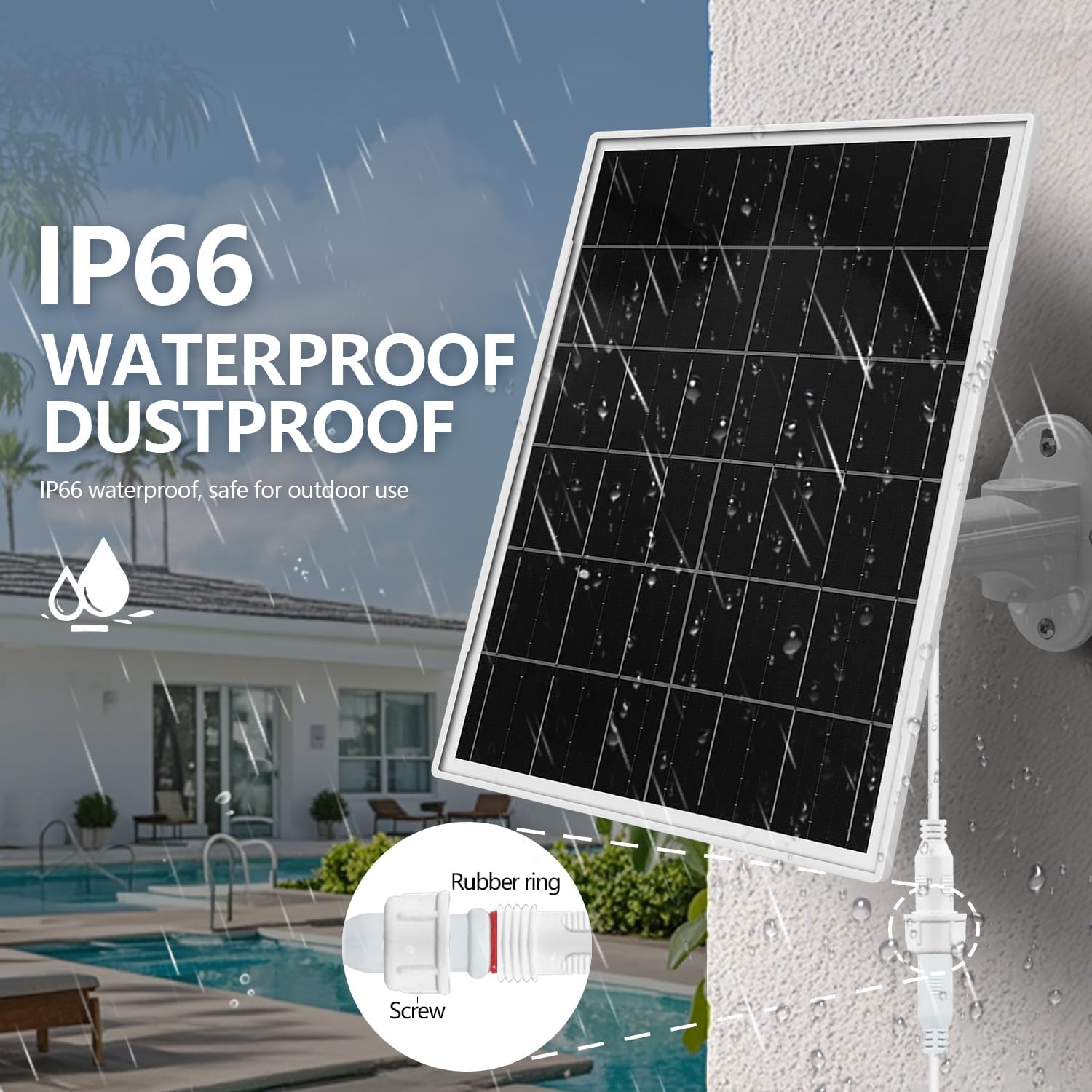
Image 5.1: The IP66 waterproof and dustproof design ensures durability in various outdoor conditions.
6. Troubleshooting
If you encounter issues with your Orayafid solar panel, refer to the following common problems and solutions:
| Problem | Possible Cause | Solution |
|---|---|---|
| Device not charging | Insufficient sunlight Loose connection Incorrect adapter Panel surface dirty | Relocate panel to direct sunlight Check and secure all cable connections Ensure correct adapter is used Clean the solar panel surface |
| Low charging efficiency | Partial shading Suboptimal panel angle Dirty panel surface | Adjust panel position to avoid shadows Re-angle panel for maximum sun exposure Clean the solar panel surface thoroughly |
| Power indicator not lighting up | No sunlight Internal battery fully discharged Faulty unit | Expose panel to direct sunlight Allow several hours in direct sunlight for initial charge Contact customer support if issue persists |
7. Specifications
| Feature | Detail |
|---|---|
| Brand | Orayafid |
| Model Number | D-1510-05p (Size: YY-1510-05P) |
| Material | Monocrystalline Silicon, Tempered Glass, Anodized Aluminum |
| Maximum Power | 15 Watts |
| Maximum Voltage | 5 Volts (DC) |
| Efficiency | 22-24% (High Efficiency) |
| Battery Type | Rechargeable Lithium Ion |
| Battery Capacity | 20000mAh |
| Output Interfaces | USB-C, Micro USB, DC 3.5x1.35mm |
| Waterproof Rating | IP66 |
| Operating Temperature | -10°C to 50°C (14°F to 122°F) |
| Product Dimensions | 12.5 x 9.25 x 1.57 inches |
| Item Weight | 3.67 pounds |
8. Warranty and Support
8.1 Manufacturer Warranty
This Orayafid solar panel comes with a manufacturer warranty for 1 year from the date of purchase. Please retain your proof of purchase for warranty claims.
8.2 Customer Support
For technical assistance, warranty inquiries, or any other support needs, please contact Orayafid customer service. Refer to the contact information provided with your product packaging or visit the official Orayafid website.