
1. Important Safety Information
Please read all instructions carefully before using the REDLIRO Under Desk Treadmill. Retain this manual for future reference. Failure to follow these safety guidelines may result in injury or damage to the product.
- Always place the treadmill on a flat, stable surface. Ensure there is adequate clear space around the treadmill (at least 2 meters behind and 0.6 meters on each side).
- Keep children and pets away from the treadmill during operation. This equipment is not intended for use by persons with reduced physical, sensory, or mental capabilities unless supervised.
- Always attach the safety key clip to your clothing before starting the treadmill. The safety key is a crucial emergency stop mechanism.
- Do not operate the treadmill if it has a damaged cord or plug, if it is not working properly, or if it has been dropped or damaged. Contact customer support for assistance.
- Wear appropriate athletic footwear and clothing when using the treadmill. Avoid loose clothing that could get caught in moving parts.
- The maximum user weight capacity for this treadmill is 265 lbs (120 kg). Do not exceed this limit.
- Consult with a healthcare professional before starting any new exercise program, especially if you have pre-existing health conditions.
- Unplug the treadmill from the power outlet when not in use, before cleaning, and before performing any maintenance.
2. Package Contents
Carefully unpack all components and ensure you have received the following items:
- REDLIRO Under Desk Treadmill Unit
- User Manual
- Safety Key
- Power Cord
- Remote Control
- Tool Kit
If any items are missing or damaged, please contact REDLIRO customer support immediately.
3. Setup
The REDLIRO Under Desk Treadmill is designed for easy setup with minimal assembly required.
3.1 Unfolding and Placement
Remove the treadmill from its packaging. Place it on a firm, level surface. If using in running mode, gently raise the handrail until it locks into place. For walking mode, the handrail can remain folded down, allowing the treadmill to be placed under a standing desk.
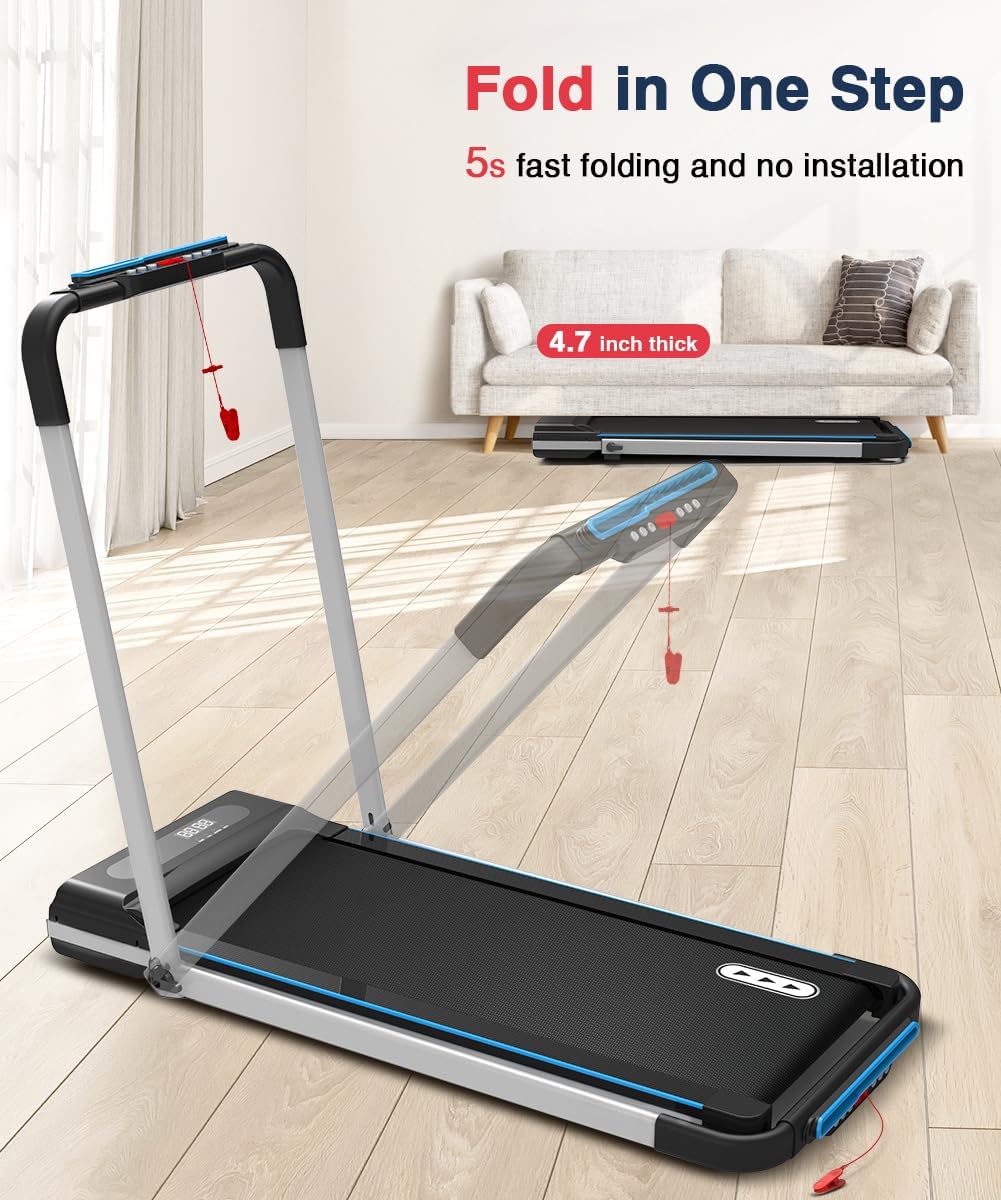
Figure 3.1: The treadmill can be easily folded for storage, reaching a compact thickness of 4.7 inches.

Figure 3.2: The 2-in-1 design allows for use as an under-desk walking pad or a traditional jogging/running treadmill.
3.2 Power Connection
Connect the power cord to the treadmill's power input and then plug it into a standard electrical outlet. Ensure the power switch on the treadmill is in the 'ON' position.
4. Operating Instructions
The REDLIRO treadmill offers versatile operating modes and easy control via the remote.
4.1 Getting Started
- Ensure the safety key is properly inserted into the console and the clip is attached to your clothing. The treadmill will not operate without the safety key in place.
- Step onto the treadmill belt.
- Press the 'Start' button on the remote control or console to begin. The treadmill will typically start at a low speed.
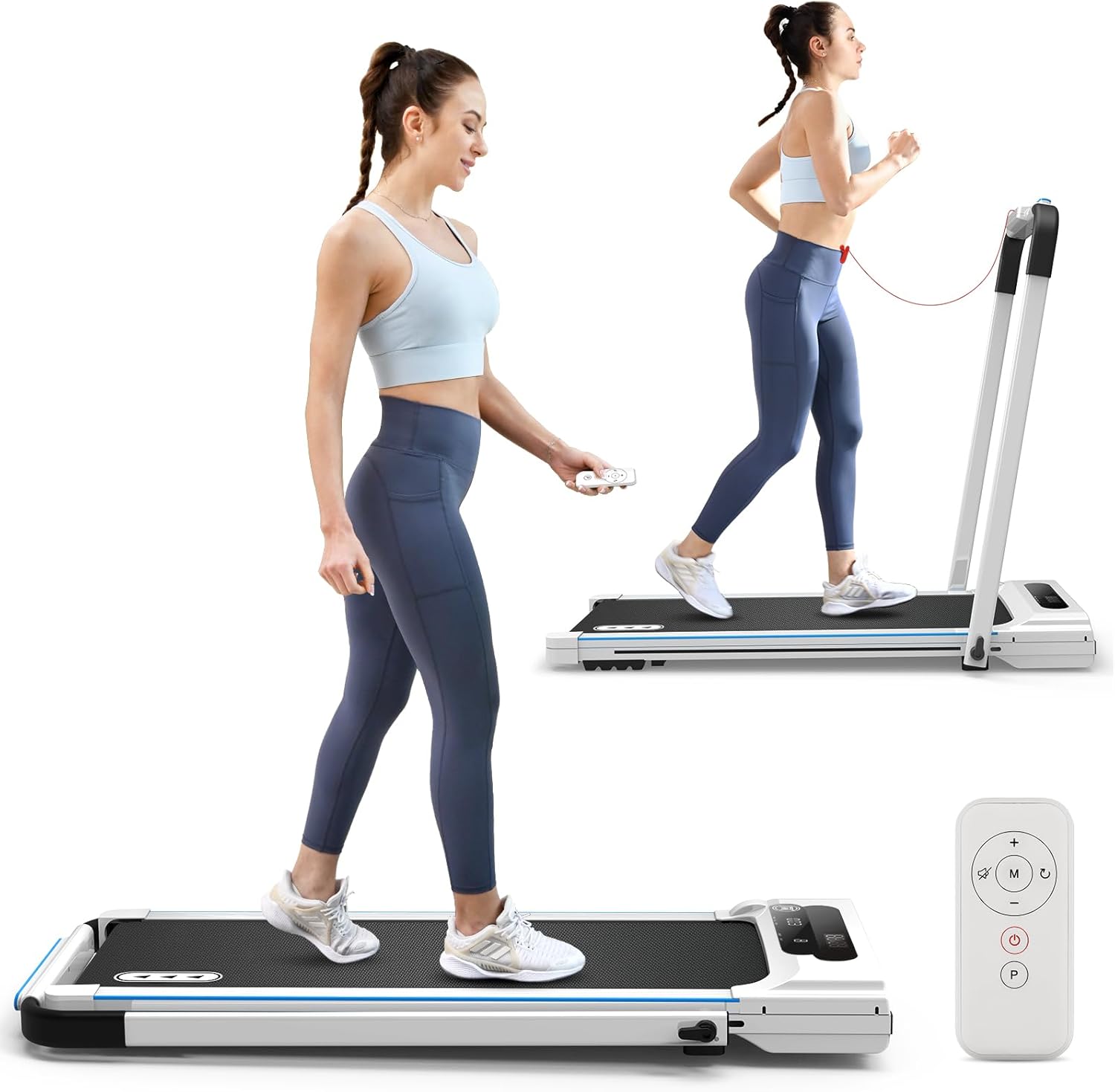
Figure 4.1: The treadmill can be operated in both walking and jogging modes, controlled by a remote.
4.2 Modes of Operation
The treadmill supports two primary modes:
- Walking Mode (Under Desk): When the handrail is folded down, the treadmill operates in walking mode with a speed range of 0.5-4.0 mph. This is ideal for use under a standing desk.
- Running/Jogging Mode: When the handrail is raised and locked, the treadmill can be used for jogging or running, with a speed range of 0.5-7.5 mph.
4.3 Using the Remote Control and Display
The remote control allows you to adjust speed, start/stop the treadmill, and select preset programs. The LED display shows real-time data including time, calories burned, steps, current speed, and distance.

Figure 4.2: The LED display provides essential workout data, and the remote control offers convenient operation.
- Speed Adjustment: Use the '+' and '-' buttons on the remote to increase or decrease speed.
- Start/Stop: The power button on the remote initiates or pauses the workout.
- Mode/Program Selection: The 'M' button cycles through manual mode and preset programs.
- Preset Programs: The treadmill includes 12 preset programs (P1-P12) that automatically adjust speed at 1.5-minute intervals to simulate different exercise scenarios.
4.4 Official Use Guide Video
For a visual guide on operating your REDLIRO treadmill, please watch the official use guide video provided by the manufacturer.
Video 4.1: Official Redliro JK1608E-2 Treadmill Use Guide. This video demonstrates the setup and operation of the treadmill, including switching between modes and using the remote control.
5. Maintenance
Regular maintenance ensures the longevity and optimal performance of your REDLIRO treadmill.
5.1 Cleaning
- Always unplug the treadmill before cleaning.
- Wipe down the console and exterior surfaces with a soft, damp cloth. Avoid using abrasive cleaners or solvents.
- Periodically vacuum under the treadmill to prevent dust and debris buildup.
5.2 Belt Lubrication
The running belt requires periodic lubrication to reduce friction and extend the life of the motor and belt. The frequency depends on usage:
- Light use (less than 3 hours/week): Lubricate every 5-6 months.
- Moderate use (3-5 hours/week): Lubricate every 3-4 months.
- Heavy use (more than 5 hours/week): Lubricate every 1-2 months.
To lubricate:
- Unplug the treadmill.
- Loosen the rear roller bolts slightly to lift the belt.
- Apply a thin line of silicone lubricant (included in tool kit or purchased separately) evenly under the center of the running belt.
- Tighten the rear roller bolts.
- Plug in the treadmill and run it at a low speed (e.g., 1 mph) for 5 minutes to distribute the lubricant.
6. Troubleshooting
This section addresses common issues you might encounter with your treadmill. If the problem persists, contact customer support.
| Problem | Possible Cause | Solution |
|---|---|---|
| Treadmill does not start. | Power cord not plugged in, power switch off, safety key not inserted. | Check power connection, ensure power switch is ON, insert safety key fully. |
| Belt stops suddenly during use. | Safety key dislodged, motor overload. | Re-insert safety key. Reduce speed or take a break if motor feels strained. |
| Display shows "Error Code". | Sensor malfunction, motor issue, or other internal fault. | Turn off and unplug the treadmill for 5 minutes, then restart. If the error persists, contact customer support with the specific error code. |
| Running belt slips or feels loose. | Belt tension too low, belt needs lubrication. | Adjust belt tension using the rear roller bolts (refer to maintenance section). Lubricate the belt if needed. |
| Unusual noise from the treadmill. | Loose parts, belt misalignment, motor issue. | Check for any loose screws. Ensure the belt is centered. If noise persists, contact customer support. |
7. Specifications
Key technical specifications for the REDLIRO Under Desk Treadmill (Model: JK1608E-2):
- Brand: REDLIRO
- Model Name: JK03F (Part Number: JK1608E-2)
- Motor Horsepower: 2.5 HP
- Speed Range: 0.5 - 7.5 MPH
- Maximum Weight Capacity: 265 lbs (120 Kilograms)
- Running Area (Deck Length x Width): 41.3 inches x 15 inches
- Product Dimensions (LxWxH): 51.2"D x 24"W x 4.7"H (Folded Size: 51.2x24x4.7 inches)
- Item Weight: 25.85 Kilograms
- Material: Alloy Steel, Aluminum Frame
- Display Type: LED (Shows Time, Calories, Step, Speed, Distance)
- Number of Programs: 12 Preset Programs
- Power Source: Corded Electric (Input Power: 220 Watts)
- Special Features: Portable, Foldable, Compact Design, Wheeled, Preloaded Workout

Figure 7.1: Internal view highlighting the powerful 2.5 HP motor and key performance specifications.

Figure 7.2: The treadmill features a 5-layer running belt and 4-point softer rubber for enhanced shock absorption, protecting your knees.
8. Warranty and Support
REDLIRO provides comprehensive support for its products.
- Warranty: This product comes with a 1-year warranty. Please refer to your purchase documentation for specific terms and conditions.
- EU Spare Part Availability: 2 Years
- Customer Support: For any questions, technical assistance, or warranty claims, please contact REDLIRO customer service. You can often find contact information on the manufacturer's website or through your purchase platform.
- User Manual (PDF): A digital version of the user manual is available for download here.
