
1. Introduction
The TESMEN TSM-192 is a portable smart digital multimeter designed for accurate measurement of various electrical parameters. It can precisely measure phase, AC/DC voltage, resistance, continuity, non-contact voltage (NCV), and live wire detection. This device is engineered to safely and accurately test household electrical components and automotive electronics, making it suitable for a wide range of measurement needs.
2. What's in the Box
Upon opening the package, please ensure all the following components are present:
- TESMEN TSM-192 Digital Multimeter
- Two Test Leads (Red and Black)
- Carrying Case
- Two AAA Batteries
- User Manual

Image: Contents of the TESMEN TSM-192 package, including the multimeter, test leads, carrying case, batteries, and user manual.
3. Setup
3.1 Battery Installation
- Remove the protective rubber sleeve from the back of the multimeter.
- Locate and open the battery compartment cover on the back of the device.
- Insert two AAA batteries into the compartment, ensuring correct polarity as indicated (+/- markings).
- Close the battery compartment cover securely.
- Reattach the protective rubber sleeve.
3.2 Initial Power On
Press the power button to turn on the multimeter. The device will automatically enter its default Smart Auto mode, ready for general measurements. If specific functions like Phase or NCV are required, use the 'F' button to select them.
4. Operating Instructions
4.1 Smart Auto Mode
The TESMEN TSM-192 features an intelligent Smart Auto mode. When powered on, the multimeter automatically detects the type of measurement (voltage, resistance, continuity) and selects the appropriate range. This simplifies the operation, allowing for quick and easy measurements without manual mode selection.

Image: The multimeter display indicating 'Auto' mode, signifying automatic measurement selection.
4.2 General Measurement (Voltage, Resistance, Continuity)
In Smart Auto mode, connect the red and black test leads to the circuit or component you wish to measure. The multimeter will automatically identify the measurement type and display the corresponding value on the screen.

Image: The multimeter screen showing icons for Live wire detection, AC/DC Voltage, Continuity, Resistance, Phase, and NCV functions.

Image: A user holding the TESMEN TSM-192 multimeter while using test leads to measure the voltage of a car battery.
4.3 Phase Detection
To detect phase rotation:
- Press and hold the 'F' button to select the Phase function.
- When the symbol "PA" flashes on the display, insert the red probe into the first phase jack.
- When the symbol "PAB" flashes (with 'A' remaining fixed and 'B' flashing), insert the red probe into the second phase jack.
- When the symbol "PABC" flashes (with 'A' and 'B' remaining fixed and 'C' flashing), insert the red probe into the third phase jack.
- The symbol "P---L" indicates a left rotation in the phase sequence.
- The symbol "P---R" indicates a right rotation in the phase sequence.
Note: Ensure the test for all three wires is completed within 1 minute. If a timeout error occurs, indicated by the "PABC" symbol with a flashing "P", return to the phase sequence test and repeat the procedure.
4.4 NCV (Non-Contact Voltage) Function
To use the NCV function:
- Press the 'F' button to select the "NCV" mode. The "NCV" indicator will appear on the display.
- Move the NCV sensor probe (located on the top of the device) close to the detection point, such as an electrical outlet or wire.
- If a strong AC electric field signal is detected, the screen will display "--H", flash red, and emit a rapid audible beep.
- If a weak AC signal is detected, the screen will display "--L", flash green, and emit a slow audible beep.

Image: The multimeter's NCV sensor detecting voltage near an electrical outlet, with the display showing '--L' for low voltage and '--H' for high voltage.
5. Features
- Automatic Power-Off: To conserve battery life, the instrument will automatically power off if no operation is performed for 15 minutes.
- Flashlight: A built-in flashlight provides convenient illumination for working in dimly lit environments.
- Backlit Display: The display features a backlight, ensuring clear readability of measurements even in low-light conditions.
- Data Hold: This function allows you to freeze the current measurement on the display for convenient recording or viewing.
- Low Battery Indicator: The multimeter will display an indicator when the battery level is low, reminding you to replace the AAA batteries.
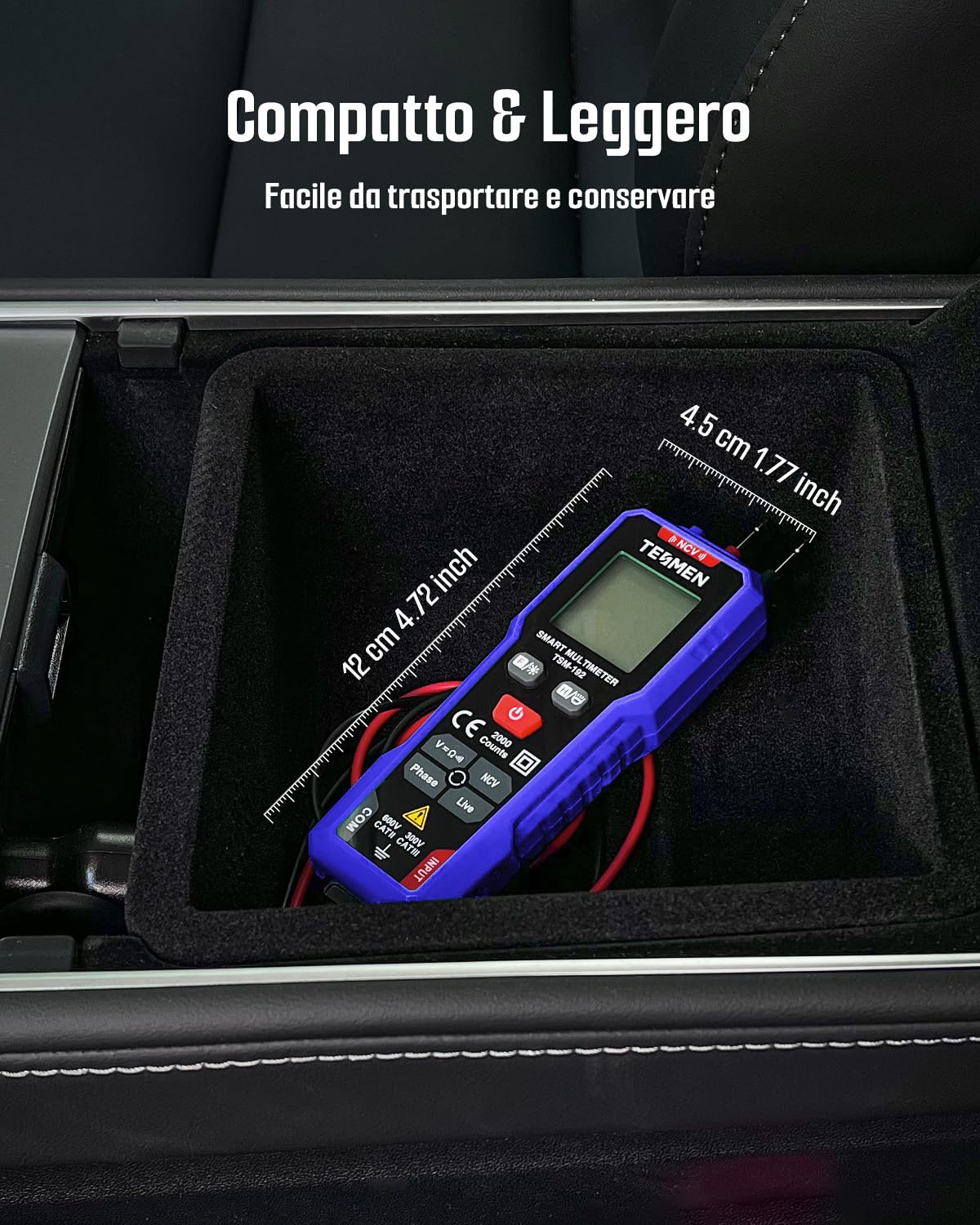
Image: The compact and lightweight design of the TESMEN TSM-192 multimeter, shown fitting easily into a car's center console compartment.
6. Safety Information
The TESMEN TSM-192 multimeter is designed with user safety in mind. Please adhere to the following guidelines:
- This voltmeter has passed CAT II 600V and other relevant certifications, ensuring its safety standards.
- It incorporates an internal overload protection function to enhance reliability and safety during operation.
- The external casing is made from insulating materials to protect against electrical current and ensure maximum user safety.
- Always ensure that the test leads are properly connected to the correct input jacks before initiating any measurement.
- Do not attempt to measure voltages or currents that exceed the specified maximum limits of the device.
- Before measuring resistance or continuity, ensure that the circuit or component is de-energized.
7. Specifications
| Brand | TESMEN |
| Model | TSM-192 |
| Power Source | Battery operated (2x AAA) |
| Measurement Type | Multimeter (AC/DC Voltage, Resistance, Continuity, Phase, NCV, Live Wire) |
| Dimensions (LxWxH) | 13.5 x 4.4 x 3 cm (5.3 x 1.7 x 1.2 inches) |
| Safety Rating | CAT II 600V |
| Included Components | Multimeter, Test Leads, Carrying Bag, Batteries, User Manual |
8. Troubleshooting
- Q: Does the instrument automatically power off?
- A: Yes, if no operation is performed for 15 minutes when the instrument is on, it will automatically power off to save energy.
- Q: How do I detect phase?
- A: Please refer to the '4.3 Phase Detection' section under Operating Instructions for detailed step-by-step guidance.
- Q: How do I use the NCV function?
- A: Please refer to the '4.4 NCV (Non-Contact Voltage) Function' section under Operating Instructions for detailed instructions.
- Q: How do I use the TSM-192 for general measurements?
- A: First, install the included batteries. Then, power on the multimeter. It will operate in default automatic mode. For specific functions like Phase, NCV, or Live wire detection, press the 'F' button to select them.
9. Warranty and Support
For detailed warranty information, technical support, or service inquiries, please refer to the contact details provided in the physical user manual included with your product. You may also visit the official TESMEN website for additional resources and support options.


