
Introduction
This manual provides essential information for the setup, operation, and maintenance of your Garmin dēzl OTR1020 10-inch GPS Truck Navigator. Please read this manual thoroughly to ensure proper use and to maximize the benefits of your device.
What's in the Box
Verify that all items listed below are included in your product packaging:
- Garmin dēzl OTR1020 device
- Vehicle suction cup mount with powered magnetic mount
- Screw down mount
- 1” ball adapter with AMPS plate
- Vehicle power cable
- USB cable
- Documentation (this manual and warranty information)
Device Overview
The Garmin dēzl OTR1020 is designed to provide truck-specific navigation and features for professional drivers. It includes a large, high-resolution touchscreen display and various connectivity options.
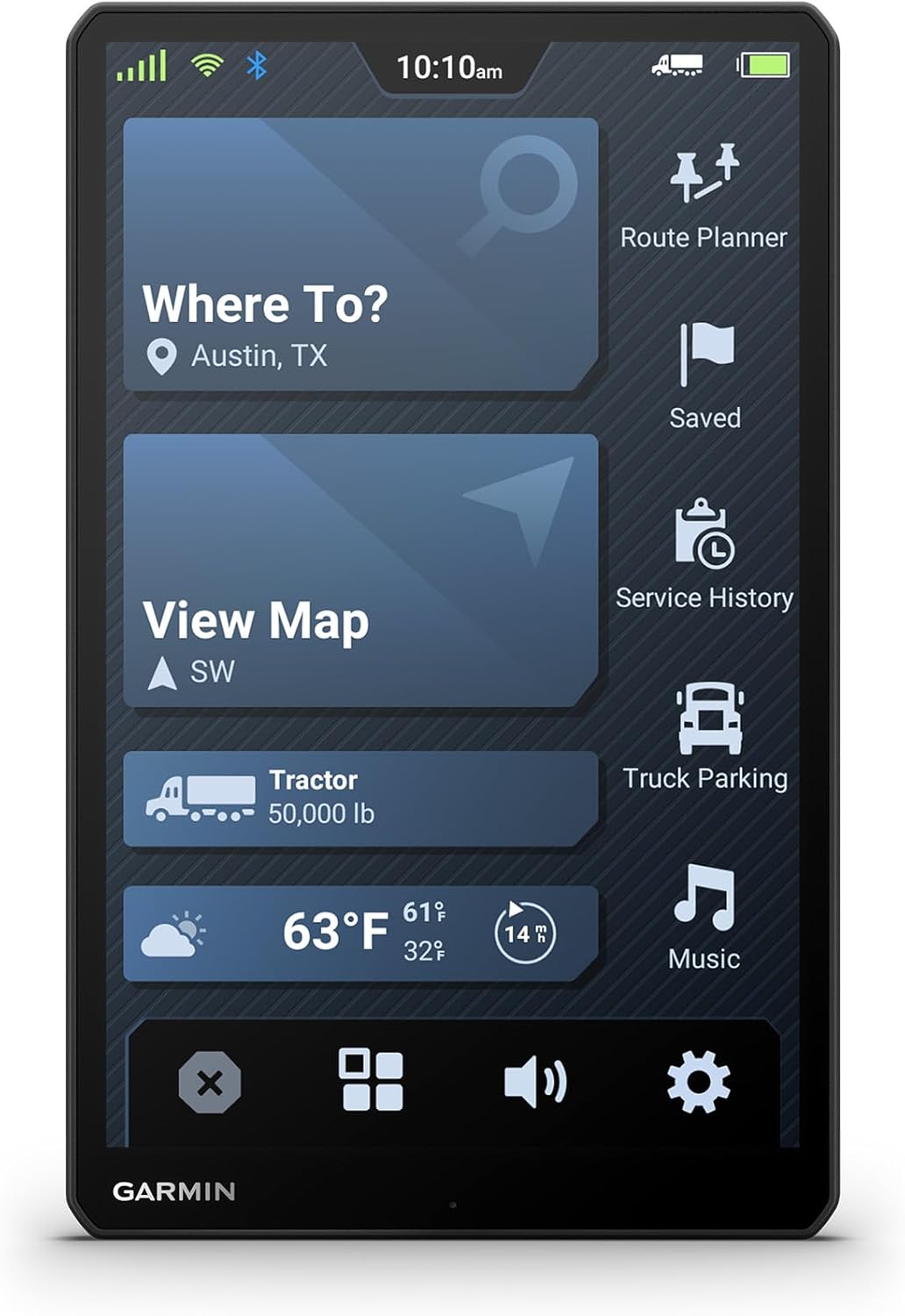
Image: Garmin dēzl OTR1020 main menu in portrait orientation, showing options like "Where To?", "View Map", "Route Planner", "Truck Parking", and current weather information.
Initial Setup
- Mounting the Device: Securely attach the device to your vehicle's dashboard or windshield using the provided suction cup mount or screw down mount. Ensure the mount is stable and does not obstruct your view of the road.
- Power Connection: Connect the vehicle power cable to the device and your vehicle's 12V power outlet. The device will power on automatically.
- Initial Configuration: Follow the on-screen prompts to select your language, region, and accept the user agreements.
- Truck Profile Setup: Enter your truck's specific dimensions (height, weight, length, width) and any hazardous materials information. This data is crucial for accurate custom truck routing.
- Software Updates: Connect the device to a Wi-Fi network or your computer via USB to check for and install any available software updates. Keeping your device updated ensures optimal performance and access to the latest features.

Image: Garmin dēzl OTR1020 screen showing truck profile settings, including vehicle type (Tractor), dimensions, and weight, essential for custom routing.
Operating Features
Custom Truck Routing
The dēzl OTR1020 provides custom truck routing based on the size and weight of your rig. This helps avoid unsuitable roads, low bridges, and weight restrictions. Always observe posted road signs and conditions, as routing suggestions may not be available in all areas or account for all real-time changes.
Expert Arrival Planning
Utilize BirdsEye Direct Satellite Imagery for high-resolution aerial views of your destination. This feature assists in planning your arrival at security gates, truck entrances, and loading docks.

Image: Garmin dēzl OTR1020 displaying a split-screen map view with navigation on the left and an aerial view for arrival planning on the right.
dēzl Community Insights
When paired with the dēzl app on a compatible smartphone, access community-shared information. This includes trucker-rated parking spots, loading docks, and preferred trucking locations. You can also contribute by rating your experiences.

Image: Garmin dēzl OTR1020 displaying detailed information for a truck parking area, including community ratings, lot size, and crowdedness, based on dēzl community insights.
PrePass Notifications
With an active PrePass account and the dēzl app on your Bluetooth-enabled smartphone, receive on-screen notifications for weigh stations and bypass decisions, helping to improve efficiency.
CAT Scale Locator
An integrated search tool allows you to quickly locate nearby CAT Scale stations in the U.S. and Canada to verify your load's weight compliance.
Wind Speed Alerts
When paired with the dēzl app on a compatible smartphone, the device provides wind speed weather overlays on the map, alerting you to potentially hazardous high wind conditions along your route.

Image: Garmin dēzl OTR1020 displaying a map with a wind speed weather overlay, indicating potentially hazardous conditions with wind speed and direction icons.
Break Planning and Driver Alerts
The device assists with break planning and provides timely notifications. It also issues road warnings for upcoming sharp curves, bridge heights, and other potentially hazardous conditions to enhance situational awareness.
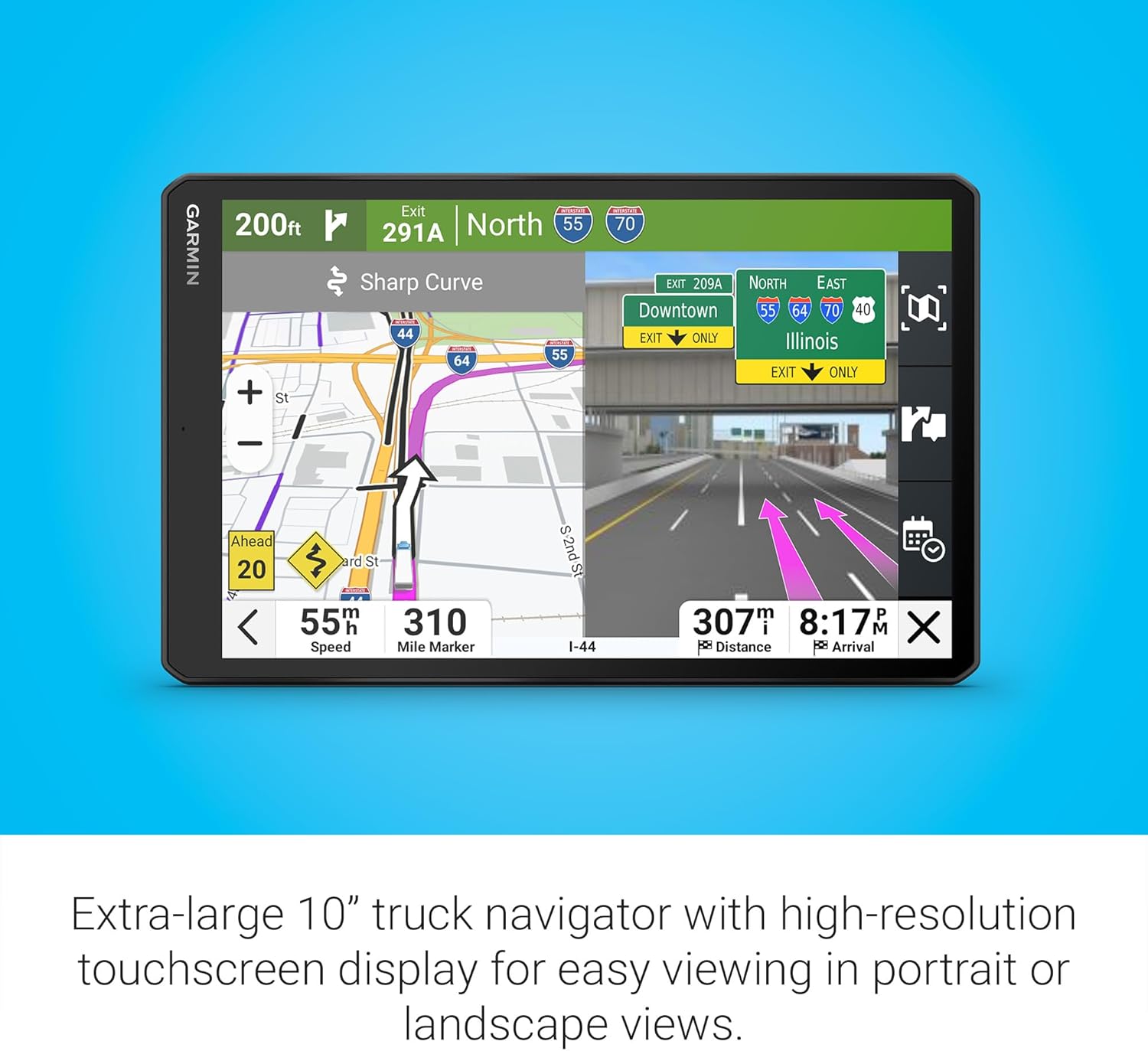
Image: Garmin dēzl OTR1020 displaying a navigation screen with a sharp curve warning, lane assist, and junction view for upcoming exits.
Connectivity and Voice Assist
Pair your dēzl OTR1020 with a compatible smartphone via Bluetooth for hands-free calling and smart notifications. The device also supports voice commands, allowing you to control navigation without taking your hands off the wheel. This feature is available in English, German, French, Spanish, Italian, and Swedish.
Maintenance
- Cleaning the Screen: Use a soft, lint-free cloth to clean the touchscreen. Avoid abrasive cleaners or solvents that could damage the display.
- Software Updates: Regularly check for and install software updates to ensure optimal performance and access to the latest map data and features.
- Battery Care: The device contains a Lithium Ion battery. Avoid exposing it to extreme temperatures. For prolonged storage, charge the battery to approximately 50% and store in a cool, dry place.
- Storage: When not in use, store the device in a safe place away from direct sunlight and extreme temperatures.
Troubleshooting
- Device Not Powering On: Ensure the power cable is securely connected to both the device and the vehicle's power outlet. Check the vehicle's fuse for the power outlet. If using battery power, ensure the battery is charged.
- GPS Signal Loss: Ensure the device has a clear view of the sky. Avoid mounting it in areas obstructed by metal or other materials. Move to an open area if indoors or under heavy cover.
- Inaccurate Routing: Verify that your truck profile (dimensions, weight) is correctly entered in the device settings. Ensure map data is up to date.
- Touchscreen Unresponsive: Try restarting the device. If the issue persists, perform a soft reset (refer to the device's on-screen help or Garmin support for specific instructions).
- Bluetooth Connectivity Issues: Ensure Bluetooth is enabled on both your dēzl OTR1020 and your smartphone. Try unpairing and re-pairing the devices.
For further assistance, refer to the comprehensive help section on your device or visit the official Garmin support website.
Specifications
| Model Name | dēzl OTR1020 |
| Item Model Number | 010-02926-00 |
| Screen Size | 10.1 Inches |
| Display Resolution | 1280 x 800 |
| Product Dimensions | 6.1 x 0.8 x 9.7 inches |
| Item Weight | 1.22 pounds |
| Battery Type | 1 Lithium Ion battery (included) |
| Battery Life | Up to 2 Hours |
| Connectivity Technologies | Bluetooth, Wi-Fi |
| Special Features | Bluetooth, Touchscreen |
| Map Type | North America |
| Mounting Type | Dashboard Mount |
Warranty and Support
Your Garmin dēzl OTR1020 is covered by a limited warranty. Please refer to the warranty documentation included in your product packaging for details regarding coverage, terms, and conditions.
For technical support, product registration, or additional information, please visit the official Garmin support website or contact Garmin customer service.
Garmin Support Website: www.garmin.com/support