
Introduction
This manual provides comprehensive instructions for the ECONTROLLY Replacement Remote Control, specifically designed for seamless compatibility with RCA 4K UHD Android Smart TV models RTAQ5033 and RTAU5004. This is an infrared remote control, engineered to function immediately with the specified TV models without requiring any programming.
Package Contents
- 1 x ECONTROLLY Replacement Remote Control
Note: Batteries and additional detailed instructions are not included in the package.
Setup: Battery Installation
The remote control requires two (2) AAA ALKALINE batteries for operation. It is crucial to use ALKALINE batteries; do not use rechargeable batteries as they may not provide sufficient power or could damage the remote.
- Locate the battery compartment on the back of the remote control.
- Slide open the battery cover in the direction indicated by the arrow.
- Insert two (2) AAA ALKALINE batteries, ensuring that the positive (+) and negative (-) terminals align correctly with the markings inside the compartment.
- Slide the battery cover back into place until it clicks securely.

Image: ECONTROLLY Replacement Remote Control with dimensions. This image illustrates the overall size and shape of the remote, which helps in locating the battery compartment on the back.
Operating Instructions
This remote control is pre-programmed for immediate use with compatible RCA 4K UHD Android Smart TVs. No additional setup or code entry is required.
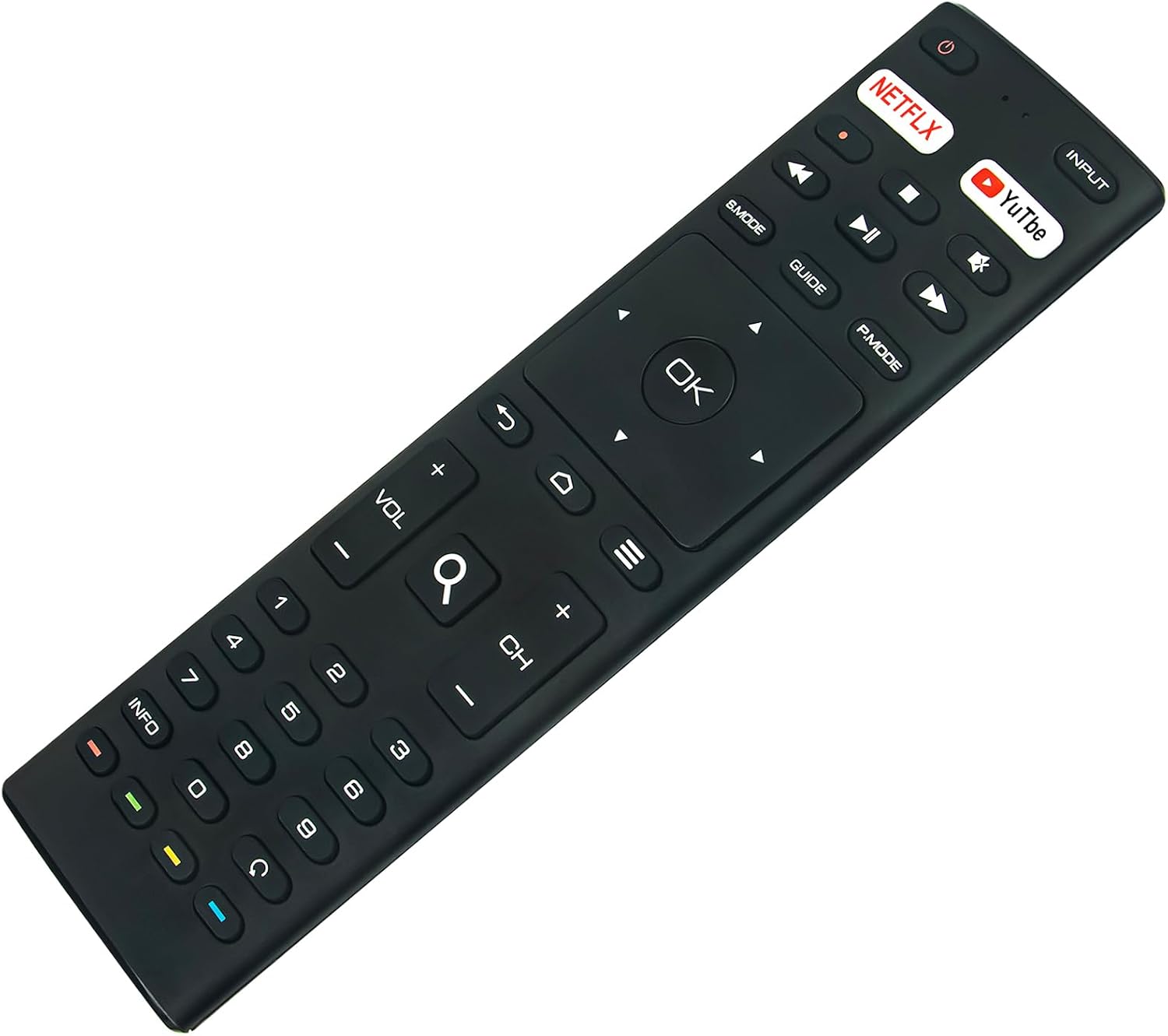
Image: Front view of the ECONTROLLY Replacement Remote Control. This image displays all the buttons and their labels for easy identification during operation.
Basic Operation:
- Power: Press the Power button (usually located at the top right) to turn your TV on or off.
- Input: Use the Input button to cycle through available input sources (HDMI, AV, etc.).
- Volume Control: Adjust the audio level using the VOL +/- buttons.
- Channel Control: Change channels with the CH +/- buttons.
- Number Pad: Directly enter channel numbers using the 0-9 buttons.
- Navigation: The central Navigation Pad (Up, Down, Left, Right arrows) allows you to move through menus. Press OK to confirm selections.
- Quick Access Buttons: Dedicated buttons for Netflix and YouTube provide direct access to these streaming applications.
- Media Playback: Control media with Play/Pause, Fast Forward, Rewind, Stop buttons.
- Menu/Home: Access the TV's main menu or home screen using the Home button (often depicted as a house icon).
- Back: Return to the previous screen or menu with the Back button (often depicted as a curved arrow).

Image: A person using the ECONTROLLY Replacement Remote Control in a home entertainment setting. This demonstrates the remote being used to control a television.
Troubleshooting
If you encounter issues with your remote control, please refer to the following common solutions:
- Remote Not Responding:
- Ensure fresh AAA ALKALINE batteries are correctly installed with proper polarity.
- Check for any physical obstructions between the remote control and your TV's infrared sensor.
- Confirm that your television is powered on and not in standby mode.
- Limited Operating Range:
- The maximum effective range for this infrared remote is approximately 33 feet (10 meters). Ensure you are within this range and have a clear line of sight to the TV.
- Bright light sources can sometimes interfere with infrared signals; try reducing ambient light if experiencing issues.
- Specific Buttons Not Functioning:
- Verify that your TV model is one of the compatible models: RCA RTAQ5033 or RTAU5004.
- If issues persist, try replacing the batteries with a new set of ALKALINE batteries.
Specifications
| Brand | ECONTROLLY |
| Compatible TV Models | RCA 4K UHD Android Smart TV RTAQ5033, RTAU5004 |
| Special Feature | Pre Programmed (No setup required) |
| Color | Black |
| Max Supported Devices | 1 (Television) |
| Connectivity Technology | Infrared |
| Controller Type | Button Control |
| Maximum Range | 33 Feet (approx. 10 meters) |
| Battery Type | AAA ALKALINE (x2, not included) |
| Item Weight | 50 Grams |
| Item Dimensions (L x W x H) | 6.95" x 1.91" x 0.56" |
Maintenance
- Clean the remote control periodically with a soft, dry cloth. Avoid using liquid cleaners, solvents, or abrasive materials, as these can damage the surface or internal components.
- Protect the remote from extreme temperatures, high humidity, and direct sunlight.
- If the remote control will not be used for an extended period (e.g., one month or more), remove the batteries to prevent potential leakage and damage.
- Avoid dropping the remote control or subjecting it to strong impacts.
Warranty and Support
This ECONTROLLY Replacement Remote Control comes with a 12-month warranty from the date of purchase.
For technical assistance, troubleshooting beyond this manual, or to make a warranty claim, please contact your original retailer or the manufacturer, ECONTROLLY, directly. Please retain your proof of purchase for warranty validation.
