
1. Introduction
This manual provides essential information for the safe and efficient use of your realme 13 Pro 5G smartphone. Please read this guide thoroughly before operating your device to ensure optimal performance and longevity. The realme 13 Pro 5G is a powerful smartphone featuring advanced camera capabilities, a vibrant OLED display, and 5G connectivity.
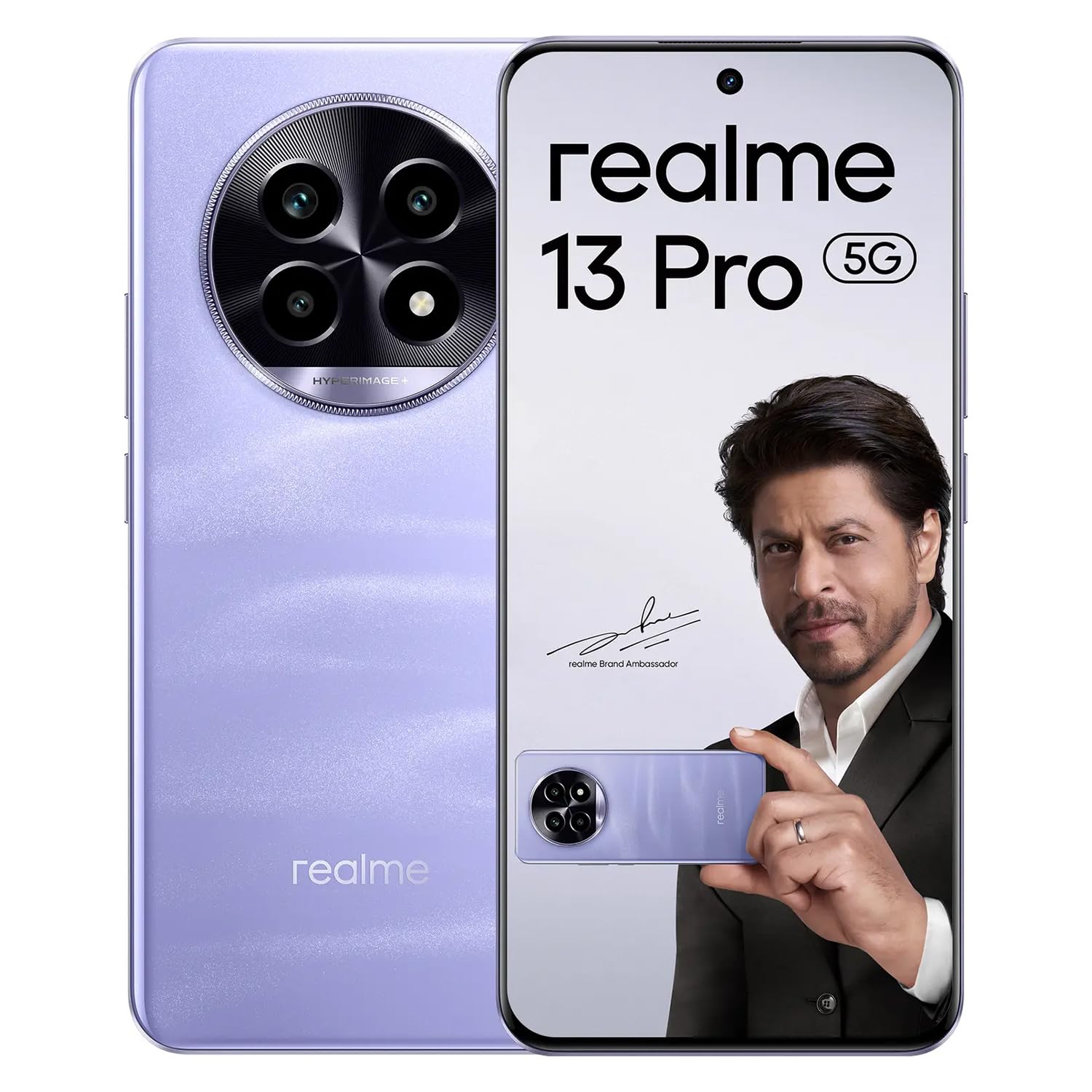
Image: The realme 13 Pro 5G smartphone in Monet Purple, showcasing its sleek design and camera module.
2. What's in the Box
Verify that all items are present in your product packaging:
- realme 13 Pro 5G Smartphone
- USB Type-C Cable
- Adapter (45W)
- Phone Case
- Screen Protector (pre-applied or in box)
- Quick Start Guide
- SIM Card Needle
Video: An overview of the realme 13 Pro 5G, including its features and what's included in the box.
3. Setup
3.1. Inserting SIM Card(s)
- Locate the SIM card tray on the side of your device.
- Insert the provided SIM card needle into the small hole on the tray to eject it.
- Place your Nano SIM card(s) into the tray with the gold contacts facing down. This device supports Dual SIM functionality.
- Carefully reinsert the tray into the phone.
3.2. Initial Power On and Setup
- Press and hold the Power button until the realme logo appears.
- Follow the on-screen prompts to select your language, connect to a Wi-Fi network, and set up your Google account.
- Configure security features such as fingerprint recognition and a screen lock (PIN, pattern, or password).
4. Operating Instructions
4.1. Power On/Off and Restart
- Power On: Press and hold the Power button until the device vibrates and the realme logo appears.
- Power Off: Press and hold the Power button, then tap 'Power off' on the screen.
- Restart: Press and hold the Power button, then tap 'Restart' on the screen.
4.2. Volume Control
Use the Volume Up and Volume Down buttons located on the side of the device to adjust media volume, ringtone volume, and alarm volume.
4.3. Biometric Security
The realme 13 Pro 5G features fingerprint recognition for secure unlocking. To set up, navigate to Settings > Security > Fingerprint and follow the instructions.
5. Camera Features
Capture stunning photos and videos with the realme 13 Pro 5G's advanced camera system.
- Rear Camera: Quad camera setup with a 50 MP main sensor, 8 MP, and 2 MP auxiliary sensors.
- Front Camera: 32 MP sensor for high-quality selfies and video calls.
- Shooting Modes: Includes Macro mode for detailed close-up shots.
- Video Capture: Supports resolutions up to 2160 Pixels (4K) and various frame rates including 120 fps.
6. Display Features
Experience immersive visuals on the realme 13 Pro 5G's display.
- Display Type: OLED
- Screen Size: Approximately 17.02 Centimetres (6.7 inches)
- Resolution: 2412 x 1080 Pixels
- Pixel Density: 394 Pixels Per Inch (PPI)
7. Battery and Charging
The realme 13 Pro 5G is equipped with a long-lasting battery and fast charging capabilities.
- Battery Capacity: 5200 mAh Lithium-Ion battery.
- Charging: Supports 45W fast charging with the included adapter.
- Average Battery Life: Up to 18 hours under typical usage conditions.
8. Connectivity
Your realme 13 Pro 5G offers a range of connectivity options:
- Cellular Technology: 5G
- Wireless Network Technology: Wi-Fi, Bluetooth, NFC, GSM, LTE
- Connector Type: USB Type C
- Navigation: GPS Geotagging functionality with support for GPS satellite navigation system.
9. Specifications
| Feature | Specification |
|---|---|
| Brand | realme |
| Model | 13 Pro 5G |
| Operating System | Android 14 |
| RAM Memory | 8 GB |
| Memory Storage Capacity | 128 GB |
| CPU Model | Snapdragon 7 Series |
| CPU Speed | 1.95, 2.4 GHz |
| Rear Camera Resolution | 50 MP |
| Front Camera Resolution | 32 MP |
| Battery Capacity | 5200 mAh |
| Display Type | OLED |
| Screen Size | 17.02 Centimetres |
| Resolution | 2412 x 1080 Pixels |
| Cellular Technology | 5G |
| SIM Card Slot Count | Dual SIM |
| Connector Type | USB Type C |
| Item Weight | 188 Grams |
| Water Resistance Level | Water Resistant |
10. Troubleshooting
If you encounter issues with your realme 13 Pro 5G, try the following steps:
- Device Unresponsive: Press and hold the Power button for about 10-15 seconds to force a restart.
- Network Issues: Check if your SIM card is properly inserted. Try toggling Airplane Mode on and off. Verify your mobile data or Wi-Fi connection settings.
- Battery Draining Quickly: Close unused apps, reduce screen brightness, and disable unnecessary background processes. Ensure you are using the original charger and cable.
- App Malfunction: Clear the cache and data of the problematic app via Settings > Apps > [App Name] > Storage. If the issue persists, uninstall and reinstall the app.
- Software Glitches: Ensure your device's software is up to date via Settings > About device > Software update.
- Factory Reset: As a last resort, you can perform a factory reset. Warning: This will erase all data on your device. Back up important information before proceeding. Go to Settings > System > Reset options > Erase all data (factory reset).
11. Warranty and Support
Your realme 13 Pro 5G comes with a standard warranty:
- Handset Warranty: 1 Year manufacturer warranty.
- Accessories Warranty: 6 months manufacturer warranty for accessories (e.g., adapter, USB cable).
For further assistance, please refer to the official realme support website or contact customer service.