
Introduction
The realme Watch S2 combines the elegance of a traditional timepiece with advanced smartwatch functionalities. This manual provides essential information to help you get started and make the most of your device.
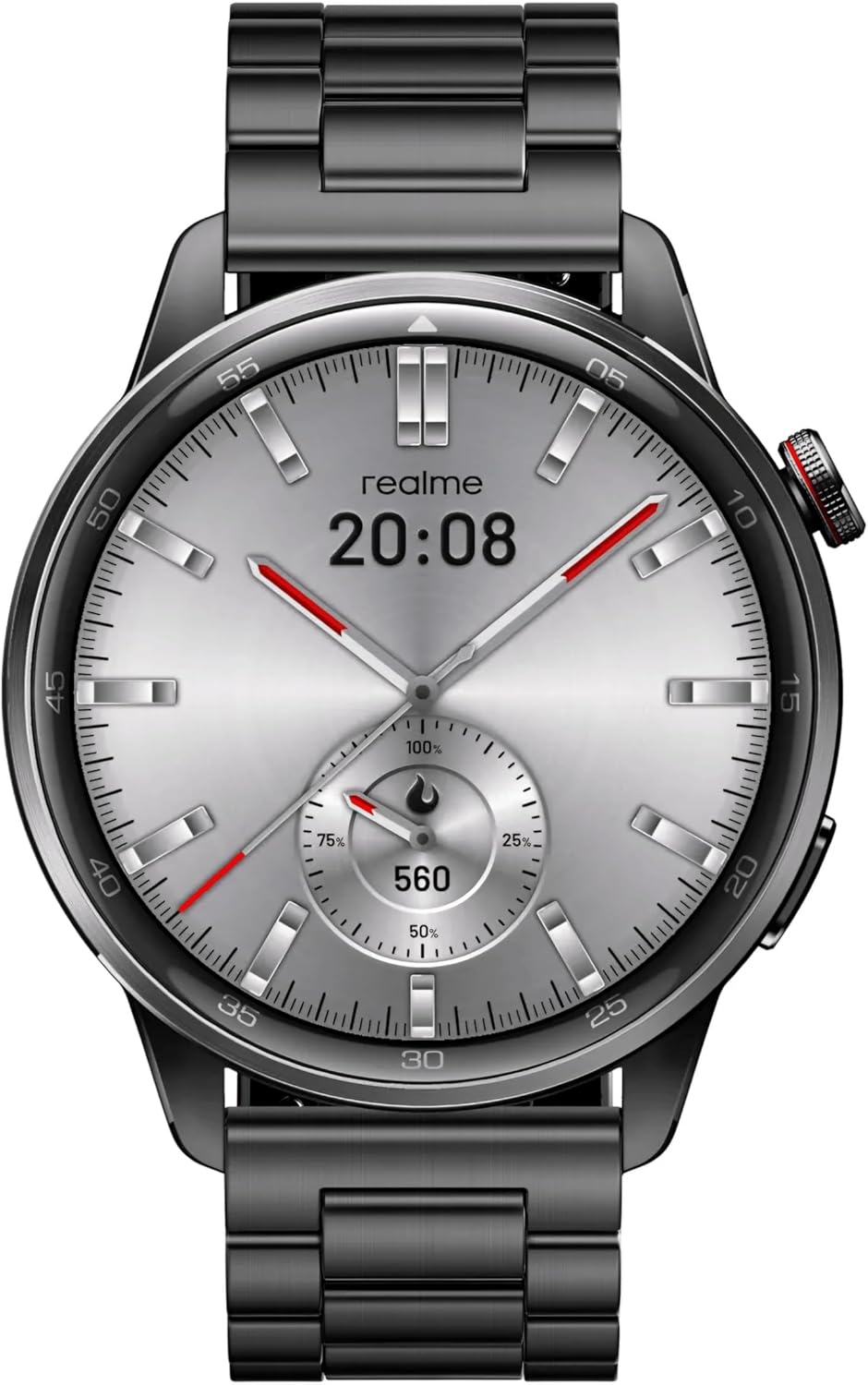
The realme Watch S2 features a luxury watch-inspired design, blending classic aesthetics with modern technology.
What's in the Box
Your realme Watch S2 package includes:
- realme Watch S2 Smartwatch
- Charger
- User Manual (Documentation)

Unboxing the realme Watch S2 reveals the smartwatch, its magnetic charging cable, and essential documentation.
Setup
Initial Setup and Pairing
To begin using your realme Watch S2, you need to pair it with your smartphone using the realme Link app.
- Download the realme Link app from the Google Play Store or Apple App Store.
- Open the app and create an account or log in.
- Turn on your realme Watch S2.
- In the realme Link app, tap "Add Device" and select "realme Watch S2".
- Scan the QR code displayed on your watch screen using the app.
- Follow the on-screen prompts to complete the pairing process.

Pair your realme Watch S2 with the realme Link app by scanning the QR code displayed on the watch for seamless connectivity.
Operating Your Watch
Display and Navigation
The realme Watch S2 features a 1.43" AMOLED display for clear and vibrant visuals. Navigate through menus by swiping across the screen and pressing the side button.
Experience clear visuals on the 1.43-inch AMOLED display of the realme Watch S2.
Customizable Watch Faces
Personalize your watch with over 150 cloud watch faces available through the realme Link app. You can also create custom watch faces.

Choose from over 150 cloud watch faces or create your own to match your style.
Health Tracking Features
The realme Watch S2 offers comprehensive health monitoring:
- 24/7 Heart Rate Monitoring: Continuous tracking with real-time data and alerts.
- SpO2 Blood Oxygen Monitoring: Monitor your blood oxygen levels.
- Comprehensive Sleep Tracking: Analyze sleep patterns (deep, light, REM) for improved sleep quality.
- AI Customised Health Tracking: Advanced algorithms for accurate health data.

The realme Watch S2 provides AI-customized health tracking, including continuous heart rate monitoring.
Sport Modes
Track your workouts with 15+ sport modes, including running, walking, cycling, and more.

The watch supports comprehensive sports and health monitoring, helping you track various activities.
Notifications and Smart Features
Receive call reminders, message alerts, and notifications from various apps directly on your wrist. The watch also features music playback control and a "Find My Phone" function.

Enjoy continuously clear Bluetooth calling directly from your realme Watch S2.

Control music playback directly from your watch, even without your phone nearby for certain functions.
Battery Life
The realme Watch S2 offers exceptional battery performance:
- Up to 14 days in standard mode.
- Up to 38 days in standby mode.
- Up to 5 days with Always-On Display (AOD) mode.

Benefit from long-lasting battery life, providing up to 14 days in standard mode and 38 days in standby mode.
Maintenance and Care
To ensure the longevity and optimal performance of your realme Watch S2:
- Keep the watch clean and dry. Wipe it with a soft, dry cloth regularly.
- Avoid exposing the watch to extreme temperatures or harsh chemicals.
- The watch is IP68 dust and water resistant, suitable for daily use and splashes, but not recommended for diving or high-pressure water activities.
- Regularly check the charging contacts for cleanliness to ensure proper charging.

The realme Watch S2 is IP68 dust and water resistant, making it durable for everyday adventures.
Changing Straps
The straps of your realme Watch S2 can be easily changed to customize its look. Simply release the pin on the underside of the strap to detach it, and attach a new strap by aligning the pin with the watch body.

The watch features easily interchangeable straps for personalized style.
Troubleshooting
If you encounter any issues with your realme Watch S2, try the following steps:
- Watch not turning on: Ensure the watch is fully charged. Connect it to the charger for at least 30 minutes.
- Pairing issues: Make sure Bluetooth is enabled on your phone and the watch is within range. Restart both devices and try pairing again.
- Notifications not appearing: Check notification settings in the realme Link app and your phone's system settings to ensure permissions are granted.
- Inaccurate health data: Ensure the watch is worn snugly on your wrist, not too tight or too loose. Clean the sensors regularly.
- Battery draining quickly: Reduce screen brightness, disable unnecessary notifications, and limit continuous heart rate monitoring if not needed.
For further assistance, refer to the "User Guide" section within the realme Link app or contact realme customer support.
Specifications
| Feature | Detail |
|---|---|
| Model Name | realme Watch S2 |
| Item Model Number | RMW2401 |
| Display | 1.43" AMOLED Touchscreen |
| Water Resistance | IP68 Dust & Water Resistance |
| Battery Life | Up to 14 days (Standard), 38 days (Standby) |
| Health Monitoring | 24/7 Heart Rate, SpO2 Blood Oxygen, Sleep Tracking |
| Connectivity | Bluetooth |
| Operating System | Proprietary OS |
| Dimensions | 2.17 x 0.98 x 0.98 inches |
| Item Weight | 1.01 pounds (460 Grams) |

Key specifications of the realme Watch S2, detailing its physical attributes.
Warranty and Support
For warranty information and customer support, please refer to the official realme website or the realme Link app. Keep your purchase receipt for warranty claims.
You can also visit the realme Store on Amazon for additional resources.