
Introduction
The X-Sense Smart Motion Sensor (SMS0A) is an essential accessory designed to enhance the security of your home when integrated with the X-Sense AS05/AS08 home security system and SBS50 Base Station. This manual provides detailed instructions for setting up, operating, and maintaining your motion sensor to ensure optimal performance and peace of mind.
Note: This motion sensor is compatible only with 2.4 GHz Wi-Fi (incompatible with 5.0 GHz) and does not connect directly to the X-Sense Home Security App. It requires connection via the SBS50 base station (not included).
Product Features
- Accessory for Expansion: The SMS0A motion sensor alarm is an accessory for the AS05/AS08 home security system that connects to the SBS50 base station. It boasts a transmission range of 1700 ft (500 m), enabling stable connectivity and flexible installation. Simply press the pair button to connect the motion sensor to the base station. The system supports up to 50 PIR sensors.
- App Remote Monitoring and Control: Easily monitor and manage your home’s safety from your smartphone. You can set up Home, Away, and Disarm Modes with automatic schedules to ensure your home remains protected, even when you’re away.
- Timely Alerts: The motion sensor sends push notifications to your smartphone as soon as it detects movement, keeping you informed even when you’re not home. You can share access with family members so they can check for any unauthorized activity from anywhere, at any time.
- Wide Applicability: Measuring 2.6 × 2.6 × 1.4 in (66 × 66 × 36 mm), the motion sensor features adhesive backing on both the back and sides for easy installation on flat walls and corners, making it ideal for use in hallways, rooms, basements, and other areas.
- Durable and Cost-Effective: The motion sensor alarm has a lifespan of up to 5 years, with replaceable batteries, and operates within a temperature range of 32–104°F (0–40°C), delivering reliable performance in various environments.
Package Contents
The X-Sense Smart Motion Sensor package includes:
- 1 x X-Sense Smart Motion Sensor (SMS0A)
- Installation accessories (adhesive tape and screws)
Note: The SBS50 Base Station is required for operation and is sold separately.
Setup
- Power On the Base Station: Ensure your X-Sense SBS50 Base Station is powered on and connected to your 2.4 GHz Wi-Fi network.
- Open X-Sense Home Security App: Launch the X-Sense Home Security App on your smartphone.
- Pair the Motion Sensor: Follow the in-app instructions to add a new device. Simply press the pair button on the motion sensor when prompted by the app to connect it to your base station. The sensor will indicate successful pairing.
- Configure Settings: Once paired, you can customize settings such as sensor name, location, and alert preferences within the app.
Installation
The X-Sense Smart Motion Sensor is designed for versatile installation on flat walls or in corners using its adhesive backing or screws.

The motion sensor can be easily set up in minutes, supporting both wall and corner installations for optimal coverage.

Installation is straightforward: simply peel off the adhesive backing and attach the sensor to your desired surface.
For optimal performance, consider the following:
- Place the sensor in areas where motion detection is critical, such as hallways, entry points, or basements.
- Ensure the sensor has a clear line of sight within its detection range (26-40 ft and 120 degrees).
- Avoid placing the sensor near heat sources or direct sunlight, which can cause false alarms.
Operating the Motion Sensor
The X-Sense Smart Motion Sensor operates as part of your X-Sense home security system, providing real-time alerts and allowing remote control via the app.

Gain full control of your home security system directly from the X-Sense Home Security App on your smartphone.
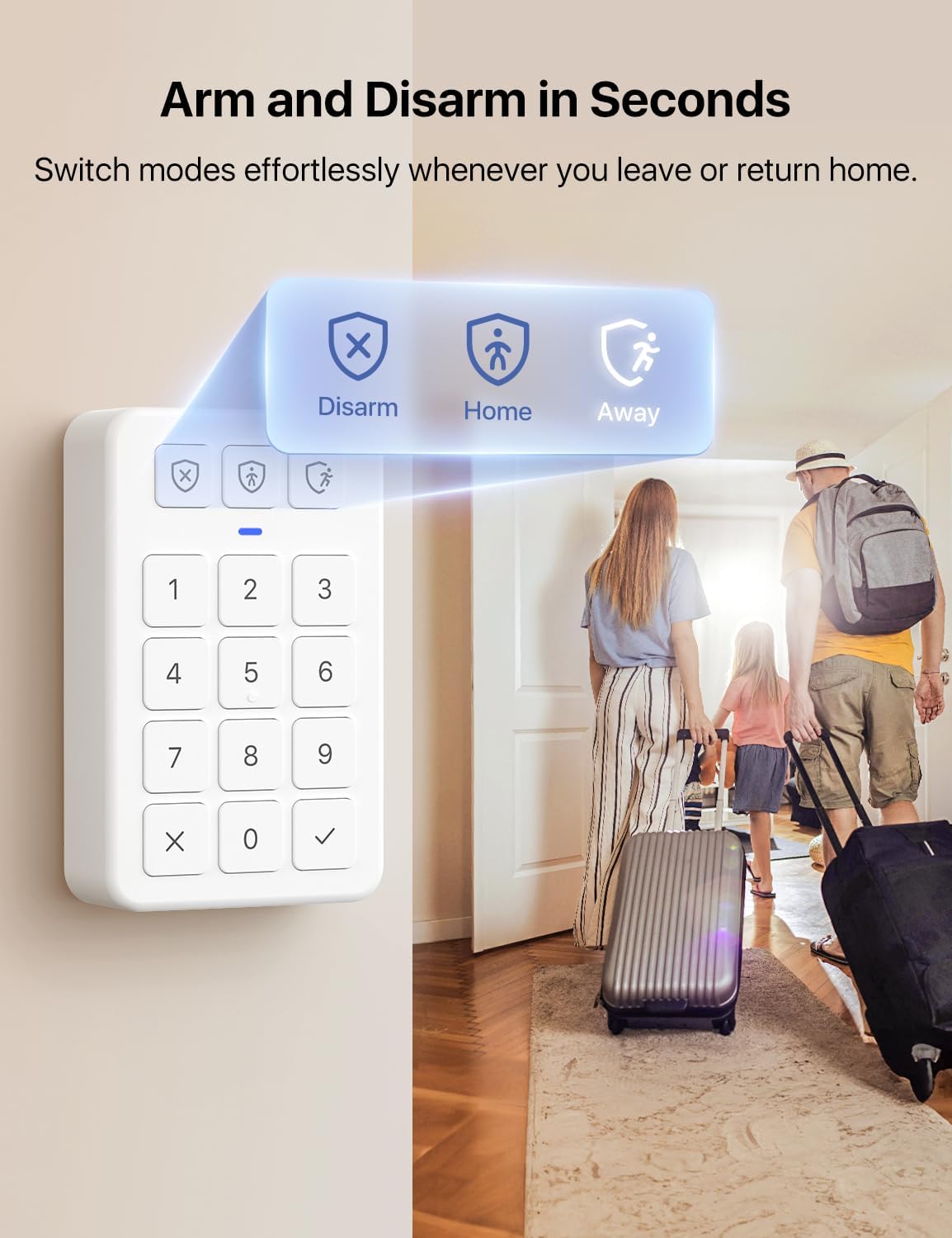
Effortlessly arm or disarm your system in seconds using the security keypad, switching between modes as you leave or return home.

Receive immediate push alerts on your phone if the system detects any unauthorized activity, ensuring you are always informed.
System Overview Video
This video provides an overview of the X-Sense Smart Home Security System, demonstrating how various components, including the motion sensor, work together to protect your home. It highlights features like app control, sensor detection, and system integration.
Advanced Features

Receive instant push alerts directly to your phone when the motion sensor detects movement, keeping you informed of any activity.

Customize entry and exit delays via the app, providing smooth arming and disarming of your system without annoying false alarms.

Enhance convenience by scheduling specific times for disarm, home, or away modes to fit your daily routine seamlessly.

Share your smart security system with family members for easy and convenient management, keeping everyone safe and informed.

The system's 1,700 ft (500 m) transmission range provides reliable connections to all devices, ensuring full coverage throughout your home.

The X-Sense system is Alexa compatible, allowing for convenient voice control of your home security.

The motion sensor features an extensive PIR detection range, covering 120 degrees at up to 26-40 ft (8-12 m), protecting an entire room.

The SBS50 base station connects up to 50 X-Sense devices, allowing you to build a comprehensive home security system tailored to your needs.
Maintenance
The X-Sense Smart Motion Sensor is designed for long-term reliability with minimal maintenance. The sensor has a battery life of up to 5 years. When the battery is low, you will receive an alert via the X-Sense Home Security App. Replace the battery promptly to ensure continuous protection.
To replace the battery:
- Gently remove the sensor from its mounting location.
- Open the battery compartment.
- Replace the old battery with a new Lithium Metal battery (as specified in the product specifications).
- Close the compartment and re-mount the sensor.
Keep the sensor clean by wiping it with a soft, dry cloth. Avoid using harsh chemicals or abrasive cleaners.
Troubleshooting
If you encounter issues with your X-Sense Smart Motion Sensor, consider the following common troubleshooting steps:
- Sensor Not Responding: Check the battery level in the X-Sense app. If low, replace the battery. Ensure the sensor is within the transmission range of the SBS50 base station.
- False Alarms: Verify the sensor's placement. Ensure it is not exposed to direct sunlight, strong drafts, or heat sources. Adjust sensitivity settings in the app if available.
- Pairing Issues: Ensure the SBS50 base station is online and connected to a 2.4 GHz Wi-Fi network. Try resetting the sensor and attempting the pairing process again.
- No App Notifications: Check your smartphone's notification settings for the X-Sense Home Security App. Ensure the app has permission to send notifications. Verify your phone has an active internet connection.
For persistent issues, refer to the comprehensive user guide available online or contact X-Sense customer support.
Specifications
| Attribute | Specification |
|---|---|
| Brand | X-Sense |
| Model Number | SMS0A |
| Color | White |
| Power Source | Battery Powered |
| Battery Type | Lithium Metal (1 required, included) |
| Battery Life | Up to 5 years |
| Compatible Devices | Smartphone (via SBS50 Base Station) |
| Connectivity Technology | Wireless (2.4 GHz Wi-Fi via Base Station) |
| Installation Type | Pre-paste (Adhesive) / Screws |
| Alert Type | Motion (Push Notifications) |
| Item Dimensions (L x W x H) | 2.6 x 2.6 x 1.41 inches (66 x 66 x 36 mm) |
| Item Weight | 2.72 ounces (0.17 Pounds) |
| Control Method | App |
| Recommended Uses | Indoor |
| Sensor Technology | PIR Motion Sensor |
| Operating Temperature | 32–104°F (0–40°C) |
| UPC | 850053675997 |
Warranty and Support
For detailed warranty information, please refer to the official X-Sense website or the documentation included with your X-Sense SBS50 Base Station.
For additional support, including FAQs and further troubleshooting, you can visit the official X-Sense Store or access the user manual PDF:


