
kurdene GM1
kurdene Neckband Bluetooth Headphones User Manual
Model: GM1
Introduction
The kurdene GM1 Neckband Bluetooth Headphones offer an immersive audio experience with advanced features designed for various activities including gaming, traveling, and workouts. These headphones combine extended playtime, high-fidelity sound, and a comfortable, durable design for everyday use.

Image: The kurdene GM1 Neckband Bluetooth Headphones, featuring a black neckband with yellow accents and in-ear earbuds.
Product Overview Video
Video: An official product video showcasing the features and design of the Kurdene GM1 Neckband Bluetooth Earphones.
What's in the Box
- Earplugs
- Type C Charging Cable
- User Manual
Setup
Charging the Headphones
Before first use, fully charge your kurdene GM1 headphones. A full charge takes approximately one hour and provides up to 120 hours of talk time or 100 hours of music playback. The headphones also boast an impressive 500 days of standby time.

Image: The kurdene GM1 headphones with a graphic highlighting 120 hours of playtime after 1 hour of charging.
Pairing with a Device
The headphones feature Bluetooth 5.4 connectivity, ensuring a stable and reliable wireless connection with a transmission range of up to 100 meters. To pair:
- Ensure the headphones are charged and powered on.
- Activate Bluetooth on your compatible device (smartphone, tablet, computer).
- Select "kurdene GM1" from the list of available Bluetooth devices.
- Once connected, the headphones will indicate successful pairing.

Image: The kurdene GM1 headphones connected wirelessly to a smartphone, illustrating advanced Bluetooth 5.4 stability and long transmission distance.
Operating Instructions
Sound Modes
The kurdene GM1 headphones offer three distinct sound options to suit your preferences and the audio content:
- Original: For a balanced and natural sound profile.
- Bass: Enhances low frequencies for a richer, deeper bass experience.
- Vocals: Optimizes mid-range frequencies for clearer voice reproduction, ideal for podcasts or audiobooks.
You can easily switch between these modes using the controls on the neckband.
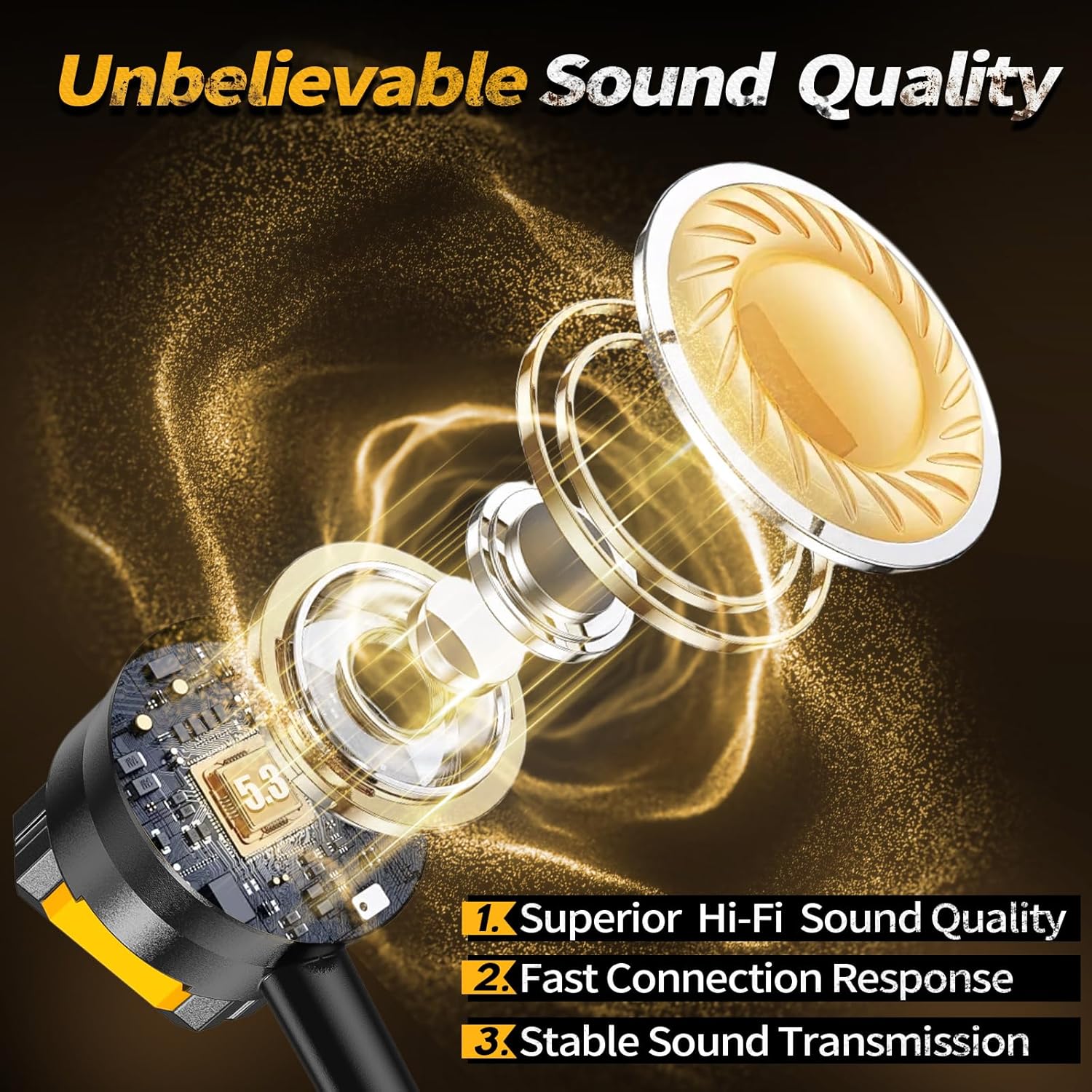
Image: A detailed view of the earbud's internal structure, emphasizing superior Hi-Fi sound quality, fast connection response, and stable sound transmission.
Media Controls
The headphones feature intuitive media controls on the neckband, allowing you to manage your audio playback and calls with ease. These controls typically include:
- Play/Pause button
- Volume Up/Down buttons
- Next/Previous track buttons
- Call Answer/End button
Refer to the included quick start guide for specific button functions.
Low Latency for Gaming
The powerful low latency feature ensures that audio is transmitted and processed at a faster speed, providing immediate sound during gaming or calls. This minimizes audio delay, offering a more synchronized and immersive experience.
Maintenance
Cleaning and Care
The headphones are water-resistant, making them suitable for workouts and light exposure to moisture. To maintain optimal performance and hygiene:
- Wipe the neckband and earbuds with a soft, dry cloth after each use, especially after workouts.
- Avoid submerging the headphones in water.
- Store the headphones in a cool, dry place when not in use.
Earplug Replacement
The kurdene GM1 comes with replaceable earplugs made from soft silicone material, ensuring comfort even during extended wear. Different sizes (M, L, XL) are included to provide a personalized and secure fit.

Image: A close-up of an earbud with three different sizes of replaceable earplugs (M, L, XL) shown below it.
Troubleshooting
If you encounter issues with your kurdene GM1 headphones, consider the following common solutions:
- No Power: Ensure the headphones are fully charged.
- Cannot Pair: Make sure Bluetooth is enabled on your device and the headphones are in pairing mode. Try unpairing and re-pairing.
- Poor Sound Quality: Check the earplug fit. Ensure the headphones are within the Bluetooth range of your device.
- No Sound: Verify volume levels on both the headphones and your connected device.
For persistent issues, refer to the full user manual or contact kurdene customer support.
Specifications
| Feature | Detail |
|---|---|
| Model Name | GM1 |
| Connectivity Technology | Wireless (Bluetooth) |
| Bluetooth Version | 5.4 |
| Bluetooth Range | 100 meters (approx. 328 feet) |
| Playtime | Up to 100 hours (music), 120 hours (talk) |
| Standby Time | 500 days |
| Charging Time | Approx. 1 hour |
| Noise Control | Sound Isolation |
| Water Resistance Level | Water Resistant |
| Control Type | Media Control |
| Control Method | Touch |
| Ear Placement | In Ear |
| Form Factor | In Ear |
| Impedance | 16 Ohm |
| Item Weight | 2.89 ounces |
| Package Dimensions | 6.69 x 6.57 x 0.75 inches |
| Manufacturer | Kurdene |
| Country of Origin | China |
Warranty and Support
For warranty information and customer support, please refer to the documentation included with your product or visit the official kurdene website. You may also contact the seller directly through the platform where the product was purchased for assistance.
Ask a question about this manual
Ask about setup, troubleshooting, compatibility, parts, safety, or missing instructions. Manuals+ will review the question and use this page’s manual context to help answer it.