1. Safety Information
Always unplug the mirror when not in use. Be cautious when handling the mirror to avoid breakage. Ensure the mirror is securely mounted to the wall using the provided hardware. If hardwired, consult a professional. Keep the mirror away from direct contact with water.
2. Product Overview
The HOMCOM LED Bathroom Mirror (Model 834-700V81CR) is designed to provide enhanced illumination and functionality for your bathroom. It features dual lighting sources, adjustable settings, and an anti-fog function for convenience.
Product Video
Video: An official product video showcasing the HOMCOM LED Bathroom Mirror (Model 834-700V81CR) in a bathroom setting, highlighting its design and features.
Key Features:
- Backlit & Front-Lit: Dual lighting sources provide ample brightness for various tasks.
- Adjustable Brightness & Color Temperature: Customize lighting from 6500K to 3000K, with a near-infinite adjustment range.
- Anti-Fog Function: Integrated defogger ensures a clear mirror surface, automatically turning off after 1 hour.
- Memory Function: Retains your last brightness and color temperature settings.
- High Quality Construction: CRI90+ rating, 5mm copper-free HQ silver-coated glass, explosion-proof film, and IP44 waterproof rating.
- Versatile Installation: Can be mounted vertically or horizontally, with options for plug-in or hardwired connection.

Image: The HOMCOM LED Bathroom Mirror illuminated, showcasing its sleek design and integrated lighting.
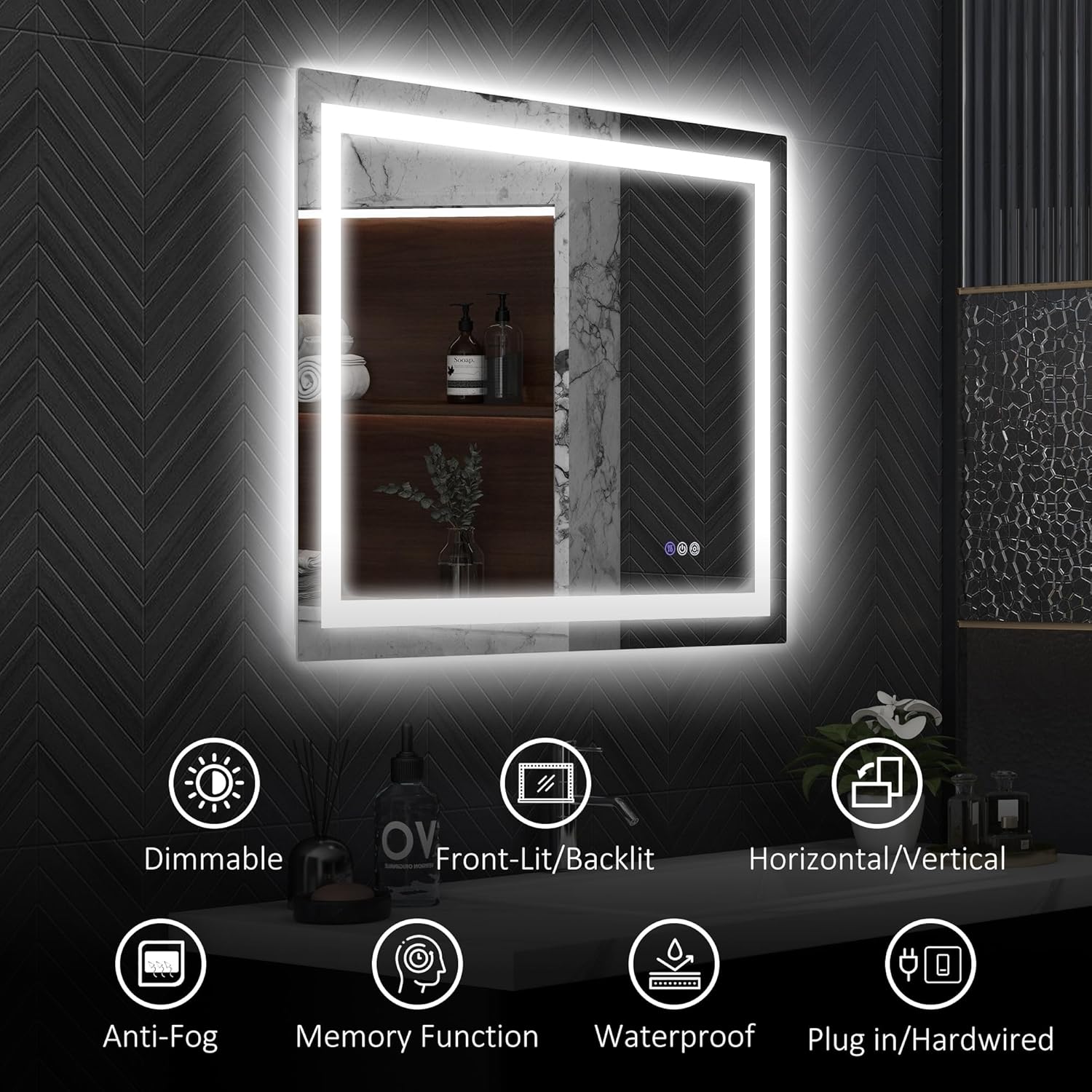
Image: An infographic highlighting the mirror's features: Dimmable, Front-Lit/Backlit, Horizontal/Vertical mounting, Anti-Fog, Memory Function, Waterproof, and Plug-in/Hardwired options.
3. Setup and Installation
The mirror is designed for easy installation and can be mounted either vertically or horizontally. All necessary mounting hardware is included.
Installation Steps:
- Unpack: Carefully remove the mirror and all components from the packaging. Inspect for any damage.
- Choose Location: Select a suitable wall location in your bathroom, ensuring it is free from obstructions and has access to a power source.
- Mark Mounting Points: Use the provided wall brackets and a level to mark the drilling points on the wall for either vertical or horizontal orientation.
- Drill Holes: Drill holes at the marked points and insert appropriate wall anchors (if necessary for your wall type).
- Secure Brackets: Attach the wall brackets securely to the wall using screws.
- Power Connection:
- Plug-in: If using the plug-in option, ensure the power cord can reach a suitable outlet.
- Hardwired: If opting for a hardwired connection, it is strongly recommended to consult a qualified electrician to handle the wiring. Ensure power is turned off at the circuit breaker before beginning any hardwiring.
- Mount Mirror: Carefully lift the mirror and align the mounting points on the back of the mirror with the wall brackets. Secure the mirror in place.
- Test Functionality: Once mounted and connected to power, test all functions (lights, anti-fog, brightness, color temperature).

Image: Illustration demonstrating the two power connection methods: direct plug-in to an outlet or hardwired installation, which may require professional assistance.

Image: A diagram showing the mirror's dimensions: 35.4 inches in length and 27.6 inches in width.
4. Operating Instructions
The HOMCOM LED Bathroom Mirror features intuitive touch controls for its various functions.
Controls:
- Power On/Off: Tap the power button icon to turn the lights on or off.
- Adjust Brightness: When the lights are on, long-press the power button icon to adjust the brightness level. The mirror will cycle through brightness levels; release when desired brightness is reached.
- Change Color Temperature: Short-press the color temperature icon to cycle through three preset color temperatures: 6500K (Cool White), 3000K (Warm White), and 4500K (Neutral White).
- Infinite Color Temperature Adjustment: Long-press the color temperature icon for a wider range of color temperature customization between 6500K and 3000K.
- Anti-Fog Function: Tap the anti-fog icon to activate the defogger. The defogger will automatically turn off after 1 hour.
- Memory Function: The mirror will remember your last brightness and color temperature settings when powered off and on again.

Image: An illustration detailing how to adjust brightness by holding the ON/OFF button and the memory function that retains settings.
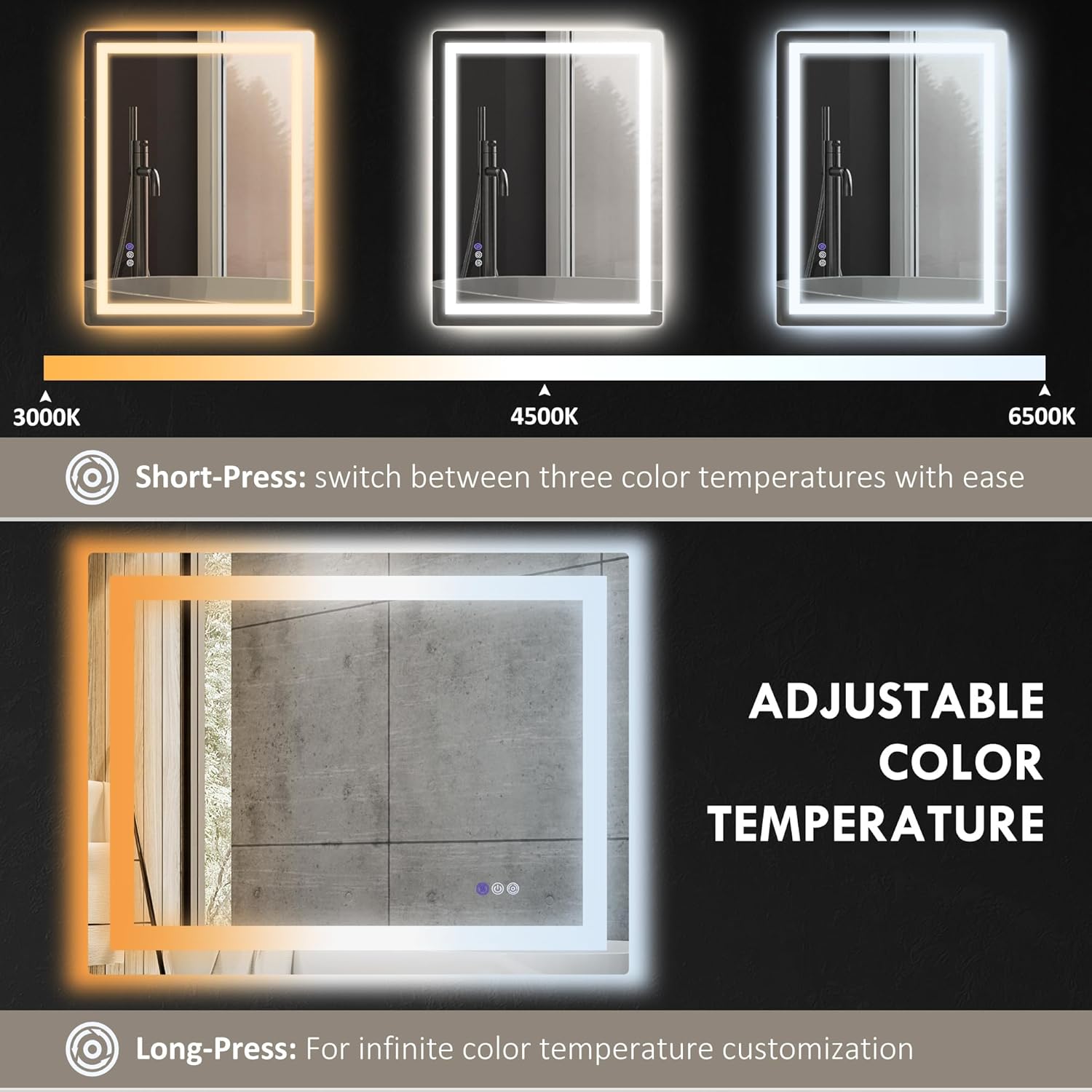
Image: An illustration explaining how to short-press for three color temperatures (3000K, 4500K, 6500K) and long-press for infinite color temperature customization.
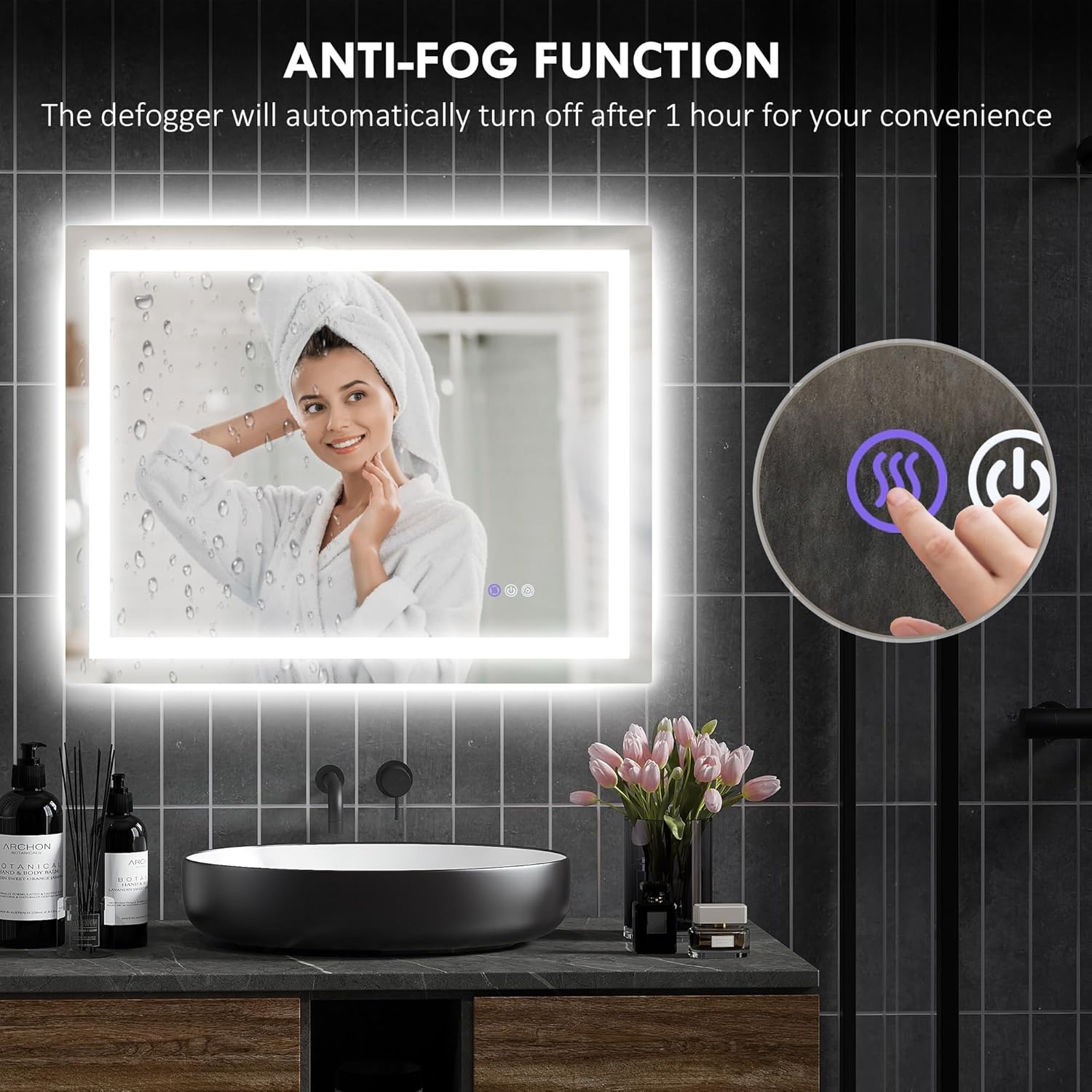
Image: A visual representation of the anti-fog function in action, showing a clear mirror surface in a steamy bathroom environment.
5. Maintenance
Proper maintenance will ensure the longevity and optimal performance of your HOMCOM LED Bathroom Mirror.
- Cleaning the Mirror Surface: Use a soft, lint-free cloth and a non-abrasive glass cleaner. Spray the cleaner onto the cloth, not directly onto the mirror, to prevent liquid from seeping into the electrical components.
- Cleaning the Frame: Wipe the aluminum frame with a soft, damp cloth. Avoid harsh chemicals or abrasive cleaners.
- Electrical Components: Ensure the mirror is unplugged or the power is turned off at the circuit breaker before cleaning any part of the mirror, especially near electrical connections.
- Avoid Excessive Moisture: While the mirror has an IP44 waterproof rating, avoid directly spraying water onto the mirror's edges or electrical components.
6. Troubleshooting
If you encounter any issues with your mirror, please refer to the following troubleshooting guide before contacting customer support.
| Problem | Possible Cause | Solution |
|---|---|---|
| Lights do not turn on. | No power supply; loose connection; faulty switch. | Check if the mirror is properly plugged in or hardwired. Ensure the power outlet is functional. Verify the circuit breaker is not tripped. |
| Anti-fog function not working. | Function not activated; power issue. | Ensure the anti-fog button has been pressed. Check power supply to the mirror. |
| Brightness or color temperature cannot be adjusted. | Incorrect operation; temporary glitch. | Refer to the "Operating Instructions" section for correct button presses (short-press vs. long-press). Try turning the mirror off and on again. |
| Mirror surface is foggy despite anti-fog being on. | Extreme humidity; defogger timed out. | The defogger automatically turns off after 1 hour. Reactivate it if needed. In extremely humid conditions, it may take a moment to clear. |
7. Specifications
| Feature | Detail |
|---|---|
| Brand | HOMCOM |
| Model Number | 834-700V81CR |
| Product Dimensions | 35.4"L x 27.6"W |
| Shape | Rectangular |
| Frame Material | Aluminum |
| Mirror Material | 5mm Copper-free HQ Silver-coated Glass |
| Special Features | Backlit, Front-Lit, Dimmable, Anti-Fog, Memory Function |
| Color Temperature Range | 6500K - 3000K (Adjustable) |
| CRI Rating | CRI90+ |
| Waterproof Rating | IP44 |
| Mounting Type | Wall Mount (Horizontal/Vertical) |
| Power Connection | Plug-in or Hardwired |
| Item Weight | 24.3 Pounds |
| Assembly Required | Yes |
8. Warranty and Support
For warranty information or technical support, please contact HOMCOM customer service directly. Keep your purchase receipt and model number (834-700V81CR) handy for faster service.
You can find contact information on the official HOMCOM website or through your retailer.


