
Introduction
Thank you for purchasing the JONR VC10 Pro Cordless Vacuum Cleaner. This manual provides essential information for the safe and efficient use, maintenance, and troubleshooting of your new appliance. Please read this manual thoroughly before first use and keep it for future reference.
Safety Instructions
To reduce the risk of fire, electric shock, or injury, always follow basic safety precautions when using an electrical appliance.
- Do not use outdoors or on wet surfaces.
- Do not allow to be used as a toy. Close attention is necessary when used by or near children.
- Use only as described in this manual. Use only manufacturer's recommended attachments.
- Do not use with a damaged cord or plug. If appliance is not working as it should, has been dropped, damaged, left outdoors, or dropped into water, return it to a service center.
- Do not pull or carry by cord, use cord as a handle, close a door on cord, or pull cord around sharp edges or corners. Do not run appliance over cord. Keep cord away from heated surfaces.
- Do not unplug by pulling on cord. To unplug, grasp the plug, not the cord.
- Do not handle plug or appliance with wet hands.
- Do not put any object into openings. Do not use with any opening blocked; keep free of dust, lint, hair, and anything that may reduce airflow.
- Keep hair, loose clothing, fingers, and all parts of body away from openings and moving parts.
- Do not pick up anything that is burning or smoking, such as cigarettes, matches, or hot ashes.
- Do not use to pick up flammable or combustible liquids, such as gasoline, or use in areas where they may be present.
- Do not pick up toxic material, such as chlorine bleach, ammonia, or drain cleaner.
- Do not use without dust bag and/or filters in place.
- Turn off all controls before unplugging.
- Use extra care when cleaning on stairs.
- Do not use to pick up hard or sharp objects such as glass, nails, screws, coins, etc.
Package Contents and Assembly
Before assembly, ensure all components are present and undamaged. Refer to the diagram below for identification of parts.

Figure 1: JONR VC10 Pro Components Overview
- Self-cleaning Suction Station (1): Base unit for charging and automatic dust emptying.
- Cordless Vacuum Cleaner (2): Main handheld unit with motor and dust bin.
- Extension Tube (3): Connects the main unit to floor brush or other attachments for extended reach.
- Long Flat Nozzle (4): For cleaning narrow gaps and corners.
- Floor Brush (5): Main cleaning head for various floor types.
- Disposable Dust Bag (6): Two included for the self-cleaning station.
- Mite Removal Brush (7): Optional accessory, sold separately.
Assembly Steps:
- Insert the extension tube (3) into the main cordless vacuum cleaner unit (2) until it clicks into place.
- Attach the desired cleaning head (e.g., Floor Brush (5) or Long Flat Nozzle (4)) to the other end of the extension tube (3) or directly to the main unit (2) for handheld use.
- Place the self-cleaning suction station (1) in a suitable location near a power outlet. Ensure a disposable dust bag (6) is correctly installed in the station.
Charging the Battery
The JONR VC10 Pro is powered by a high-capacity 2500 mAh battery, providing up to 60 minutes of runtime. For optimal performance, fully charge the battery before first use.

Figure 2: Battery Capacity and Runtime

Figure 3: All-in-One Storage and Automatic Charging
- Place the assembled vacuum cleaner onto the self-cleaning suction station (1).
- Ensure the station is plugged into a power outlet. The vacuum will automatically begin charging.
- The battery indicator lights on the vacuum cleaner will show the charging status.
- A full charge typically takes several hours. Do not interrupt the charging cycle unnecessarily.
Operation
The JONR VC10 Pro features three suction power modes for versatile cleaning on various surfaces.

Figure 4: Suction Power and Debris Collection
Power Modes:
- Press the power button to turn the vacuum cleaner on. It will start in the default power mode.
- Press the mode selection button (usually located near the power button) to cycle through the three available suction power levels (e.g., Low, Medium, High).
- Select the appropriate power mode based on the cleaning task and surface type. Higher power modes consume more battery.
Using the Floor Brush:

Figure 5: V-shaped Floor Brush and LED Lighting
- The V-shaped floor brush is designed to minimize hair tangling and is suitable for both hard floors and carpets.
- The integrated LED lights illuminate dark areas, such as under furniture or in corners, to ensure thorough cleaning.
- Move the vacuum cleaner slowly and steadily over the surface to allow the brush and suction to effectively pick up debris.
Versatile Cleaning:
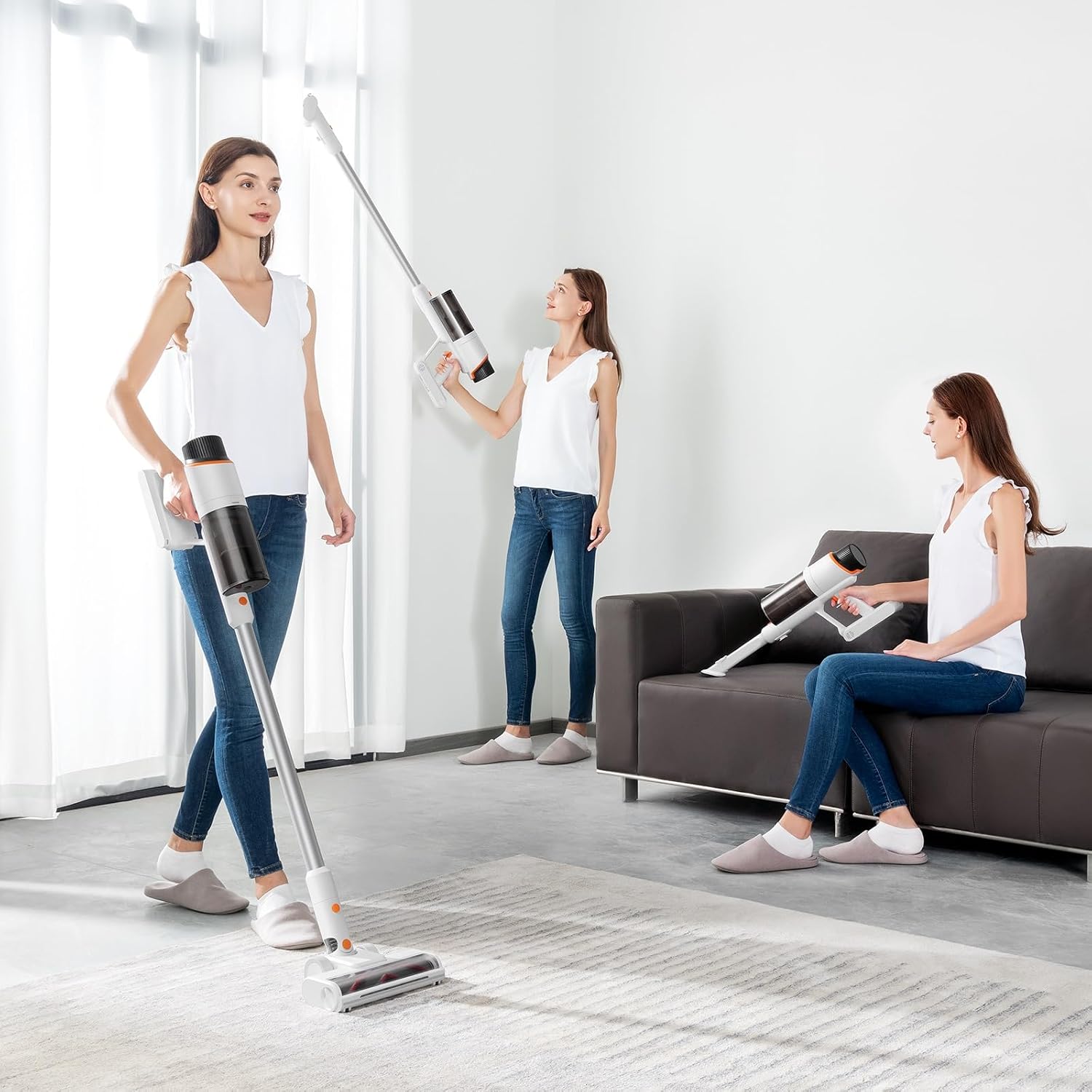
Figure 6: Multiple Cleaning Configurations
- Use the vacuum as a traditional stick vacuum for floors.
- Detach the extension tube and attach accessories directly to the main unit for handheld cleaning of upholstery, car interiors, or elevated surfaces.
- Utilize the long flat nozzle (4) for tight spaces and crevices.
Maintenance
Regular maintenance ensures optimal performance and extends the lifespan of your JONR VC10 Pro vacuum cleaner.
Automatic Dust Emptying:

Figure 7: Automatic Dust Emptying and Dust Bag Replacement
- When the vacuum cleaner is placed on the self-cleaning suction station, it will automatically empty the dust from the vacuum's internal bin into the disposable dust bag within the station.
- Monitor the dust bag level in the station. It is recommended to replace the disposable dust bag (6) approximately once a month, or when full, to maintain optimal suction and hygiene.
- To replace, open the compartment on the station, remove the full bag, and insert a new one.
Filter System Cleaning:

Figure 8: Multi-Stage Deep Filtration System
- The vacuum cleaner features a multi-stage filtration system, including mesh filters, filter cotton, electrostatic cotton, and an E12 HEPA filter cartridge, designed to capture particles as small as 0.12 micrometers with over 99.5% efficiency.
- Regularly check and clean the internal filters of the handheld vacuum unit. Twist or pull to remove the filter components as per the diagram.
- Tap loose dust from the mesh filters and filter cotton. If washable, rinse under cold water and ensure they are completely dry before reassembling.
- The HEPA filter cartridge should be cleaned periodically and replaced every 3-6 months depending on usage.
- Ensure all filter components are correctly reassembled before using the vacuum cleaner.
Cleaning the Brush Roll:
- Periodically inspect the floor brush (5) for tangled hair or debris.
- Turn off the vacuum and detach the floor brush.
- Use scissors or a cleaning tool to carefully cut and remove any tangled hair or fibers from the brush roll.
- Ensure the brush roll spins freely before reattaching.
Troubleshooting
If you encounter issues with your JONR VC10 Pro, refer to the following common problems and solutions:
| Problem | Possible Cause | Solution |
|---|---|---|
| Vacuum does not turn on. | Battery is depleted. Power button not pressed correctly. | Charge the battery fully. Ensure the power button is pressed firmly. |
| Low suction power. | Dust bin full. Filters are clogged. Brush roll tangled. Obstruction in nozzle/tube. | Empty the dust bin (via self-cleaning station). Clean or replace filters. Remove tangled hair/debris from brush roll. Check for and remove any blockages. |
| Battery not charging. | Charging station not plugged in. Vacuum not correctly seated on station. Damaged battery or charger. | Ensure the charging station is securely plugged into a working outlet. Re-seat the vacuum cleaner firmly on the station. Contact customer support if battery/charger is suspected to be faulty. |
| Automatic dust emptying not working. | Dust bag in station is full. Dust bag not installed correctly. Obstruction in emptying path. | Replace the disposable dust bag. Ensure the dust bag is properly seated. Check for blockages in the emptying channel between the vacuum and the station. |
Specifications
| Brand | JONR |
| Model | VC10 Pro |
| Type | Cordless Stick Vacuum Cleaner |
| Special Features | Bagless, Cordless, Self-cleaning Suction Station, Automatic Dust Emptying, LED Lights on Floor Brush |
| Filter Type | HEPA Filter (E12 efficiency >99.5%) |
| Recommended Surface | Hard Floor, Carpet |
| Power Source | Battery Powered |
| Battery Capacity | 2500 mAh |
| Battery Runtime | Up to 60 Minutes |
| Dust Bin Capacity | 2.5 Liters (in self-cleaning station) |
| Number of Speeds | 3 |
| Item Weight | 7.3 Kilograms |
| Dimensions (L x W x H) | 30.6L x 40W x 84.3H centimeters |
| Control Method | Touch |
| Included Components | 2-in-1 Flat Suction Nozzle |
Warranty and Support
JONR products are manufactured to high-quality standards. For warranty information, please refer to the warranty card included with your purchase or contact JONR customer support.
If you require assistance with your JONR VC10 Pro, please contact the seller or JONR customer service. Provide your model number (VC10 Pro) and purchase details when seeking support.
- Seller: Uwant Brand Store
- ASIN: B0DBLDJTQV


