1. Introduction and Safety Information
Thank you for choosing the SPORTNOW 2-in-1 Electric Folding Walking Pad Treadmill. This manual provides essential information for the safe and efficient operation, assembly, maintenance, and troubleshooting of your new fitness equipment. Please read this manual thoroughly before initial use and retain it for future reference.
Important Safety Instructions
- Always consult with a physician before starting any new exercise program.
- Place the treadmill on a flat, stable surface with adequate clearance around it.
- Keep children and pets away from the treadmill during operation.
- Ensure the safety key is properly attached to both the treadmill and your clothing before beginning your workout.
- Do not operate the treadmill if it is damaged or malfunctioning.
- Maximum recommended user weight: 120 kg.
- Unplug the treadmill from the power outlet when not in use or before cleaning and maintenance.
2. Product Overview and Features
The SPORTNOW 2-in-1 Electric Folding Walking Pad Treadmill is designed for versatile home and office use, offering both walking and running modes. Its compact, foldable design allows for easy storage.

Image: The SPORTNOW 2-in-1 Electric Folding Walking Pad Treadmill in its upright running configuration, with a user exercising.
Key Features:
- Powerful 2.5 HP Motor: Provides smooth and quiet operation, suitable for home use.
- 2-in-1 Design: Functions as a traditional treadmill (up to 6 km/h) or a walking pad for under-desk use.
- LED Multifunction Display: Tracks time, speed, distance, steps, and calories burned.
- Remote Control: Allows for easy speed adjustments without bending down.
- Shock-Absorbing Running Belt: Multi-layer design (41 cm wide) reduces noise and impact for a comfortable workout.
- Foldable and Portable: Easily folds for storage under a bed or sofa, with transport wheels for mobility.
- Integrated Phone Holder: Conveniently holds your mobile device during exercise.
- Safety Key: Ensures immediate shutdown in emergencies.

Image: A close-up view illustrating the powerful and stable 2.5HP motor located at the base of the treadmill.
3. Setup and Assembly
Your SPORTNOW treadmill is largely pre-assembled for convenience. Follow these steps for initial setup:
- Unpacking: Carefully remove the treadmill from its packaging. Retain all packaging materials until you are satisfied with the product.
- Placement: Position the treadmill on a firm, level surface. Ensure there is at least 0.6 meters (2 feet) of clear space on all sides and 2 meters (6.5 feet) at the rear for safety.
- Unfolding (if applicable): If the handlebar is folded, gently lift and secure it into the upright position using the locking mechanisms. Ensure it is firmly locked before use.
- Power Connection: Plug the power cord into a grounded electrical outlet.
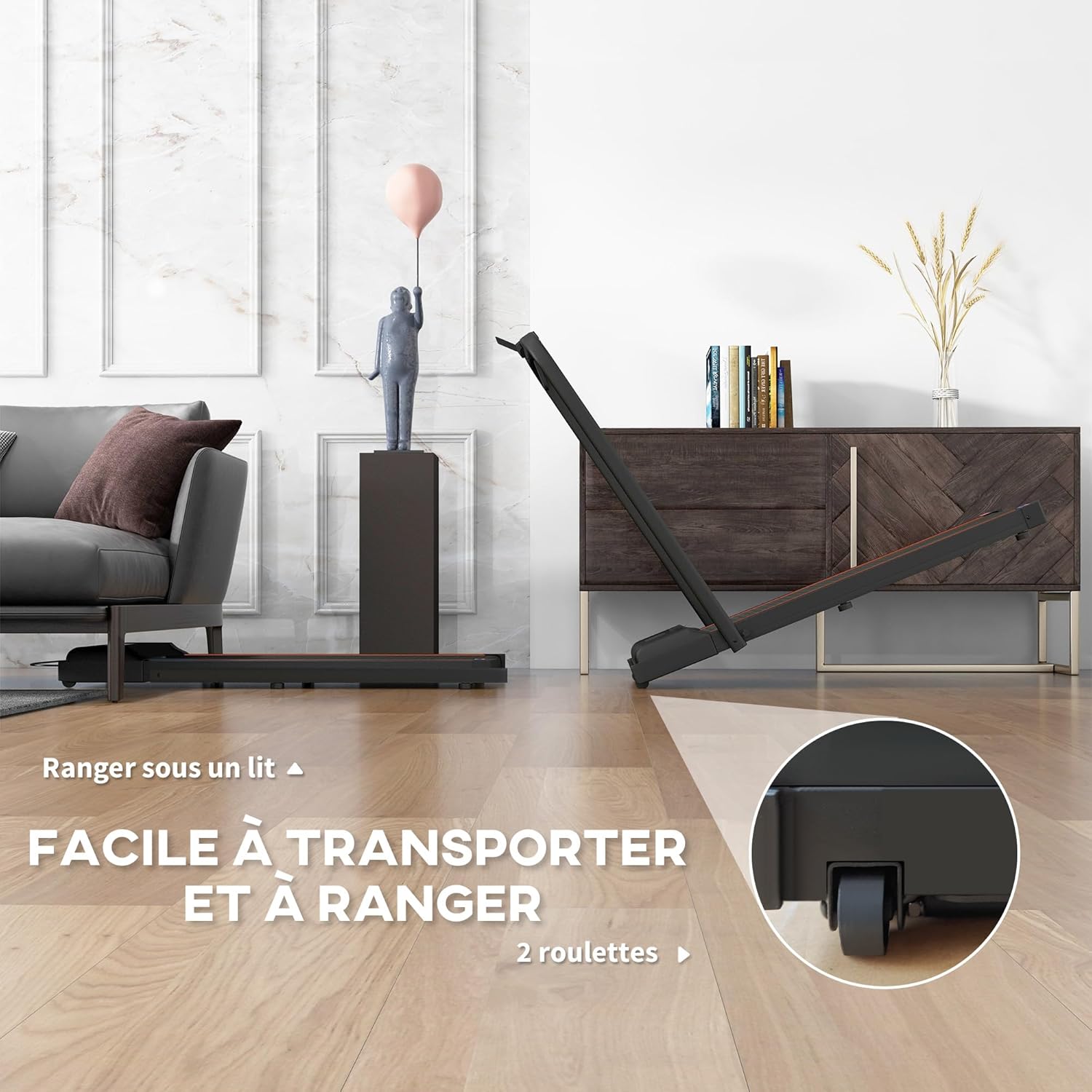
Image: The treadmill folded flat, demonstrating its compact storage capability under furniture, with an arrow pointing to the transport wheels.
4. Operating Instructions
Powering On and Off
- Power On: Connect the power cord and flip the main power switch (usually located near the front base) to the 'ON' position. The LED display will illuminate.
- Power Off: Flip the main power switch to the 'OFF' position and unplug the unit.
Using the Safety Key
The safety key is a critical safety feature. Attach the clip end of the safety key to your clothing and insert the magnetic end into the designated slot on the console. The treadmill will not operate without the safety key in place. Pulling the safety key out will immediately stop the treadmill.

Image: A detailed view of the treadmill's console, highlighting the safety key attachment point and the integrated phone holder.
2-in-1 Operating Modes
This treadmill offers two distinct modes:
- Running Mode (with handlebar up): When the handlebar is in the upright position, the treadmill can operate at speeds suitable for jogging or running, up to 6 km/h.
- Walking Pad Mode (handlebar folded down): With the handlebar folded down, the unit functions as a walking pad, ideal for use under a desk. Speed may be limited in this mode for safety.

Image: A visual comparison showing the treadmill in its upright 'Tapis de course' (running) mode and its folded 'Tapis de marche sous le bureau' (walking pad) mode.
Using the Remote Control and LED Display

Image: A hand holding the remote control, with the LED display showing various workout metrics like time, speed, distance, calories, and steps.
- Start/Stop: Press the 'Start' button on the remote to begin, and 'Stop' to pause or end your workout.
- Speed Adjustment: Use the '+' and '-' buttons on the remote to increase or decrease speed.
- LED Display: The display cycles through or shows simultaneously: Time, Speed, Distance, Steps, and Calories burned.
- Phone Holder: Place your smartphone in the integrated holder for entertainment or tracking.
5. Maintenance
Regular maintenance ensures the longevity and optimal performance of your treadmill.
Cleaning
- Always unplug the treadmill before cleaning.
- Wipe down the console and exterior surfaces with a soft, damp cloth. Avoid abrasive cleaners or solvents.
- Periodically vacuum under the treadmill to prevent dust buildup.
Lubrication
The running belt requires periodic lubrication to reduce friction and extend its lifespan. Your treadmill includes lubricating oil.
- Frequency: Lubricate every 3-6 months, or after approximately 100 hours of use, depending on usage.
- Procedure:
- Unplug the treadmill.
- Loosen the rear roller bolts slightly to lift the running belt.
- Apply a small amount of the provided silicone lubricant evenly under the center of the running belt.
- Tighten the rear roller bolts.
- Plug in the treadmill and run it at a low speed (e.g., 1 km/h) for 5 minutes to distribute the lubricant.
Belt Adjustment
If the running belt shifts to one side or slips, it may need adjustment. Refer to the specific instructions in your product's detailed manual for precise belt centering and tensioning procedures.
6. Troubleshooting
This section addresses common issues you might encounter with your treadmill.
| Problem | Possible Cause | Solution |
|---|---|---|
| Treadmill does not power on. | Power cord not plugged in; Main power switch off; Circuit breaker tripped. | Ensure power cord is securely plugged in; Turn main power switch to 'ON'; Check household circuit breaker. |
| Treadmill starts but belt does not move. | Safety key not in place; Motor overload. | Ensure safety key is fully inserted; Reduce user weight if exceeding maximum; Contact customer support if issue persists. |
| Running belt slips or hesitates. | Belt too loose; Insufficient lubrication. | Adjust belt tension (refer to detailed manual); Lubricate the running belt as per maintenance section. |
| Unusual noise during operation. | Loose components; Belt misalignment; Motor issue. | Check for loose bolts and tighten; Adjust belt alignment; If noise persists, discontinue use and contact customer support. |
If you encounter a problem not listed here or if solutions do not resolve the issue, please contact SPORTNOW customer support.
7. Specifications
Technical details for the SPORTNOW 2-in-1 Electric Folding Walking Pad Treadmill (Model FRA90-365V90OG0531):
| Feature | Detail |
|---|---|
| Model Number | FRA90-365V90OG0531 |
| Motor Power | 2.5 Horsepower (HP) |
| Speed Range | Up to 6 km/h |
| Running Surface Dimensions | 41 cm (Width) |
| Overall Dimensions (Unfolded) | 120 cm (L) x 62 cm (W) x 100 cm (H) |
| Folded Dimensions | 130 cm (L) x 62 cm (W) x 13 cm (H) |
| Product Weight | 24 Kilograms |
| Maximum User Weight | 120 kg (Recommended) |
| Display Type | LED |
| Display Metrics | Time, Speed, Distance, Steps, Calories |
| Material | Alloy Steel Frame |
| Power Source | Electric Cable |
| Special Features | Foldable, LED Display, Phone Holder, Safety Key |
| Included Components | Lubricating Oil, Remote Control |

Image: A diagram illustrating the key dimensions of the treadmill, including length, width, and height.
8. Warranty and Customer Support
SPORTNOW products are designed for quality and durability. For specific warranty details, please refer to the warranty card included with your purchase or visit the official SPORTNOW website.
If you require assistance, have questions about your product, or need to report a defect, please contact SPORTNOW customer support. Have your model number (FRA90-365V90OG0531) and purchase information ready when contacting support.
Contact Information: Please refer to your purchase documentation or the SPORTNOW official website for the most current customer support contact details.


