
1. Important Safety Instructions
Please read and understand all safety instructions before operating this product. Failure to follow these instructions may result in electric shock, fire, or serious injury.
- Do not disassemble, repair, or modify the unit.
- Do not expose the unit to fire or high temperatures.
- Do not use or store the unit in direct sunlight or in hot environments.
- Do not use or store the unit in bathrooms or areas exposed to water or moisture.
- Keep the unit away from children and pets.
- Do not drop or subject the unit to strong impacts.
- Ensure proper ventilation during use to prevent overheating.
- Use only original or certified charging cables and adapters.
- Dispose of the unit according to local regulations for LiFePO4 batteries.
2. Package Contents
Verify that all items are included in your package:
- 1 × DaranEner NEO Portable Power Station
- 1 × AC Charging Cable
- 1 × User Manual
- 1 × Storage Bag

Image: Contents of the DaranEner NEO package, including the power station, AC charging cable, and user manual.
3. Product Overview
The DaranEner NEO Portable Power Station is a compact and versatile power solution designed for various applications, from outdoor adventures to home emergency backup. It features a 192Wh (60,000mAh) LiFePO4 battery and delivers up to 300W of continuous power (600W surge).
3.1. Ports and Features
- AC Output: 2 × AC 300W (600W Surge) outlets for household appliances.
- USB-C Output: 1 × USB-C PD 60W port for fast charging compatible devices.
- USB-A Output: 2 × USB-A 18W ports for standard USB devices.
- DC Output: 1 × DC5521 120W port.
- Input: DC5521 input (10-30V) for AC adapter, car charger, or solar panel.
- LED Flashlight: Built-in LED light with multiple modes (Low, Medium, High, SOS).
- Display: Digital display showing battery level, input/output power, and status indicators.

Image: Detailed view of the DaranEner NEO's output ports, including DC5521, USB-A, USB-C, and AC outlets.
3.2. Portability and Design
The DaranEner NEO is designed for ease of transport, weighing only 5.73 lbs (2.6 kg) and measuring 8.66 × 5.1 × 7.08 inches. It includes a custom-designed storage bag with padded handles and an adjustable shoulder strap.
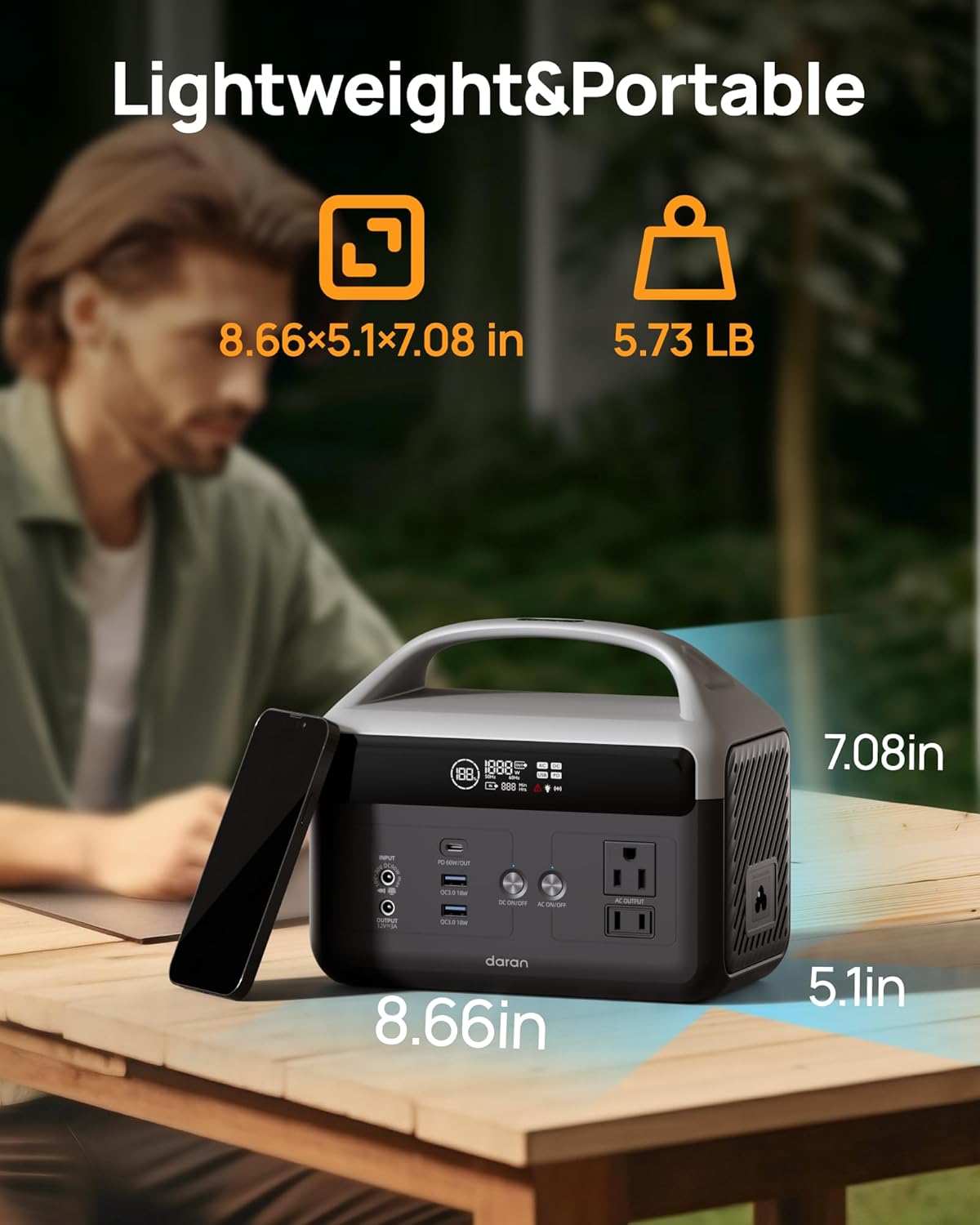
Image: The DaranEner NEO power station with its compact dimensions (8.66x5.1x7.08 inches) and weight (5.73 lbs) highlighted.

Image: A person demonstrating various carrying methods for the DaranEner NEO using its included storage bag.
4. Setup
4.1. Unpacking
Carefully remove the power station and all accessories from the packaging. Inspect the unit for any signs of damage. If any components are missing or damaged, contact DaranEner customer support immediately.
4.2. Initial Charge
Before first use, it is recommended to fully charge the DaranEner NEO. Connect the AC charging cable to the power station's DC input port and then to a wall outlet. The display will show the charging status. A full charge typically takes approximately 2 hours via AC.
5. Operating Instructions
5.1. Charging the Power Station
The DaranEner NEO offers multiple charging options:
- AC Wall Outlet: Connect the included AC charging cable to the DC input port and a standard wall outlet. Full charge in approximately 2 hours (100W).
- Car Charger: Use a 60W DC car charger (not included) to charge via your vehicle's 12V cigarette lighter port. Full charge in approximately 3 hours.
- Solar Panel: Connect a compatible solar panel (MPPT supported, not included) to the DC input port. Charging time varies based on solar intensity and panel wattage. A 60W solar panel can fully charge the unit in approximately 3 hours under optimal sunlight.

Image: Visual representation of the three charging methods: AC wall outlet, solar panel, and car socket.

Image: A graphic illustrating the recharge times for the power station using AC (2 hours), solar (3 hours with 60W), and car socket (3 hours).
5.2. Using Output Ports
To use the output ports:
- AC Outlets: Press the "AC ON/OFF" button to activate the AC output. The AC indicator on the display will light up. Plug your devices into the AC outlets. Press the button again to turn off AC output when not in use.
- USB Ports (USB-A & USB-C): These ports are typically always active when the unit is on. Simply plug your USB devices into the appropriate ports. The USB-C port supports Power Delivery (PD) for faster charging of compatible devices.
- DC Output: Press the "DC ON/OFF" button to activate the DC output. The DC indicator on the display will light up. Plug your 12V DC devices into the DC5521 port. Press the button again to turn off DC output.
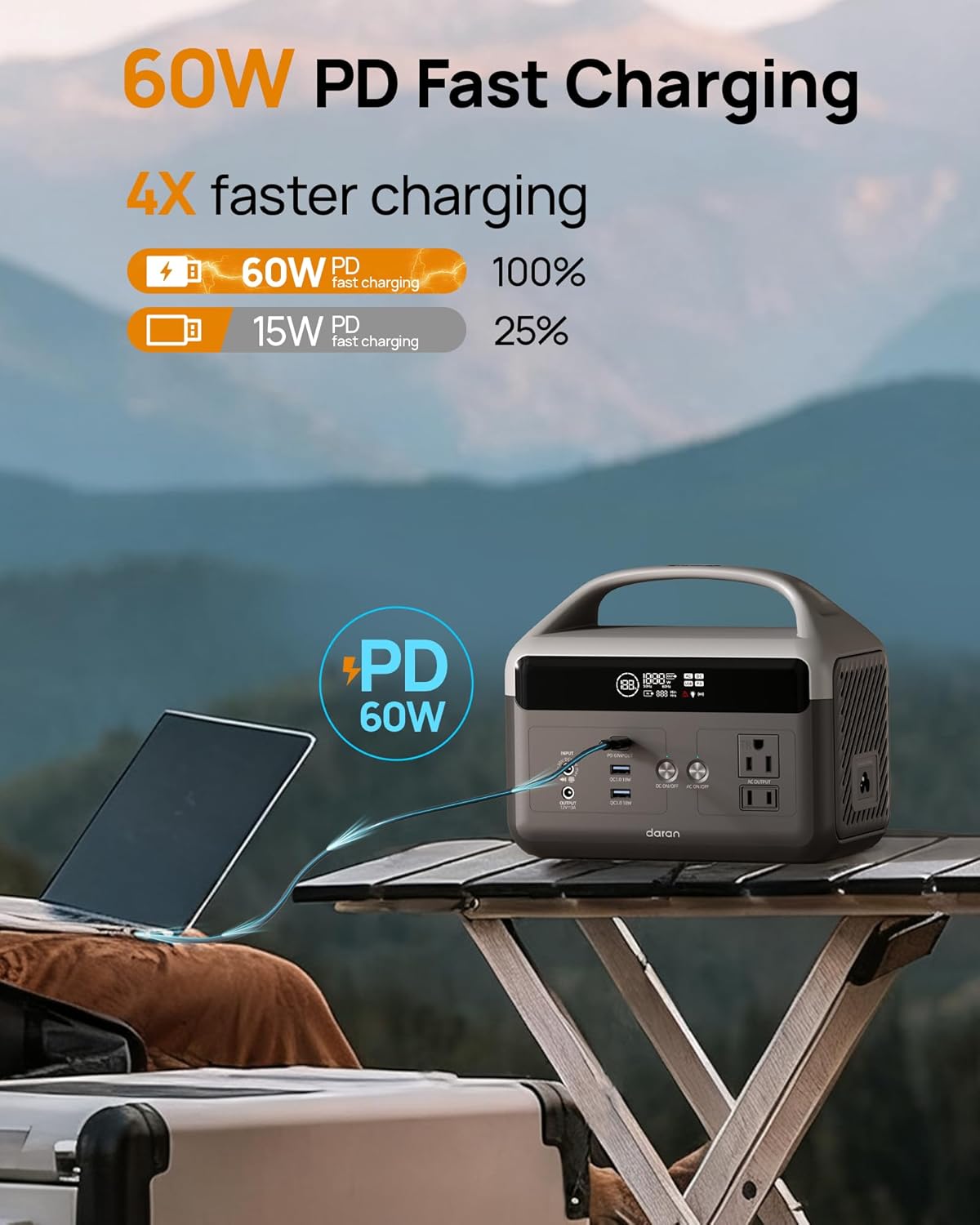
Image: The power station providing 60W PD fast charging to a laptop via its USB-C port.

Image: Examples of the power station's use as a home backup for devices like laptops and phones, and as an outdoor power source for mini-fridges, lamps, and drones.
5.3. LED Flashlight
The built-in LED flashlight has four brightness settings:
- Constant Lighting Mode: Press the flashlight button once for low brightness. Press again to cycle through medium and high brightness.
- SOS Mode: Double-press the flashlight button to activate the SOS signal.

Image: The DaranEner NEO's 3-mode LED light (Constant, Strobe, SOS) providing illumination in a dark outdoor setting.
6. Maintenance
6.1. Battery Care
The DaranEner NEO uses a durable LiFePO4 battery, offering over 3500 charge cycles. To maximize battery lifespan:
- Recharge the unit every 3-6 months if not in regular use to maintain battery health.
- Avoid fully discharging the battery frequently.
- Store the unit in a cool, dry place, away from direct sunlight and extreme temperatures.
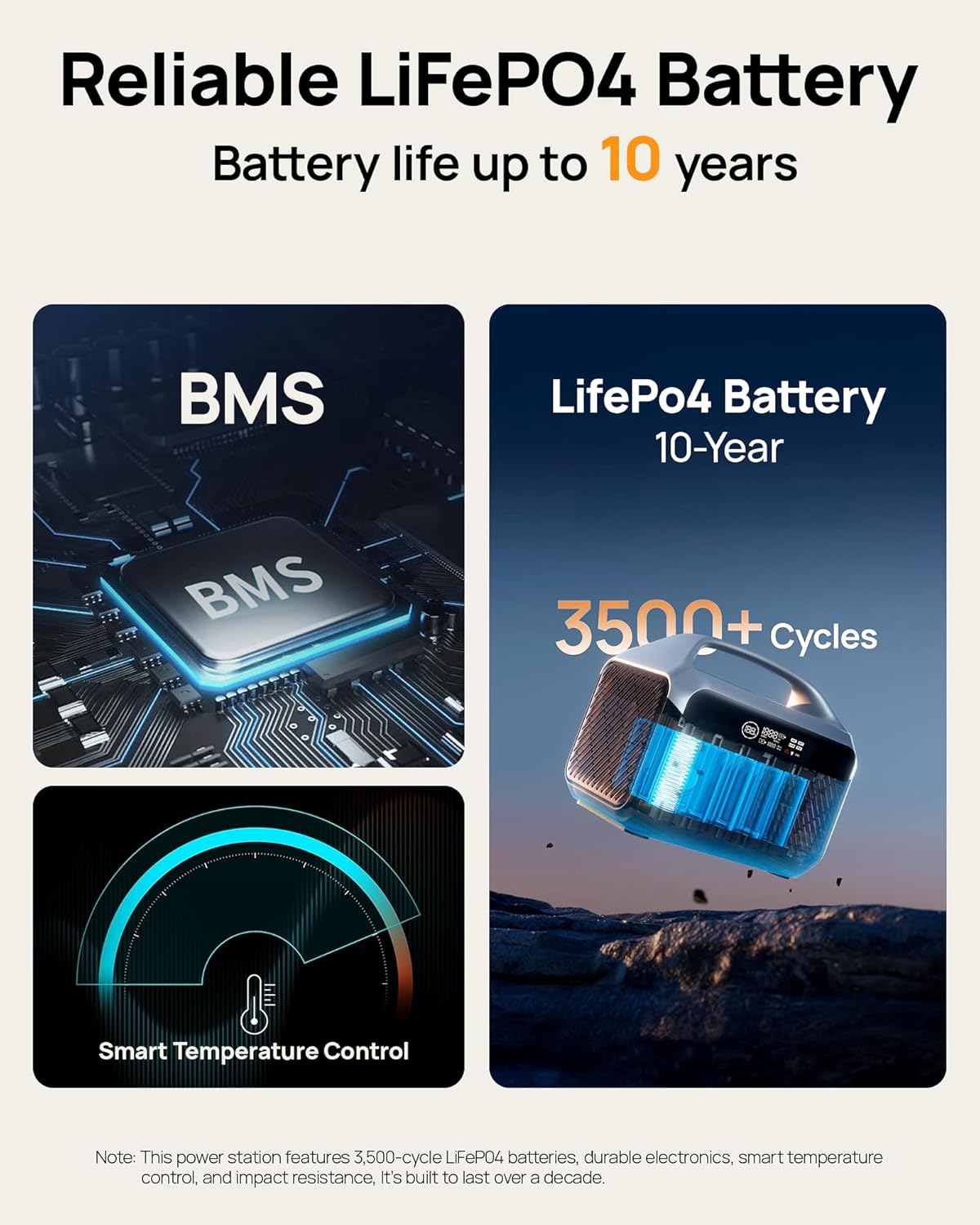
Image: An illustration detailing the reliable LiFePO4 battery with Smart BMS for temperature control and over 3500 charge cycles.

Image: A comparison highlighting the longer life and more charge cycles of DaranEner's LiFePO4 battery compared to standard lithium batteries.
6.2. Cleaning
Use a dry, soft cloth to clean the exterior of the power station. Do not use liquid cleaners or immerse the unit in water.
7. Troubleshooting
If you encounter issues with your DaranEner NEO, refer to the following common problems and solutions:
| Problem | Possible Cause | Solution |
|---|---|---|
| No power output from AC/DC ports | Output not activated; Low battery; Overload protection triggered. | Ensure AC/DC button is pressed; Recharge the power station; Reduce connected load. |
| Unit not charging | Charging cable loose or damaged; Power source issue; Extreme temperature. | Check cable connections; Try a different outlet/source; Ensure ambient temperature is within operating range (32-104°F / 0-40°C). |
| Display not working | Unit off; Software glitch. | Press the main power button; If unresponsive, contact customer support. |
| Fan running loudly | Normal operation under heavy load; Blocked vents. | This is normal for cooling. Ensure vents are clear of obstructions. |
If the problem persists, please contact DaranEner customer support.
8. Specifications
| Feature | Detail |
|---|---|
| Model | NEO |
| Battery Type | LiFePO4 |
| Capacity | 192Wh (60,000mAh) |
| AC Output | 2 × 300W (600W Surge), 110V |
| USB-C PD Output | 1 × 60W |
| USB-A Output | 2 × 18W |
| DC5521 Output | 1 × 120W (12V/10A) |
| DC Input (Charging) | 10-30V (Supports AC, Car, Solar) |
| Product Dimensions | 8.66 x 7.09 x 5.12 inches |
| Item Weight | 8.09 pounds (approx. 3.67 kg) |
| Operating Temperature | 32-104°F (0-40°C) |
| Manufacturer | Dongguan Menche Electronics Co., Ltd |
9. Warranty and Support
DaranEner is committed to providing reliable products and excellent customer service. The DaranEner NEO Portable Power Station is equipped with premium LiFePO4 battery cells designed for long-term performance, offering 3500+ charge cycles and enhanced thermal stability.
For specific warranty details, including coverage period and terms, please refer to the warranty card included with your product or contact DaranEner customer support directly. DaranEner offers a 24-hour premium service, ensuring that any questions or concerns you have will be addressed promptly.
Contact Support: For technical assistance, warranty claims, or any product-related inquiries, please visit the official DaranEner website or use the contact information provided in your product packaging.
Video: An overview of the DaranEner Portable Power Station, showcasing its features, portability, and various use cases for outdoor activities and home backup.


