
JALL K8
JALL Wake Up Light Sunrise Alarm Clock User Manual
Model: K8
Introduction
Thank you for purchasing the JALL Wake Up Light Sunrise Alarm Clock. This device is designed to enhance your waking and sleeping experience with its advanced features, including sunrise simulation, dual alarms, FM radio, and various light and sound modes. This manual provides detailed instructions for setup, operation, and maintenance to ensure optimal performance and longevity of your device.

Figure 1: Front view of the JALL Wake Up Light Sunrise Alarm Clock.
Package Contents
- JALL Wake Up Light Sunrise Alarm Clock (Model K8)
- Power Adapter (Corded Electric)
- User Manual
- CR2032 Battery (pre-installed for memory backup)
Product Overview

Figure 2: Rear view of the JALL Wake Up Light, highlighting the USB charging port, DC 5V input, and battery compartment.
The JALL Wake Up Light features a full-screen LED display, intuitive button controls on the top and sides, and various ports on the back for power and charging. The wood grain finish provides a modern aesthetic.
Setup
- Unpack: Carefully remove the alarm clock and all accessories from the packaging.
- Power Connection: Connect the provided power adapter to the DC 5V input port on the back of the alarm clock. Plug the adapter into a standard electrical outlet.
- Battery Backup: The device comes with a pre-installed CR2032 battery. This battery serves as a memory backup for time and alarm settings in case of a power outage. No action is required unless the battery needs replacement.
- Initial Power On: The display will light up once connected to power.
- Time Setting:
- Press the "Time Setting" button (usually indicated by a clock icon).
- Use the "+" or "-" buttons to adjust the hour.
- Press the "Time Setting" button again to confirm the hour and move to minute adjustment.
- Use the "+" or "-" buttons to adjust the minutes.
- Press the "Time Setting" button one more time to confirm and exit.
- You may also be prompted to select 12-hour or 24-hour format.
Operating Instructions
Sunrise Simulation
The sunrise simulation feature gradually brightens the light from 10% to 100% over a set period (10-60 minutes) before your alarm time, mimicking a natural sunrise to gently wake you up.

Figure 3: Sunrise simulation in action, gradually brightening the room.
- To activate, set an alarm (see Dual Alarms section).
- During alarm setup, you can select the duration of the sunrise simulation (e.g., 10, 20, 30, 45, 60 minutes).
Full Screen LED Display Panel
The alarm clock features a full-screen LED display for clear time visibility. The display brightness can be adjusted or turned off completely.
- Press the "Display Brightness" button (often indicated by a sun icon) to cycle through 3 levels of brightness or turn the display off.
15 Colorful Lights & Dimmable
The device offers 15 lighting modes, including 8 solid colors (Pink, Green, Blue, Indigo, Purple, Grey, Red, Orange) and 7 mood lights, allowing you to customize the ambiance.

Figure 4: Examples of the 15 colorful light modes.
- Press the "Light" button (often indicated by a light bulb icon) to turn on the light.
- Continue pressing the "Light" button to cycle through the different color modes.
- Use the "Brightness +/-" buttons to adjust the intensity of the light.
Dual Alarms & Unlimited Snooze
The alarm clock supports two independent alarms, allowing for different wake-up times. The snooze function provides an additional 9 minutes of sleep.

Figure 5: Dual alarms for personalized wake-up times.
- Setting Alarms:
- Press the "Alarm 1" or "Alarm 2" button (indicated by alarm clock icons).
- Use "+" or "-" to set the hour, then press the alarm button again to set minutes.
- Select the alarm sound (from 8 built-in sounds or FM radio).
- Adjust the alarm volume.
- Choose the alarm frequency: Every-Day, Weekday (Mon-Fri), or Weekend (Sat-Sun).
- Confirm settings by pressing the alarm button one last time.
- Snooze Function: When the alarm sounds, press the "Snooze" button (usually a large button on top) to get an additional 9 minutes of sleep. This can be repeated unlimited times.
- Turning Off Alarm: To turn off the alarm for the day, press any button other than "Snooze". To disable an alarm permanently, press and hold the corresponding alarm button until the alarm icon disappears from the display.
8 Sleep Aid Sounds & FM Radio
The device includes 8 soothing sounds (Cricket, Campfire, Birds, Frogs, Seagulls, River, Rain, Wind Chimes, White Noise, Pink Noise, etc.) to aid sleep, and an FM radio for entertainment or news.
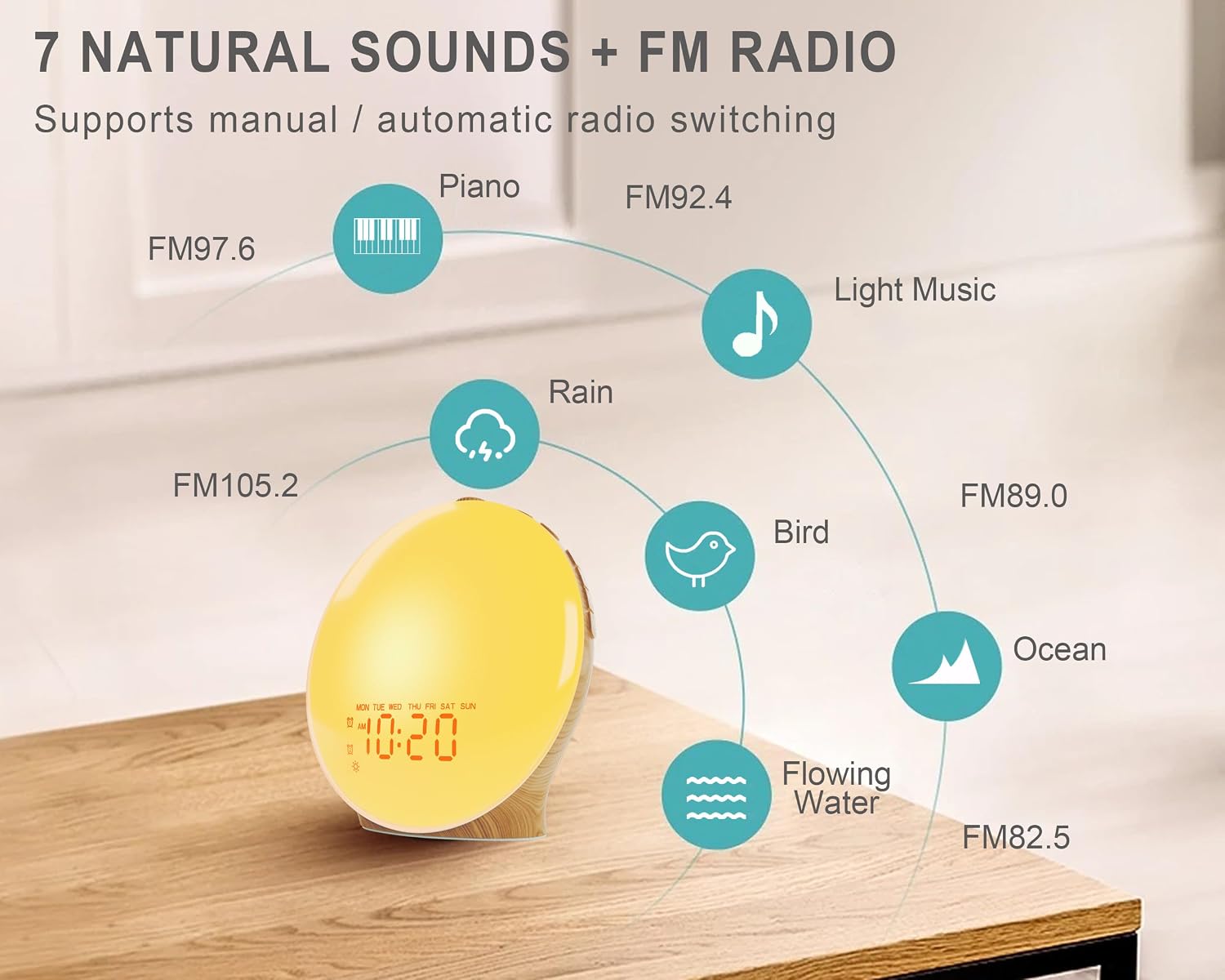
Figure 6: Selection of natural sounds and FM radio functionality.
- FM Radio:
- Press the "Radio" button to turn on the FM radio.
- Hold the "FM Radio" button for 2 seconds to automatically scan and save all available stations (76 - 108 MHz).
- Use the "+" or "-" buttons to manually tune or cycle through saved stations.
- Adjust volume using the dedicated volume buttons.
- Sleep Aid Sounds:
- Press the "Sound" button (often indicated by a music note icon) to play sleep aid sounds.
- Press again to cycle through the 8 built-in sounds.
- Adjust volume using the dedicated volume buttons.
- To set a sleep timer for sounds, refer to the specific instructions in your detailed manual (not provided in this summary).
Night Light & Bedside Lamp
The JALL Wake Up Light can also function as a versatile bedside lamp or night light, providing soft and warm illumination for various activities.

Figure 7: Versatile use as a reading light, sleep aid, or night light.
- Press the "Light" button to turn on the lamp.
- Use the "Brightness +/-" buttons to adjust the light intensity to your preference.
Maintenance
- Cleaning: Wipe the device with a soft, dry cloth. Do not use abrasive cleaners or solvents.
- Storage: If storing for an extended period, disconnect from power and store in a cool, dry place.
- Battery Replacement: The CR2032 battery is for memory backup. If settings are lost after a power outage, the battery may need replacement. Open the battery compartment on the back and replace with a new CR2032 battery, observing polarity.
- Avoid Water: This device is not waterproof. Keep away from water and high humidity.
Troubleshooting
| Problem | Possible Cause | Solution |
|---|---|---|
| Device does not power on. | Power adapter not connected or faulty outlet. | Ensure power adapter is securely plugged into the device and a working electrical outlet. Try a different outlet. |
| Alarm does not sound. | Alarm not activated, volume too low, or incorrect alarm time/day setting. | Verify alarm is enabled and set correctly. Increase alarm volume. Check alarm frequency (Weekday/Weekend/Every-Day). |
| FM radio static or poor reception. | Weak signal, antenna not extended, or interference. | Ensure the FM antenna is fully extended. Reposition the device for better reception. Rescan for stations. |
| Time/settings reset after power outage. | CR2032 backup battery is depleted. | Replace the CR2032 battery in the battery compartment. |
| Light is not bright enough or too bright. | Brightness setting is not optimal. | Use the "Brightness +/-" buttons to adjust the light intensity. |
Specifications
| Feature | Detail |
|---|---|
| Brand | JALL |
| Model Number | K8 |
| Color | Wood Grain |
| Display Type | LED |
| Power Source | Corded Electric |
| Material | Acrylonitrile Butadiene Styrene (ABS), Wood |
| Item Weight | 15.4 ounces (approx. 436 grams) |
| Product Dimensions | 7.5 x 3.5 x 7.5 inches (approx. 19 x 8.9 x 19 cm) |
| Batteries Required | 1 CR2032 (included, for memory backup) |
| Sunrise Simulation Duration | Adjustable (10-60 minutes) |
| Light Modes | 15 (8 solid colors, 7 mood lights) |
| Alarm Sounds | 8 built-in sounds + FM Radio |
| FM Radio Frequency | 76 - 108 MHz |
Warranty and Support
For warranty information and customer support, please refer to the official JALL website or contact their customer service directly. Keep your purchase receipt for warranty claims.
JALL Official Store: Visit JALL Store on Amazon
Related documentsK8


Ask a question about this manual
Ask about setup, troubleshooting, compatibility, parts, safety, or missing instructions. Manuals+ will review the question and use this page’s manual context to help answer it.