
1. Introduction
Thank you for purchasing the ONOAYO AY2Pro Home Projector. This manual provides essential information for the safe and efficient use of your projector. Please read it thoroughly before use and keep it for future reference.

Image: The ONOAYO AY2Pro projector seamlessly integrated into a living room environment, displaying a vibrant image.
2. Product Features
- Ultra-Quiet Operation: Engineered with an advanced cooling system, the projector operates at less than 25dB, ensuring a distraction-free viewing experience.
- Integrated Stereo Speakers & Two-Way Bluetooth: Enjoy clear, immersive audio from the built-in stereo speakers. The two-way Bluetooth function allows connection to external speakers/headphones or using the projector as a Bluetooth speaker for your smartphone.
- Automatic Keystone Correction & Electric Focus: Features ±50° automatic vertical keystone correction and remote-controlled electric focus for quick and precise image adjustment.
- High Definition & Brightness: Delivers native 1080P resolution with 800 ANSI lumens brightness, supporting 4K input for crisp, vibrant images. NTSC color gamut coverage of over 95%.
- Advanced Connectivity: Supports 2.4G/5G WiFi and the latest WiFi 6 standard for stable, high-speed streaming. Equipped with HDMI, USB, and audio ports for versatile device connections.
- Flexible Projection Size & Zoom: Projects screen sizes from 30 to 300 inches. Includes a 50% zoom function to adjust screen size without moving the projector.
- Portable Design: Compact and lightweight (1.1 kg) with an integrated strap for easy transport and flexible placement.
3. Package Contents
Upon opening the package, please ensure all the following items are present:
- ONOAYO AY2Pro Projector
- Remote Control
- HDMI Cable
- Power Cord
- User Manual (this document)
- Warranty Card

Image: The projector and its standard accessories, including the remote control, HDMI cable, and power cord.
4. Safety Information
To ensure safe operation and prolong the life of your projector, please observe the following safety precautions:
- Do not block the ventilation openings. Ensure adequate airflow around the projector.
- Avoid direct exposure to the projector lens light, as it can be harmful to the eyes.
- Do not place the projector on unstable surfaces.
- Keep the projector away from water or other liquids.
- Use only the power adapter supplied with the projector.
- Unplug the projector during lightning storms or when unused for long periods.
- Do not attempt to repair the projector yourself. Refer all servicing to qualified personnel.
5. Setup
5.1 Initial Placement
Place the projector on a stable, flat surface or mount it using a compatible bracket. The bottom of the projector features a 1/4-inch universal screw hole for tripod or ceiling mount installation.

Image: A typical home setup for the ONOAYO AY2Pro projector.
5.2 Power Connection
Connect the power cord to the projector's power input and then plug it into a power outlet (110V). The projector will enter standby mode.
5.3 Power On/Off
Press the power button on the projector or the remote control to turn the projector on or off.
6. Operating
6.1 Basic Navigation
Use the arrow keys and OK button on the remote control to navigate through the projector's menu and select options.
6.2 Source Selection
Press the "Source" button on the remote control to select your desired input source (e.g., HDMI, USB, Screen Mirroring).

Image: Enjoying a gaming experience with the projector.

Image: A user enjoying a movie night with the projector.

Image: The projector being used for an outdoor movie night.
7. Connectivity
The AY2Pro projector offers multiple connectivity options:
- HDMI Port: Connect devices such as TV sticks, DVD players, game consoles (PS3/PS4/PS5, Switch), and PCs.
- USB Port: Play media directly from USB memory devices.
- Audio Port: Connect external audio devices or headphones.
- WiFi 6 (2.4G/5G): Connect wirelessly to your home network for screen mirroring from smartphones (iPhone, Android) and tablets (iPad). Enjoy high-speed, stable streaming with minimal latency.
- Bluetooth 5.3: Connect wirelessly to external Bluetooth speakers or headphones. The projector can also function as a Bluetooth speaker for your smartphone.
Image: Projector ports (USB, HDMI, Audio).

Image: Compatible devices for the AY2Pro projector.

Image: High-speed WiFi 6 connectivity for smooth screen mirroring.

Image: Fire TV Stick compatibility for accessing streaming content.
8. Image Adjustment
8.1 Automatic Keystone Correction
The projector features ±50° automatic vertical keystone correction. When the projector's position changes, it will automatically adjust the image to be rectangular, eliminating trapezoidal distortion. This allows for flexible placement without manual adjustments.

Image: Automatic keystone correction in action, ensuring a perfectly rectangular image.
8.2 Electric Focus
Adjust the image clarity using the electric focus function via the remote control. This eliminates the need for manual lens adjustments on the projector body.
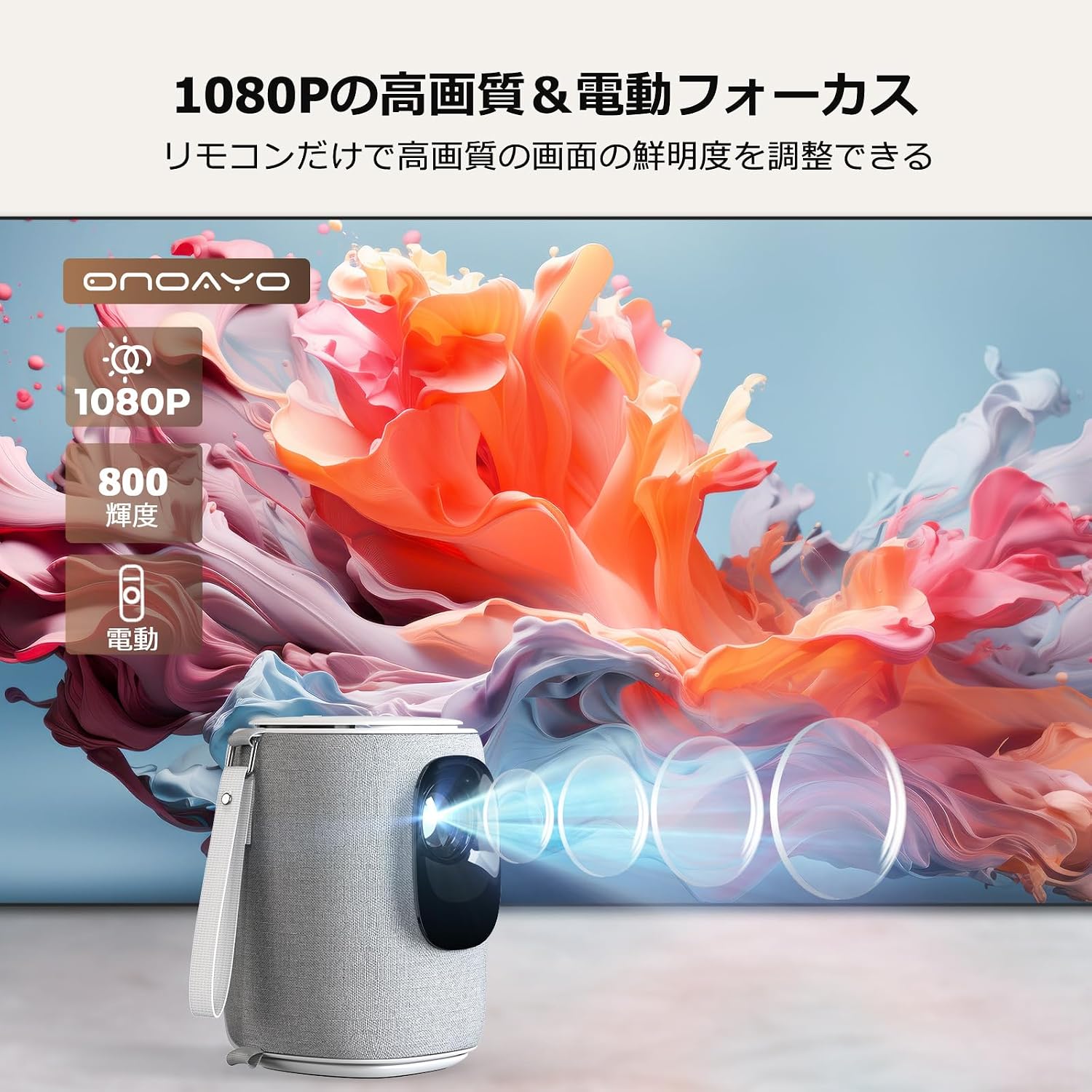
Image: The electric focus mechanism for precise image sharpness.
8.3 Zoom Function
The projector includes a 50% zoom function, allowing you to reduce the screen size without physically moving the projector. This is useful for adjusting the image to fit smaller spaces or screens.

Image: Flexible projection sizes and the 50% zoom capability.
9. Audio Features
The AY2Pro projector is equipped with:
- Built-in Stereo Speakers: Provides clear and rich audio directly from the projector.
- Two-Way Bluetooth:
- Output Mode: Connect the projector to external Bluetooth speakers or headphones for enhanced audio.
- Input Mode: Use the projector as a high-quality Bluetooth speaker to play music from your smartphone or other Bluetooth-enabled devices.

Image: Internal speaker design and two-way Bluetooth capability.
10. Placement Options
The compact design and universal mounting options allow for versatile placement:
- Tabletop Projection: Place the projector on a table or flat surface.
- Tripod Mounting: Utilize the 1/4-inch screw hole on the bottom to attach to a standard tripod.
- Ceiling Mounting: Mount the projector to the ceiling using a compatible bracket. The automatic keystone correction ensures a correct image even when inverted.

Image: Multiple installation methods for the projector, including tabletop, tripod, and ceiling mount.
11. Maintenance
Regular maintenance helps ensure optimal performance and longevity of your projector:
- Lens Cleaning: Gently clean the projector lens with a soft, lint-free cloth specifically designed for optical surfaces. Do not use abrasive cleaners.
- Dust Removal: Periodically clean the projector's exterior and ventilation openings with a soft, dry cloth or a can of compressed air to prevent dust buildup.
- Storage: When not in use for extended periods, store the projector in a cool, dry place, protected from dust and extreme temperatures.
- Power Off Properly: Always turn off the projector using the power button and allow it to complete its shutdown cycle before unplugging.
12. Troubleshooting
If you encounter issues with your projector, refer to the following common problems and solutions:
| Problem | Possible Solution |
|---|---|
| No image displayed |
|
| Image is blurry |
|
| Image is distorted (trapezoid shape) |
|
| No sound |
|
| Cannot connect via WiFi/Bluetooth |
|
For further assistance, please contact ONOAYO customer support.
13. Specifications
| Feature | Detail |
|---|---|
| Brand | ONOAYO |
| Model Number | AY2Pro |
| Native Resolution | 1920 x 1080 (1080P) |
| Max Display Resolution | 3840 x 2160 pixels (4K Input Support) |
| Brightness | 800 ANSI Lumens (32000 Marketing Lumens) |
| Contrast Ratio | 18000:1 |
| Light Source Life | 80,000 hours |
| Projection Size | 30 - 300 inches |
| Projection Distance | 1 - 5 meters |
| Keystone Correction | Automatic Vertical ±50° |
| Focus Adjustment | Electric Focus (Remote Controlled) |
| Zoom Function | 50% |
| Connectivity | HDMI, USB, Audio Port, WiFi 6 (2.4G/5G), Bluetooth 5.3 (Two-way) |
| Noise Level | Below 25dB |
| Product Dimensions (L x W x H) | 13.6 x 11.6 x 17.8 cm |
| Product Weight | 1.1 kg |
| Power Input | 110V, 200W |
| UPC | 614141759446 |
| Country of Origin | China |
14. Warranty and Support
ONOAYO provides comprehensive support for your AY2Pro projector:
- Warranty Period: The product comes with a 3-year manufacturer's warranty.
- Replacement Service: Enjoy a 36-month replacement service for any manufacturing defects.
- Lifetime Technical Support: ONOAYO offers lifetime after-sales technical support.
- Contact Support: For any issues or inquiries, please refer to the contact information provided on your warranty card or the official ONOAYO website. Our professional team is ready to assist you.

Image: ONOAYO's commitment to customer support and warranty services.
