
COUGAR D-01M-M-BK
Contents
COUGAR Royal MOSSA 140 Electric Standing Desk User Manual
Model: D-01M-M-BK
Introduction
Thank you for choosing the COUGAR Royal MOSSA 140 Electric Standing Desk. This manual provides essential information for the safe and efficient use of your new electric standing desk. Please read this manual thoroughly before assembly and operation, and retain it for future reference.
Important Safety Information
Always ensure the desk is properly assembled and anchored to the floor to prevent tipping. Keep the work area clear of obstacles and do not place heavy objects on the desk that exceed the weight limit of 176 lbs (80 kg). Always follow the manufacturer's instructions for assembly, use, and maintenance.
- Do not allow children to operate the desk without adult supervision.
- Ensure no body parts or objects are in the path of the moving desk components during height adjustment.
- Disconnect power before cleaning or maintenance.
- Do not modify the desk or its components.
Setup and Assembly
The COUGAR Royal MOSSA 140 Electric Standing Desk requires assembly. Please ensure all components are present before beginning. Refer to the included assembly guide for detailed step-by-step instructions.

Image: The fully assembled COUGAR Royal MOSSA 140 Electric Standing Desk in black, showcasing its sleek design and sturdy frame.

Image: An angled view of the COUGAR Royal MOSSA 140 Electric Standing Desk, highlighting the robust leg structure and integrated control panel.
Key Components:
- Desktop: Durable medium-density fiberboard with anti-scratch frosted surface.
- Desk Frame: Heavy-duty steel frame with 2-stage columns and single motor.
- Control Panel: LCD Height Display Controller with programmable memory settings.
- Cable Grommet: Integrated design for cable management.
Operating Instructions
Height Adjustment:
The desk features an electric motor for smooth height adjustments. Use the up (^) and down (v) arrow buttons on the control panel to raise or lower the desk to your desired height. The current height will be displayed on the LCD screen.

Image: A close-up view of the desk's control panel, showing the digital height display and control buttons.
Programmable Memory Settings:
The desk allows you to save up to four preferred height settings for quick adjustments.
- Adjust the desk to the desired height using the up/down arrows.
- Press the "M" or "SET" button (if available, otherwise assume direct memory buttons).
- Press one of the numbered memory buttons (1, 2, 3, or 4) within a few seconds to save the current height to that position.
- To recall a saved height, simply press the corresponding numbered memory button. The desk will automatically move to the saved position.

Image: The COUGAR control panel displaying "100" and showing the four programmable memory buttons (1, 2, 3, 4) along with up/down arrows and a lock button.
Controller Panel Lock Function:
To prevent accidental touches and unintended height adjustments, the control panel features a lock function.
- To activate the lock, press and hold the lock button (often indicated by a padlock icon) on the control panel until the display shows "LOC" or a lock icon appears.
- To unlock, press and hold the lock button again until the display returns to the height reading.

Image: A hand demonstrating the use of the lock button on the COUGAR desk's control panel, with "LOC" visible on the display.
Cable Management:
Utilize the integrated cable grommet on the desktop to route and organize your cables, maintaining a tidy and clean workspace.
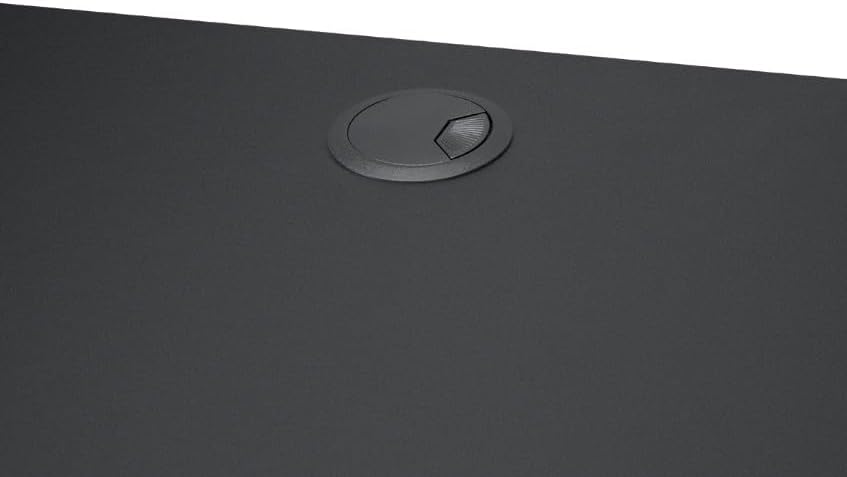
Image: A close-up of the circular cable grommet integrated into the desktop surface, designed for cable organization.
Maintenance
- Cleaning: Wipe the desktop and frame with a soft, damp cloth. Avoid abrasive cleaners or harsh chemicals that could damage the finish.
- Inspection: Periodically check all screws and bolts to ensure they are tight. Retighten if necessary.
- Motor Care: The electric motor is designed for long-term use and requires minimal maintenance. Do not attempt to lubricate or disassemble the motor mechanism.
Troubleshooting
| Problem | Possible Cause | Solution |
|---|---|---|
| Desk does not move. | Power cable disconnected; Control panel locked; Overload. | Check power connection; Unlock control panel; Reduce weight on desk. |
| Uneven movement. | Obstruction; Uneven weight distribution. | Clear any obstructions; Redistribute weight evenly on the desktop. |
| Error code on display. | System malfunction. | Refer to the full assembly guide for specific error codes or contact customer support. |
If you encounter issues not listed here or if the suggested solutions do not resolve the problem, please contact COUGAR customer support.
Specifications
| Brand | COUGAR |
| Model Name | ROYAL MOSSA 140 |
| Model Number | D-01M-M-BK |
| Product Dimensions (D x W x H) | 24"D x 55.1"W x 45"H (61cm D x 140cm W x 114.3cm H) |
| Height Range (with desktop) | 28.3" - 48" (72cm - 122cm) |
| Lifting Speed | 2.5 cm/sec (1 in/sec) |
| Lifting Capacity | 176 lbs (80 kg) |
| Noise Level | Less than 50dB during motion |
| Desktop Material | Medium-density fiberboard with anti-scratch frosted surface |
| Base Material | Alloy Steel |
| Color | Black |
| Included Components | 2 stage columns and single motor desk frame, Cable Grommet Design |
| Assembly Required | Yes |
Warranty and Support
The COUGAR Royal MOSSA 140 Electric Standing Desk comes with a limited warranty. Please refer to the warranty card included with your product for specific terms and conditions. For technical support, troubleshooting assistance, or warranty claims, please contact COUGAR customer service through their official website or the contact information provided in your product packaging.
You can visit the official COUGAR store for more information: COUGAR Store on Amazon
Documents and downloads
Ask a question about this manual
Ask about setup, troubleshooting, compatibility, parts, safety, or missing instructions. Manuals+ will review the question and use this page’s manual context to help answer it.