Introduction
This manual provides essential instructions for the installation, operation, and maintenance of your X-Sense SC07-MR11 Smart Wi-Fi Smoke and Carbon Monoxide Detector. This device is designed to provide early warning of smoke and carbon monoxide presence in your home, enhancing safety through intelligent detection and interconnected alarm capabilities. Please read this manual thoroughly before use and retain it for future reference.
Package Contents
Verify that all components are present and in good condition upon opening the package.
- 1 x X-Sense SC07-MR Smoke and Carbon Monoxide Detector
- 1 x X-Sense SBS50 Base Station
- 1 x CR123A Battery (pre-installed or included separately)
- Mounting Screws and Anchors
- User Manual

Figure 1: Contents of the X-Sense SC07-MR11 package.
Setup Instructions
1. Install the X-Sense Home Security App
Download the X-Sense Home Security app from the Apple App Store or Google Play Store. Create an account or log in if you already have one.
2. Connect the SBS50 Base Station
- Plug the SBS50 Base Station into a power outlet.
- Open the X-Sense Home Security app and follow the on-screen instructions to add the Base Station.
- Connect the Base Station to your 2.4 GHz Wi-Fi network. Ensure a stable connection for optimal performance.
3. Pair the SC07-MR Detector
- Ensure the CR123A battery is correctly installed in the SC07-MR detector.
- Within the X-Sense Home Security app, select the option to add a new device.
- Follow the app's instructions to pair the SC07-MR detector with your SBS50 Base Station.
- Assign a name to the detector based on its location (e.g., "Living Room," "Kitchen") for easy identification during alarms.

Figure 2: X-Sense SC07-MR detector, base station, and app interface.
4. Mounting the Detector
Choose an appropriate location for the detector, typically on the ceiling or high on a wall, away from corners and obstructions. Use the provided mounting screws and anchors to securely install the detector. Refer to local regulations for specific placement guidelines.

Figure 3: Example of interconnected detector placement within a home.
Operating Instructions
Alarm Notifications
- Instant App Alerts: When an alarm is triggered, you will receive an immediate warning message on your X-Sense Home Security app. The detector and the Base Station will both sound an alarm.
- Interconnected Alarms: All X-Sense Link+ Pro detectors connected to the Base Station will sound simultaneously when any one detector is triggered. This ensures everyone in the household is alerted promptly.
- Other Alerts: The app also provides practical alerts for low battery status, device errors, and test results.

Figure 4: Examples of real-time notifications received via the X-Sense Home Security app.
App Control (Test/Mute)
You can test your detectors or mute an alarm directly from the X-Sense Home Security app. This eliminates the need to physically reach the detector's test/mute button, especially if it's mounted high.
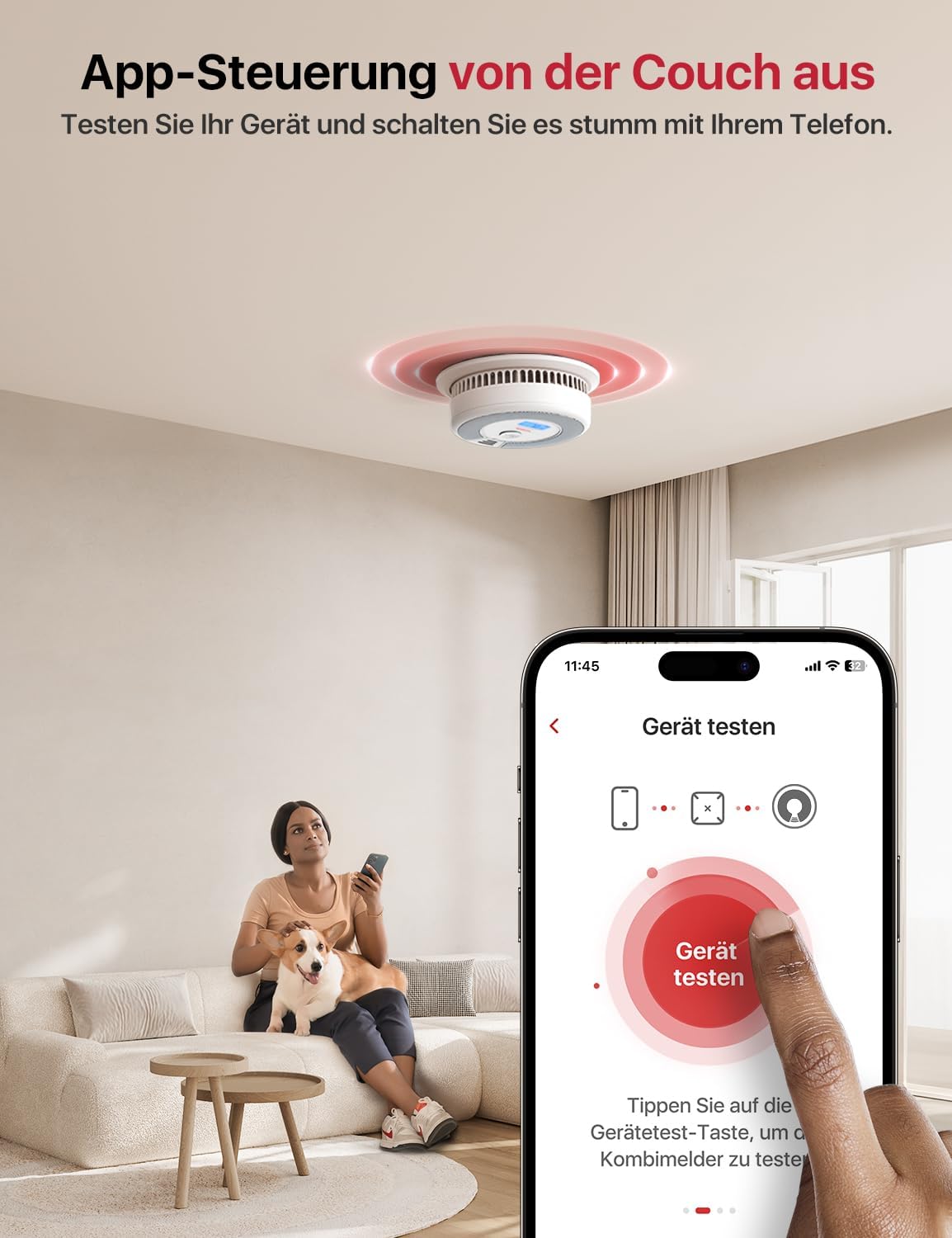
Figure 5: Remote testing and muting of the detector via the X-Sense app.
Locating the Alarm Source
When multiple detectors are interconnected and an alarm sounds, the app will display the name of the room where the triggered detector is located. You can press the "Locate" button in the app to silence the Base Station and other detectors, allowing only the triggered detector to remain active and indicate its specific location.
Multi-User Access
The X-Sense Home Security app allows up to 12 individuals to control the device. This feature enables multiple family members or authorized users to receive notifications, test devices, mute alarms, and check the alarm status.
Maintenance
Regular Testing
It is recommended to test your detector weekly to ensure proper functionality. This can be done via the X-Sense Home Security app or by pressing the test button on the device itself.
Cleaning
Dust and debris can affect the detector's performance. Gently clean the exterior of the detector with a soft, damp cloth at least once a month. Do not use cleaning agents or solvents.
Battery Replacement
The SC07-MR detector uses a CR123A battery with an approximate 5-year lifespan. The app will notify you when the battery is low and requires replacement. To replace the battery:
- Twist the detector counter-clockwise to remove it from its mounting bracket.
- Open the battery compartment and replace the old CR123A battery with a new one.
- Close the battery compartment and reattach the detector to its mounting bracket by twisting clockwise.
- Test the detector after battery replacement.
The detector itself has a 10-year operational life. After 10 years, the entire unit should be replaced.
Troubleshooting
| Issue | Possible Cause | Solution |
|---|---|---|
| Detector not connecting to Base Station or app. |
|
|
| CO meter reads zero despite suspected CO presence. |
|
|
| No app notifications received. |
|
|
| False alarms. |
|
|
Specifications
| Model Number | SC07-MR11 |
| Brand | X-Sense |
| Dimensions (L x W x H) | 16.5 x 16.5 x 11.8 cm |
| Weight | 320 Grams |
| Power Source | Battery Powered |
| Battery Type | 1 x CR123A (included) |
| Battery Life | Approximately 5 years |
| Detector Lifespan | 10 years |
| Material | ABS |
| Alarm Type | Photoelectric (Smoke), Electrochemical (CO) |
| Compatible Devices | SBS50 Base Station, X-Sense Home Security App, X-Sense Link+ Pro series (XP0A-MR, XS01-M, XS0B-MR, XC01-M, XH02-M) |
| Interconnection Range | Up to 500 meters (1700 feet) with Base Station |

Figure 6: The X-Sense SC07-MR detector provides 2-in-1 protection against smoke and carbon monoxide.

Figure 7: The X-Sense system offers comprehensive home security with a wide range of compatible devices.
Warranty and Support
For warranty information, technical support, or any inquiries regarding your X-Sense product, please refer to the official X-Sense website or contact their customer service directly. Contact details are typically provided in the packaging or on the manufacturer's website.


