
1. Introduction
Thank you for choosing the DeerTalk Permanent Outdoor Smart RGB+IC LED Lights. This system is designed to provide versatile and durable outdoor lighting for your home, featuring RGB+IC technology for dynamic color effects, smart control via app and voice assistants, and robust construction for year-round use. This manual provides essential information for safe installation, operation, and maintenance of your lighting system.
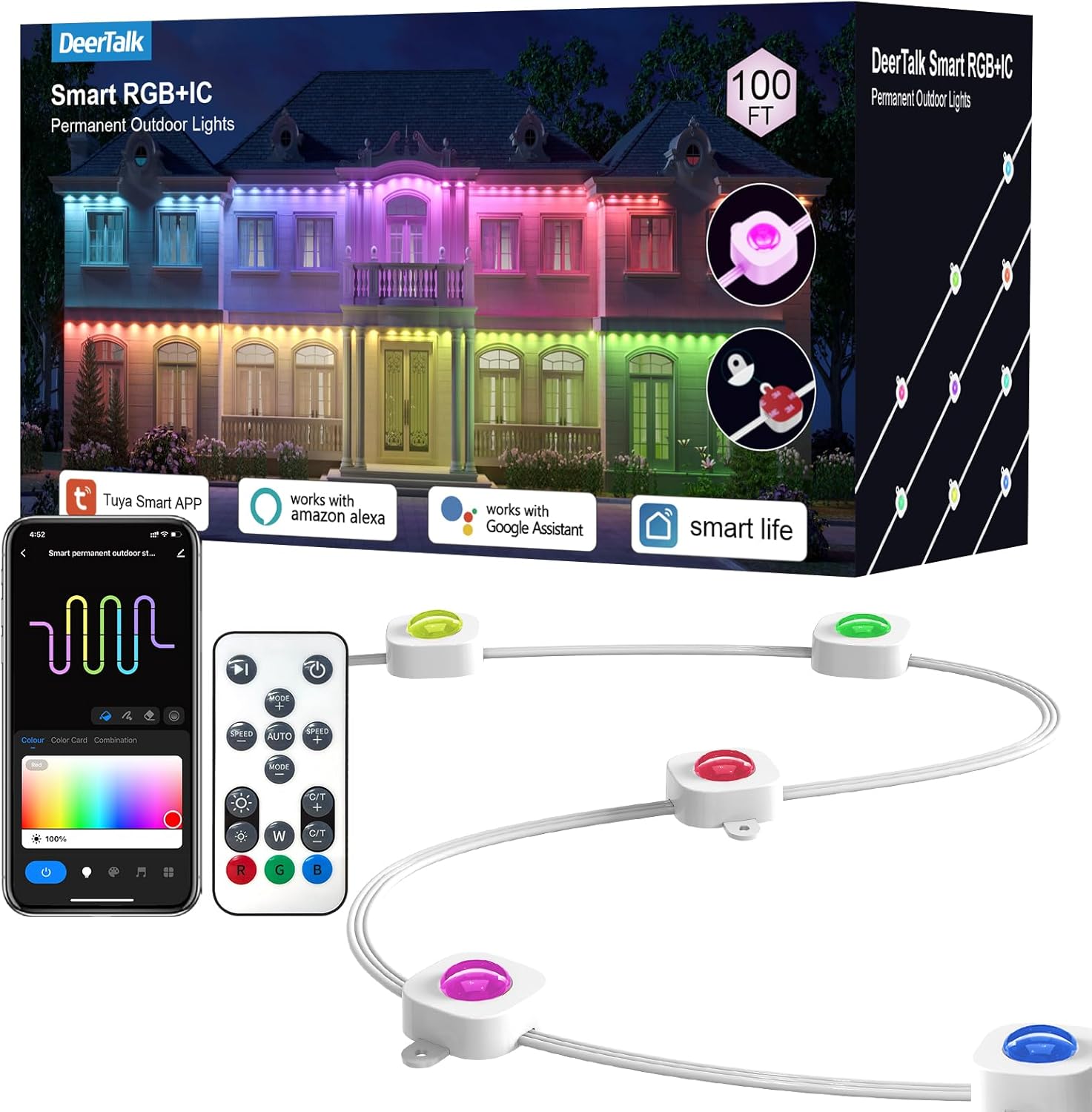
Figure 1: DeerTalk Permanent Outdoor Smart RGB+IC LED Lights Kit Overview
2. Safety Information
Please read all safety instructions carefully before installation and use. Failure to follow these instructions may result in electric shock, fire, or other hazards.
- Ensure the power supply is disconnected before installation or maintenance.
- This product is designed for outdoor use and has an IP65 rating for water and dust resistance. However, avoid submerging the lights in water.
- Do not attempt to cut or modify the light strings, as this may damage the product and void the warranty.
- Use only the provided power adapter and components.
- Keep children and pets away from the installation area during setup.
- Operate within the specified temperature range of -4°F to 140°F (-20°C to 60°C).
3. Package Contents
Verify that all components are present in the package:
- Permanent Outdoor Smart RGB+IC LED Light String (100FT)
- Power Adapter
- Remote Control
- Screw Clips for secure installation
- User Manual
- 2 x 12ft Extension Cables
4. Product Features
- RGB+IC Technology: Allows for individual light segment control, 16 million colors, brightness adjustment, and dynamic mode options.
- Unique Triangular Lighting Effect: Each light features a lens design that creates a distinct triangular light pattern with a wall washing depth greater than 16 inches. Each light provides 26 lumens of brightness.
- Outdoor Durability: Constructed from UV-resistant and anti-static materials with an IP65 rating for protection against water and dust. Designed to withstand temperatures from -4°F to 140°F (-20°C to 60°C) for up to 55,000 hours.
- Multiple Control Options: Control via Smart Life App or Tuya App, voice control with Alexa and Google Assistant, and an included remote control.
- Easy Installation: Features peel-and-stick adhesive combined with screw clips for secure mounting on various surfaces.

Figure 2: Detail of LED Light and Installation Clip

Figure 3: Durability and Weather Resistance
5. Setup and Installation
Follow these steps for proper installation of your DeerTalk LED lights:
- Planning: Determine the desired placement for your lights. Install the lights 2-4 inches away from the wall surface to achieve the optimal triangular lighting effect.
- Surface Preparation: Clean the installation surface thoroughly with a cloth or tissue to ensure it is dry and free of dust or debris.
- Adhesive Application: Tear off the protective film from the adhesive backing on each light unit.
- Initial Placement: Press each permanent light firmly against the cleaned surface for more than 5 seconds to ensure good adhesion.
- Secure with Screws: For enhanced security and to prevent falling, use the provided screw clips to fix each light. This is recommended for long-term outdoor installation.
- Connecting Light Strings: If using multiple light strings, connect them via the waterproof connectors. Ensure the connections are tight and secure.
- Final Cap: Firmly screw the waterproof connector cap onto the last light section to protect the end of the string.
The light strings are designed with waterproof joints every 16.4ft and cannot be cut.

Figure 4: Step-by-Step Installation Guide
6. Operating Instructions
Your DeerTalk LED lights offer multiple control methods for convenience.
6.1 Remote Control
The included remote control allows for basic functions such as power on/off, color selection, brightness adjustment, and dynamic mode changes. Point the remote directly at the light controller for optimal response.
6.2 Smart App Control
For advanced features and customization, download the Smart Life App or Tuya App from your smartphone's app store. Follow the in-app instructions to pair your lights. The app allows you to:
- Control colors of each trim light fragment independently.
- Access 16 million color options.
- Adjust brightness and saturation.
- Select from various dynamic modes and scenes.
- Sync lights to music.
- Set timers and schedules for automated operation.
6.3 Voice Control
The lights are compatible with Amazon Alexa and Google Assistant. To enable voice control:
- Ensure your lights are successfully paired with the Smart Life App or Tuya App.
- Open your Alexa or Google Home app.
- Enable the 'Smart Life' or 'Tuya Smart' skill/service.
- Follow the prompts to link your accounts and discover devices.
- You can then use voice commands such as:
- "Alexa, turn on the outdoor lights."
- "Hey Google, set outdoor lights to red."
- "Alexa, dim the outdoor lights to 50%."

Figure 5: Control Options: App, Remote, and Voice

Figure 6: Smart Voice Control in Action
7. Maintenance
The DeerTalk Permanent Outdoor Smart RGB+IC LED Lights are designed for minimal maintenance due to their durable construction.
- Cleaning: Periodically wipe the light units with a soft, damp cloth to remove dirt or debris. Do not use harsh chemicals or abrasive cleaners.
- Inspection: Regularly inspect the light string and connections for any signs of damage, wear, or loose fittings. Ensure all waterproof connectors are securely tightened.
- Environmental Protection: The lights are UV-resistant and IP65 waterproof, designed to withstand various weather conditions. No special covering is required during extreme weather, but ensure proper drainage around the installation area.

Figure 7: IP65 Waterproof and Anti-UV Material
8. Troubleshooting
If you encounter issues with your DeerTalk LED lights, refer to the following common problems and solutions:
| Problem | Possible Cause | Solution |
|---|---|---|
| Lights do not turn on. | No power, loose connection, faulty adapter. | Check power outlet, ensure all connections are secure, try a different outlet. Verify power adapter is functioning. |
| Remote control not working. | Battery depleted, obstruction, out of range. | Replace remote battery. Ensure no obstructions between remote and controller. Point remote directly at the controller. |
| App connection issues. | Incorrect Wi-Fi password, weak signal, app not updated, pairing mode not active. | Ensure correct 2.4GHz Wi-Fi network. Move closer to router. Restart app and lights. Re-enter pairing mode as per app instructions. |
| Lights are not displaying desired colors or effects. | Incorrect setting in app/remote, limited remote functionality. | Use the Smart Life/Tuya App for full color and effect customization. The remote may have limited color options. |
| Voice control not responding. | Skill not enabled, device not discovered, internet connectivity issue. | Verify 'Smart Life' or 'Tuya Smart' skill is enabled in Alexa/Google Home app. Re-discover devices. Check internet connection. |
9. Specifications
| Feature | Detail |
|---|---|
| Brand | DeerTalk |
| Model Number | SC-POL-FT |
| Light Type | LED (RGB+IC) |
| Length | 100FT |
| Number of Light Sources | 150 |
| Brightness per Light | 26 lumens |
| Indoor/Outdoor Usage | Outdoor |
| Water Resistance Level | IP65 |
| Material | Plastic (UV-resistant, anti-static) |
| Power Source | Corded Electric |
| Operating Temperature | -4°F to 140°F (-20°C to 60°C) |
| Lifespan | Up to 55,000 hours |
| Control Methods | Smart App (Smart Life/Tuya), Remote Control, Voice Control (Alexa, Google Assistant) |
| Item Weight | 7.43 pounds |
| Package Dimensions | 14.02 x 7.52 x 6.65 inches |
10. Warranty and Support
DeerTalk is committed to providing quality products and customer satisfaction. Your Permanent Outdoor Smart RGB+IC LED Lights come with lifetime support.
If you encounter any problems with your product, please do not hesitate to contact our customer service team. We provide 24-hour service all year round and are ready to assist with troubleshooting or product replacement as needed.
For detailed video steps or further assistance, please refer to the support section on the DeerTalk official website or contact us directly.