
Product Overview
The ChunHee Smart Dog Door Bell is designed to facilitate effective potty training for dogs by providing a clear communication method. This system includes a touch-sensitive transmitter for your dog and a plug-in receiver for your home, offering customizable alerts and durable design.
- Touch-Sensitive Design: Features a large, sensitive touch area, making it easy for dogs of all sizes to activate with a gentle touch, ideal for puppy potty training.
- Eliminates Unwanted Behaviors: The sensitive triggering design helps reduce scratching, whining, barking, or noisy ringtones at the door.
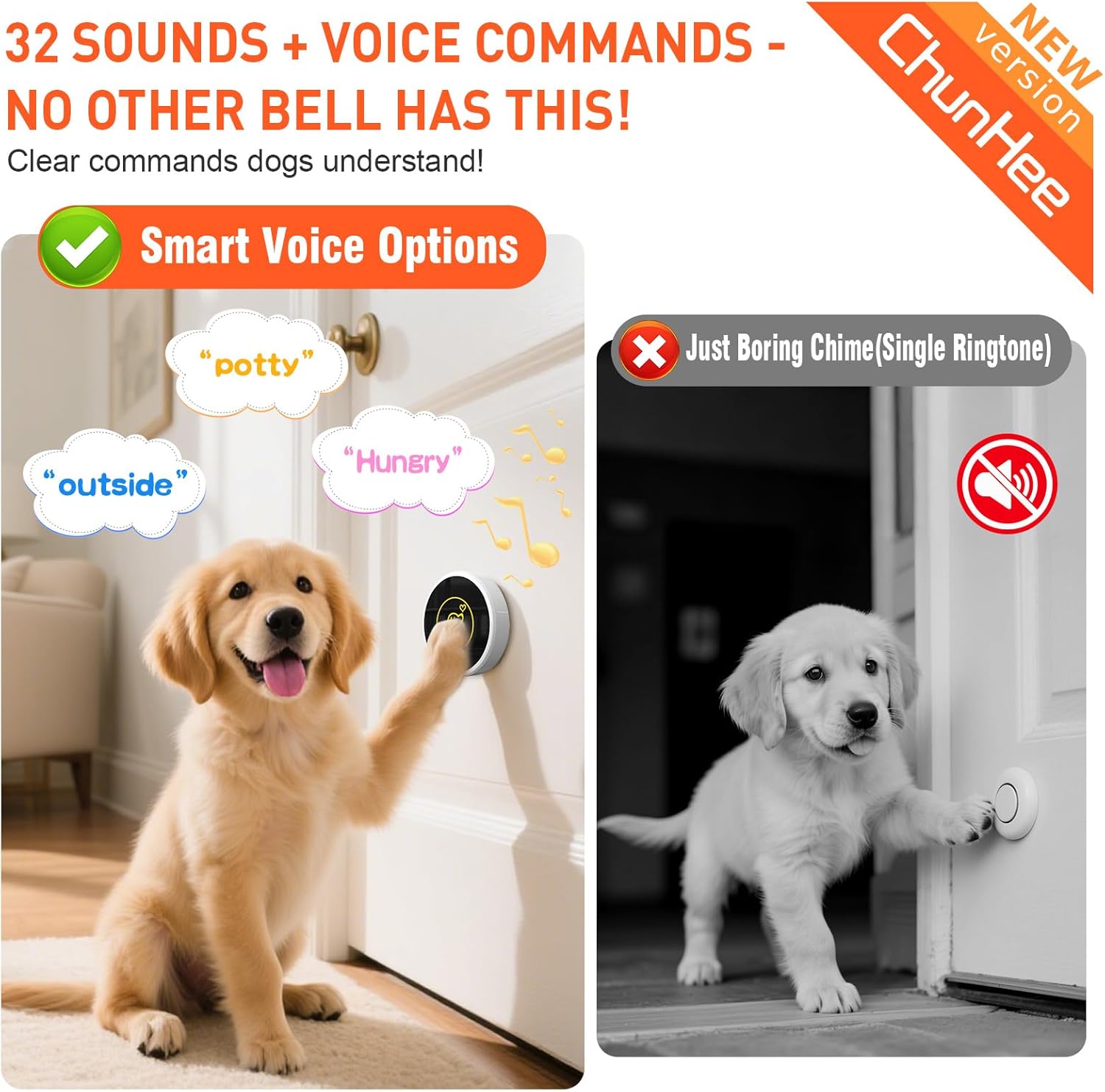
- Customizable Alerts: The receiver offers five adjustable volume levels (0 to 110 dB) and 32 selectable ringtones or voice options, including commands like "outside," "potty," "come back," "play," and "hungry." A flashing indicator light provides visual alerts.
- User-Friendly and Durable: Equipped with an easy-to-replace battery designed to last over 3 years. The transmitter has an IP55 weatherproof rating, suitable for outdoor placement in temperatures ranging from 14℉ to 140℉.
- Certified Quality: CE, FCC, and RoHS approved, ensuring product safety and compliance. Includes detailed instructions and training suggestions to assist in quick dog training.
Setup and Installation
Components
- Receiver: Plugs into a standard wall socket indoors.
- Transmitter: The dog button, activated by touch.
- Mounting Accessories: Includes reusable Velcro and 3M double-sided tape for flexible placement.
- Screwdriver: Provided for battery replacement.
Mounting the Transmitter
The transmitter can be mounted on a wall, door, or placed on the floor using the provided adhesive options. Ensure the mounting surface is clean and dry before application.


Connecting the Receiver
Plug the receiver into any standard indoor wall socket. It will light up, indicating it's ready for use.
Product Matching (Pairing)
To pair the transmitter with the receiver:
- Plug the receiver into a socket.
- Press and hold the "Volume" button on the receiver until it makes a "Ding" sound and the indicator light flashes.
- Within 8 seconds, touch the transmitter. The receiver will make a "Ding" sound and its indicator will flash, confirming successful pairing.
Operating Instructions
Training Your Dog
The ChunHee Dog Door Bell is designed to simplify potty training. Use positive reinforcement to teach your dog to touch the transmitter when they need to go outside or come back in.


How the System Works
When your dog touches the transmitter, the receiver will play the selected ringtone or voice command, alerting you to their request.
Customization
Adjusting Volume
The receiver's volume can be adjusted to suit your household's needs, ensuring you hear the alerts without them being overly disruptive.

Changing Ringtones and Voice Options
Select from 32 different ringtones or voice commands to personalize your dog's alerts. This allows for specific commands like "outside" or "hungry" to be associated with the bell.
- Plug the receiver into a socket.
- Press the "Forward" or "Backward" button on the receiver to select your favorite melody.
- Press and hold the "Volume" button on the receiver for 3 seconds until it makes a "Ding" sound and the receiver indicator flashes.
- Touch the transmitter quickly within 8 seconds. The receiver will make a "Ding" sound and the indicator flashes, confirming the new ringtone is set.
Maintenance
Battery Replacement
The transmitter's battery is designed for long-lasting use (over 3 years). When replacement is needed, follow these steps:
- Remove the transmitter from the wall or mounting surface.
- Unscrew the back cover of the transmitter using the provided screwdriver.
- Unscrew the internal screws to remove the panel.
- Push the old battery out with a screwdriver.
- Install a new CR button cell into the battery slot, paying attention to the positive and negative terminals.
- Reassemble the transmitter by screwing the panel and back cover back into place.
Troubleshooting
No Sound from Receiver
If the receiver lights up but does not produce any sound, the volume may be set to mute or a very low level.
- Solution: Press the volume button on the side of the receiver to increase the volume. Refer to the "Adjusting Volume" section or video for detailed instructions.
Resetting the Device (Factory Reset)
If you experience persistent issues or wish to clear all paired transmitters, you can perform a factory reset.
- Press and hold the "Backward" button on the receiver for 5 seconds until it makes a "Ding" sound and the receiver indicator flashes.
- All previously paired transmitters will be cleared, and the ringtone will return to the default "Ding Dong."
- After clearing, the receiver will automatically enter pairing mode. Press any transmitter to auto-pair it.
Inconsistent Signaling
If the doorbell triggers without your dog pressing it, or if signals are missed, check the following:
- Ensure the transmitter is securely mounted and not exposed to excessive vibrations or direct sunlight that could cause false triggers.
- Verify that there are no strong electromagnetic interferences near the transmitter or receiver.
- Check the battery level of the transmitter; a low battery can affect signal reliability.
Product Specifications
| Feature | Specification |
|---|---|
| Item Weight | 6.3 ounces (0.18 Kilograms) |
| Manufacturer | ChunHee |
| Item Model Number | CB09 1-1 |
| Item Package Dimensions | 3.74 x 3.54 x 2.91 inches |
| Battery Life (Transmitter) | More than 3 years |
| Weatherproof Rating | IP55 (14℉-140℉) |
| Volume Levels | 5 (0 to 110 dB) |
| Ringtones/Voice Options | 32 |
| Certifications | CE, FCC, RoHS |
Warranty and Support
Warranty Information
The ChunHee Dog Door Bell comes with a 1 Year Manufacturer Warranty, covering defects in materials and workmanship under normal use.
Customer Support
For further assistance, troubleshooting, or inquiries regarding your ChunHee Smart Dog Door Bell, please refer to the official ChunHee website or contact their customer support channels. Detailed contact information can typically be found in the product packaging or on the manufacturer's website.