Introduction
The SUUNTO Sonic Open-Ear Bone Conduction Sports Headphone is a Bluetooth wireless headset designed for active lifestyles. It features enhanced bass, multipoint connection, and a durable, waterproof design. This manual provides essential information for setting up, operating, and maintaining your headphones.

Image: The SUUNTO Sonic headphones in red, showcasing their open-ear design.
What's in the Box
Your SUUNTO Sonic package includes the following items:
- SUUNTO Sonic Headphone (Red)
- Headphone charging cable
- Suunto storage bag
- User Manual (this document)

Image: All items included in the SUUNTO Sonic product package, laid out neatly.
Setup
1. Charging the Headphones
Before first use, fully charge your SUUNTO Sonic headphones. A full charge takes approximately 1 hour and provides up to 10 hours of playtime. For quick use, a 5-minute charge can provide up to 90 minutes of playtime.
- Connect the charging cable to the charging port on your headphones.
- Connect the other end of the cable to a USB power source (e.g., computer, wall adapter).
- The indicator light will show charging status and turn off when fully charged.
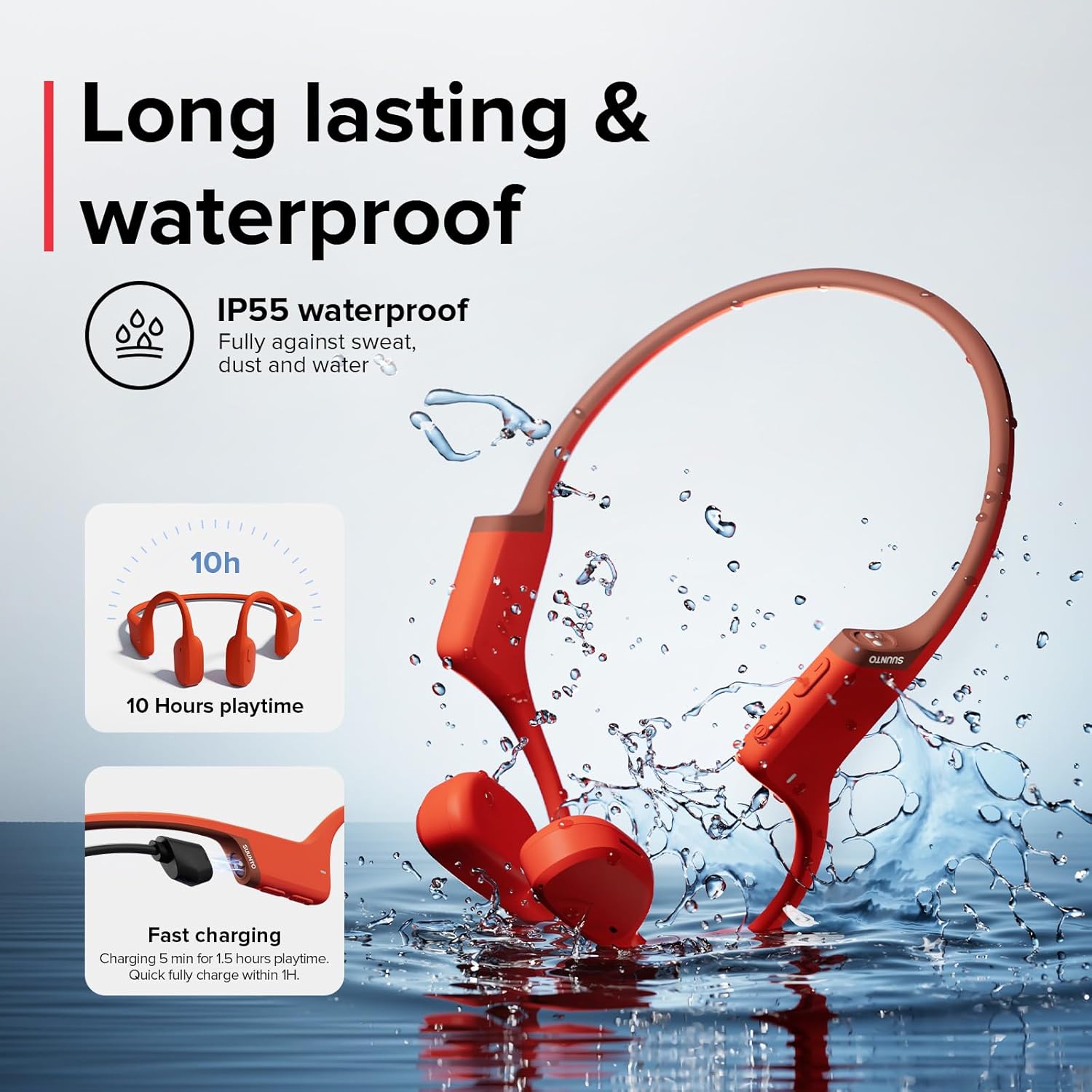
Image: The SUUNTO Sonic headphones with an illustration of charging time and water resistance.
2. Bluetooth Pairing
The SUUNTO Sonic headphones utilize Bluetooth 5.2 for stable and efficient connection.
- Ensure the headphones are powered off.
- Press and hold the power button until the indicator light flashes, indicating pairing mode.
- On your device (smartphone, tablet, laptop), enable Bluetooth and search for "SUUNTO Sonic" in the list of available devices.
- Select "SUUNTO Sonic" to connect. A voice prompt will confirm successful pairing.

Image: A close-up view of the internal components of the SUUNTO Sonic headphones, highlighting the Bluetooth 5.2 chip.
3. Multipoint Connection
The headphones support multipoint connectivity, allowing connection to two Bluetooth devices simultaneously.
- Pair the first device as described above.
- Once connected, disable Bluetooth on the first device.
- Put the headphones back into pairing mode and connect to the second device.
- Re-enable Bluetooth on the first device. The headphones should now be connected to both devices.
- Audio will automatically switch between devices based on active playback.

Image: The SUUNTO Sonic headphones shown with a laptop, smartphone, and smartwatch, illustrating dual-device connection capability.
4. SUUNTO App Integration
Enhance your experience by connecting your SUUNTO Sonic headphones to the official SUUNTO app.
- Monitor battery level.
- Switch between sound modes (Normal/Outdoor).
- Manage dual-device connections.
- Receive valuable voice feedback (e.g., lap times, average speeds) when paired with a SUUNTO watch and app during workouts.
Operating Instructions
Wearing the Headphones
The SUUNTO Sonic headphones are designed for open-ear listening, allowing you to remain aware of your surroundings.
- Place the headphones around the back of your head, with the transducers resting on your cheekbones, just in front of your ears.
- Adjust for a comfortable and secure fit. The lightweight design (30.6g) ensures comfort during extended wear and intense activities.

Image: A person running outdoors, demonstrating the lightweight and comfortable fit of the SUUNTO Sonic headphones.

Image: A person running, illustrating the open-ear listening experience provided by SUUNTO Sonic headphones, allowing awareness of surroundings.
Controls
The headphones feature physical buttons for easy control of media and calls.
- Power On/Off: Press and hold the power button.
- Play/Pause: Single press the multi-function button.
- Volume Up/Down: Use the dedicated volume buttons.
- Next Track: Double press the multi-function button.
- Previous Track: Triple press the multi-function button.
- Answer/End Call: Single press the multi-function button during a call.
- Reject Call: Press and hold the multi-function button during an incoming call.
Call Quality
Equipped with dual built-in HD microphones and cVc echo canceling & noise suppression technology, the SUUNTO Sonic ensures clear voice calls even in noisy environments.

Image: A diagram illustrating the enhanced bass and dual noise-cancelling microphone technology within the SUUNTO Sonic headphones.
Maintenance
Cleaning
Wipe the headphones with a soft, damp cloth. Do not use harsh chemicals or abrasive materials. Ensure the charging port is dry before charging.
Water Resistance (IP55)
The SUUNTO Sonic headphones have an IP55 protection rating, making them resistant to sweat and light rain. They are not designed for submersion or rinsing under a faucet.
Storage
When not in use, store your headphones in the provided Suunto storage bag to protect them from dust and damage.
Troubleshooting
If you encounter issues with your SUUNTO Sonic headphones, refer to the following common solutions:
| Problem | Possible Cause | Solution |
|---|---|---|
| Cannot connect via Bluetooth | Headphones not in pairing mode; device Bluetooth off; interference; previous connection issues. | Ensure headphones are in pairing mode. Turn off and on Bluetooth on your device. Forget "SUUNTO Sonic" from your device's Bluetooth list and re-pair. Try connecting in a different environment to rule out interference. |
| Low volume or poor sound quality | Volume too low on headphones or device; improper placement; environmental noise. | Increase volume on both headphones and connected device. Ensure transducers are correctly placed on cheekbones. Note that open-ear design allows ambient sound, which may affect perceived loudness in noisy environments. |
| Headphones do not charge | Charging cable or port issue; power source problem. | Check if the charging cable is securely connected. Try a different USB port or power adapter. Ensure the charging port on the headphones is clean and dry. |
| Uncomfortable fit / too big | Individual head size variation. | While designed for a secure fit, individual comfort may vary. Ensure the band is positioned correctly around the back of the head. |
Specifications
| Feature | Detail |
|---|---|
| Model Name | SUUNTO SONIC |
| Connectivity Technology | Bluetooth 5.2, Wireless |
| Wireless Communication Technology | Bluetooth |
| Age Range (Description) | Adult |
| Material | Silicone, Titanium |
| Specific Uses For Product | Office, Sports |
| Charging Time | 1 Hours |
| Recommended Uses For Product | Cycling, Exercising, Running, Snowboarding |
| Compatible Devices | Smartphones, Tablets, Laptops, Desktops, Smart Speakers, Car Audio Systems |
| Control Type | Media Control |
| Cable Feature | Without Cable |
| Item Weight | 31 Grams (1.09 ounces) |
| Water Resistance Level | Waterproof (IP55) |
| Frequency Range | 20Hz~20kHz |
| Control Method | App, Button |
| Battery Life | 10 Hours |
| Audio Driver Type | Bone Conduction Driver |
| Bluetooth Version | 5.2 |
| Audio Latency | 85 Milliseconds |
| Earpiece Shape | Bone Conduction |
| UPC | 045235101207 |
| Manufacturer | SUUNTO |
| Item model number | SS050948000 |
| Batteries | 1 Lithium Polymer batteries required (included) |
| Date First Available | August 30, 2024 |
| Color | Red |
| Ear Placement | Open Ear |
| Form Factor | Open Ear |
Official Product Video
Video: An official product video showcasing the features and use of the SUUNTO Sonic Open-Ear Bone Conduction Headphones. This video highlights the open-ear technology, lightweight design, water resistance, and battery life, demonstrating its suitability for outdoor sports.
Warranty and Support
For warranty information and detailed support, please refer to the official SUUNTO website or contact SUUNTO customer service. You can also find additional resources and FAQs through the SUUNTO app.
Protection plans are available for extended coverage:
- 2-Year Protection Plan
- 3-Year Protection Plan
- Complete Protect (monthly plan covering eligible purchases)
Visit the SUUNTO Store on Amazon for more products and information.


