Introduction
This manual provides detailed instructions for the installation, operation, and maintenance of your DeerTalk Smart RGB+IC Permanent Outdoor Lights LED Kit, model SC-POL-FT. These lights are designed for year-round outdoor use, offering customizable lighting effects, smart control features, and durable construction.
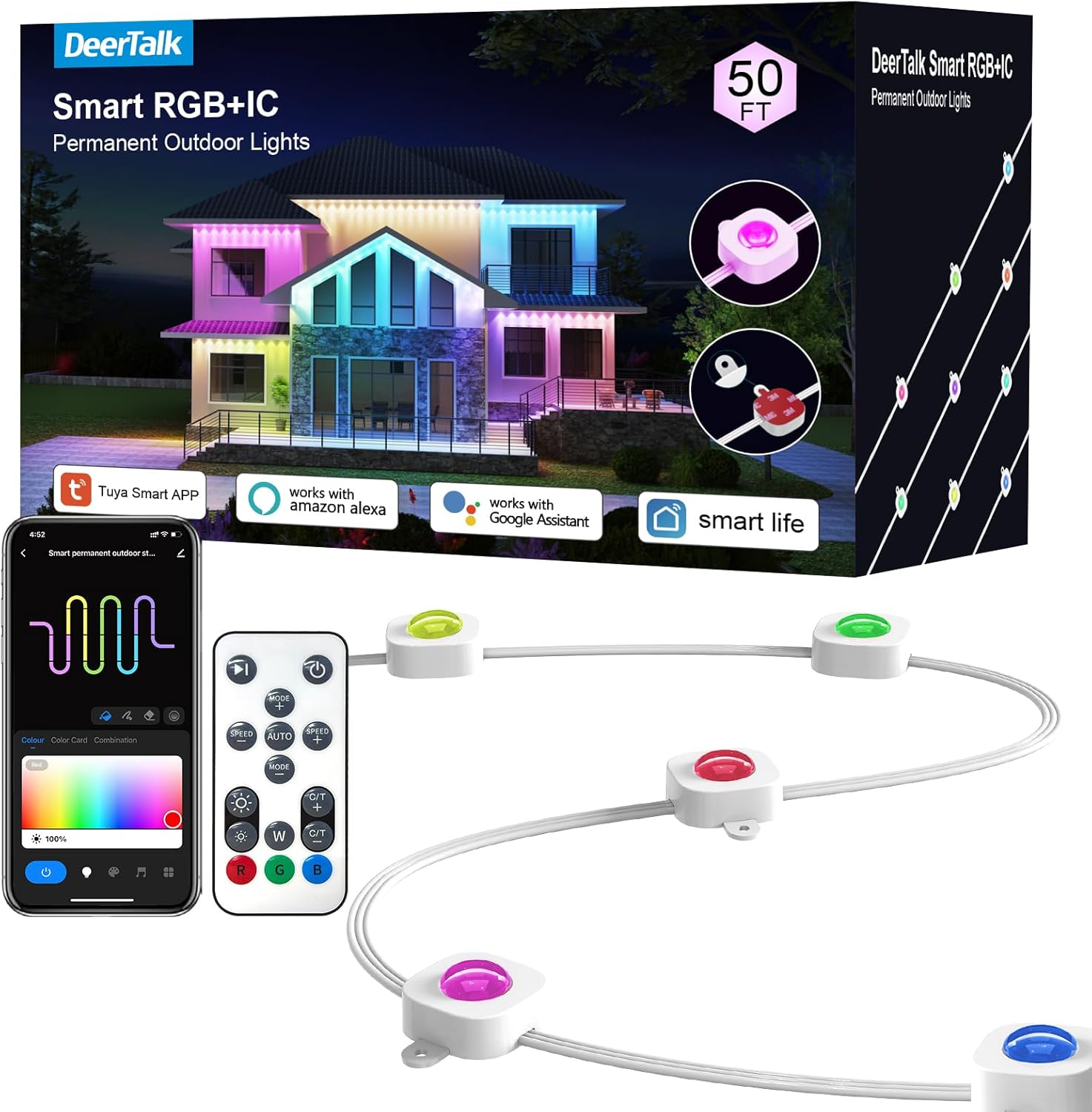
Image: DeerTalk Smart RGB+IC Permanent Outdoor Lights LED Kit, showing the product packaging, individual light units, remote control, and a smartphone displaying the control app.
Package Contents
Verify that all components are present in the package:
- Permanent Outdoor Lights Smart RGB+IC (50FT or 100FT kit, depending on purchase)
- Remote Control
- Power Adapter
- Mounting Clips and Screws
- User Manual (this document)
Specifications
| Feature | Detail |
|---|---|
| Model Number | SC-POL-FT |
| Light Type | RGB+IC LED |
| Indoor/Outdoor Usage | Outdoor |
| Special Features | Color Changing, Smart Control (App, Voice, Remote) |
| Light Source Type | LED |
| Power Source | Corded Electric |
| Light Color | Multicolor (16 million colors) |
| Material | Plastic (Anti-UV) |
| Waterproof Rating | IP65 |
| Operating Temperature | -4°F to 140°F (-20°C to 60°C) |
| Lifespan | Up to 55,000 hours |
| Brightness per Light | 26 lumens |
| Wall Washing Depth | Greater than 16 inches |
Safety Information
Please read and follow these safety guidelines to prevent injury or damage to the product:
- Ensure the power supply is disconnected before installation or maintenance.
- Do not attempt to modify or repair the lights yourself. Contact customer support for assistance.
- Use only the provided power adapter.
- Keep the lights and power adapter away from open flames or excessive heat sources.
- Ensure all connections are secure and waterproof to maintain the IP65 rating.
- Avoid looking directly into the LED lights for extended periods.
- Install the lights in a location where they will not be a tripping hazard.
Installation
Follow these steps for proper installation of your DeerTalk Permanent Outdoor Lights. The lights are designed for installation 2-4 inches away from the wall surface to achieve the optimal triangular lighting effect.
- Prepare the Surface: Clean the installation surface (eaves, walls) with a cloth or tissue to ensure it is free of dust and debris. This helps the adhesive adhere properly.
- Apply Adhesive: Peel off the protective film from the adhesive backing on each light unit.
- Position and Press: Firmly press each light unit against the cleaned surface for at least 6 seconds to ensure strong adhesion.
- Secure with Screws: For enhanced security and to prevent falling, use the provided screw clips to fix each permanent light unit. This is crucial for long-term stability.
- Connect Light Sections: If you have multiple string light sections (e.g., for longer installations), splice them together using the waterproof connectors. Ensure these connections are tightly screwed in to maintain water resistance. Note: The light strings cannot be cut.
- Power Connection: Connect the power adapter to the main light string and then plug it into a suitable outdoor power outlet.

Image: Visual guide demonstrating the 7 steps of installation, including cleaning the surface, applying adhesive, pressing lights, fixing with screws, connecting waterproof joints, and securing the cap.

Image: Detailed view of a single light unit, highlighting the internal 3-in-1 LED bead and IC chip, and the screw installation method for secure mounting.
Operation
Your DeerTalk Smart RGB+IC Permanent Outdoor Lights offer multiple control methods:
1. Smart Life App / Tuya App Control
Download the "Smart Life" or "Tuya" app from your smartphone's app store. Follow the in-app instructions to pair your lights. Once connected, you can:
- Control individual light segments (RGB+IC technology).
- Select from 16 million colors.
- Adjust brightness levels.
- Choose dynamic lighting modes and scenes.
- Sync lights to music.
- Set timers and schedules for automatic operation.

Image: A smartphone displaying the Smart Life app interface for light control, alongside the physical remote control and the main control box.
2. Voice Control (Alexa & Google Assistant)
Integrate your DeerTalk lights with Amazon Alexa or Google Assistant for hands-free control. Ensure your lights are connected to the Smart Life/Tuya app, then link the app to your preferred voice assistant. You can then use voice commands such as:
- "Alexa, turn on the outdoor lights."
- "Hey Google, set outdoor lights to red."
- "Alexa, change outdoor lights to party scene."

Image: A house decorated with colorful DeerTalk lights, with speech bubbles indicating voice commands for Alexa and Google Assistant.
3. Remote Control
Use the included remote control for quick adjustments. The remote allows you to:
- Turn lights on/off.
- Change colors.
- Adjust brightness.
- Select preset modes.
4. Controller Control
The physical controller attached to the light string provides basic control functions, typically including power on/off and cycling through basic modes.
Maintenance
To ensure the longevity and optimal performance of your DeerTalk Permanent Outdoor Lights, follow these maintenance tips:
- Cleaning: Periodically wipe the light units with a soft, damp cloth to remove dirt, dust, or debris. Ensure the power is off before cleaning.
- Inspect Connections: Annually inspect all waterproof connections and the power adapter for any signs of wear, damage, or loose fittings. Tighten as necessary.
- Check Mounting: Verify that all light units remain securely attached to the surface. Re-tighten screws or re-apply adhesive if any unit appears loose.
- Environmental Protection: While the lights are IP65 rated and UV-resistant, extreme weather conditions (e.g., severe storms, prolonged heavy snow) may warrant additional inspection afterward.

Image: An outdoor wall illuminated by DeerTalk lights during rain, with an inset showing the IP65 waterproof rating, emphasizing durability.

Image: A house with DeerTalk lights installed, shown in both sunny and snowy conditions, illustrating the lights' ability to withstand temperatures from -4°F to 140°F and a lifespan of up to 50,000 hours.
Troubleshooting
If you encounter issues with your DeerTalk lights, refer to the following common problems and solutions:
| Problem | Possible Cause | Solution |
|---|---|---|
| Lights do not turn on. | No power, loose connection, faulty power adapter. | Check if the power adapter is securely plugged in. Ensure the power outlet is functional. Inspect all connections for tightness. |
| Lights flicker or display incorrect colors. | Loose connection, app/remote interference, damaged light unit. | Check all physical connections. Restart the app and lights. If a specific light unit is faulty, contact support. |
| Cannot connect to Smart Life/Tuya App. | Incorrect Wi-Fi password, 2.4GHz Wi-Fi not used, app pairing issue. | Ensure your Wi-Fi network is 2.4GHz. Verify Wi-Fi password. Try resetting the lights (refer to app instructions for reset procedure) and re-pairing. Ensure Bluetooth is enabled on your phone. |
| Voice control not working. | Not linked to Alexa/Google, app not connected, incorrect commands. | Confirm the Smart Life/Tuya app is linked to your Alexa/Google Home account. Ensure the lights are online in the app. Use precise voice commands. |
| Remote control unresponsive. | Battery depleted, obstruction, remote out of range. | Replace the remote control battery. Ensure no obstructions between the remote and the light controller. Move closer to the controller. |
If the problem persists after trying these solutions, please contact DeerTalk customer support for further assistance.
Warranty and Support
DeerTalk provides lifetime support for your product. If you encounter any issues with your permanent outdoor lights, our customer service team is available 24 hours a day, all year round, to provide assistance and quick replacements if necessary. Please refer to the contact information provided with your purchase or visit the official DeerTalk website for support.


