
INIU P63-E1
INIU 100W Mini Size 25000mAh Power Bank User Manual
Model: P63-E1 | Brand: INIU
1. Introduction
Thank you for choosing the INIU 100W Mini Size 25000mAh Power Bank. This device is designed to provide high-capacity, fast charging for a wide range of electronic devices, including laptops, tablets, and smartphones. Its compact design and advanced technology ensure reliable power on the go. Please read this manual carefully to ensure proper use and maintenance of your power bank.

Figure 1: The INIU 100W Mini Size 25000mAh Power Bank, showcasing its compact design when held in hand.
2. What's in the Box
- INIU 100W Battery Bank (Model: P63-E1) x 1
- 0.3m/1ft USB-C to USB-C Cable x 1
- User Manual x 1
3. Specifications
| Feature | Detail |
|---|---|
| Model Number | P63-E1 |
| Battery Capacity | 25000 mAh / 92.5Wh |
| Product Dimensions | 4.3 x 1.4 x 2.7 inches |
| Item Weight | 15.8 ounces |
| Input (USB-C1) | Up to 65W (max) |
| Output (USB-C1) | Up to 100W (max) |
| Output (USB-C2) | Up to 45W (max) |
| Output (USB-A) | Up to 18W (max) |
| Total Output | 110W (max) |
| Fast Charging Protocols | PD3.0, PD2.0, QC3.0, QC2.0, PPS, AFC, etc. |

Figure 2: Detailed view of the power bank's input and output ports with their respective wattage capabilities.
4. Key Features
- Market's Smallest 100W 25000mAh: Equipped with INIU's TinyCell and HyperStack technology for compact portability.
- High-Speed Charging: Provides up to 110W high-speed charging for 2 devices simultaneously.
- Rapid Recharge: The power bank itself recharges fully in only 1.4 hours via the 100W USB-C port.
- Smart Digital Display: Clearly shows the remaining battery percentage.
- Airline Friendly: 25000mAh capacity is compliant for air travel, supporting week-long trips.
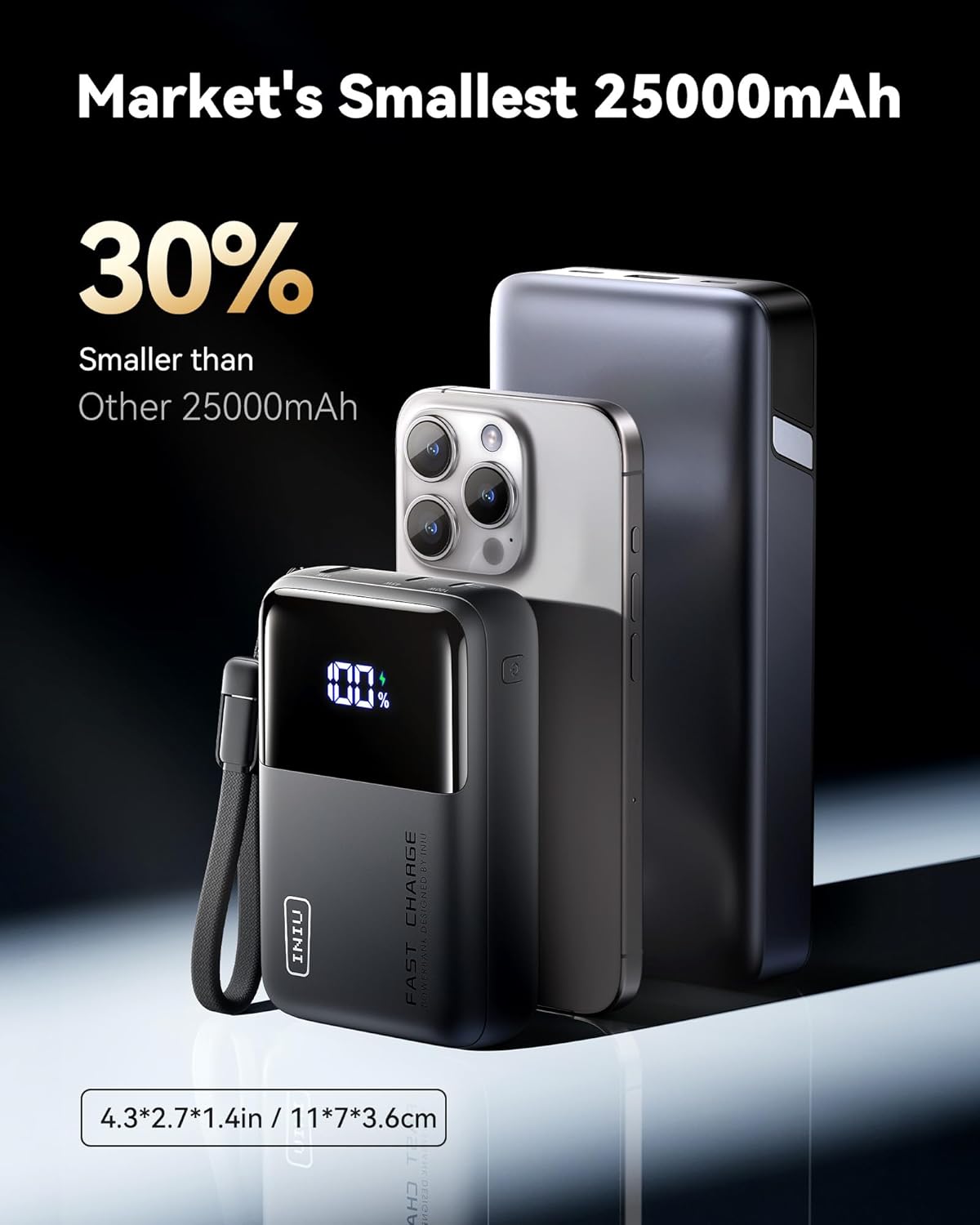
Figure 3: The INIU power bank's compact size compared to other 25000mAh power banks and a smartphone.

Figure 4: The power bank simultaneously charging a MacBook Pro 14" and an iPhone 15, demonstrating its multi-device fast charging capability.
5. Setup
5.1 Initial Charging of the Power Bank
Before first use, fully charge your INIU 100W Power Bank. Use the provided USB-C to USB-C cable and a compatible 65W or higher power adapter for optimal charging speed. The digital display will show the charging progress.
- Connect the smaller end of the USB-C cable to the IN/OUT1 port on the power bank.
- Connect the larger end of the USB-C cable to a compatible wall charger (not included).
- The digital display will illuminate and show the battery percentage increasing. A full recharge takes approximately 1.4 hours.
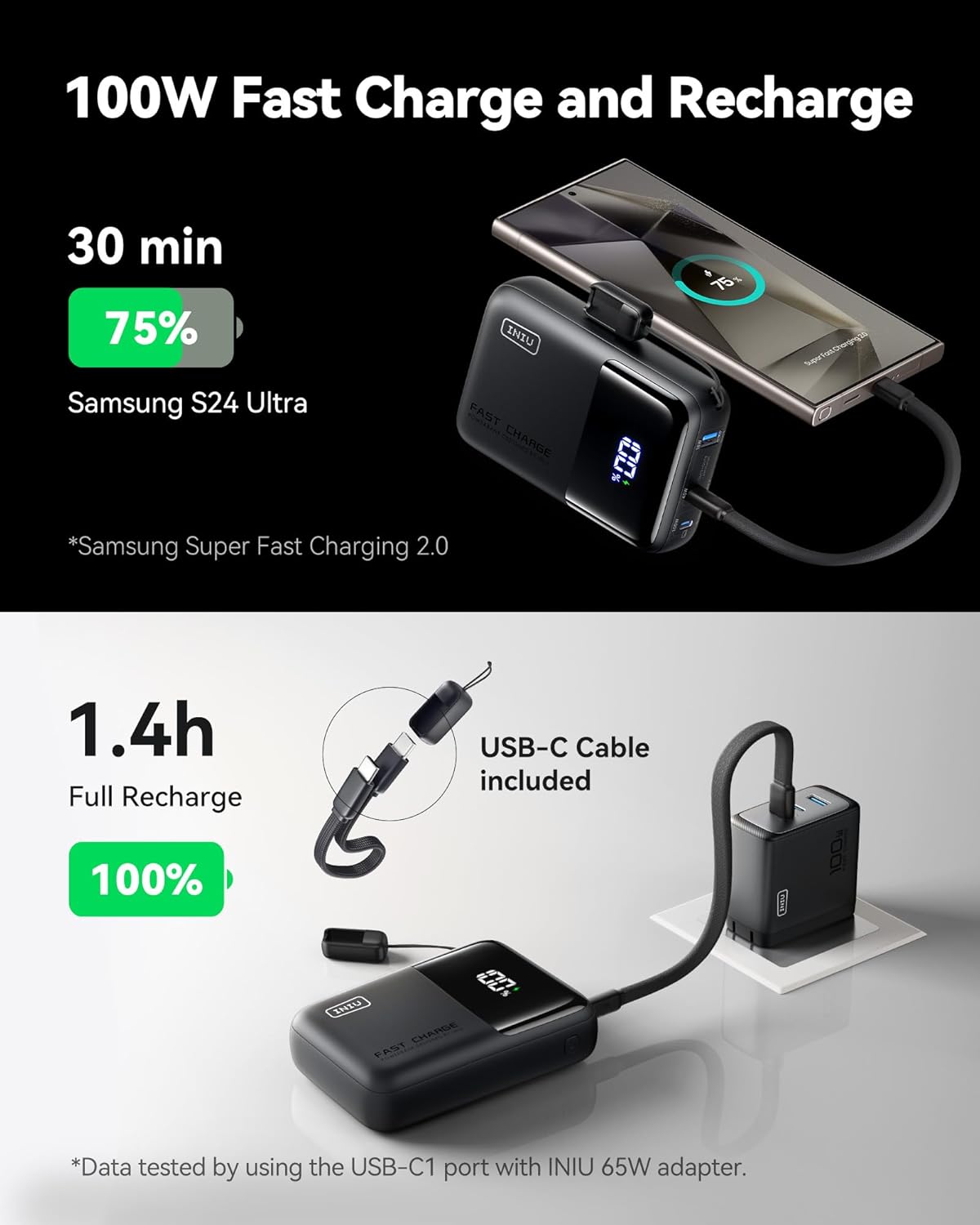
Figure 5: The power bank being recharged, illustrating the fast recharge capability.
Video 1: This video provides a detailed explanation of the power bank's charging ports and an unboxing experience, guiding users through initial setup.
6. Operating Instructions
6.1 Charging Your Devices
To charge your electronic devices, connect them to the power bank using a compatible USB cable. The power bank will automatically detect and begin charging your device.
- For optimal fast charging, use the USB-C1 (100W) port for compatible laptops and high-power devices.
- The USB-C2 (45W) and USB-A (18W) ports can be used for other devices like smartphones and tablets.
6.2 Multi-Device Charging
The INIU 100W Power Bank can charge up to three devices simultaneously. The total output will be distributed among the connected devices.

Figure 6: The power bank simultaneously charging a tablet, smartphone, and wireless earbuds, demonstrating its multi-device charging capability.
6.3 Pass-Through Charging
The power bank supports pass-through charging, allowing you to recharge the power bank while it simultaneously charges your devices. This is convenient when you have limited power outlets.
Video 2: This video highlights the power bank's fast charging capabilities and its suitability for travel, showing various devices being charged.
7. Universal Compatibility
The INIU 100W Power Bank is compatible with a wide range of devices, including but not limited to:
- Laptops: MacBook Pro/Air, Dell XPS, Lenovo ThinkPad, Surface Pro.
- Phones: iPhone Series (15, 16), Samsung Series (S24 Ultra), Google Pixel, LG.
- Tablets: iPad Pro, iPad Air, iPad Mini, Galaxy Tab A.
- Other Devices: Steam Deck, Nintendo Switch, Drones, Wireless Earbuds.

Figure 7: A comprehensive chart illustrating the wide range of devices compatible with the power bank.
Video 3: This video emphasizes the power bank's mini size and high capacity, demonstrating its portability and power for various devices.
8. Maintenance
- Keep the power bank away from extreme temperatures, direct sunlight, and liquids.
- Do not disassemble, crush, or puncture the device.
- Store in a cool, dry place when not in use.
- Clean the surface with a soft, dry cloth. Avoid using harsh chemicals.
9. Troubleshooting
9.1 Power Bank Not Charging
- Ensure the USB-C cable is securely connected to both the power bank's IN/OUT1 port and the wall charger.
- Verify that the wall charger is functioning correctly and provides sufficient power (65W or higher recommended).
- Try a different USB-C cable.
9.2 Device Not Charging from Power Bank
- Ensure the power bank has sufficient charge (check the digital display).
- Verify that the cable connecting your device to the power bank is functional and compatible.
- Try a different output port on the power bank.
- Restart your device and try charging again.
Video 4: This video provides an accuracy and efficiency test of the INIU P63 power bank, offering insights into its performance and potential troubleshooting.
10. Warranty and Support
INIU offers an industry-leading 3-year INIU Care warranty for this product. If you encounter any quality issues within this period, INIU will send you a new one.
For further assistance or support, please refer to the contact information provided in the included user manual or visit the official INIU website.

Figure 8: Illustration of INIU's 3-year warranty policy, ensuring customer satisfaction and product reliability.
Related documentsP63-E1


Ask a question about this manual
Ask about setup, troubleshooting, compatibility, parts, safety, or missing instructions. Manuals+ will review the question and use this page’s manual context to help answer it.