
1. Introduction
Thank you for choosing the LUVODI Smart LED Bathroom Mirror. This manual provides essential information for the safe installation, operation, and maintenance of your new mirror. Please read these instructions thoroughly before installation and keep them for future reference.

Image 1.1: The LUVODI Smart LED Bathroom Mirror featuring both backlit and front lit illumination, integrated into a contemporary bathroom setting above a vanity.
2. Safety Information
To ensure safe operation and prevent damage, please adhere to the following safety guidelines:
- Always use a professional electrician for installation to prevent electrical hazards and ensure proper wiring.
- Mount the mirror securely to the wall using appropriate hardware to prevent it from falling and causing injury or damage.
- Keep the mirror away from direct water spray or excessive moisture to prevent electrical short circuits and damage to electronic components.
- Do not attempt to repair or modify the mirror yourself. Contact qualified service personnel for any repairs.
- Ensure the power supply is disconnected before any installation, cleaning, or maintenance procedures.

Image 2.1: Illustration highlighting the IP56 waterproof rating of the light strip and the durable, copper-free antioxidant glass construction of the mirror, emphasizing product safety and longevity.
3. Product Features
The LUVODI Smart LED Bathroom Mirror is equipped with several advanced features for enhanced convenience and functionality:
- Integrated Bluetooth Speaker: Two built-in speakers provide 360° surround sound, allowing music playback via Bluetooth connection.
- Digital Display: Shows real-time clock and ambient temperature.
- High-Definition Mirror: Constructed from 5mm thick copper-free, antioxidant, shatter-proof glass with a CRI > 95 for accurate reflection.
- Dual Dimmable Lighting: Features both front and backlit illumination, brighter than single-backlit mirrors. Full-range dimming is available.
- Three Color Temperatures: Adjustable lighting from 3000K (warm) to 6000K (cool) to suit different needs.
- Anti-Fog Function: Built-in demister pads clear steam from the mirror surface within 3-4 minutes.
- Memory Function: Retains the last used settings for light brightness, color temperature, and anti-fog when powered off and on.
- IP56 Rated: Light strips are covered by silicone tubing, and internal components are protected by a back panel for water resistance.
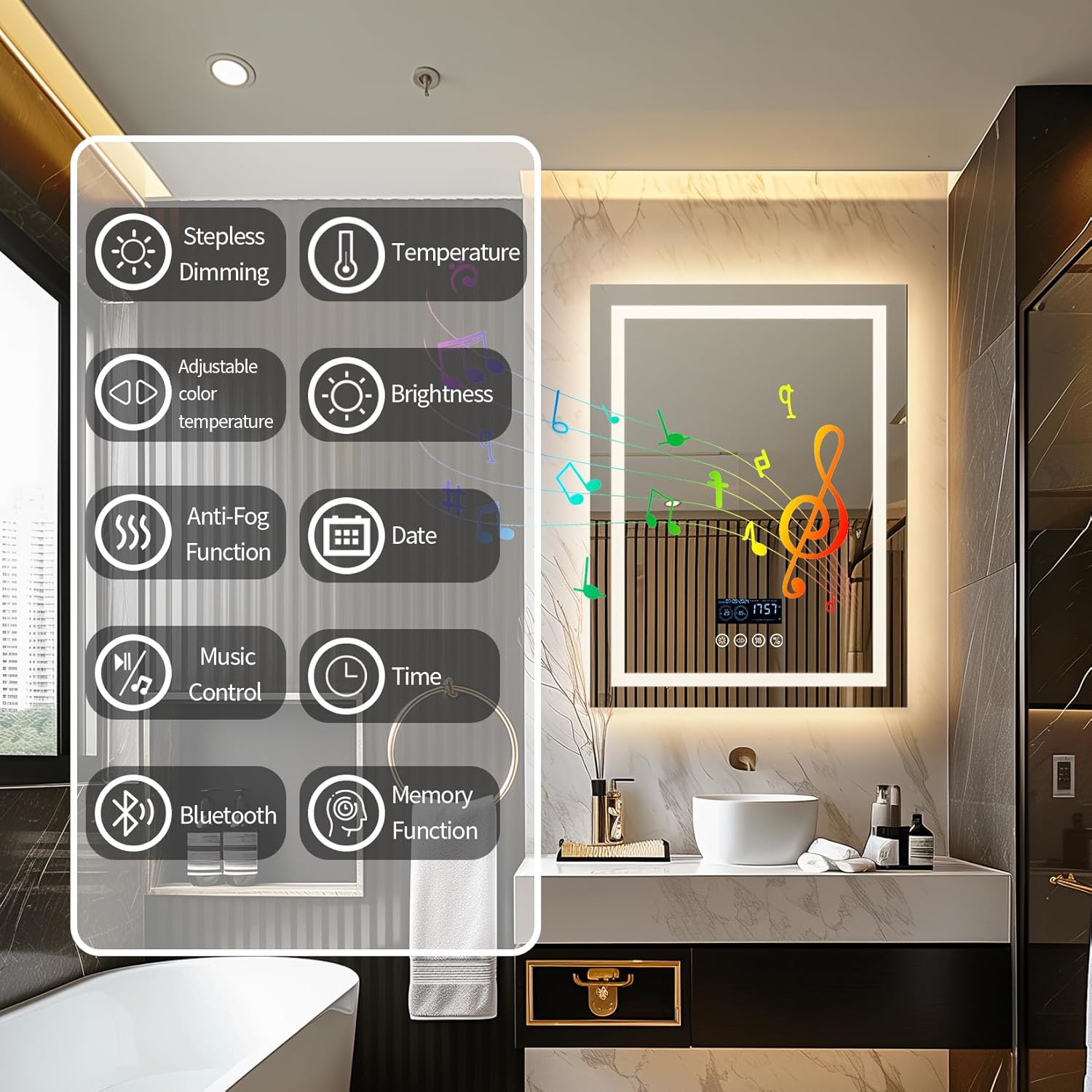
Image 3.1: An overview of the mirror's smart functions, including stepless dimming, temperature display, adjustable color temperature, brightness control, anti-fog, date display, music control, time display, Bluetooth connectivity, and memory function.
4. Specifications
| Feature | Detail |
|---|---|
| Brand | LUVODI |
| Model | Smart LED Bathroom Mirror |
| Dimensions (L x W) | 28"L x 36"W |
| Shape | Rectangular |
| Mirror Thickness | 5mm (Copper-free, antioxidant, shatter-proof) |
| Frame Material | Metal (Aluminum) |
| Mounting Type | Wall Mount (Horizontal only) |
| Lighting | Backlit + Front Lit, Dimmable, 3 Color Temperatures (3000K-6000K) |
| Special Features | Built-in Bluetooth Speaker, Anti-Fog, Time/Temperature Display, Memory Function, IP56 Rated |
| Power Connection | Plug-in or Hardwire (professional electrician recommended) |

Image 4.1: Detailed dimensions of the LUVODI Smart LED Bathroom Mirror, indicating its height, width, and depth, along with the mirror's thickness.
5. Setup and Installation
The LUVODI Smart LED Bathroom Mirror is designed for horizontal wall mounting. Professional installation is highly recommended due to electrical connections.
5.1 Pre-Installation Checklist
- Verify all components are present and undamaged.
- Ensure the installation location has a suitable power outlet or hardwire connection point.
- Turn off the main power supply to the installation area at the circuit breaker.
5.2 Mounting Instructions
- Measure and mark the desired mounting height and width on the wall, ensuring it is level.
- Drill pilot holes at the marked locations.
- Insert wall anchors (if necessary) and secure the mounting hardware (screws, brackets) firmly to the wall.
- Carefully lift the mirror and align it with the mounting hardware. Secure the mirror in place.
5.3 Electrical Connection
- The mirror comes with a plug for direct outlet connection. You can test the light before final mounting.
- For hardwiring or wall switch control, consult a professional electrician to connect the mirror's wiring to your home's electrical system according to local codes.
- Once connections are complete, restore power at the circuit breaker.
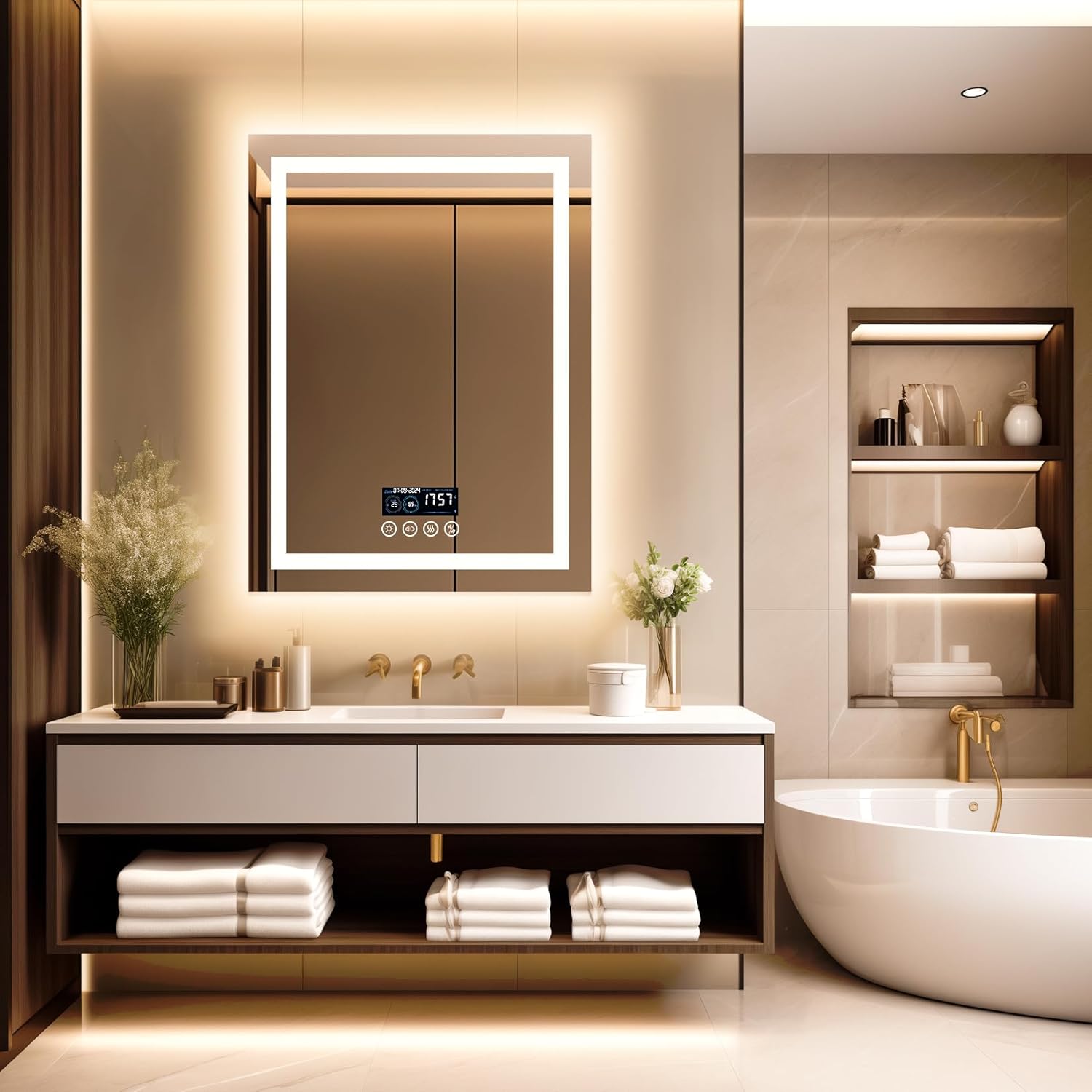
Image 5.1: The LUVODI Smart LED Bathroom Mirror mounted horizontally above a bathroom sink, demonstrating its integration into a functional vanity area.
6. Operating Instructions
The mirror features smart touch sensors for easy control of its various functions.

Image 6.1: The mirror's digital display showing date, time, and temperature, alongside the touch control icons for power, light color adjustment, anti-fog, and Bluetooth.
6.1 Power On/Off and Brightness Control
- Power: Touch the ON/OFF icon to turn the mirror lights on or off.
- Brightness: With the lights on, long-press the ON/OFF icon to adjust the brightness (stepless dimming). Release when desired brightness is reached.

Image 6.2: Visual guide for using the smart touch sensor to control brightness via a long press and to cycle through three distinct lighting color temperatures (3000K, 4500K, 6000K) with a single click.
6.2 Light Color Temperature Adjustment
- Touch the Light Color icon to cycle through the three available color temperatures: 3000K (warm white), 4500K (neutral white), and 6000K (cool white).
6.3 Anti-Fog Function
- Touch the Anti-fog icon to activate or deactivate the demister pads.
- The anti-fog function typically takes 3-4 minutes to reach optimal effectiveness. It is recommended to activate it before showering.

Image 6.3: A visual comparison showing the mirror's surface before and after the anti-fog function is activated, demonstrating its effectiveness in clearing steam. The touch controls are also visible.
6.4 Bluetooth Speaker Operation
- Pairing: Touch the Bluetooth Control icon to activate Bluetooth. On your mobile device, search for "LUVODI Mirror" (or similar) in your Bluetooth settings and pair.
- Music Control: Once paired, you can play music from your device. Use the mirror's touch controls (if available, or your device) to adjust volume, skip tracks, or pause playback.

Image 6.4: A detailed view of the NdFeB speaker, highlighting its integration into the mirror's design and emphasizing its sound quality for an immersive audio experience.
6.5 Time and Temperature Display
- The digital display automatically shows the current time and ambient temperature. No manual adjustment is typically required for these features after initial setup.
7. Maintenance
Proper maintenance ensures the longevity and optimal performance of your LUVODI Smart LED Bathroom Mirror.
- Cleaning the Mirror Surface: Use a soft, lint-free cloth and a non-abrasive glass cleaner. Spray the cleaner onto the cloth, not directly onto the mirror, to avoid liquid seeping into the electrical components.
- Cleaning the Frame: Wipe the metal frame with a soft, damp cloth. Avoid harsh chemicals or abrasive materials that could damage the finish.
- Electrical Components: Do not attempt to clean or access internal electrical components. Ensure the mirror is unplugged or power is off at the breaker before any cleaning.
- Regular Inspection: Periodically check the mounting hardware for tightness and the electrical cord for any signs of wear or damage.
8. Troubleshooting
If you encounter issues with your mirror, refer to the following table for common problems and solutions:
| Problem | Possible Cause | Solution |
|---|---|---|
| Mirror lights do not turn on. | No power, loose connection, faulty switch. | Check power outlet/breaker. Ensure all connections are secure. Contact an electrician if hardwired. |
| Anti-fog function not working. | Function not activated, power issue. | Ensure the anti-fog icon is touched to activate. Check power supply. |
| Bluetooth speaker not connecting. | Bluetooth not activated on mirror, device not in pairing mode, out of range. | Activate Bluetooth on mirror. Ensure your device's Bluetooth is on and in pairing mode. Move device closer to the mirror. |
| Digital display is blank or incorrect. | Power interruption, internal error. | Cycle power to the mirror (turn off and on). If issue persists, contact support. |
| Lights flicker or dim unexpectedly. | Unstable power supply, internal component issue. | Check power supply stability. If problem continues, contact support. |
9. Warranty and Support
LUVODI stands behind the quality of its products. For specific warranty details, please refer to the warranty card included with your purchase or contact LUVODI customer service directly.
If you receive a broken or defective product, or require technical assistance, please contact LUVODI customer support through the retailer where you purchased the mirror or visit the official LUVODI website for contact information.
Please note: No official product videos were provided with specific creator or filename details for embedding in this manual.