
1. Introduction
This manual provides essential information for the installation, operation, and maintenance of your LNDU WiFi Smart Video Lock, Model LD502. This device integrates a security camera, two-way audio doorbell, and a smart deadbolt to enhance your home security and convenience.

Image 1: LNDU 3-in-1 Video Smart Lock for Home. This image shows the smart lock installed on a door, highlighting its integrated monitoring, unlocking, and visual monitoring capabilities.
2. Product Overview
The LNDU LD502 offers multiple access methods and integrated surveillance features for comprehensive door security.
Key Features:
- 5-in-1 Keyless Entry: Supports app control, fingerprint, PIN codes, voice commands, and physical backup keys.
- Integrated Security Camera: 2K 172° vertical field-of-view lens with advanced night vision.
- Two-Way Audio Doorbell: Communicate with visitors remotely via the app.
- Dual Motion Sensors: Infrared + radar sensors for accurate motion detection and automatic recording.
- App Management: Centralized control for users, access logs, and settings.
- Durable Design: IP65 water resistance and BHMA Grade 3 certification.
- Long-lasting Battery: 10,000mAh rechargeable battery with low-battery alerts and Type-C emergency power port.
- Built-in Storage: 32GB eMMC for loop recording.

Image 2: Overview of the LNDU WiFi Smart Video Lock components, including the exterior keypad with camera, interior lock mechanism, and a visual representation of the app interface.
3. Setup
3.1 Pre-Installation Requirements
Before installation, ensure your door meets the following specifications:
- Lock hole diameter: 38~54mm (1.5 to 2.1 inches)
- Hole center to door edge (backset): 60 or 70mm (2-3/8 or 2-3/4 inches)
- Door thickness: 35 mm - 55 mm (1.38 to 2.17 inches)
Ensure the connection wire between the back lock and the front lock is securely installed. Failure to do so may result in the door lock not functioning properly.

Image 3: Diagram illustrating the required door dimensions (lock hole diameter, backset, and door thickness) for proper installation of the LNDU Smart Lock.
3.2 Initializing the Lock
Before first use or after a factory reset, the lock needs to be initialized. This process typically involves removing the battery cover and pressing a reset button. Refer to the video below for detailed steps.
Video 1: This video demonstrates the initialization setup for the AL502 smart lock, showing how to access the reset button and perform the initial configuration.
4. Operating the Lock
4.1 Unlocking Methods
The LNDU LD502 offers multiple convenient ways to unlock your door:

Image 4: This image displays the six different methods available to unlock the LNDU Smart Lock: Fingerprint, Password, App Control, Key, Alexa Voice, and Google Assistant.
- Fingerprint: Use the integrated fingerprint sensor for quick access. The lock supports up to 100 fingerprints.

Image 5: A close-up of the LNDU Smart Lock's fingerprint sensor, illustrating the AI Fingerprint Unlocking feature with details on accuracy rate, identification speed, and input capacity.
- PIN Codes: Create unique passcodes for family, guests, or service personnel. Codes can be easily disabled as needed.

Image 6: A visual representation of the passcode management interface within the LNDU app, showing options to add user passwords, guest passwords, and examples of different code types.
- App Control: Unlock your door effortlessly using the dedicated LNDU app on your smartphone.

Image 7: A smartphone displaying the LNDU app interface for controlling the smart lock, with the lock visible on a door in the background.
- Voice Control: Unlock your front door hands-free using Amazon Alexa or Google Assistant.

Image 8: A person in a kitchen using voice commands with a smart speaker to unlock the LNDU Smart Lock, demonstrating integration with Amazon Alexa and Google Assistant.
- Physical Key: A reliable backup unlocking method. Spare keys can be duplicated by a professional locksmith.

Image 9: A hand inserting a physical key into the LNDU Smart Lock, illustrating the backup unlocking method.
4.2 App Management & Control
The LNDU app provides comprehensive control over your smart lock:
- User Management: Manage, create, and remove user profiles, including those for guests.

Image 10: The LNDU app interface showing options for managing fingerprints, passwords, schedules, and device settings, indicating total control over access.
- Access Logs: Receive notifications on your phone showing who comes and goes. Door activities are recorded in the event history.

Image 11: A smartphone displaying notifications and an event history log from the LNDU app, showing records of humanoid detection and doorbell rings.
- Remote Unlock: Unlock your door remotely through the app.
Video 2: This video demonstrates how to remotely unlock the AL502 smart lock using the LNDU app after a visitor presses the doorbell.
- Constant Open Setting: Configure the lock to remain unlocked for a specified period.
Video 3: This video illustrates how to set the AL502 smart lock to a constant open mode, allowing it to remain unlocked until manually re-locked or the setting is changed.
- Vacation Mode: Activate vacation mode for enhanced security when you are away.
Video 4: This video demonstrates how to activate and deactivate the vacation mode setting on the AL502 smart lock, which disables normal unlocking methods for increased security.
4.3 Monitoring & Communication
- Real-time Monitoring: Monitor your doorstep in real-time via the app.
Video 5: This video shows the remote monitoring feature of the AL502 smart lock, allowing users to view live footage from their doorbell camera via the app.
- Two-Way Audio: Communicate with visitors anytime and anywhere.

Image 12: An illustration of the LNDU Smart Lock's two-way audio feature, showing a person at the door speaking into the lock and another person communicating via a smartphone app.
- Motion Detection: Equipped with infrared + radar sensors for motion detection and automatic recording.
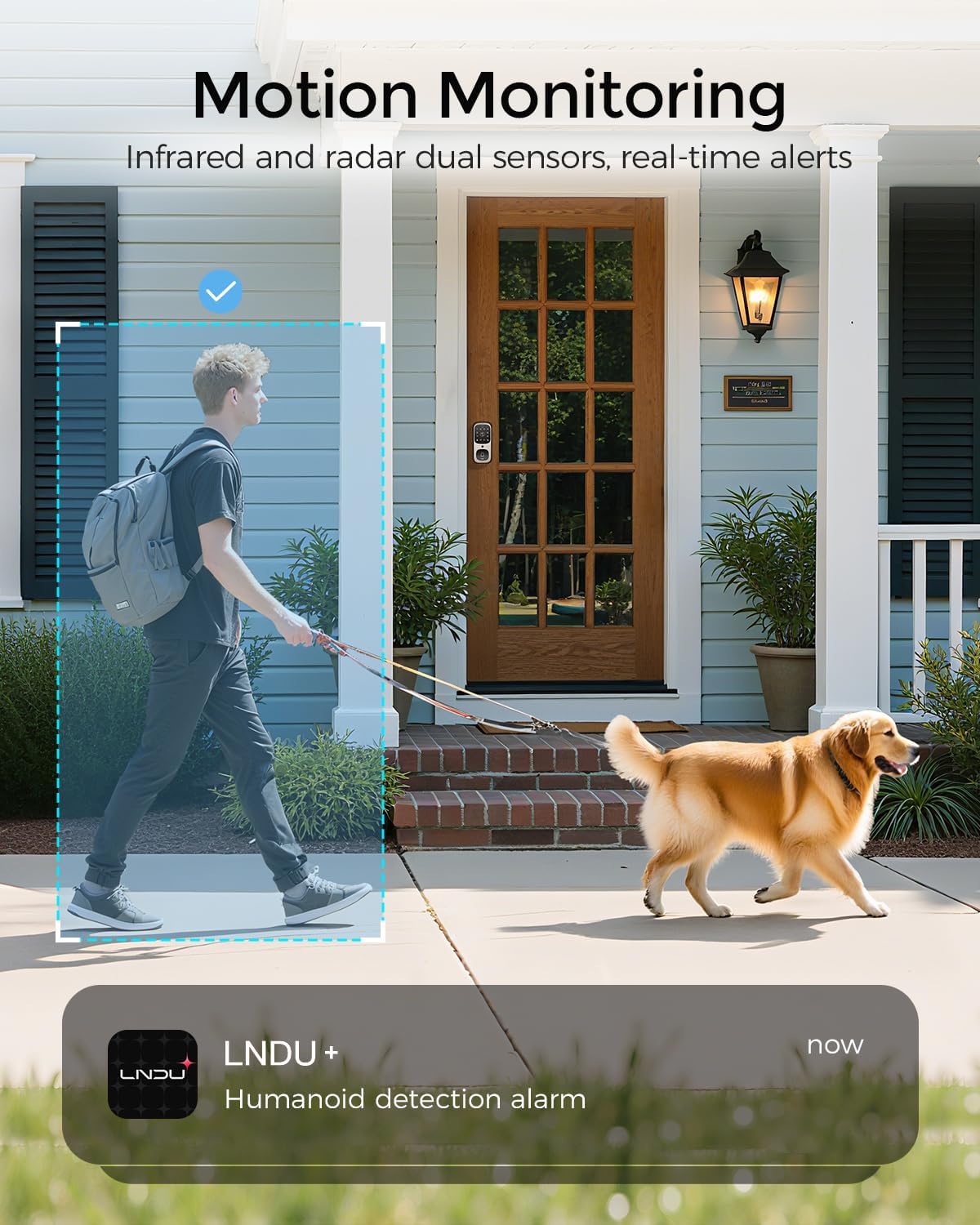
Image 13: A visual demonstrating the motion monitoring capabilities of the LNDU Smart Lock, showing a person walking past the door with a dog, triggering a humanoid detection alarm notification on a smartphone.
- Video Records: Check past records of events and activities at your door.
Video 6: This video demonstrates how to view and manage past event records, such as humanoid detections and doorbell rings, within the LNDU app for the AL502 smart lock.
- Doorbell Chime: Install and configure the indoor doorbell chime.
Video 7: This video provides instructions on how to install and set up the Dingdong machine (indoor chime) for the AL502 smart lock, including pairing and ringtone settings.
5. Maintenance
5.1 Battery Management
The lock is equipped with a 10,000mAh rechargeable battery, providing up to a year of service. You will receive low-battery alerts and warnings.
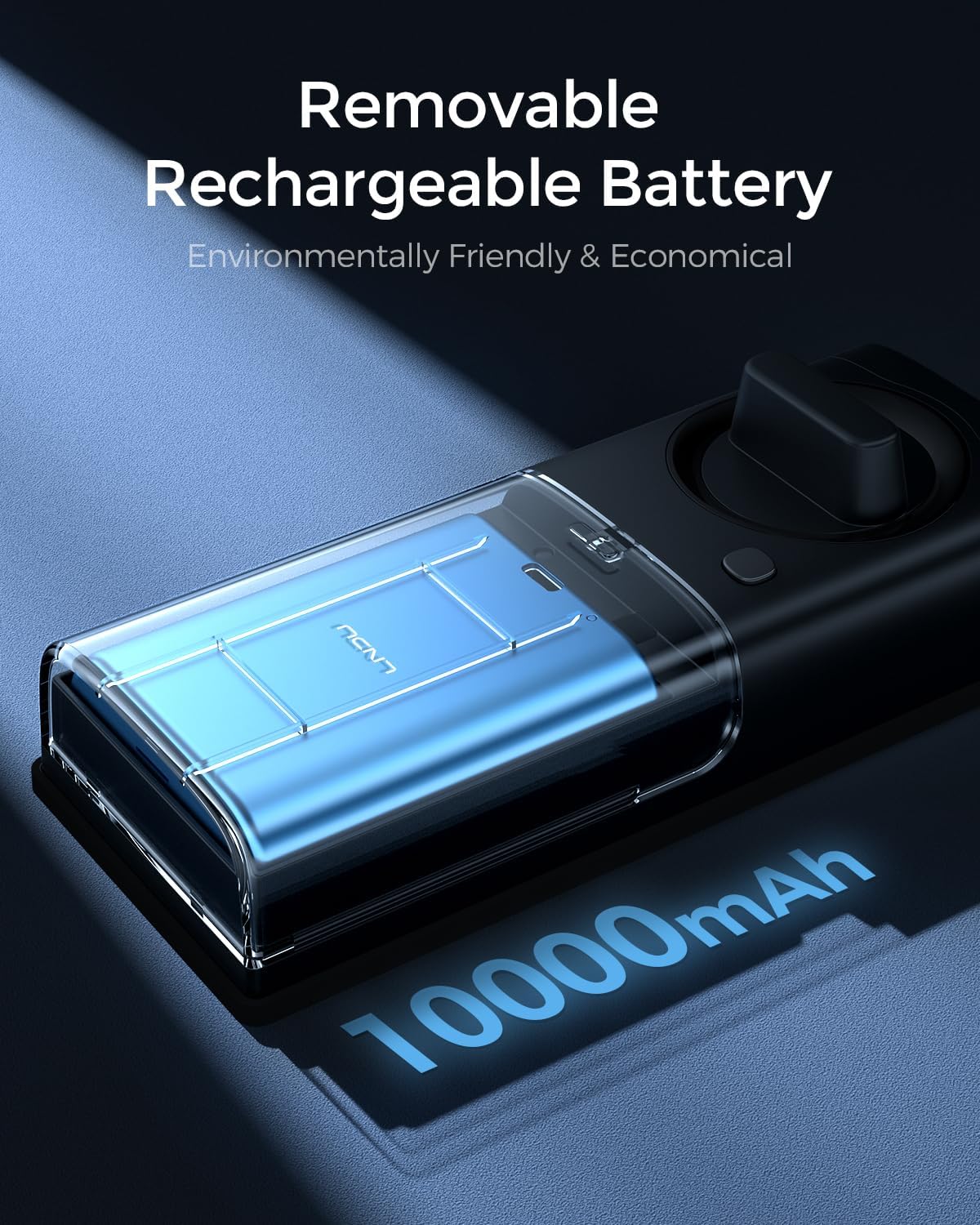
Image 14: A close-up view of the LNDU Smart Lock's removable 10,000mAh rechargeable battery, emphasizing its environmental and economic benefits.
5.2 Emergency Power Supply
Even when the battery is fully depleted, you can use the Type-C emergency power port to temporarily unlock your door. This port is for temporary power only and does not support battery charging.

Image 15: A visual showing a USB-C cable connected to the emergency power port of the LNDU Smart Lock, indicating how to provide temporary power for unlocking when the battery is low.
Video 8: This video demonstrates how to use a physical key or an external Type-C power source to unlock the AL502 smart lock when the battery is low or exhausted.
6. Troubleshooting
If you encounter any issues with your LNDU Smart Video Lock, please refer to the in-app help section or contact customer support. Common issues can often be resolved by checking battery levels, Wi-Fi connectivity, or re-calibrating the lock.
7. Specifications
| Feature | Specification |
|---|---|
| Brand | LNDU |
| Model Name | LD502 |
| Lock Type | Biometric, Keypad |
| Special Features | Anti-Peeping Password, Auto-Lock, Fingerprint, One-Touch Lock, Rechargeable |
| Connectivity Protocol | Wi-Fi |
| Control Method | App, Voice (Amazon Alexa, Google Assistant) |
| Power Source | Battery Powered (10,000mAh Lithium Polymer, included) |
| Material | Metal And Plastic |
| Item Dimensions L x W x H | 3 x 1.2 x 7 inches |
| Item Weight | 3.2 Pounds |
| Water Resistance | IP65 |
| Operating Temperature | -20°C to 60°C (-4°F to 140°F) |
| Certification | BHMA Grade 3 |
| Internal Storage | 32GB eMMC |

Image 16: A transparent view of the LNDU Smart Lock's internal components, highlighting the built-in 32GB eMMC memory for seamless and reliable storage without additional memory cards.
8. Warranty and Support
LNDU offers a 30-day money-back guarantee, an 18-month assurance, and lifetime technical support. Our dedicated support team is available 24/7 via email to assist you with any inquiries or issues.

Image 17: A customer service representative wearing a headset, symbolizing LNDU's 24/7 online service and 2-hour fast response commitment.