
1. Introduction and Overview
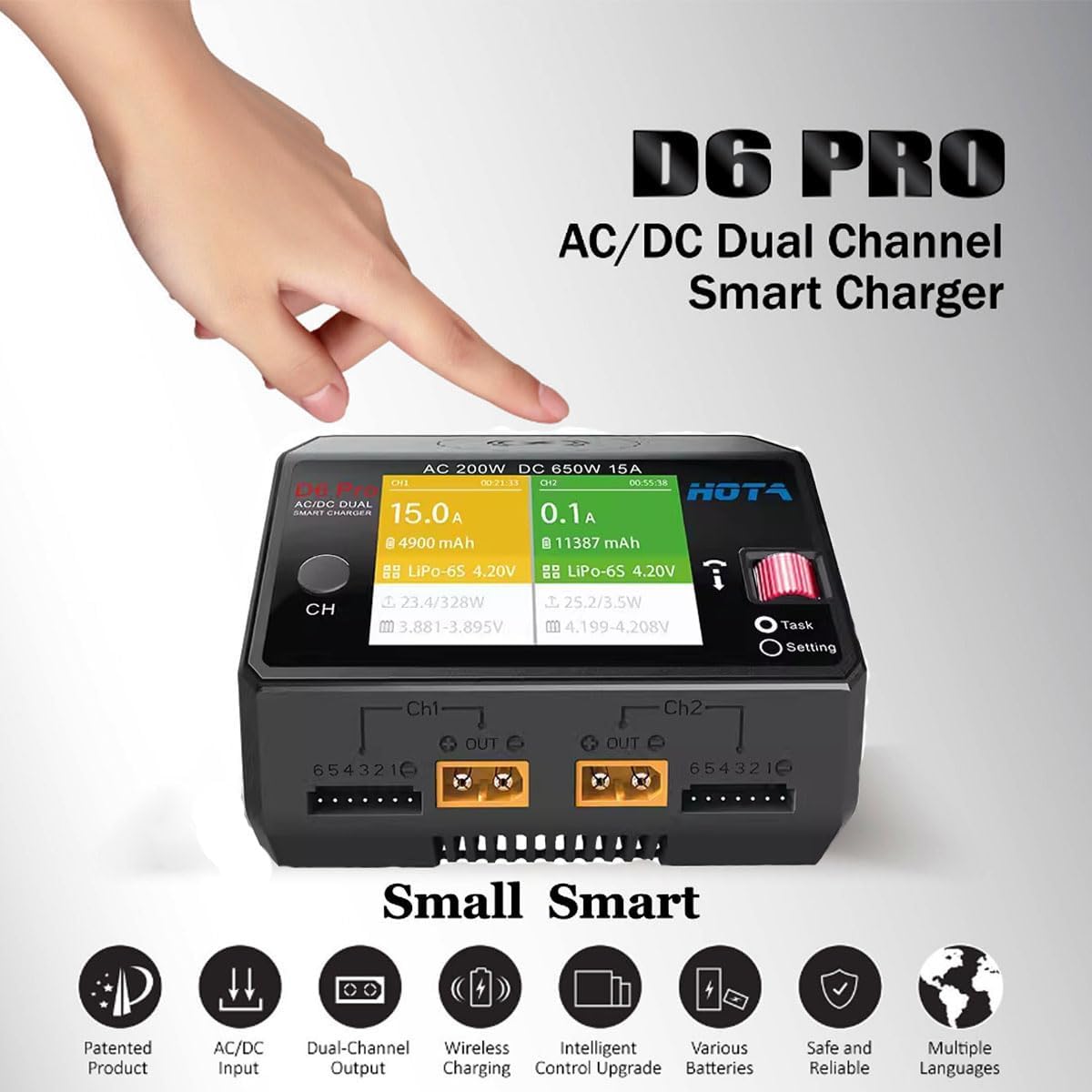
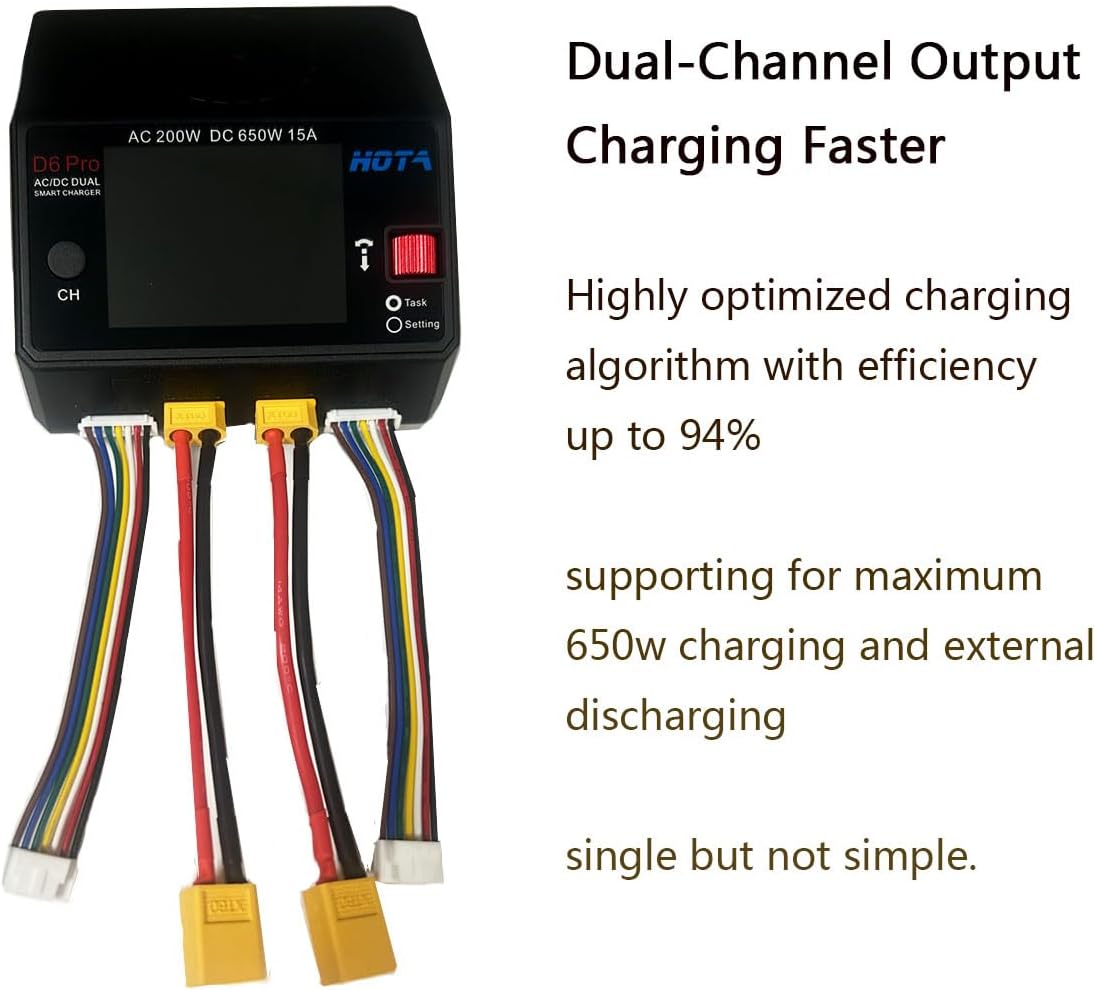
The HOTA D6 Pro is a versatile dual-channel smart charger designed for various battery types, including LiHv, LiPo, LiFe, Lilon, Lixx (1-6S), NiZn, Nicd, NiMH (1-16S), Smart Battery (1-6S), Lead Acid (Pb) (2-24V), and Enelop (1-16S). It features dual-channel simultaneous output, allowing two batteries to be charged concurrently without interference. The charger supports a maximum of 650W charging and external discharging, along with a built-in AC 200W power supply. It also includes a wireless charging pad for mobile devices and a Micro USB port for firmware upgrades.
Key Features:
- Dual Channel Charging: Charge two batteries independently and simultaneously.
- Wide Battery Compatibility: Supports a broad range of battery chemistries and cell counts.
- Integrated Power Supply: AC 200W and DC 650W (total) power for flexible use.
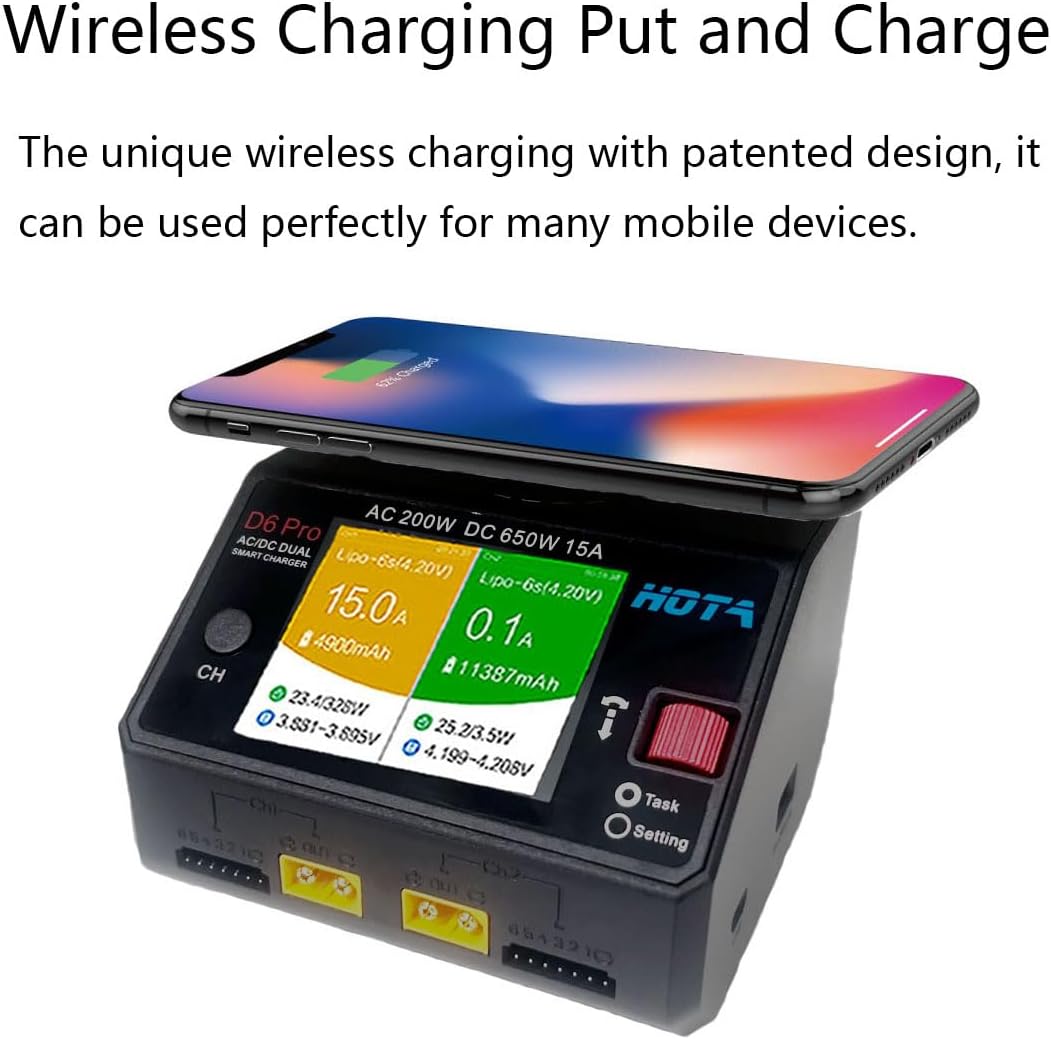
- Wireless Charging: Conveniently charge compatible mobile devices on top of the unit.
- Safety Features: Advanced circuit design ensures protection against overvoltage, overcurrent, overtemperature, and short circuits.
- Firmware Upgradeable: Micro USB port for easy software updates.

2. Package Contents
Upon unboxing your HOTA D6 Pro charger, please verify that all the following items are included:
- 1 x HOTA D6 Pro Lipo Battery Charger
- 1 x AC Power Cable (USA plug)
- 2 x XT60 Female To XT60 Male Cable
- 2 x JST-XH Balance Adapter Board
- 1 x Instruction Manual (this document)


3. Setup
Follow these steps to set up your HOTA D6 Pro charger for operation:
- Connect Power: Plug the provided AC power cable into the AC port on the side of the charger, then connect it to a suitable wall outlet. Alternatively, for DC input, connect a DC power source (6.5-30V) to the DC port.
- Initial Language Setting: Upon first power-up, the charger may display in Chinese. To change the language to English, navigate through the menu using the 'Speed Shuttle Key' (red dial) and 'CH' button. Look for a 'Setting' or 'System' menu option, then find 'Language' and select 'English'.
- Connect Battery: For charging, connect your battery's main power lead (e.g., XT60) to the corresponding output port (CH1 or CH2) on the front of the charger. Then, connect the battery's balance lead to the appropriate balance port (6S for LiPo/LiHv) directly below the main output port. Ensure correct polarity and secure connections.

4. Operating Instructions
The HOTA D6 Pro features a user-friendly interface for managing charging tasks. Here's a general guide to operating the charger:
- Power On: Once connected to a power source, the charger will power on automatically.
- Select Channel: Press the 'CH' button to switch between Channel 1 and Channel 2, or to view both channels simultaneously.
- Access Menu: Use the 'Speed Shuttle Key' (red dial) to navigate through the menu options. Press the dial to confirm selections.
- Choose Battery Type: Select the correct battery chemistry (e.g., LiPo, LiHv, NiMH) from the menu.
- Set Charging Mode: Choose your desired charging mode (e.g., Balance Charge, Fast Charge, Storage, Discharge).
- Adjust Parameters: Set the charge current (Amps) and cell count (S) according to your battery's specifications. Ensure these settings match your battery to prevent damage.
- Start Charging: Once all parameters are set, select 'Start' or 'Confirm' to begin the charging process. The screen will display real-time charging data.
- Stop Charging: To stop charging, press the 'Speed Shuttle Key' or 'CH' button and select 'Stop'.
- Wireless Charging: Place a compatible mobile device on the top surface of the charger to initiate wireless charging.

5. Maintenance
To ensure the longevity and optimal performance of your HOTA D6 Pro charger, follow these maintenance guidelines:
- Cleaning: Regularly wipe the charger's exterior with a soft, dry cloth. Avoid using harsh chemicals or abrasive materials.
- Storage: Store the charger in a cool, dry place away from direct sunlight, moisture, and extreme temperatures.
- Ventilation: Ensure the charger's ventilation openings are clear and unobstructed during operation to prevent overheating.
- Cable Inspection: Periodically inspect all cables and connectors for any signs of wear, damage, or corrosion. Replace damaged cables immediately.
- Firmware Updates: Check the manufacturer's website periodically for firmware updates. Keeping the firmware updated can improve performance and add new features.

6. Troubleshooting
If you encounter issues with your HOTA D6 Pro charger, refer to the following common problems and solutions:
- Charger Does Not Power On:
- Ensure the AC power cable is securely connected to both the charger and the wall outlet.
- Verify the wall outlet is functional.
- If using DC input, confirm the DC power source is providing the correct voltage (6.5-30V) and is properly connected.
- Language Displayed is Not English:
- Navigate through the menu using the 'Speed Shuttle Key' (red dial) and 'CH' button. Look for a 'Setting' or 'System' menu option, then find 'Language' and select 'English'.
- Battery Not Charging / Charging Error:
- Check that the main power lead and balance lead of the battery are correctly and securely connected to the charger.
- Ensure the selected battery type, cell count, and charging current in the charger's menu match the battery's specifications.
- Inspect the battery for any physical damage or swelling. Do not charge damaged batteries.
- If using a balance charge, ensure the balance lead is properly connected.
- Wireless Charging Not Working:
- Ensure your mobile device is compatible with Qi wireless charging.
- Place the device centrally on the wireless charging pad.
- Remove any thick cases or metallic objects from your phone that might interfere with charging.
- Charger Overheating:
- Ensure adequate ventilation around the charger. Do not operate in an enclosed space.
- Reduce the charging current if the charger consistently overheats.
7. Specifications
Detailed technical specifications for the HOTA D6 Pro Lipo Battery Charger:
| Feature | Specification |
|---|---|
| Model NO. | D6 Pro |
| Input Voltage | DC 6.5~30V / AC 100~240V |
| Charge Current | 0.1~15A * 2 (Dual Channel) |
| Charge Power | DC 325W * 2 (650W Total) / AC 200W |
| Discharge Power | Internal discharge: 15W * 2 (balance port 10W) External discharge: 325W * 2 |
| Battery Type Support | LiHv/LiPo/LiFe/Lilon/Lixx : 1~6S NiZn/Nicd/NiMH : 1~16S Smart Battery : 1~6S Lead Acid(Pb) : 2~24V Enelop : 1~16S |
| Balance Current | 1600mA * 2 |
| Discharge Current | 0.1~3A * 2 |
| External Discharge Current | 1~15A * 2 |
| USB Output | 5V / 2.1A |
| Dimensions | 108 × 105 × 76mm (4 x 4 x 2.5 inches) |
| Net Weight | 360g (0.8 ounces) |


8. Warranty and Support
For warranty information and technical support, please refer to the official HOTA website or contact your retailer. Keep your proof of purchase for any warranty claims. The manufacturer, Hota, provides support for their products.


