Introduction
Thank you for purchasing the Xtrike Me SK403 Gaming Stereo Speakers. This manual provides essential information for the proper setup, operation, and maintenance of your new speakers. Please read this manual thoroughly before use to ensure optimal performance and longevity of the product.
Safety Information
- Do not expose the speakers to water or excessive moisture.
- Avoid placing the speakers near heat sources or in direct sunlight.
- Do not attempt to disassemble or repair the speakers yourself. Refer all servicing to qualified personnel.
- Keep out of reach of children.
- Use only with compatible power sources (USB 5V).
Package Contents
Please check the package for the following items:
- Xtrike Me SK403 Gaming Stereo Speakers
- Integrated USB Power Cable
- Integrated 3.5mm AUX Audio Cable
- User Manual (this document)
Product Overview
The Xtrike Me SK403 speakers are designed to deliver a balanced, rich, and clear room-filling sound experience. They feature a lightweight design, 6W total output power, and dynamic rainbow LED lighting. The easy-access volume knob provides convenient control.

Figure 1: Front view of the Xtrike Me SK403 Gaming Stereo Speakers, showcasing the integrated rainbow LED lighting and speaker grille.

Figure 2: Angled view of the speakers, highlighting the top-mounted volume knob and the vibrant LED light strip.
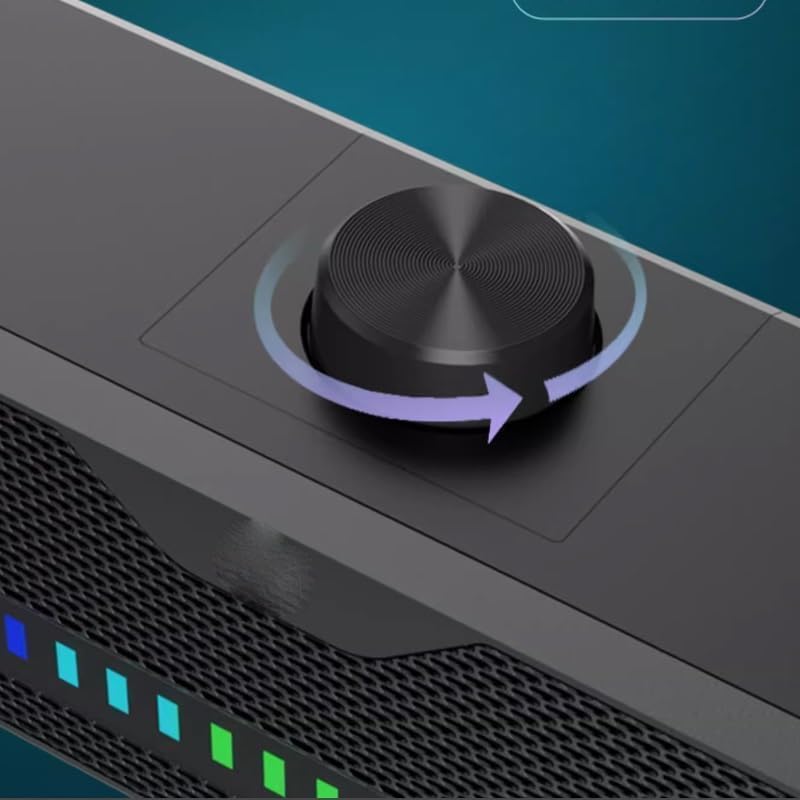
Figure 3: Detailed view of the easy-access volume control knob, located on the top surface of the speaker unit.

Figure 4: The speakers connected to a laptop and a smartphone, demonstrating their versatility with various devices.
Setup Instructions
- Placement: Place the Xtrike Me SK403 speakers on a stable, flat surface, such as a desk or table. Ensure there is adequate space for sound dispersion.
- Connect Audio: Plug the 3.5mm AUX audio cable into the audio output jack of your computer, laptop, smartphone, or gaming console.
- Connect Power: Plug the USB power cable into an available USB port on your computer, a USB wall adapter (not included), or a power bank. The speakers require a 5V USB power source.
- Power On: Once both cables are connected, the speakers will power on, and the LED lighting will activate.
Operating Instructions
- Volume Control: Rotate the knob located on the top of the speaker unit clockwise to increase the volume and counter-clockwise to decrease it.
- LED Lighting: The speakers feature automatic rainbow LED lighting that activates upon power-on. There are no user-adjustable settings for the LED lighting.
- Audio Source: Ensure your connected device's volume is also adjusted appropriately and that the correct audio output is selected on your device.
Maintenance
- Cleaning: Use a soft, dry cloth to clean the exterior of the speakers. Do not use liquid cleaners or abrasive materials.
- Storage: When not in use for extended periods, store the speakers in a cool, dry place away from direct sunlight.
- Cable Care: Avoid bending or twisting the cables excessively to prevent damage.
Troubleshooting
| Problem | Possible Cause | Solution |
|---|---|---|
| No sound from speakers |
|
|
| LED lights not working |
|
|
| Distorted sound |
|
|
Specifications
| Feature | Detail |
|---|---|
| Brand Name | Xtrike Me (Generic listed in some specifications) |
| Model Name | SK403 (Soundbar type) |
| Maximum Speaker Output Power | 6 Watts |
| Connectivity Technology | USB + AUX 3.5mm |
| Audio Output Mode | Stereo |
| Mounting Type | Tabletop Mount |
| Material | Metal |
| Special Features | LED Light |
| Recommended Uses | For Computers, Laptops, and Digital Video Game Consoles |
Warranty and Support
For warranty information and technical support, please refer to the documentation provided at the point of purchase or contact your retailer. Keep your proof of purchase for any warranty claims.


