
1. Introduction
This manual provides comprehensive instructions for the Monster AirMars XKT16 Wireless Bluetooth Headphones. Please read this manual carefully before using the product to ensure proper operation and to maximize your listening experience.
2. Product Overview
The Monster AirMars XKT16 headphones are designed for an active lifestyle, offering wireless connectivity, low latency, and noise reduction. The package includes the earbuds and a charging case.

Figure 2.1: The Monster AirMars XKT16 charging case, featuring a robust, green design with "MONSTER" branding and "16" prominently displayed.
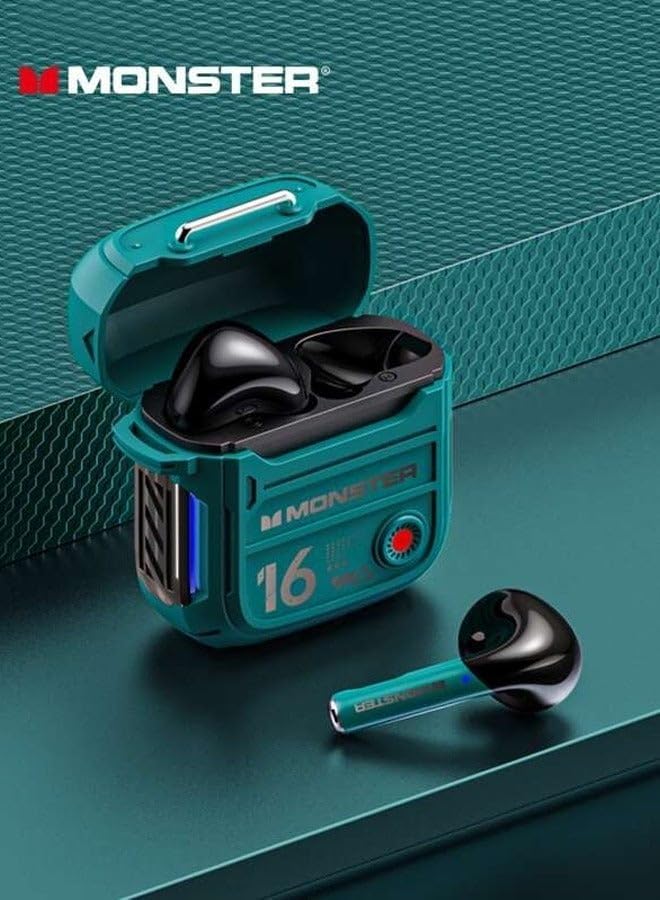
Figure 2.2: The Monster AirMars XKT16 charging case opened, revealing the two green earbuds securely nestled inside, ready for charging or use.
3. Key Features
- Wireless Connectivity: Enjoy seamless Bluetooth connectivity for your gaming and sports activities.
- Low Latency: Experience minimal audio lag, ensuring synchronized audio and visuals, ideal for gaming.
- Noise Reduction: Immerse yourself in your audio with technology that minimizes external disturbances.
- Extended Battery Life: A large battery capacity provides extended usage time for uninterrupted enjoyment.
- Ergonomic Design: Designed for comfort during prolonged usage, perfect for sports and gaming sessions.
4. Setup
4.1 Charging the Headphones
Before first use, fully charge the headphones and the charging case.
- Place the earbuds into the charging case.
- Connect the charging case to a power source using a compatible USB-C cable.
- The indicator lights on the case will show charging status.
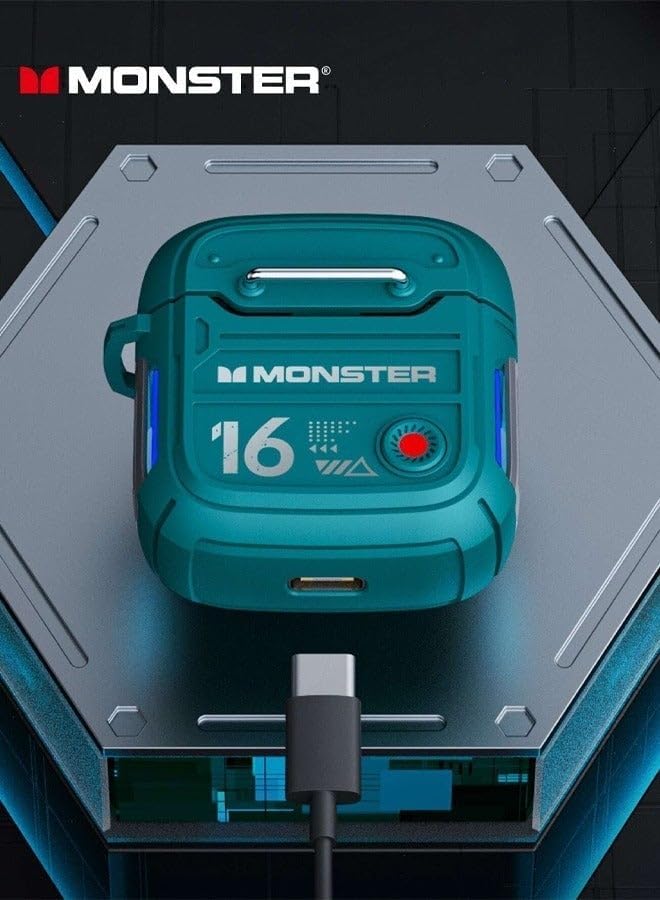
Figure 4.1: The Monster AirMars XKT16 charging case with a USB-C cable connected, illustrating the charging port location.

Figure 4.2: A diagram illustrating the battery specifications: 300mAh charging bay capacity, 4-5 hours music time, and 1.5 hours charging time.
4.2 Pairing with a Device
- Open the charging case. The earbuds will automatically enter pairing mode.
- On your device (smartphone, tablet, etc.), enable Bluetooth.
- Search for "Monster AirMars XKT16" in the list of available Bluetooth devices.
- Select the device name to connect. Once connected, a voice prompt will confirm successful pairing.
5. Operating Instructions
5.1 Touch Controls
The Monster AirMars XKT16 headphones feature sensitive touch controls on each earbud. Refer to the diagram below for specific functions:

Figure 5.1: Detailed diagram of the sensitive touch controls for the Monster AirMars XKT16 earbuds, showing functions for Regular Mode (Answer/End Call, Reject, Voice Assistant) and Music Mode (Pause/Play, Previous/Next, Gaming Mode).
Regular Mode Functions (Calls):
- Answer/End Call: Double Click L/R MFB (Multi-Function Button)
- Reject Call: Long Press 2s L/R MFB
- Voice Assistant: Long Press 2s MFB
Music Mode Functions:
- Pause/Play: Double Click L/R MFB
- Previous/Next Track: Three Strikes L/R MFB
- Gaming Mode: Long Press 2s R MFB
6. Maintenance
To ensure the longevity and optimal performance of your Monster AirMars XKT16 headphones, follow these maintenance guidelines:
- Cleaning: Use a soft, dry, lint-free cloth to clean the earbuds and charging case. Do not use harsh chemicals or abrasive materials.
- Storage: When not in use, store the headphones in their charging case to protect them from dust and damage.
- Avoid Water: While designed for sports, avoid submerging the headphones in water. They are sweat-resistant, not waterproof.
- Charging: Charge the device regularly, even if not in frequent use, to maintain battery health.
7. Troubleshooting
| Problem | Possible Cause | Solution |
|---|---|---|
| Headphones not turning on | Low battery | Charge the headphones and charging case fully. |
| Cannot pair with device | Bluetooth not enabled, out of range, or previously paired | Ensure Bluetooth is on. Move closer to the device. Forget the device in Bluetooth settings and re-pair. |
| No sound | Volume too low, not connected, or incorrect audio output | Increase volume on both headphones and device. Reconnect Bluetooth. Check device's audio output settings. |
| Intermittent connection | Interference, distance, or low battery | Move away from other wireless devices. Reduce distance to paired device. Charge headphones. |
8. Specifications
| Feature | Detail |
|---|---|
| Brand | Generic (Manufacturer: Monster) |
| Model Name | Monster Airmars XKT16 |
| Item Model Number | XKT16 |
| Connectivity Technology | Wireless (Bluetooth) |
| Form Factor | In Ear |
| Color | Green |
| Charging Case Capacity | 300mAh (approx.) |
| Music Playtime | 4-5 hours (approx.) |
| Charging Time | 1.5 hours (approx.) |
| Diaphragm | 13mm composite diaphragm |

Figure 8.1: Illustration of the 13mm composite diaphragm, highlighting the audio component responsible for sound reproduction.
9. Warranty and Support
This product may be eligible for extended warranty options. Please refer to your purchase documentation or contact your retailer for details on available warranty plans, such as the 1-Year or 2-Year Extended Warranty by Salama Care.
For technical support or further assistance, please contact the manufacturer or your point of purchase.


