
1. Introduction
Welcome to the user manual for your Monster AirMars XKT16 Wireless Bluetooth Headphones. This guide provides comprehensive instructions on how to set up, operate, maintain, and troubleshoot your new headphones. Designed for an active lifestyle, the XKT16 offers low latency, noise reduction, and extended battery life, making it ideal for gaming, sports, and everyday audio enjoyment.
Please read this manual carefully to ensure proper use and to maximize the performance and longevity of your device.
2. Product Overview
The Monster AirMars XKT16 headphones are engineered for superior audio performance and user comfort. Key features include:
- Wireless Connectivity: Seamless Bluetooth connection for gaming and sports.
- Low Latency: Ensures minimal audio lag for synchronized audio and visuals.
- Noise Reduction: Minimizes external disturbances for an immersive audio experience.
- Extended Battery Life: Large battery capacity for prolonged usage.
- Ergonomic Design: Comfortable fit for extended wear during sports and gaming sessions.

Figure 2.1: Monster AirMars XKT16 Wireless Bluetooth Headphones with charging case.
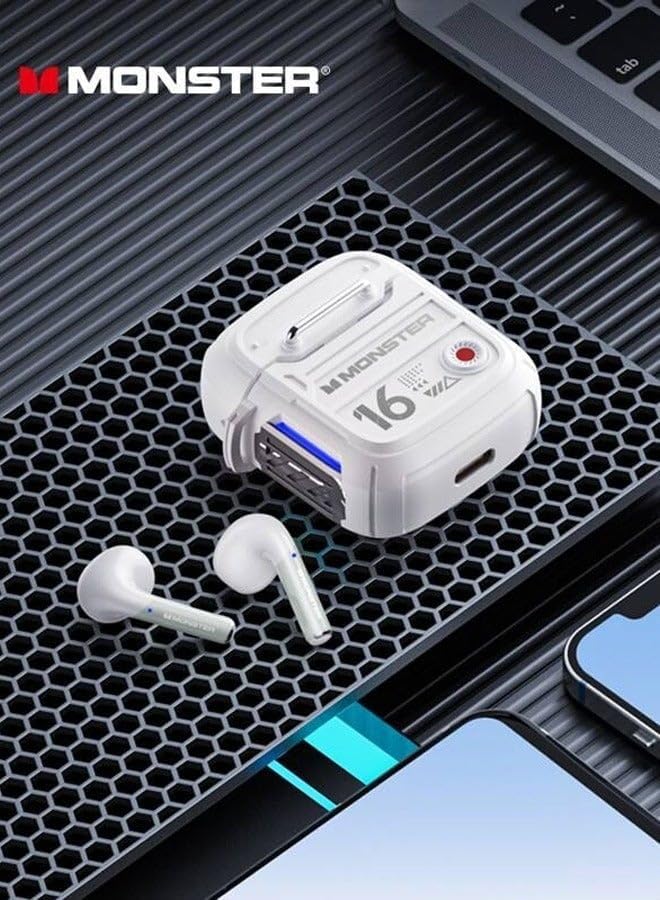
Figure 2.2: The XKT16 headphones and charging case, highlighting their compact and robust design.
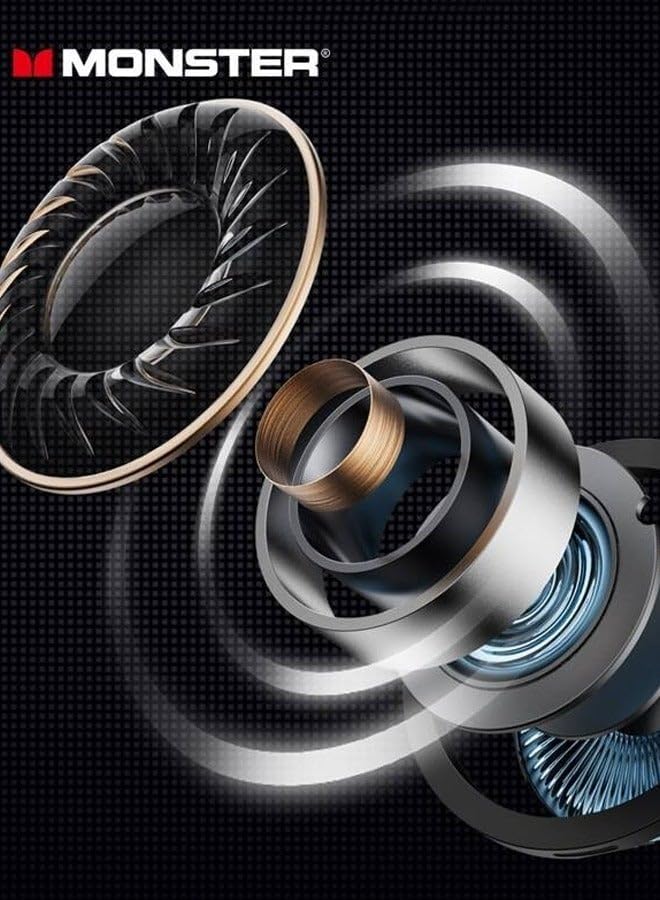
Figure 2.3: Illustration of the advanced internal driver components responsible for crystal-clear sound quality.
3. Setup
3.1 Charging the Headphones
Before first use, fully charge the headphones and the charging case. The charging case also acts as a portable power bank for the earbuds.
- Place the earbuds into the charging case, ensuring they are correctly seated.
- Connect the charging case to a USB power source using the provided charging cable.
- The indicator lights on the case will show the charging status. Once fully charged, the lights will indicate completion or turn off.
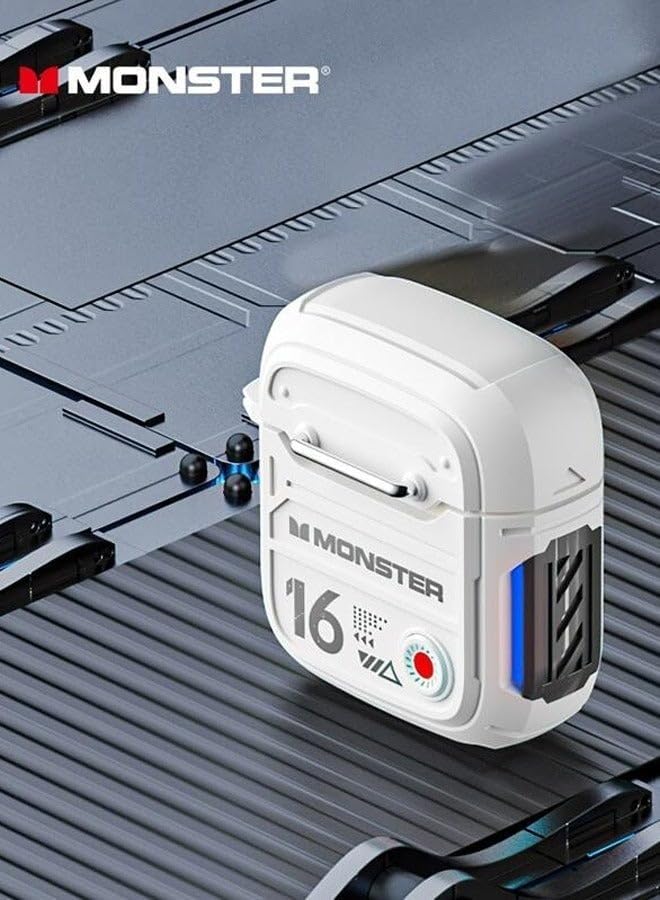
Figure 3.1: Side view of the charging case, showing the charging port and indicator lights.
3.2 Bluetooth Pairing
To connect your Monster AirMars XKT16 headphones to your device:
- Ensure the headphones are charged.
- Open the charging case. The earbuds will automatically enter pairing mode, indicated by a flashing light on the earbuds.
- On your device (smartphone, tablet, computer), go to Bluetooth settings and turn Bluetooth on.
- Search for available devices. Select "Monster AirMars XKT16" from the list.
- Once connected, a voice prompt will confirm successful pairing, and the indicator lights on the earbuds will stop flashing.
Note: The headphones will automatically reconnect to the last paired device when taken out of the case, if Bluetooth is enabled on the device.

Figure 3.2: The charging case with one earbud, illustrating the readiness for pairing.
4. Operating Instructions
4.1 Power On/Off
- Power On: Open the charging case, and the earbuds will automatically power on. Alternatively, press and hold the touch control area on both earbuds for 3 seconds.
- Power Off: Place the earbuds back into the charging case and close the lid. They will automatically power off and begin charging. Alternatively, disconnect Bluetooth and the earbuds will power off after 5 minutes of inactivity.
4.2 Touch Controls
The Monster AirMars XKT16 features intuitive touch controls on each earbud:
| Function | Action |
|---|---|
| Play/Pause Music | Single tap on either earbud. |
| Next Track | Double tap on the right earbud. |
| Previous Track | Double tap on the left earbud. |
| Answer/End Call | Single tap on either earbud. |
| Reject Call | Press and hold on either earbud for 2 seconds. |
| Activate Voice Assistant | Triple tap on either earbud. |
| Toggle Gaming/Music Mode | Press and hold on the right earbud for 2 seconds. |
| Toggle Noise Reduction/Transparency Mode | Press and hold on the left earbud for 2 seconds. |
5. Maintenance
5.1 Cleaning
- Regularly clean the earbuds and charging case with a soft, dry, lint-free cloth.
- Do not use abrasive cleaners, alcohol, or chemical solvents.
- Ensure charging contacts on both earbuds and case are clean and free of debris.
5.2 Storage and Battery Care
- Store the headphones in their charging case when not in use to protect them and keep them charged.
- Avoid exposing the headphones to extreme temperatures, humidity, or direct sunlight.
- To preserve battery life, charge the headphones regularly, even if not used frequently. Avoid fully discharging the battery for extended periods.
6. Troubleshooting
| Problem | Possible Cause | Solution |
|---|---|---|
| Headphones not pairing. | Bluetooth is off on device, headphones not in pairing mode, or interference. | Ensure Bluetooth is on. Place earbuds in case, close, then open to re-enter pairing mode. Move closer to device. |
| No sound from one or both earbuds. | Low battery, not connected, or volume too low. | Charge headphones. Reconnect Bluetooth. Increase volume on device and headphones. |
| Charging case not charging. | Cable issue, power source issue, or dirty charging port. | Try a different USB cable and power adapter. Clean the charging port. |
| Audio delay (high latency). | Not in gaming mode, or environmental interference. | Ensure gaming mode is activated (refer to Operating Instructions). Reduce distance to device. |
6.1 Factory Reset
If you experience persistent issues, a factory reset may resolve them. Consult the manufacturer's website or support for specific reset instructions for the Monster AirMars XKT16, as procedures can vary.
7. Specifications
| Feature | Detail |
|---|---|
| Model Name | Monster Airmars XKT16 |
| Item Model Number | XKT16 |
| Connectivity Technology | Wireless (Bluetooth) |
| Form Factor | In Ear |
| Colour | Lvory |
| Manufacturer | Monster |
| Country of Origin | China |
8. Warranty and Support
For warranty information, please refer to the warranty card included with your product or visit the official Monster website. Keep your proof of purchase for any warranty claims.
If you require further assistance or have questions not covered in this manual, please contact Monster customer support through their official channels.


