
Monster Monster XKT15
Monster XKT15 Wireless Bluetooth Earbuds
User Manual
Model: Monster XKT15
Introduction
Thank you for choosing the Monster XKT15 Wireless Bluetooth Earbuds. These gaming headphones are engineered to provide an immersive audio experience with deep bass, low latency, and crystal-clear communication. Featuring built-in noise cancellation and a microphone, they are perfect for both gaming and everyday use. This manual will guide you through the setup, operation, and maintenance of your new earbuds.
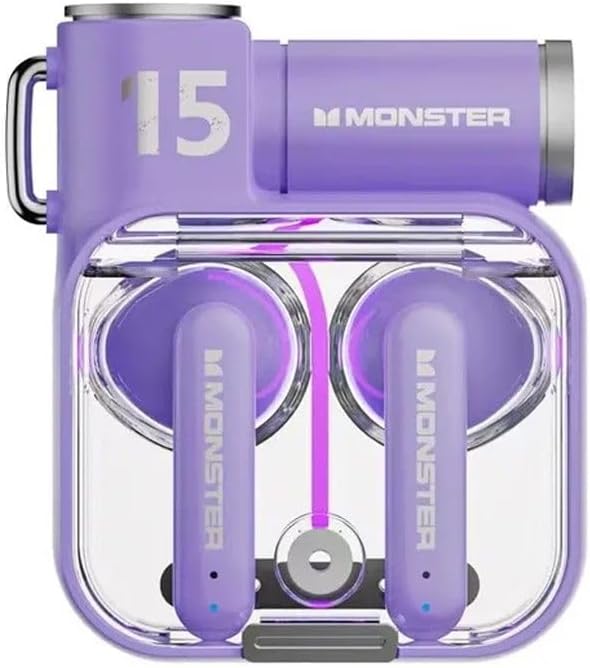
The Monster XKT15 Wireless Bluetooth Earbuds in Violet, showcasing the charging case and earbuds.
Setup Guide
1. Charging the Earbuds and Case
- Before first use, fully charge the charging case and earbuds.
- Place the earbuds into the charging case.
- Connect the charging case to a USB power source using the provided USB-C cable.
- The indicator lights on the case will show charging status. A full charge typically takes 1-2 hours.
2. Pairing with Your Device
- Ensure the earbuds are charged and inside the charging case.
- Open the charging case lid. The earbuds will automatically enter pairing mode (indicator lights will flash).
- On your device (smartphone, tablet, PC), go to Bluetooth settings and turn Bluetooth on.
- Search for "Monster XKT15" in the list of available devices and select it to connect.
- Once connected, a voice prompt will confirm successful pairing, and the indicator lights will turn off.
- For subsequent use, the earbuds will automatically connect to the last paired device when removed from the case.
3. Wearing the Earbuds
- Identify the left (L) and right (R) earbuds.
- Gently insert each earbud into your ear canal and rotate slightly to find a comfortable and secure fit.
- A proper fit ensures optimal sound quality and noise cancellation.
Operating Instructions
Touch Controls
| Action | Left Earbud (L) | Right Earbud (R) |
|---|---|---|
| Play/Pause | Single tap | Single tap |
| Next Track | Triple tap | Triple tap |
| Previous Track | Double tap | Double tap |
| Answer/End Call | Single tap | Single tap |
| Reject Call | Long press (2s) | Long press (2s) |
| Activate Voice Assistant | Long press (2s) | Long press (2s) |
| Switch Gaming/Music Mode | Quadruple tap | Quadruple tap |
Sound Quality and Features
- Deep Bass: Experience powerful and immersive bass for an enhanced audio experience, especially during gaming.
- Low Latency: The advanced Bluetooth 5.0 ensures minimal audio delay, crucial for competitive gaming.
- Noise Cancellation: The built-in microphone features noise cancellation technology for clear voice communication during calls or in-game chat.

The Monster XKT15 earbuds and charging case, highlighting the high-fidelity surround sound capabilities.

The Monster XKT15 earbuds next to a smartphone displaying a music player, emphasizing clear audio and voice quality.
Maintenance
Cleaning
- Regularly clean the earbuds and charging case with a soft, dry, lint-free cloth.
- Do not use abrasive cleaners, alcohol, or chemical solvents.
- Gently remove any earwax or debris from the earbud tips and speaker mesh using a small, soft brush or cotton swab.
- Ensure the charging contacts on both the earbuds and the case are clean and dry.
Storage
- Always store the earbuds in their charging case when not in use to protect them and keep them charged.
- Store the device in a cool, dry place, away from extreme temperatures, humidity, and direct sunlight.
Troubleshooting
Common Issues and Solutions
- Earbuds not pairing:
- Ensure both earbuds are charged.
- Place earbuds back in the case, close the lid, wait a few seconds, then open again.
- Turn off and on Bluetooth on your device.
- Forget "Monster XKT15" from your device's Bluetooth list and try pairing again.
- No sound from one earbud:
- Check battery level of both earbuds.
- Ensure both earbuds are properly connected to your device.
- Try resetting the earbuds (refer to manufacturer's specific reset instructions if available, otherwise, try placing them back in the case and re-pairing).
- Charging issues:
- Ensure the charging cable is securely connected to both the case and the power source.
- Check if the charging contacts on the earbuds and case are clean.
- Try a different USB cable or power adapter.
- Microphone not working:
- Ensure the earbuds are properly connected and selected as the audio input device on your system.
- Check for any obstructions on the microphone opening.
Specifications
| Feature | Detail |
|---|---|
| Model Name | Monster XKT15 |
| Connectivity Technology | Wireless (Bluetooth) |
| Form Factor | In Ear |
| Color | Violet (and other variants) |
| Manufacturer | Monster |
| Special Features | Deep Bass, Low Latency, Built-in Microphone, Noise Cancellation |
| Battery Life (Earbuds) | Up to 15 hours of playtime (with charging case) |

A display of Monster XKT15 earbuds in various colors (Violet, White, Black), demonstrating the available aesthetic options.
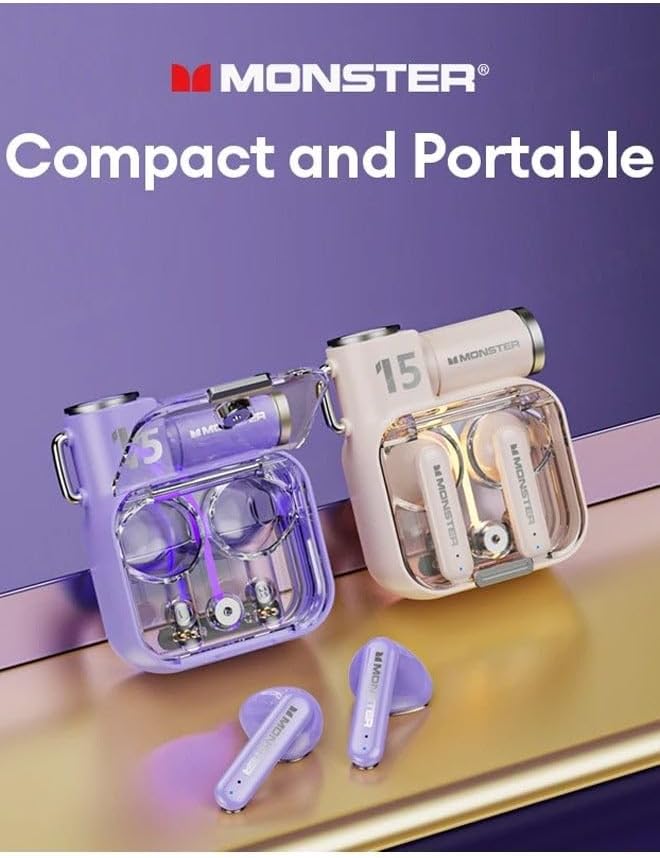
Two Monster XKT15 earbud sets, one in violet and one in a lighter color, illustrating their compact and portable design.
Warranty and Support
Your Monster XKT15 Wireless Bluetooth Earbuds may be eligible for an extended warranty. Please refer to your purchase documentation for details regarding any additional protection plans, such as the 2-Year Extended Warranty by Salama Care.
For further assistance, technical support, or warranty claims, please contact the retailer or manufacturer's customer service. Keep your proof of purchase for any warranty-related inquiries.
Related documentsMonster XKT15


Ask a question about this manual
Ask about setup, troubleshooting, compatibility, parts, safety, or missing instructions. Manuals+ will review the question and use this page’s manual context to help answer it.