
1. Introduction
The ASHATA Underwater Fishing Camera is a high-definition imaging system designed for various underwater observation activities. It features a 5MP sensor delivering 1080P images with a 220° wide-angle view, allowing for comprehensive underwater scene observation and effortless fish location.
The system includes a 4.3-inch high-definition screen with a maximum brightness of 2000 nits, complemented by a three-sided sunshade for clear visibility even in bright sunlight. The camera is connected via a durable four-core tensile wire, capable of withstanding up to 100kg of pulling force, ensuring longevity and reliability. Its plug-and-play design eliminates the need for complex installation or rewiring, making it user-friendly for immediate operation.
This versatile camera is suitable for raft fishing, stall fishing, ice fishing, aquaculture monitoring, well exploration, and other underwater tasks.
2. What's in the Box
Upon unboxing, please ensure all components are present and in good condition:
- Underwater Camera with Cable
- 4.3-inch HD Display Screen with Sunshade
- Cable Reel
- Power Adapter/Charging Cable
- User Manual (this document)

Image: Main components of the ASHATA Underwater Fishing Camera system.
3. Setup Instructions
The ASHATA Underwater Fishing Camera is designed for quick and easy setup, requiring no complex installation.
- Charge the Display Unit: Before first use, ensure the 4.3-inch display unit is fully charged using the provided power adapter. The battery indicator on the screen will show charging status.
- Connect the Camera Cable: Locate the camera cable with the anti-bend plug. Insert this plug firmly into the corresponding port on the side of the 4.3-inch display unit. Ensure a secure connection.
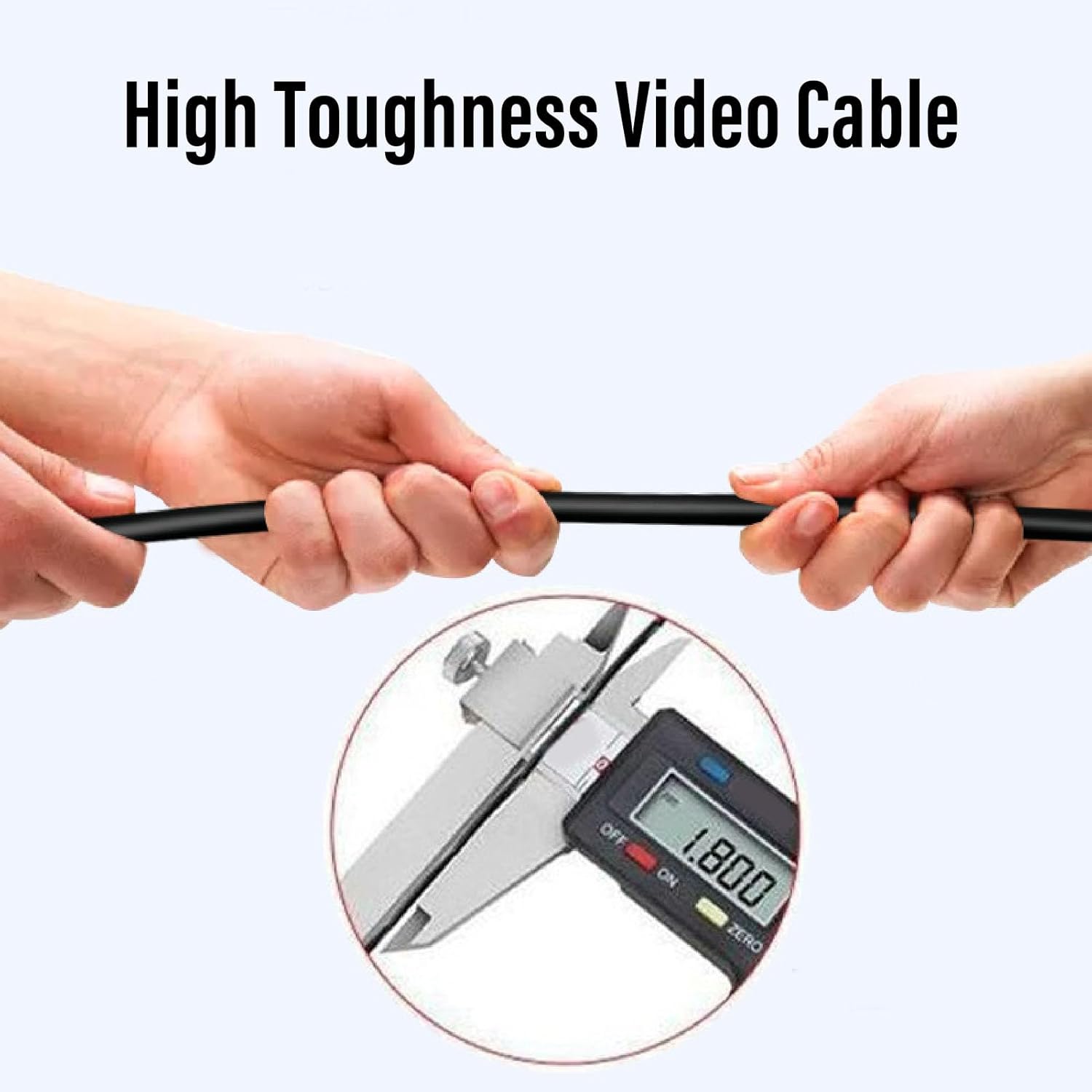
Image: Connecting the camera cable to the display unit.
- Unwind the Cable: Carefully unwind the desired length of the camera cable from the reel. The cable is designed for high tensile strength and durability.
- Deploy the Camera: Gently lower the camera head into the water. The camera is waterproof and designed for underwater use.
- Power On: Press the power button on the display unit to turn it on. The screen should immediately display the live underwater feed from the camera.

Image: Detailed view of the camera head.

Image: The cable reel for managing the camera cable.
4. Operating Instructions
Once the camera is deployed and the display unit is powered on, you can begin observing the underwater environment.
- Viewing the Feed: The 4.3-inch screen will show a live, high-definition video feed from the camera. Adjust the sunshade for optimal viewing in various lighting conditions.
- Navigating the Camera: Gently move the camera cable to change the camera's position and viewing angle underwater. The 220° wide-angle lens captures a broad perspective.
- Identifying Fish: Use the clear 1080P video feed to identify fish, underwater structures, and other points of interest.
- Adjusting Settings (if applicable): Refer to the buttons on the display unit for any available settings adjustments, such as brightness or contrast.

Image: Live underwater view on the display screen.
Video: Demonstration of the ASHATA Underwater Fishing Camera in use, showing deployment and live underwater footage on the screen.
5. Maintenance
Proper maintenance ensures the longevity and optimal performance of your ASHATA Underwater Fishing Camera.
- Cleaning the Camera Lens: After each use, gently wipe the camera lens with a soft, clean cloth to remove any debris or residue. Avoid abrasive materials that could scratch the lens.
- Cleaning the Display Screen: Use a soft, lint-free cloth to clean the display screen. Do not use harsh chemicals or sprays directly on the screen.
- Cable Care: Always wind the cable neatly onto the reel after use to prevent tangles and damage. Avoid sharp bends or kinks in the cable. The cable is designed to be highly durable and resistant to fracture.

Image: Illustrating the high toughness of the video cable.
- Storage: Store the camera system in a dry, cool place away from direct sunlight and extreme temperatures.
- Battery: For long-term storage, ensure the display unit's battery is partially charged (around 50%) to maintain battery health.

Image: The fracture-resistant plug design.
6. Troubleshooting
If you encounter issues with your ASHATA Underwater Fishing Camera, please refer to the following common problems and solutions:
- No Image on Screen:
- Ensure the display unit is powered on and fully charged.
- Check that the camera cable is securely connected to the display unit.
- Verify the camera is submerged in water.
- Poor Image Quality:
- Clean the camera lens for any dirt or debris.
- Check water clarity; very murky water will reduce visibility.
- Adjust screen brightness/contrast if available.
- Short Battery Life:
- Ensure the unit is fully charged before use.
- Battery performance can decrease in extremely cold conditions.
- Cable Damage:
- Inspect the cable for any visible cuts or damage. Avoid pulling the cable excessively or against sharp objects.
7. Specifications
| Feature | Specification |
|---|---|
| Model Name | ASHATAqbwt8f2unm |
| Effective Still Resolution | 5 MP |
| Video Capture Resolution | 1080p |
| Screen Size | 4.3 Inches |
| Water Resistance Level | Waterproof |
| Cable Tensile Strength | Up to 100kg |
| Battery Average Life | 12 Hours |
| Connectivity Technology | USB |
| Media Type | SD Card (for recording, if supported by specific model variant) |
| File Format | JPEG, MP4 |
| Item Weight | 982 Grams |
| Sensor Type | CMOS |
| Viewfinder Type | LCD screen |
| Focus Type | Fixed Focus |
| Camera Flash | Built-In |
8. Warranty and Support
The ASHATA Underwater Fishing Camera (Model ASHATAqbwt8f2unm) comes with a manufacturer warranty for 90 days from the date of purchase. This warranty covers defects in materials and workmanship under normal use.
For warranty claims, technical support, or any inquiries regarding your product, please contact ASHATA customer service through the retailer where the product was purchased or visit the official ASHATA brand store online.
Please retain your proof of purchase for warranty validation.