
Lenovo IdeaPad 5 2-in-1 14AHP9 (Model: 83DR0002US-CTO)
Lenovo IdeaPad 5 2-in-1 14AHP9 User Manual
Model: 83DR0002US-CTO
Product Overview
The Lenovo IdeaPad 5 2-in-1 14AHP9 is a versatile laptop designed for both productivity and entertainment. It features a 14-inch WUXGA IPS touchscreen, an 8-Core AMD Ryzen 7 8845HS processor, 16GB LPDDR5 RAM, and a 2TB NVMe M.2 SSD. Its 2-in-1 design allows it to function as a traditional laptop or a tablet, adapting to various user needs. This manual provides essential information for setting up, operating, maintaining, and troubleshooting your device.
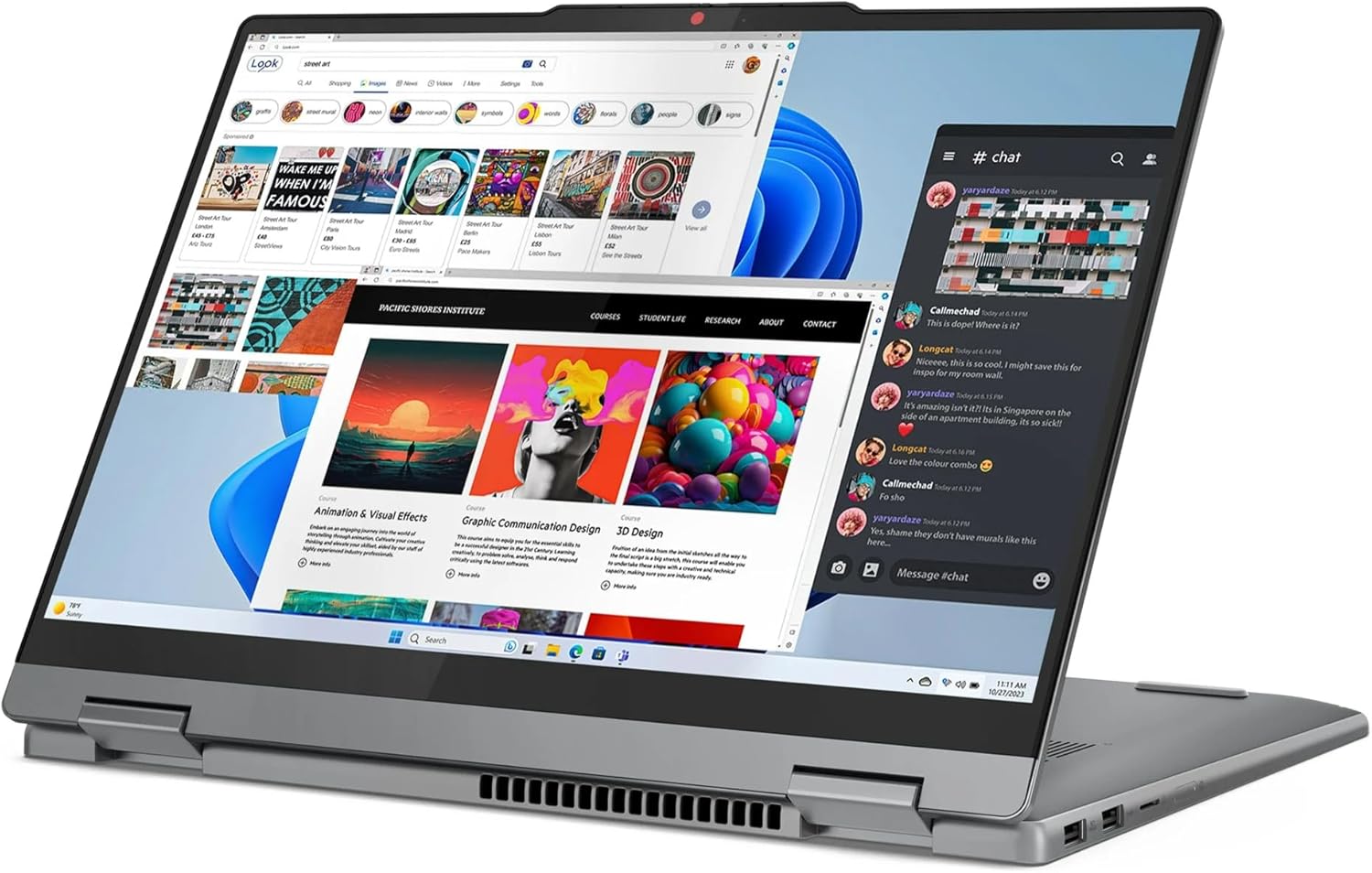
Figure 1: Lenovo IdeaPad 5 2-in-1 laptop in its versatile tent mode, showcasing its touchscreen capabilities and multi-window display.
Initial Setup
Follow these steps to set up your new Lenovo IdeaPad 5 2-in-1 laptop for the first time.
- Unpack the Device: Carefully remove the laptop and all accessories from the packaging. Ensure you have the laptop, 65W AC adapter, and the ONT 32GB USB Drive.
- Connect Power: Plug the 65W AC adapter into the USB-C Power Jack on your laptop and then into a power outlet. It is recommended to fully charge the battery before first use.
- Power On: Open the laptop lid. Press the power button, typically located on the side or keyboard deck, to turn on the device.
- Initial Windows Setup: Follow the on-screen prompts to complete the Windows 10 Home setup process. This includes selecting your region, language, connecting to a Wi-Fi network, and creating a user account.
- Software Updates: After initial setup, connect to the internet and check for system and driver updates to ensure optimal performance and security.

Figure 2: Front view of the Lenovo IdeaPad 5 2-in-1 laptop, ready for initial setup with the Windows operating system.
Operating Your Laptop
This section details the key features and how to use them effectively.
Display and Touchscreen
The 14-inch WUXGA (1920 x 1200) IPS touchscreen offers vibrant visuals and intuitive interaction. It supports multi-touch gestures for navigation and input. The display features Anti-Glare, 300 nits brightness, 45% NTSC color gamut, 60Hz refresh rate, and TÜV Low Blue Light certification for reduced eye strain.
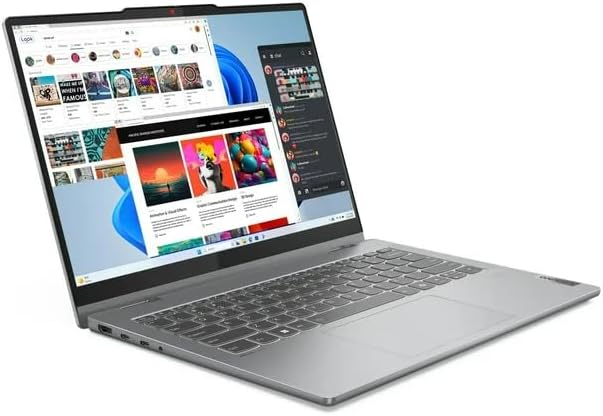
Figure 3: Angled view of the laptop, highlighting the touchscreen display and its ability to manage multiple applications.
Keyboard and Fingerprint Reader
The backlit keyboard provides comfortable typing in various lighting conditions. The integrated fingerprint reader allows for secure and quick login via Windows Hello.
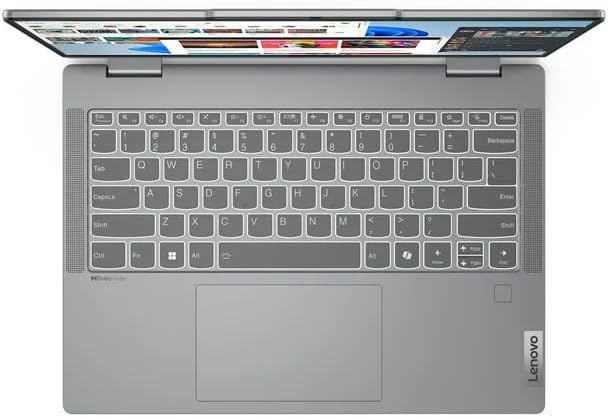
Figure 4: Top-down view of the laptop's keyboard, showing the layout and integrated trackpad.
Connectivity and Ports
Your laptop is equipped with MediaTek Wi-Fi 6 (2x2) and Bluetooth 5.3 for wireless connectivity. It also features a comprehensive set of ports:
- 2x USB 3.2 Gen 2 Type-C: Supports Power Delivery, DisplayPort, and 10Gbps data transfer.
- 1x USB 3.2 Gen 1 Type-A (Always On): Supports 5Gbps data transfer and can charge devices even when the laptop is off or in sleep mode.
- 1x USB 3.2 Gen 1 Type-A: Supports 5Gbps data transfer.
- 1x HDMI v2.1: For connecting external displays.
- 1x Headphone/Microphone Combo Jack: For audio input and output.
- 1x Card Reader: For accessing data from memory cards.
- 1x USB-C Power Jack: Dedicated port for the AC adapter.


Figure 5: Left and Right side views illustrating the various connectivity ports available on the laptop.
Audio and Camera
The laptop features stereo speakers (2W x2) optimized with Dolby Audio for an enhanced sound experience. The 1080p FHD Camera includes a Privacy Shutter, allowing you to physically block the camera lens when not in use for added security.
Maintenance and Care
Proper maintenance ensures the longevity and optimal performance of your Lenovo IdeaPad 5 2-in-1.
- Cleaning: Use a soft, lint-free cloth slightly dampened with water or a screen cleaner to clean the display. For the keyboard and chassis, use a soft, dry cloth. Avoid harsh chemicals.
- Battery Care: To maximize battery lifespan, avoid frequently discharging the battery completely. If storing the laptop for an extended period, ensure the battery is charged to about 50-60%.
- Software Updates: Regularly check for and install operating system updates (Windows Update) and driver updates from the Lenovo support website to ensure system stability, security, and performance.
- Ventilation: Ensure the ventilation openings are not blocked to prevent overheating. Use the laptop on a hard, flat surface.
- Data Backup: Regularly back up your important data to an external drive or cloud storage to prevent data loss.
Troubleshooting
This section provides solutions to common issues you might encounter.
| Problem | Possible Cause | Solution |
|---|---|---|
| Laptop does not power on. | Low battery or power adapter issue. | Ensure the AC adapter is securely connected to both the laptop and a working power outlet. Allow the battery to charge for at least 30 minutes before attempting to power on again. |
| Wi-Fi connection issues. | Incorrect Wi-Fi password, router issue, or driver problem. | Verify the Wi-Fi password. Restart your router and modem. Check if Wi-Fi is enabled in Windows settings. Update Wi-Fi drivers from the Lenovo support website. |
| Touchscreen not responding. | Driver issue or temporary software glitch. | Restart the laptop. Check for and install any pending Windows updates. Update touchscreen drivers from the Lenovo support website. |
| Backlit keyboard not working. | Backlight disabled or driver issue. | Press the Fn key combined with the appropriate function key (often F8 or Spacebar with a keyboard icon) to toggle the backlight. Ensure keyboard drivers are up to date. |
Technical Specifications
| Model Name | Lenovo IdeaPad 5 2-in-1 14AHP9 |
| Model Number | 83DR0002US-CTO |
| Processor | AMD Ryzen 7 8845HS 8-Core (2.9GHz base, up to 5.0GHz) |
| Graphics | AMD Radeon Graphics (Integrated) |
| RAM | 16GB LPDDR5 6400 MHz SDRAM |
| Storage | 2TB NVMe M.2 SSD |
| Display | 14" WUXGA (1920 x 1200) IPS Touchscreen, Anti-Glare, 300 nits, 45% NTSC, 60Hz, TÜV Low Blue Light |
| Operating System | Windows 10 Home |
| Wireless Connectivity | MediaTek Wi-Fi 6 (2x2), Bluetooth 5.3 |
| Ports | 2x USB 3.2 Gen 2 Type-C, 2x USB 3.2 Gen 1 Type-A, 1x HDMI v2.1, 1x Headphone/Microphone Combo Jack, 1x Card Reader, 1x USB-C Power Jack |
| Camera | 1080p FHD with Privacy Shutter |
| Audio | Stereo speakers, 2W x2, Dolby Audio optimized |
| Battery | 3 Cell 57Wh (Up to 8 hours non-gaming battery life) |
| Dimensions (LxWxH) | 12.32 x 8.94 x 0.70 inches |
| Weight | 3.53 lbs |
| Color | Luna Grey |
Product Support
For further assistance, technical support, or warranty information, please visit the official Lenovo support website or contact their customer service. Keep your product's model number (83DR0002US-CTO) and serial number ready when seeking support.
You can find more information and support resources on the Lenovo Store on Amazon.
Related Documents - IdeaPad 5 2-in-1 14AHP9 (Model: 83DR0002US-CTO)
 |
Lenovo IdeaPad 5 & 5i 2-in-1 User Guide: Setup, Features, and Support Comprehensive user guide for Lenovo IdeaPad 5 and IdeaPad 5i 2-in-1 laptops (14-inch and 16-inch models). Covers setup, hardware features, Windows operation, power management, troubleshooting, and support resources. |
 |
Lenovo IdeaPad Slim 5/5i User Guide: Features, Specifications, and Operation Comprehensive user guide for Lenovo IdeaPad Slim 5 and Slim 5i laptops (14-inch and 16-inch models). Covers hardware overview, setup, Windows integration, intelligent features, power management, UEFI/BIOS settings, troubleshooting, and support. |
 |
Lenovo Regulatory Notice for Wireless LAN/WAN Modules Essential regulatory compliance information for Lenovo wireless LAN and WAN modules in computers, covering FCC, ISED, EU, UK, and regional requirements for safe and compliant operation. |
 |
Lenovo IdeaPad 1 Series User Guide Comprehensive user guide for Lenovo IdeaPad 1 Series laptops, covering setup, features, specifications, troubleshooting, and support information. |
 |
Lenovo IdeaPad 1 Seeria Kasutusjuhend See kasutusjuhend pakub üksikasjalikku teavet Lenovo IdeaPad 1 Seeria sülearvuti seadistamise, kasutamise, hooldamise ja tõrkeotsingu kohta. Leidke juhised aku haldamiseks, Windowsi sätete konfigureerimiseks ja tugiteenuste saamiseks. |
 |
Lenovo IdeaPad Series 1 Hardware Maintenance Manual Comprehensive hardware maintenance manual for Lenovo IdeaPad Series 1 laptops, detailing safety procedures, component identification, and step-by-step instructions for removal and replacement of FRUs and CRUs. |