
1. Introduction
Thank you for choosing the HOPPUP Predator Xo7 Gaming Earbuds. This manual provides essential information for setting up, operating, and maintaining your new earbuds. Please read it carefully before use to ensure optimal performance and longevity of your device.
2. What's in the Box
Verify that all items are present in your package:
- HOPPUP Predator Xo7 Gaming Earbuds (Left and Right)
- Charging Case
- Type-C USB Charging Cable
- Ear Cushions (various sizes)
- Eartips (various sizes)
- User Manual (this document)
- Warranty Card
3. Product Overview
The HOPPUP Predator Xo7 earbuds are designed for gaming and entertainment, featuring low latency, dynamic drivers, and environmental noise cancellation.
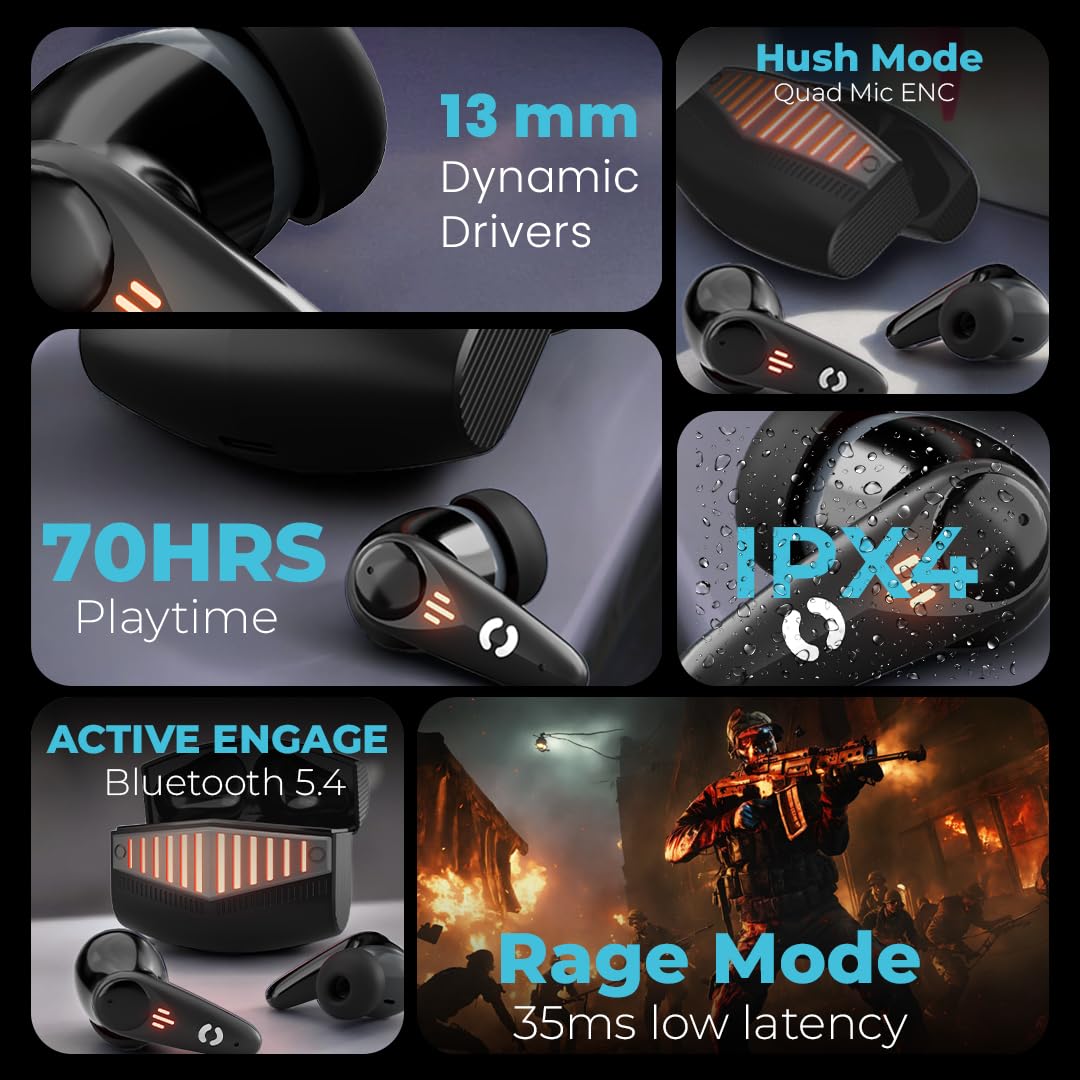
Image: Front view of the HOPPUP Predator Xo7 Gaming Earbuds and their charging case.

Image: Side view of the HOPPUP Predator Xo7 Gaming Earbuds and their charging case, highlighting the design.
Key Features:
- 13mm Dynamic Drivers: For enhanced audio output.
- Quad Mic ENC (Hush Mode): Environmental Noise Cancellation for clear calls.
- 35ms Low Latency (Rage Mode): Optimized for gaming to minimize audio delay.
- Bluetooth 5.4 (Active Engage): Stable and efficient wireless connectivity.
- Up to 70 Hours Playtime: Extended battery life with the charging case.
- Rapid Charge: 10 minutes of charging provides up to 120 minutes of playtime.
- Touch Control: Intuitive control over music, calls, and modes.
- Water Resistant: IPX4 rating for protection against splashes.
4. Setup
4.1 Initial Charging
Before first use, fully charge the earbuds and the charging case.
- Connect the Type-C USB cable to the charging port on the case and to a power source.
- The indicator lights on the case will show charging status.
- Place the earbuds into the charging case. Ensure they are correctly seated to initiate charging.
- A full charge typically takes approximately 2 hours.

Image: The HOPPUP Predator Xo7 charging case connected via a Type-C cable, illustrating the rapid charge feature.
4.2 Pairing with a Device (Active Engage)
The earbuds feature Active Engage technology for quick pairing.
- Open the charging case lid. The earbuds will automatically enter pairing mode.
- On your device (smartphone, tablet, laptop), enable Bluetooth.
- Search for available Bluetooth devices and select "HOPPUP Predator Xo7" from the list.
- Once connected, you will hear an audio prompt, and the indicator lights on the earbuds will change.
- The earbuds will automatically reconnect to the last paired device when removed from the case and within range.

Image: The HOPPUP Predator Xo7 earbuds and case illustrating the 'Active Engage' feature with Bluetooth 5.4 and Hall Switch technology for instant connection.
5. Operating Instructions
5.1 Touch Controls
The earbuds feature touch-sensitive areas for control. Specific functions may vary slightly based on your device and application.
| Action | Function |
|---|---|
| Single Tap (Left/Right Earbud) | Play/Pause Music, Answer/End Call |
| Double Tap (Right Earbud) | Next Track |
| Double Tap (Left Earbud) | Previous Track |
| Triple Tap (Left/Right Earbud) | Activate Voice Assistant |
| Long Press (Left/Right Earbud, 2 seconds) | Reject Call |
| Long Press (Left/Right Earbud, 3 seconds) | Toggle Gaming Mode (Rage Mode) / Normal Mode |
5.2 Gaming Mode (Rage Mode)
Activate Rage Mode for a low-latency gaming experience (35ms). This mode minimizes audio delay, providing synchronized sound for competitive gaming.
- To activate: Long press either earbud for 3 seconds. You will hear an audio prompt.
- To deactivate: Long press either earbud for 3 seconds again to return to normal mode.

Image: The HOPPUP Predator Xo7 earbuds and case highlighting the 'Rage Mode' for 35ms low latency, ideal for gaming.
5.3 Call Management (Hush Mode)
The Quad Mic ENC (Environmental Noise Cancellation) ensures clear voice calls by reducing background noise.
- Answer Call: Single tap either earbud.
- End Call: Single tap either earbud during a call.
- Reject Call: Long press either earbud for 2 seconds.

Image: The HOPPUP Predator Xo7 earbuds and case showcasing 'Hush Mode' with Quad Mic ENC for clear communication.
6. Charging
6.1 Charging the Earbuds
Place the earbuds into the charging case. They will automatically begin charging. The indicator lights on the earbuds will show their charging status.
6.2 Charging the Case
Connect the Type-C USB cable to the charging port on the case and to a 5V/1A power adapter. The case's indicator lights will illuminate to show charging progress. A full charge provides up to 70 hours of total playtime for the earbuds.
6.3 Rapid Charge Feature
The Predator Xo7 supports rapid charging. A 10-minute charge can provide up to 120 minutes of playtime.
7. Maintenance
7.1 Cleaning
- Regularly clean the earbuds and charging case with a soft, dry, lint-free cloth.
- Remove ear tips and clean them with mild soap and water, then dry thoroughly before reattaching.
- Ensure charging contacts on both earbuds and case are free from dust and debris.
- Do not use harsh chemicals, cleaning solvents, or strong detergents.
7.2 Storage
- When not in use, store the earbuds in their charging case to protect them and keep them charged.
- Store in a cool, dry place, away from extreme temperatures and direct sunlight.
8. Troubleshooting
If you encounter issues, refer to the following common solutions:
| Problem | Possible Solution |
|---|---|
| Earbuds not pairing |
|
| Only one earbud working |
|
| Low volume or poor sound quality |
|
| Charging issues |
|
| Gaming mode latency still noticeable |
|
9. Specifications
| Feature | Detail |
|---|---|
| Model Name | XO7 |
| Connectivity Technology | Bluetooth 5.4 |
| Bluetooth Range | 15 Metres |
| Audio Driver Size | 13 Millimetres |
| Audio Driver Type | Dynamic Driver |
| Battery Life | Up to 70 Hours (with charging case) |
| Charging Time | Approx. 2 Hours (for full charge) |
| Rapid Charge | 10 mins charge = 120 mins playtime |
| Low Latency | 35ms (Rage Mode) |
| Noise Control | Environmental Noise Cancellation (ENC) - Quad Mic |
| Control Method | Touch, Voice Control |
| Water Resistance Level | IPX4 (Water Resistant) |
| Material | Plastic |
| Compatible Devices | Cellphones, Desktops, Laptops, Tablets, Television |
| Product Dimensions (LxWxH) | 10 x 10 x 4 cm |
| Item Weight (with packaging) | 800 g |
| Country of Origin | India |
10. Warranty Information
Your HOPPUP Predator Xo7 Gaming Earbuds come with a warranty. Please refer to the included Warranty Card in your package for detailed terms, conditions, and duration of the warranty. Keep your purchase receipt as proof of purchase for any warranty claims.
11. Support & Contact
For further assistance, technical support, or inquiries, please contact HOPPUP customer service:
- Phone: +919354256077
- Email: help@hoppup.in
- Manufacturer: Optimum Technologies Private Limited
- Address: UPER G/F, 19, SHIVPURI, East Krishna Nagar, Delhi, 110051, India