
HATUSOKU HSK-2212-01
Digital Thermometer and Hygrometer User Manual
Brand: HATUSOKU | Model: HSK-2212-01
Introduction
This manual provides instructions for the HATUSOKU Digital Thermometer and Hygrometer. This device is designed to accurately measure and display both temperature and humidity, helping you maintain a comfortable and healthy indoor environment. Its simple design and multiple placement options make it suitable for various settings.
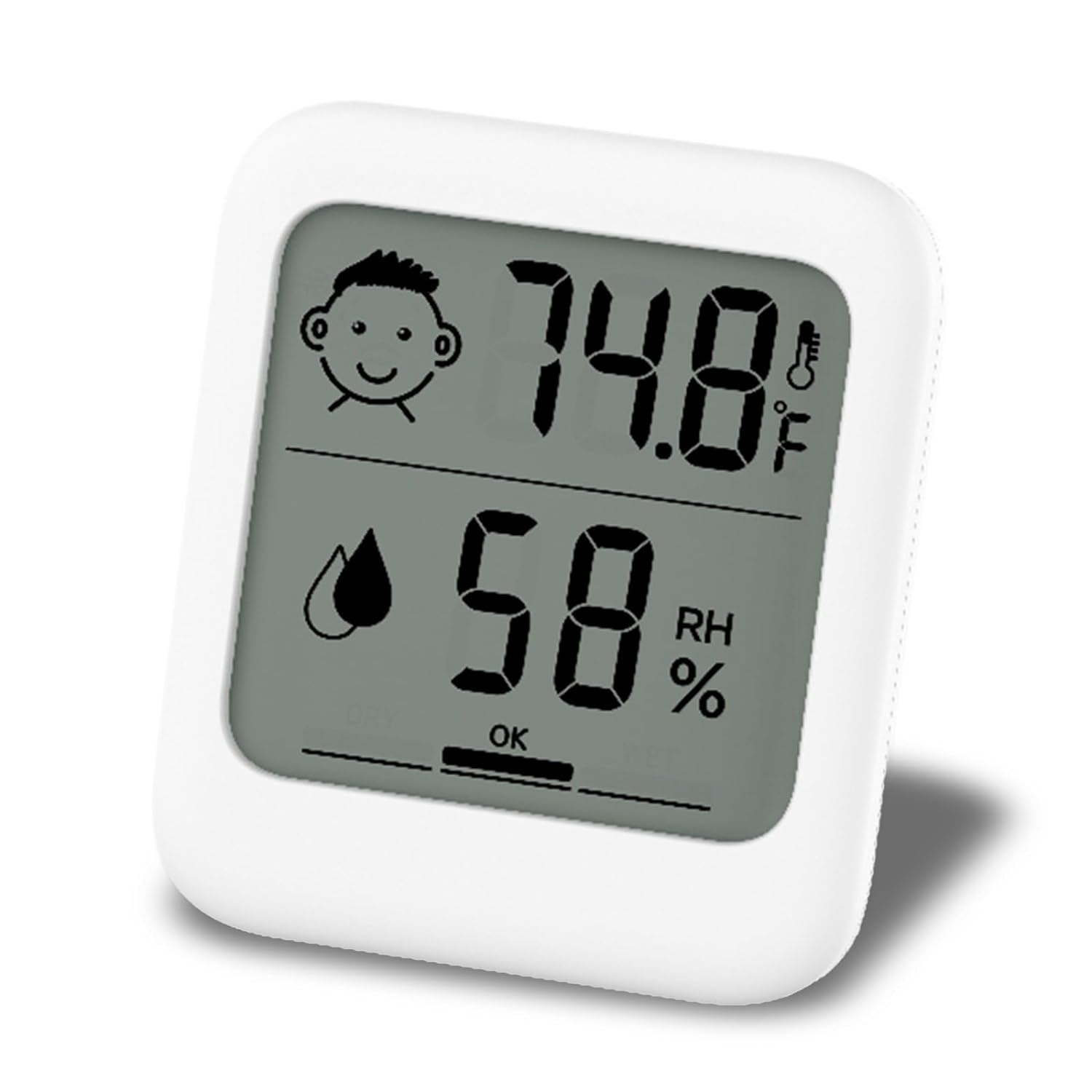
Front view of the HATUSOKU Digital Thermometer and Hygrometer, showing the large, clear display for temperature and humidity.
Key Features
- Simple and Easy-to-Read Display: Features a clear layout of temperature and humidity in a compact body, designed for easy readability.
- Comfort Level Face Display: Equipped with an icon-based comfort indicator that changes according to temperature and humidity levels, useful for monitoring conditions related to health and comfort.
- AAA Battery Operation: Uses easily obtainable AAA batteries for power, ensuring convenient replacement.
- Versatile 3-Way Installation: Offers multiple placement options including magnetic attachment, a fold-out stand for tabletop use, and a hook hole for hanging.
- Compact Design: Measures approximately 2.7in x 3.0in x 0.6in and weighs 1.9oz, making it discreet and portable.
What's in the Box
- 1 x HATUSOKU Digital Thermometer and Hygrometer
- 1 x AAA battery (pre-installed or included separately)
- Instructions for use
Setup
Battery Installation
- Locate the battery compartment cover on the back of the unit.
- Slide the cover downwards to open the compartment.
- Insert one AAA battery, ensuring the positive (+) and negative (-) terminals align correctly with the indicators inside the compartment.
- Replace the battery compartment cover by sliding it upwards until it clicks into place.

Back view of the device, illustrating the battery compartment, magnets, and fold-out stand.
Placement Options
The HATUSOKU Digital Thermometer and Hygrometer offers three convenient placement methods:
- Stand: Utilize the integrated fold-out stand on the back for tabletop placement.
- Magnet: The unit has built-in magnets, allowing it to be attached to metallic surfaces like refrigerators.
- Hanging Hole: Use the small hole at the top back of the unit to hang it on a hook or nail.

Visual representation of the three installation methods: kickstand, magnet, and hanging hole.
Operating Instructions
Understanding the Display
The large LCD screen displays temperature (in Fahrenheit) and relative humidity (RH%).
- Temperature: Shown in large digits at the top, with a small thermometer icon.
- Humidity: Shown in large digits at the bottom, with a droplet icon and 'RH%' indicator.
Comfort Face Display
The device includes a comfort face icon and a humidity level indicator to provide a quick visual assessment of the environment:
- Temperature Comfort Icon:
- Smiling Face: Indicates a comfortable temperature range (typically 68.0°F to 78.6°F).
- Neutral Face: Indicates a slightly cooler temperature (-4.0°F to 67.8°F).
- Frowning Face: Indicates a warmer temperature (78.8°F to 158.0°F).
- Humidity Level Indicator:
- DRY: Humidity below 39% RH.
- OK: Humidity between 40% and 60% RH.
- WET: Humidity above 61% RH.

Explanation of the comfort face icons and humidity level indicators.
Product Demonstration Video
This video provides a visual demonstration of the HATUSOKU Digital Thermometer and Hygrometer, showcasing its features and operation.
Maintenance
- Cleaning: Wipe the unit with a soft, dry cloth. Do not use abrasive cleaners or immerse the unit in water.
- Battery Replacement: Replace the AAA battery when the display becomes dim or stops functioning.
- Storage: If storing for an extended period, remove the battery to prevent leakage. Store in a cool, dry place.
Troubleshooting
| Problem | Possible Cause | Solution |
|---|---|---|
| Display is blank or dim. | Low or dead battery. | Replace the AAA battery. Ensure correct polarity. |
| Inaccurate readings. | Unit placed near heat/cold sources or in direct sunlight. | Move the unit to a location away from direct heat, cold, or sunlight. Allow 30 minutes for readings to stabilize. |
| Comfort face icon is not as expected. | Temperature or humidity is outside the 'OK' range. | Refer to the 'Comfort Face Display' section to understand the icon meanings. Adjust room conditions if necessary. |
Specifications
| Attribute | Detail |
|---|---|
| Product Dimensions | 2.68 x 2.68 x 3.03 inches (67.4mm x 77.0mm x 15.5mm) |
| Item Weight | 1.76 ounces (1.9oz stated in features) |
| Model Number | HSK-2212-01 |
| Batteries | 1 AAA battery required (included) |
| Temperature Range | -4°F to 158°F (-20°C to 70°C) |
| Temperature Accuracy | ±2°F (40°F to 104°F), ±4°F (Other ranges) |
| Humidity Range | 25% to 85% RH |
| Humidity Accuracy | ±5% (35% to 75% RH), ±10% (Other ranges) |
| Measurement Interval | 10 seconds |
| Color | White |
| Mounting Type | Tabletop, Magnetic, Hanging |
| Manufacturer | HATUSOKU |
| Country of Origin | China |

Detailed dimensions of the HATUSOKU Digital Thermometer and Hygrometer.
Warranty and Support
Manufacturer's Warranty
This product comes with a 1-year manufacturer's warranty from the date of purchase. Please retain your proof of purchase for warranty claims.
Customer Support
For any questions, technical assistance, or warranty inquiries, please contact HATUSOKU customer support through the retailer's platform or the official HATUSOKU website. Please have your model number (HSK-2212-01) and purchase details ready when contacting support.
Ask a question about this manual
Ask about setup, troubleshooting, compatibility, parts, safety, or missing instructions. Manuals+ will review the question and use this page’s manual context to help answer it.